Introduction
OpenCrabs est un agent d’orchestration IA auto-hébergé et agnostique du provider qui s’exécute comme un unique binaire Rust. Il automatise votre terminal, votre navigateur, vos channels (Telegram/Discord/Slack/WhatsApp/Trello) et votre codebase, tout en respectant votre vie privée et en vous gardant aux commandes.
11,091 tests sur les providers, les outils, les channels, le TUI, le self-healing et l’automatisation de browser.
Ce qui distingue OpenCrabs
Zéro télémétrie, même pas en opt-in
- OpenCrabs ne téléphone jamais à la maison. Jamais. Pas d’analytics, pas de tracking, pas de statistiques d’utilisation, pas de logs distants, pas de rapports de plantage
- Vos conversations, outils, mémoire, configuration et clés API ne quittent jamais votre machine
- Le seul trafic sortant est celui que vous initiez explicitement : appels d’API LLM, recherches web, commandes GitHub, automatisation du navigateur
- Pas une case de politique de confidentialité : il n’y a aucun code de télémétrie à désactiver, aucun flag d’opt-out, aucun service d’analytics à bloquer. Il n’y a simplement rien à envoyer
Agnostique du provider par conception
- 16 providers intégrés + Custom OpenAI Compatible : Anthropic Claude, OpenAI, Gemini, Xiaomi MiMo, OpenRouter, Qwen (DashScope), MiniMax, Ollama, z.ai GLM, GitHub Copilot, Codex, Codex CLI, OpenCode, OpenCode CLI, Moonshot AI (Kimi), Command Code CLI
- Intégration CLI native: utilisez Claude Code CLI, OpenCode CLI, Codex CLI et Command Code CLI comme providers sans clés API
- Chaîne de fallback persistante: failover automatique sur rate limits ou erreurs, persistance sensible à l’état de santé qui survit aux redémarrages
- Prompt caching sur Anthropic, OpenRouter, Gemini et Qwen DashScope réduit les coûts jusqu’à 95 %
- Override de la fenêtre de contexte: plafonnez ou étendez le contexte de n’importe quel model via la config (le provider OpenCrabs intégré est l’exception : sa fenêtre est fixée à 200k)
- Xiaomi MiMo: plus de 30 models dont la série de reasoning MiMo, provider à clé
- Moonshot AI (Kimi): endpoints du plan API (api.moonshot.ai) et du plan Coding (api.kimi.com), config de reasoning-effort, fenêtre de contexte selon le palier de plan
Multi-Agent Orchestration
- Les sessions sont des agents totalement isolés, chacune avec son propre brain, provider, model, répertoire de travail et historique
- Sous-agents typés :
general,explore,plan,code,researchavec un accès aux outils adapté - Orchestration d’équipes :
team_create,team_broadcast,team_deletepour des workflows coordonnés - Overrides provider/model par appel: mélangez les models entre équipes (planifier avec GLM, coder avec Deepseek, relire avec Kimi)
- Protocole A2A: passerelle JSON-RPC 2.0 pour la communication agent-à-agent
Communication native des channels
- Telegram, Discord, Slack, WhatsApp, Trello, intégration bot complète avec DM, groupes et threads
- Messages riches sur Telegram: tableaux natifs, titres, listes, maths via la config
rich_messages - Streaming de brouillons: mises à jour “écrit…” en direct pendant la génération des tokens dans les DM
- Blocs repliables: sections
<details>/<summary>pour les sorties longues - Isolation de session par sujet de forum: chaque sujet dans les supergroupes Telegram a sa propre session
- Réactions Telegram: le bot lit les réactions emoji entrantes et peut répondre par une réaction plutôt qu’un message quand c’est approprié
- Réactions de cadrage (v0.3.61): réactions entrantes lues par sentiment, l’agent s’adresse à l’utilisateur par son prénom
- Réactions en cours de turn (v0.3.61): une réaction pendant un turn en cours s’injecte dans la boucle actuelle au lieu de déclencher un second turn
- Suggestions de suivi (v0.3.69): relances optionnelles tapez-pour-envoyer sur Telegram, Discord, Slack, WhatsApp ; remplir-sans-envoyer dans le TUI
- Réépinglage de la carte de plan Telegram (v0.3.71): réépingler la carte de plan et y replier le texte quand elle est enterrée
- Capture complète de l’historique de groupe (v0.3.73), persiste chaque message de groupe dans l’historique, même des expéditeurs et bots hors allowlist
- Interlocuteur de groupe correct (v0.3.73): ne plus traiter un expéditeur de l’historique du groupe comme l’interlocuteur actuel
- Héritage de session:
/newhérite du répertoire de travail de votre session la plus récente /goalsur tous les channels: définissez des objectifs autonomes depuis Telegram, Discord, Slack, WhatsApp- Support vocal: Whisper STT local + Piper TTS, entièrement hors ligne
- Récupération de plantage inter-channels: les requêtes en attente retournent au channel d’origine au redémarrage
/cowork: créez des workspaces partagés depuis les channels et le TUI/rename,/profiles,/cd, gérez sessions, profiles et répertoires depuis n’importe quel channel
Self-Healing et auto-amélioration
-
Recursive Self-Improvement (RSI): l’agent analyse ses performances, identifie des schémas et réécrit ses fichiers brain
-
Détection des phantom tool calls: détecte quand le model narre des changements sans exécuter d’outils
-
Self-heal des phantom calls (v0.3.72): détecte les turns sans outil qui prétendent à des effets critiques (ship/push/tag/release)
-
Éditions de config uniquement via config_manager (v0.3.74), l’agent n’édite jamais à la main config.toml/keys.toml ; chaque écriture est validée avant d’atterrir
-
Déduplication du brain (v0.3.75): la commande
/dedupplus des scans post-écriture et hebdomadaires inter-fichiers empêchent les fichiers brain de dériver vers la duplication, avec approbation par clavier inline Telegram -
Indices de fichiers brain sur échecs d’outils (v0.3.75), des notes brain pertinentes remontent automatiquement quand un appel d’outil échoue ou produit une erreur
-
Mémoire proactive (v0.3.76): une mémoire pertinente remonte sans qu’on la demande quand le contexte de conversation correspond au savoir stocké
-
Noms de models naturels (v0.3.76):
/models opusfonctionne ; les noms familiers se résolvent en IDs de model exacts -
Routage de provider plan/execute (v0.3.76): routez la planification et l’exécution vers des providers/models séparés
-
Timeout des thinking-loops (v0.3.78): détecte les boucles de reasoning infinies, déclenche l’application du phantom enforcement avec fallback persistant
-
Moteur épistémique (v0.3.78): suivi de croyances avec niveaux de confiance, maillage cognitif OODA/BDI, gate d’Orient avant l’exécution du plan
-
Gate de vérification Ralph (v0.3.78): vérification de tâches sensible aux critères avec plafond d’itérations ; les tâches doivent satisfaire les critères d’acceptation déclarés
-
Gates de sécurité TOML (v0.3.78): blocklist bash configurable à l’exécution avec hot-reload, rédaction des secrets entre guillemets, vérification des fichiers brain
-
Analytics Mission Control (v0.3.78): filtre D/W/M, grille de cartes 3 par ligne, onglets phantom/model/streaming, DB d’événements dédiée
-
Onboarding OpenAI TTS (v0.3.78): sélecteur de voix et champ de clé API dans l’assistant d’onboarding
-
Installation Homebrew (v0.3.79):
brew install opencrabsdepuis homebrew-core : binaire précompilé, les deux architectures, sans toolchain Rust -
/restartet/exit(v0.3.79): redémarrez ou arrêtez depuis n’importe quel channel ou le TUI ; réservé au owner sur les channels, annonce avant d’agir -
Circuit breaker de quota (v0.3.79): les providers à quota épuisé reçoivent un breaker à TTL et sont sautés dans les parcours de fallback ; l’épuisement de la chaîne est signalé explicitement
-
État des plans entre sessions (v0.3.79): les plans survivent aux frontières de session ; l’exécution isolée des tâches de plan est activée par défaut, Ralph vérifie dans le répertoire propre de la session
-
Système de thèmes (v0.5.0): des presets vérifiés, un sélecteur interactif et vos propres thèmes depuis
~/.opencrabs/themes/*.toml; le truecolor est détecté avec un niveau de repli ANSI-256, et un preset dont le contraste rendrait le texte illisible est refusé -
Mémoire structurelle du code (v0.5.0): tree-sitter construit un index de symboles et de graphe d’appels à côté de l’index textuel, si bien que « qui appelle X » parcourt de vraies arêtes d’appel tandis que les questions conceptuelles gardent la voie textuelle (#1324)
-
Transfert de fichier via SSH (v0.5.0): un fichier déposé dans une TUI exécutée sur un hôte distant est récupéré par la connexion déjà ouverte, avec un
opencrabs drop-agentcôté client (#1289) -
Verdicts de livraison de notify (v0.5.0):
session_notifyrenvoie un résultat d’envoi lisible par machine, les accusés d’injection de profondeur 3 rendent lenotify_idvérifiable, et la livraison est redirigée vers la session qui détient le channel à cet instant -
Compaction en arrière-plan (v0.5.0): le résumeur s’exécute hors du tour au lieu de retenir la session pendant son travail
-
Masquage du token à l’écriture (v0.5.0): une erreur de provider transportant une URL ne peut plus laisser fuir le token du bot dans un log, quelle qu’en soit l’origine (#1322)
-
Userbot Telegram en réception seule (v0.5.0, expérimental): capture MTProto derrière une feature, avec connexion locale par QR/code/2FA ; il stocke le texte autorisé pour consultation et n’agit jamais à la place de l’utilisateur
-
Ancrage temporel (v0.5.1): l’agent sait toujours l’heure qu’il est : chaque tour porte un horodatage dans le fuseau horaire de l’utilisateur, et le prompt système reste octet pour octet identique pour le cache du fournisseur (#1516)
-
Sessions cron par job (v0.5.1): chaque job programmé obtient sa propre session, afin que deux jobs simultanés ne partagent jamais leur contexte ou leurs fournisseurs (#1511)
-
Verrou par globs de skill (v0.5.1): la liste
globs:d’une skill peut refuser les appels d’outils sur les fichiers correspondants tant que l’agent n’a pas lu le corps de la skill (#1515) -
Écritures de config validées par la structure (v0.5.1), le garde d’écriture et les suggestions de section de config_manager dérivent désormais du type
Configlui-même, pour ne jamais diverger du code publié (#1508) -
Conceptions de plan refusées à l’écriture (v0.5.1), une conception de plan malformée rebondit immédiatement avec les sections manquantes nommées, et une écriture refusée restaure le scaffold au lieu d’effacer le brouillon (#1507)
-
Backpressure de budget fournisseur (v0.5.1): un fournisseur qui signale un budget de tokens en sortie déclenche une seule compaction bornée puis une nouvelle tentative, au lieu d’une cascade de 400 (#1518)
-
Jetons A2A liés et config réservée au owner (v0.5.1), les jetons A2A sont liés à la gateway qui les a émis, et config.toml/keys.toml passent en mode owner exclusif, les secrets étant purgés des logs
-
Mode serveur ACP (v0.5.2):
opencrabs acpparle l’Agent Client Protocol via stdio JSON-RPC, de sorte que Zed, MonoCode et tout client ACP pilotent le même brain que vos channels, avec le streaming de la progression et les approbations qui repartent vers l’éditeur (#1540) -
Navigation compatible shadow-DOM (v0.5.2): la résolution des sélecteurs traverse les shadow roots, de sorte que l’automatisation atteint les web components auparavant invisibles pour les outils
-
Surface WhatsApp complète (v0.5.2): notes vocales natives, vidéo/sticker/localisation/contact entrants, votes de sondage, récupération de la présence et des media, accusés de réaction, streaming avec édition sur place, messages éphémères, blocage de contacts, épingler/transférer/profil, mises à jour de statut, découverte des newsletters, boutons native flow, historique par conversation
-
Tracing en direct et tables natives sur Discord (v0.5.2), les tours longs sont diffusés comme une réponse live tracée, les réponses passent automatiquement en thread, les tables markdown s’affichent nativement et les tours avec outils ne publient plus deux fois la réponse finale (#1603, #1608)
-
Sujets de forum Telegram et /clear (v0.5.2): création/renommage de sujets de forum avec liaison de session, et /clear démarre une session fraîche sans l’appel au summariser (#1585)
-
Budget de payload du menu de commandes (v0.5.2): le setMyCommands de Telegram rejette silencieusement les corps de requête au-delà de ~7,8 Ko en signalant BOT_COMMANDS_TOO_MUCH ; les descriptions se raccourcissent désormais par paliers pour que tout le menu tienne (#1613)
-
Cron déclenché sur condition (v0.5.3): un job exécute un pre-flight check et ne s’exécute que si votre condition est remplie (output non vide, exit code, regex), les runs ignorés coûtent 0 token et un trigger déclenché peut dispatcher un goal vers une session (#233)
-
Windows natif (v0.5.3): gestion du shell par plateforme, lecture BOM/UTF-16, fallbacks tilde et cwd, avec une CI qui compile Windows et gate les PR (#627)
-
Mémoire épistémique (v0.5.3): les faits de MEMORY.md portent une confidence et un decay (#1643), les sections froides s’archivent d’elles-mêmes et
opencrabs memory prunemontre ce qui est devenu froid avant d’y toucher (#1657) -
Moteur de thèmes achevé (v0.5.3): chaque widget du TUI résout ses couleurs via le thème, avec un guard de suite contre tout nouveau site ANSI brut, et les thèmes peuvent déclarer un canvas background (#1634)
-
Sondages de suggestions WhatsApp (v0.5.3): les ensembles de follow-ups au-delà de la limite native de boutons s’affichent en sondage, et un vote sélectionne l’option (#1616)
-
Famille de sessions ACP (v0.5.4): les sessions sont first-class sur la surface ACP : le context meter est restauré au chargement et suit les usage updates,
session/loadrejoue la transcription et restaure le model de la session,set_modelpersiste entre processus, lesession/set_modenatif applique l’approval policy côté serveur,session/compactpousse, etsession/newpropose un catalogue de models en direct -
Prise en main interactive du terminal (v0.5.4):
!vi/!nanoprennent le terminal de façon interactive et le rendent avec la session intacte; terminaux Unix uniquement, Windows conserve la capture par pipe (#1744, #1759) -
Paste & drop universel (v0.5.4): un router d’attachments partagé accepte tout type de fichier au collage ou au dépôt et classifie code, docs, archives et données pour que chacun arrive dans le bon pipeline (#1740, #1743)
-
Moteur de recherche Serper (v0.5.4):
serper_searchajoute des résultats Google SERP, et le fan-out de web_search déduplique par URL entre engines (#1731) -
Decision cache (v0.5.4):
decide_cachedrépond aux décisions répétées depuis un anneau de réutilisation L1 avec tiers shadow/live et config[decisions](#1648) -
Coûts rapportés par le provider et une chaîne de timeouts unifiée (v0.5.4), le ledger d’usage préfère le coût réellement rapporté par le provider aux estimations de table (#1707), et les flags de timeout se résolvent
[providers.<name>]->[agent]-> default pour tous les providers (#1688) -
Commandes compilées /architecture et /attach, audit trail optionnel (v0.5.4), les deux commandes sont livrées comme arms compilés, et un audit trail optionnel enregistre ce qui a tourné avec un viewer
/audit(#933, #1705) -
Surface native de Discord (v0.5.5) : sondages natifs via
send_poll, réponses TTS livrées comme messages vocaux, etcommands.tomlprojeté sur les slash commands natifs pour que vos propres commandes apparaissent dans le sélecteur de Discord (#1848, #1849, #1850) -
Flow groups et governors d’écriture (v0.5.5) : Discord et Slack ouvrent le flow group au début du tour avec une horloge en direct couvrant la réflexion et le texte d’activité en tête de ligne, et un seul governor d’écriture partagé budgète chaque édition et se met en park sur les 429 (#1841, #1843, #1844, #1845, #1807, #1808, #1809, #1910, #1912, #2012)
-
/respond_to et /cowork (v0.5.5) : modes respond_to et open par canal dans la configuration, plus les deux commandes pour les définir depuis le canal lui-même (#2014, #2015)
-
Discipline de rate limit sur Telegram (v0.5.5) : polls getUpdates et handoffs de handler instrumentés pour le triage des stalls, un plancher d’espacement sub-seconde entre surfaces avec télémétrie d’admission, une pause 429 par chat derrière un seul accesseur Cooldown, et les liens markdown vers des fichiers locaux livrés comme documents (#1927, #1916, #1968)
-
Cycle de vie des sessions ACP v1 (v0.5.5) : les cinq méthodes v1 du cycle de vie des sessions sont implémentées et le plan est publié comme une mise à jour de plan v1 native (#1815)
-
Pied de dialogue partagé, URLs cliquables, timeline d’onboarding (v0.5.5) : tous les dialogues partagent un seul command footer avec des verbes d’approbation a/r directs, les URLs et les chemins de fichiers sont cliquables, et l’onboarding a été reconstruit en une timeline d’étapes à gauche avec des commandes de configuration directes (#1775, #1772, #1979, #1980, #1981, #1982)
-
Retraite des cron one-shot (v0.5.5) : les jobs one-shot se retirent à la livraison au lieu de se redéclencher un an plus tard, chaque exécution livrée porte son run id, et les rapports cron de Discord arrivent en un seul post de forum (#544, #1703, #1851)
-
Premier lancement sans configuration (v0.5.11) : une installation neuve arrive directement dans le chat avec le provider intégré déjà provisionné,
config.tomletkeys.tomlcréés, et l’agent qui vous salue. L’assistant est optionnel via/onboardou--onboard(#2079) -
Un premier tour qui ne peut plus interrompre le processus (v0.5.11) : les threads worker de l’agent tournent sur une pile de 16 MiB, donc le premier tour ne déborde plus la pile par défaut (#2080)
-
Tags de release conditionnés à un CI vert (v0.5.11) : le workflow de release lit la conclusion du run CI du commit lui-même avant de publier. Un run rouge fait échouer la release, un run encore en cours est attendu, et un commit sans run échoue aussi (#2078)
-
Evolve redémarre les bonnes unités (v0.5.11) : le redémarrage planifié cible des noms d’unités résolus au lieu du glob de découverte
opencrabs*.service, qui correspondait aussi à l’unité transitoire qui exécute le redémarrage et faisait que systemd arrêtait son propre exécuteur (#2081) -
Les guest queries de Telegram disposent de la surface complète (v0.5.12) : un tag dans un chat où le bot n’a jamais été invité exécute la même surface d’outils, le même bloc de statut en direct et le même rendu rich qu’un tour normal, avec un tour annulable par guest session et du rate limiting (#2087, #2109, #2133, #2135, #2138, #2143)
-
Un plan est exigé au-delà d’un seuil de tool calls (v0.5.12) : lorsqu’un tour dépasse un seuil de tool calls, l’agent doit s’arrêter et écrire un plan avant de continuer (#2128)
-
Le transcript survit au changement de session (v0.5.12) : la carte des plis est indexée par une ancre stable de role et de timestamp au lieu d’un UUID généré à chaque rendu, donc changer de session et revenir ne replie plus tous les tours que vous aviez ouverts (#2155)
-
Les installations headless provisionnent le provider intégré (v0.5.12) :
opencrabs run,daemon,agent,acpetcroncréent le token intégré sur un home neuf comme le faisait déjà la TUI, tandis questatusetdoctorrestent en lecture seule (#2151) -
Mode de réparation doctor –fix (v0.3.83): lignes cron bloquées, markers périmés et permissions cassées sont réparées sur-le-champ au lieu d’être seulement signalées
-
Verrous d’écriture par chemin (v0.3.83): les écritures concurrentes vers un même fichier se sérialisent ; le dernier écrivain ne gagne plus silencieusement
-
Isolation de worktree des sous-agents (v0.3.83): chaque agent enfant reçoit son propre worktree et branch, donc un fan-out ne peut pas écraser l’arbre partagé
-
Critères d’acceptation sensibles au type (v0.3.83): les critères du plan sont appliqués contre la toolchain que le projet utilise réellement (#1133)
-
Vérification de plan consciente du projet (v0.3.83), les plans vérifient avec les commandes propres du projet, pas toujours cargo, et trouvent le projet depuis le dossier de la session
-
/stop annule immédiatement (v0.3.83): interrompt pendant le handshake du provider et les backoffs de retry (#1148)
-
Reprise de session A2A (v0.3.83): les sessions reprennent par context id, la passerelle est adressée par profile (#1159, #1161)
-
Réglages de thinking DeepSeek (v0.3.83): DeepSeek reçoit les paramètres de thinking qu’il lit réellement, plus le traitement des turns à tool-call uniquement
-
Corrélation de logs par session_id (v0.3.82): chaque turn ouvre un tracing span portant son session id, et les cron jobs ainsi que le moteur RSI ont les leurs, donc un seul grep reconstruit un turn entier depuis un log quotidien partagé
-
Fiabilité du logger (v0.3.82): le logger cesse de perdre des événements et cesse d’écrire dans le terminal du TUI ; une écriture bloquée ne peut plus faire taire le logging de toutes les autres threads
-
Fichiers brain de l’utilisateur protégés (v0.3.82): SOUL.md, USER.md et MEMORY.md ne reçoivent jamais de merge depuis l’upstream, et les directives sont routées vers AGENTS.md, qui est toujours chargé
-
Unification des sections de config (v0.3.82): l’orthographe historique
[gateway]est migrée sur disque vers[a2a], donc un seul nom survit à un aller-retour de reload -
Cache par hash de chunk (v0.3.82): la mémoire saute le ré-embedding des chunks dont le contenu n’a pas changé
-
Binaires de pre-release (v0.3.82): cinq cibles de plateforme plus SHA256SUMS, publiés en pre-release continue pour que les contributeurs testent du code non publié sans attendre une tag. Lancé à la demande, pas à chaque push
-
Abandon sur rate-limit (v0.3.82): une longue fenêtre de rate-limit Telegram rend la main immédiatement au lieu de parquer l’envoi en file
-
Store de mémoire in-tree (v0.3.81): la dépendance qmd est abandonnée ; recherche vectorielle + SQLite FTS5 détenue in-tree
-
Chemins d’index externes (v0.3.81): la recherche de mémoire lit des index hors du répertoire du profile, default-deny dans les sessions partagées
-
Mermaid en images sur Telegram (v0.3.81): les diagrammes s’affichent en images tandis que les tableaux gardent le formatage natif
-
Reasoning Qwen entre les turns (v0.3.81): preserve_thinking, réglages de thinking gated par famille, palier d’effort recommandé par défaut, Qwen hébergé accessible partout
-
Correctif de perte de clés keys.toml (v0.3.81), les clés API des providers ne se perdent plus à l’exécution ; les clés empoisonnées s’auto-réparent
-
Détection précoce de boucles (v0.3.81): les rondes d’outils répétitives sont interceptées avant que le provider rejette le turn
-
Gate du moteur RSI (v0.3.81): RSI autonome désactivé par défaut pour les daemons headless, activez avec
rsi_enabled -
Portée du memory_search (v0.3.80): fouillez les logs quotidiens (
memory), les fichiers brain (brain), ou les deux (all) ; les fichiers brain sont indexés à l’écriture -
Récupération de mémoire par chunks (v0.3.80): documents découpés en chunks avant embedding pour que les chunks ultérieurs soient cherchables ; rappel classé avec BM25
-
Rendu natif Slack (v0.3.80): tableaux et titres arrivent dans la forme propre de Slack au lieu de markdown brut
-
Commandes de channel réservées au owner (v0.3.80): commandes et skills personnalisés sont réservés au owner sur le bras catch-all des channels en groupe
-
Gates de convergence RSI (v0.3.80): l’auto-amélioration se met en pause à la convergence, recule sur les séries sans amélioration, hache les constats par identité stable
-
Gardes de boucle (v0.3.80): gardes de répétition d’annonces et de quasi-correspondances sur tous les outils ; les kills du détecteur de boucle atteignent la chaîne de fallback
-
Mode inventaire du navigateur (v0.3.80):
browser_findnu énumère chaque élément cliquable de la page -
Mise à jour des templates de fichiers brain (v0.3.80), les templates AGENTS.md, BOOT.md et SOUL.md ont changé ; le seeding n’écrase jamais les fichiers existants, donc faites un diff contre
src/docs/reference/templates/et fusionnez à la main si vous voulez les nouveaux défauts -
Reconstruction du brain système: fichiers brain reconstruits depuis le disque quand ils changent, sans redémarrage
-
Découverte proactive d’outils: cherche les outils disponibles avant de prétendre une incapacité
-
Analyseur de prompts multilingue (v0.3.67): PromptAnalyzer partagé avec soft-nudge sur TUI et Telegram, 6 packs de langue (EN/ES/FR/ID/PT/RU)
-
Mode plan (v0.3.67-v0.3.68): tracks design/checklist, carte de plan persistante, commande
/plan <query>, auto-appréciation de l’agent quand l’utilisateur accorde l’autonomie -
Clic-pour-déplier (v0.3.69): clic gauche sur un bloc de tool-call ou de reasoning pour déplier juste ce bloc, en complément de Ctrl+O
-
review_gate des skills (v0.3.70): déclaration frontmatter pour les skills critiques qui exigent l’approbation de l’utilisateur avant les effets de bord
-
Activation JIT des outils: outils étendus activés à la demande, sans pré-enregistrement
-
Auto-réparation de la config: répare automatiquement un config.toml cassé, n’empoisonne jamais la dernière bonne config
-
Gestion du budget de contexte: seuils de compaction 65 % souple / 90 % strict avec fallback LLM
-
Détection de streams bloqués: une fenêtre glissante de 2048 octets intercepte les motifs répétitifs
-
Défense contre le gaslighting: retire les préambules de refus d’outils en cours de turn
-
Livraison des résultats de build (v0.3.61): les résultats de rebuild/evolve atteignent celui qui a demandé, à travers les channels et le TUI
Interface terminal (TUI)
- Rendu markdown natif: emphase, listes, liens et éléments de tâche s’affichent directement dans le terminal
- Compteur de tok/s en temps réel: tokens par seconde en direct pendant le streaming
- Affichage de la version (v0.3.73): affiche la version en cours dans l’en-tête du TUI et dans le /help + /usage des channels
- Dépliage de reasoning en 3 états (v0.3.74): clic ou Ctrl+O fait cycler un bloc de reasoning replié → plafonné → complet, pour ne jamais noyer la vue
- En-têtes par turn (v0.3.75): chaque turn reçoit un en-tête de résumé d’une ligne, son raisonnement s’y replie, et les turns sont repliés par défaut pour garder la vue propre
- Groupement des tool calls (v0.3.61): les appels d’outils consécutifs se replient en un seul bloc dépliable, gardant le TUI propre pendant les opérations multi-étapes
- Repli du texte intermédiaire (v0.3.61): le texte de traitement intermédiaire se replie dans le même log en place que les tool calls, donc seule la réponse finale reste visible
- Recherche de sessions: filtre de recherche + défilement de viewport sur toutes les sessions
- Panneaux divisés: sessions parallèles façon tmux avec persistance du layout
- Collage d’images du presse-papiers: collez des images du navigateur ou de n’importe quelle app directement dans le TUI
- Épinglage du plan: le plan actif est épinglé en fin de prompt à chaque turn
- Onboarding piloté par l’agent: configuration initiale personnalisée avec flux guidé
- Boucle autonome
/goal: fixez un objectif et l’agent boucle jusqu’à ce qu’un juge LLM dise que c’est fini, avec contrôles pause/resume/status - Auto-objectifs (v0.3.61): l’agent peut fixer et piloter ses propres objectifs multi-turn via l’outil
goal_managesans que l’utilisateur invoque/goal
Expérience développeur
- Plus de 50 outils intégrés: opérations fichiers, bash, recherche web, exécution de code, automatisation de navigateur, génération d’images, voix, rendu PDF
- Recherche web parallèle unifiée (v0.3.73): web_search, exa_search et brave_search se déploient en parallèle sous un unique outil web_search
- web_scrape: scraping natif d’URL vers markdown avec protection SSRF, crawl de sitemaps, détection de JS-shell et export conscient du profile
- Détection de captcha DDG (v0.3.73): détecte le captcha DuckDuckGo via HTTP 202 + vérification structurelle de formulaire
- Skill /github intégrée: contrôle total du gh CLI pour issues, PR, revues de code, gestion de repo
- Découverte proactive d’outils: l’agent trouve les outils avant de dire “je ne peux pas”
- Système de skills: templates de workflow avec fuzzy-finding, enregistrées automatiquement comme slash commands
- Outils dynamiques: définis à l’exécution via TOML (exécuteurs HTTP + shell)
- Système de projets: sessions dédiées avec overlays de brain par projet, archivage de fichiers et badges couleur
- Édition hashline: édition de fichiers ancrée par hash avec support de lot et détection de collisions
- Mission Control: tableau de bord plein écran avec inbox RSI, log d’activité et planning cron
- RTK auto-download: proxy de 4 Mo inclus pour 53,5 % d’économie de tokens sur plus de 100 commandes
- Protection des fichiers confidentiels: clés SSH, .env, identifiants protégés par défaut
- AGENTS toujours chargé: règles strictes et gouvernance appliquées à chaque turn
- debug_logs piloté par la config (v0.3.71): basculez les logs de debug avec hot-reload, sans redémarrage
- Portée de la rédaction des secrets (v0.3.71): limitez la rédaction à global/groupe/DM avec la commande
/redact - Portée de la rédaction des secrets (v0.3.71): limitez la rédaction à global/groupe/DM avec la commande
/redact - debug_logs piloté par la config (v0.3.71): basculez les logs de debug avec hot-reload, sans redémarrage
- Watchdog tmux (v0.3.71): kill du seul panneau, avis de 30 s, re-attach automatique
- Plan-gate à trois états (v0.3.71): GateDecision avec bash passant à l’approbation dans l’Editing post-init
- ToolHints façon MCP (v0.3.71): modèle de risque pour la classification des outils, pilote le plan gate
Browser Automation
- Support CDP complet: naviguer, cliquer, saisir, screenshot, évaluer du JS, trouver des éléments
- Mode headless ou headed avec screenshots spécifiques par élément
- Persistance des cookies/sessions entre les sessions de navigateur
- Isolation d’onglets par session: pas de piétinement de DOM entre sessions
Découverte des directives de projet (v0.3.59)
OpenCrabs découvre automatiquement les fichiers de règles que d’autres outils de codage IA déposent dans un repo. Pointez l’agent sur n’importe quel dépôt (via /cd, un workspace de channel, ou en le lançant à l’intérieur) et il scanne les conventions livrées par Claude Code, Cursor, Windsurf, Cline, Gemini CLI, GitHub Copilot, OpenCode et le standard inter-outils AGENTS.md. Pas de config, pas d’étape d’import.
| Source | Fichiers |
|---|---|
| Standard inter-outils | AGENTS.md |
| Claude Code | CLAUDE.md, CLAUDE.local.md, .claude/CLAUDE.md, .claude/rules/**/*.md |
| Cursor | .cursorrules, .cursor/rules/**/*.mdc |
| Windsurf | .windsurfrules |
| Cline | .clinerules (file or .clinerules/**/*.{md,txt}) |
| Gemini CLI | GEMINI.md |
| GitHub Copilot | .github/copilot-instructions.md |
| OpenCode | .opencode/AGENTS.md |
L’index se reconstruit quand vous faites /cd vers un nouveau répertoire, donc les fichiers de directives sont toujours à jour.
Démarrage rapide
# Installer (Linux/macOS)
ARCH=$(uname -m | sed 's/x86_64/amd64/;s/aarch64/arm64/')
OS=$(uname -s | tr A-Z a-z)
TAG=$(command -v jq >/dev/null 2>&1 && curl -s https://api.github.com/repos/opencrabs/opencrabs/releases/latest | jq -r .tag_name || curl -s https://api.github.com/repos/opencrabs/opencrabs/releases/latest | grep -o '"tag_name":"[^"]*"' | cut -d'"' -f4)
curl -fsSL "https://github.com/opencrabs/opencrabs/releases/download/${TAG}/opencrabs-${TAG}-${OS}-${ARCH}.tar.gz" | tar xz
./opencrabs

# Ou via Cargo (nécessite Rust 1.94+)
cargo install opencrabs --locked
Auto-update activé par défaut. Désactivez avec [agent] auto_update = false dans ~/.opencrabs/config.toml.
Architecture
┌─────────────────────────────────────────┐
│           OpenCrabs Binary              │
│  (Single 34-36 MB Rust executable)      │
├─────────────────────────────────────────┤
│  ┌─────────────┐  ┌─────────────────┐  │
│  │   TUI       │  │   CLI Daemon    │  │
│  │  (crossterm)│  │  (systemd/launchd)││
│  └─────────────┘  └─────────────────┘  │
│                                         │
│  ┌─────────────────────────────────┐   │
│  │        Provider Registry         │   │
│  │  15 built-in + Custom OpenAI    │   │
│  │  Sticky fallback chain          │   │
│  └─────────────────────────────────┘   │
│                                         │
│  ┌─────────────────────────────────┐   │
│  │        Tool Layer                │   │
│  │  50+ built-in tools             │   │
│  │  Dynamic tools via TOML         │   │
│  │  JIT activation                 │   │
│  └─────────────────────────────────┘   │
│                                         │
│  ┌─────────────────────────────────┐   │
│  │        Channel Adapters          │   │
│  │  Telegram / Discord / Slack /    │   │
│  │  WhatsApp / Trello / Voice      │   │
│  └────────────────���────────────────┘   │
│                                         │
│  ┌─────────────────────────────────┐   │
│  │        Self-Healing Layer       │   │
│  │  Context budget / Stuck stream  │   │
│  │  Phantom detection / RSI        │   │
│  └─────────────────────────────────┘   │
│                                         │
│  ┌─────────────────────────────────┐   │
│  │        Persistence              │   │
│  │  SQLite + Brain files           │   │
│  │  FTS5 + vector search           │   │
│  └─────────────────────────────────┘   │
└─────────────────────────────────────────┘
Prochaines étapes
- Installation: Installer et configurer
- Configuration: Toutes les options de config
- Providers: Connectez vos backends LLM
- Channels: Connectez Telegram, Discord, etc.
- Outils: Explorez plus de 50 capacités intégrées
- Self-Healing: Fonctionnalités de résilience
- Multi-Agent: Orchestrez sous-agents et équipes
Communauté et support
- Communauté Telegram: rejoignez le groupe OpenCrabs pour questions, astuces et discussions de release
- Sponsorisez sur GitHub: soutenez le projet et gardez les crabs nourris
- Buy Me a Coffee: soutien ponctuel si OpenCrabs vous a épargné un après-midi
Un bug ou une envie de fonctionnalité ? Ouvrez une issue sur GitHub.
Installation
Five ways to get OpenCrabs running.
Quick install (Linux and macOS)
The fastest path. One command resolves the latest release, checks your platform, verifies the download against the published SHA256SUMS, installs opencrabs and the rtk helper, and installs the system libraries the Linux build needs.
curl -fsSL https://opencrabs.com/install.sh | bash
On Windows, use PowerShell:
iwr -useb https://opencrabs.com/install.ps1 | iex
It installs to /usr/local/bin when that directory is writable, otherwise to ~/.local/bin, and prints the export PATH line when the target is not on your PATH yet. It refuses to install when glibc is older than 2.38 (Ubuntu 24.04+, Debian 13+, Fedora 39+) or when the system uses musl, and it names the package to install instead of failing silently.
Flags go after bash -s -- when you pipe the script:
| Flag | Effect |
|---|---|
--dry-run | Print the plan, download nothing |
--version <tag> | Install a specific release instead of the latest |
--dir <path> | Install into a different directory |
Both scripts are plain shell and PowerShell, readable before you run them: install.sh and install.ps1.
Option 1 : Homebrew (recommandé sur macOS et Linux)
brew install opencrabs
OpenCrabs is in homebrew-core. Homebrew ships prebuilt bottles for Apple Silicon Macs (macOS 15 and newer) and for Linux amd64 and arm64, so no Rust toolchain is needed there. On an Intel Mac, Homebrew builds it from source instead; use the macos-amd64 release binary if you’d rather skip the build.
Lancez opencrabs après l’installation. Il va directement dans le chat avec son provider intégré déjà actif, donc le crab vous salue et vous pouvez commencer à parler. Lancez opencrabs --onboard quand vous voulez l’assistant de configuration.
Option 2 : Télécharger le binaire (toutes plateformes)
Récupérez un binaire précompilé sur GitHub Releases.
Linux (amd64)
sudo apt update && sudo apt install -y curl jq libgomp1
TAG=$(curl -sL https://api.github.com/repos/opencrabs/opencrabs/releases/latest | jq -r .tag_name)
curl -fsSL "https://github.com/opencrabs/opencrabs/releases/download/${TAG}/opencrabs-${TAG}-linux-amd64.tar.gz" | tar xz
./opencrabs
Linux (arm64)
sudo apt update && sudo apt install -y curl jq libgomp1
TAG=$(curl -sL https://api.github.com/repos/opencrabs/opencrabs/releases/latest | jq -r .tag_name)
curl -fsSL "https://github.com/opencrabs/opencrabs/releases/download/${TAG}/opencrabs-${TAG}-linux-arm64.tar.gz" | tar xz
./opencrabs
macOS (arm64 / Apple Silicon)
TAG=$(curl -sL https://api.github.com/repos/opencrabs/opencrabs/releases/latest | jq -r .tag_name)
curl -fsSL "https://github.com/opencrabs/opencrabs/releases/download/${TAG}/opencrabs-${TAG}-macos-arm64.tar.gz" | tar xz
./opencrabs
Windows
$tag = (Invoke-RestMethod https://api.github.com/repos/opencrabs/opencrabs/releases/latest).tag_name
$ProgressPreference = 'SilentlyContinue'
Invoke-WebRequest "https://github.com/opencrabs/opencrabs/releases/download/$tag/opencrabs-$tag-windows-amd64.zip" -OutFile opencrabs.zip -UseBasicParsing
Expand-Archive opencrabs.zip -DestinationPath . -Force
.\opencrabs.exe
Il va directement dans le chat avec son provider intégré déjà actif. Lancez opencrabs --onboard quand vous voulez l’assistant de configuration.
Windows est une plateforme native (v0.5.3) : gestion du shell consciente de la plateforme, lecture BOM/UTF-16 et fallbacks tilde/cwd intégrés, et la CI compile Windows à chaque PR (#627).
Vérifiez votre téléchargement (optionnel) : chaque release publie un fichier
SHA256SUMSà côté des tarballs.
Permissions terminal requises. OpenCrabs lit/écrit des fichiers brain, la config et des fichiers de projet. Votre app de terminal doit avoir accès au système de fichiers, sinon l’OS bloque les opérations.
OS Quoi faire macOS Réglages Système → Confidentialité et sécurité → Accès complet au disque → activez votre app de terminal (Alacritty, iTerm2, Terminal, etc.). Si elle n’est pas listée, cliquez sur “+” et ajoutez-la depuis /Applications/. Sans cela, macOS répète « voudrait accéder aux données d’autres apps ».Windows Lancez votre terminal (Windows Terminal, PowerShell, cmd) en tant qu’administrateur au premier lancement, ou donnez au terminal l’accès en écriture à %USERPROFILE%\.opencrabs\et à vos répertoires de projet. Windows Defender peut aussi demander, cliquez sur « Autoriser ».Linux Assurez-vous que votre utilisateur possède ~/.opencrabs/et vos répertoires de projet. Sur les systèmes SELinux/AppArmor, le processus du terminal a besoin d’un accès lecture/écriture à ces chemins. Les terminaux Flatpak/Snap peuvent nécessiter--filesystem=homeou une permission équivalente.
Le
/rebuildfonctionne même avec des binaires précompilés, il clone automatiquement le source vers~/.opencrabs/source/à la première utilisation, puis compile et fait un hot-restart.
Option 3 : Compiler depuis le source
Nécessaire pour /rebuild, ajouter des outils personnalisés ou modifier l’agent.
Configuration rapide (recommandé)
Le script de configuration détecte automatiquement votre plateforme (macOS, Debian/Ubuntu, Fedora/RHEL, Arch) et installe toutes les dépendances de build + Rust :
# Installer toutes les dépendances
curl -fsSL https://raw.githubusercontent.com/opencrabs/opencrabs/main/src/scripts/setup.sh | bash

# Cloner et compiler
git clone https://github.com/opencrabs/opencrabs.git
cd opencrabs
cargo build --release
./target/release/opencrabs
Configuration manuelle
Si vous préférez installer les dépendances vous-même :
- Rust stable: Installez Rust. La toolchain stable fonctionne depuis la v0.2.85
- Une clé API d’au moins un provider supporté
- SQLite (intégré via rusqlite)
- macOS:
brew install cmake pkg-config - Debian/Ubuntu:
sudo apt install build-essential pkg-config libssl-dev cmake - Fedora/RHEL:
sudo dnf install gcc gcc-c++ make pkg-config openssl-devel cmake - Arch:
sudo pacman -S base-devel pkg-config openssl cmake
git clone https://github.com/opencrabs/opencrabs.git
cd opencrabs
cargo build --release
./target/release/opencrabs
OpenCrabs utilise
keys.tomlau lieu de.envpour les clés API. L’assistant d’onboarding vous aidera à le configurer, ou éditez~/.opencrabs/keys.tomldirectement.
Option 4 : Docker
Lancez OpenCrabs dans un conteneur isolé. La compilation prend ~15 min (Rust release + LTO).
git clone https://github.com/opencrabs/opencrabs.git
cd opencrabs
docker compose -f src/docker/compose.yml up --build
La config, le workspace et la DB de mémoire persistent dans un volume Docker à travers les redémarrages. Les clés API dans keys.toml sont montées dans le conteneur à l’exécution, jamais cuites dans l’image.
Démarrage automatique au boot
Gardez OpenCrabs en marche comme daemon d’arrière-plan qui démarre avec votre système.
Linux (systemd)
The binary writes the unit itself, so the file cannot drift from the version you are running:
opencrabs service install
That writes ~/.config/systemd/user/opencrabs.service with Type=simple and OOMPolicy=continue, then reloads systemd. Start it with opencrabs service start: a user unit does not come back after a reboot unless lingering is enabled (see below), while a system-wide unit is enabled so it does. OOMPolicy=continue matters because the daemon is the parent of every tool call and cron child: without it, one child killed by the OOM killer stops the whole unit and takes every agent lane with it. The unit name carries the profile when you are not on default, as opencrabs-<profile>.service.
On a headless SSH session the per-user systemd bus is often missing, and the command fails with Failed to connect to bus. Enable lingering so the user service runs without a login, or install a system-wide unit instead:
sudo loginctl enable-linger $(whoami)
# or
sudo opencrabs service install
Manage the daemon with opencrabs service start|stop|restart|status, or with systemctl directly.
Vérifiez l’état : systemctl --user status opencrabs | Logs : journalctl --user -u opencrabs -f
macOS (launchd)
cat > ~/Library/LaunchAgents/com.opencrabs.agent.plist << 'EOF'
<?xml version="1.0" encoding="UTF-8"?>
<!DOCTYPE plist PUBLIC "-//Apple//DTD PLIST 1.0//EN"
  "http://www.apple.com/DTDs/PropertyList-1.0.dtd">
<plist version="1.0">
<dict>
    <key>Label</key>
    <string>com.opencrabs.agent</string>
    <key>ProgramArguments</key>
    <array>
        <string>/usr/local/bin/opencrabs</string>
        <string>daemon</string>
    </array>
    <key>RunAtLoad</key>
    <true/>
    <key>KeepAlive</key>
    <true/>
    <key>StandardOutPath</key>
    <string>/tmp/opencrabs.log</string>
    <key>StandardErrorPath</key>
    <string>/tmp/opencrabs.err</string>
</dict>
</plist>
EOF

launchctl load ~/Library/LaunchAgents/com.opencrabs.agent.plist
Mettez à jour le chemin dans ProgramArguments pour correspondre à votre emplacement d’installation.
Windows (Task Scheduler)
Win + R→taskschd.msc- Créer une tâche de base → Nom :
OpenCrabs - Déclencheur : Quand j’ouvre une session
- Action : Démarrer un programme →
C:\Users\<vous>\.cargo\bin\opencrabs.exe, Arguments :daemon - Dans Properties > Settings, cochez If the task fails, restart every 1 minute
Ou via PowerShell :
$action = New-ScheduledTaskAction -Execute "$env:USERPROFILE\.cargo\bin\opencrabs.exe" -Argument "daemon"
$trigger = New-ScheduledTaskTrigger -AtLogon
$settings = New-ScheduledTaskSettingsSet -RestartCount 3 -RestartInterval (New-TimeSpan -Minutes 1)
Register-ScheduledTask -TaskName "OpenCrabs" -Action $action -Trigger $trigger -Settings $settings
Mettre à jour
- Utilisateurs Homebrew :
brew upgrade opencrabs(si vous tapez/evolvesur une installation Homebrew, il délègue à Homebrew, le binaire reste géré par brew, et l’ancien tap est retiré au profit des autobumps de homebrew-core) - Utilisateurs du binaire : Tapez
/evolvedans le TUI pour télécharger la dernière release - Utilisateurs du source :
git pull && cargo build --release, ou tapez/rebuilddans le TUI - Utilisateurs Docker :
docker compose pull && docker compose up -d
Onboarding
A first run does not open the wizard. OpenCrabs goes straight to the chat, with its built-in provider already provisioned and the agent greeting you. The onboarding wizard is opt-in: run opencrabs --onboard, or /onboard from inside a session.
Les vidéos pas à pas se trouvent sur la page Vidéos d’onboarding.
Démarrage rapide (3 minutes)
La voie rapide vous permet de discuter avec l’agent en moins de 3 minutes.
| Étape | Action |
|---|---|
| 1. Mode | Appuyez sur Enter sur QuickStart |
| 2. Espace de travail | Appuyez sur Enter pour accepter le chemin par défaut |
| 3. Provider | Utilisez les flèches pour aller à votre provider (par ex. z.ai), puis appuyez sur Enter. Utilisez la flèche bas pour choisir un forfait (par ex. Coding), puis appuyez sur Enter |
| 4. Clé API | Collez votre clé (Cmd+V / Ctrl+V / Cmd+Shift+V / Ctrl+Shift+V), puis appuyez sur Enter. La liste des models se charge en direct |
| 5. Model | Utilisez les flèches pour aller à votre model (par ex. gemini-2.5-pro), puis appuyez sur Enter |
| 6. Daemon | Utilisez les flèches pour choisir si OpenCrabs doit tourner en daemon en arrière-plan, puis appuyez sur Enter |
| 7. Vibe Check | Toutes les vérifications doivent afficher ✅. Appuyez sur Enter |
| 8. À propos de vous | Écrivez quelques lignes sur vous. Plus l’agent en sait, mieux c’est. Appuyez sur Enter |
| 9. À propos de l’agent | Décrivez la personnalité de l’agent. Appuyez sur Enter |
| 10. Chat | Vous êtes prêt. Commencez à parler à votre agent |
Configuration avancée (7 minutes)
Configuration complète avec Telegram, la voix locale, la vision et la génération d’images.
| Étape | Action |
|---|---|
| 1. Mode | Appuyez sur Enter sur QuickStart |
| 2. Espace de travail | Appuyez sur Enter pour accepter le chemin par défaut |
| 3. Provider | Utilisez les flèches pour aller à votre provider (par ex. z.ai), puis appuyez sur Enter. Utilisez la flèche bas pour choisir un forfait, puis appuyez sur Enter |
| 4. Clé API | Collez votre clé, puis appuyez sur Enter. La liste des models se charge en direct |
| 5. Model | Utilisez les flèches pour aller à votre model, puis appuyez sur Enter |
| 6. Channels | Utilisez les flèches pour aller à Other, appuyez sur Space pour sélectionner Telegram, puis sur Enter. Collez votre token de bot, suivez les instructions pour obtenir votre chat ID, puis appuyez sur Enter. Choisissez le mode mention, puis appuyez sur Enter. Une fois que Connected s’affiche, appuyez de nouveau sur Enter. Utilisez la flèche bas pour aller à Continue, puis appuyez sur Enter |
| 7. STT | Sélectionnez Local, puis appuyez sur Enter. Choisissez la taille du model (par ex. tiny pour la vitesse), puis appuyez sur Enter |
| 8. TTS | Sélectionnez de nouveau Local, puis appuyez sur Enter. Choisissez une voix (par ex. Ryan), puis appuyez sur Enter. Attendez la fin du téléchargement du model, utilisez la flèche bas pour aller à Continue, puis appuyez sur Enter |
| 9. Image | Appuyez sur Space pour sélectionner Vision et Génération d’images, puis appuyez sur Enter. Collez votre clé API Gemini, puis appuyez sur Enter |
| 10. Daemon | Utilisez les flèches pour choisir si OpenCrabs doit tourner en daemon en arrière-plan, puis appuyez sur Enter |
| 11. Vibe Check | Toutes les vérifications doivent afficher ✅. Appuyez sur Enter |
| 12. À propos de vous | Écrivez quelques lignes sur vous. Plus l’agent en sait, mieux c’est. Appuyez sur Enter |
| 13. À propos de l’agent | Décrivez la personnalité de l’agent. Appuyez sur Enter |
| 14. Chat | Vous êtes prêt. Commencez à parler à votre agent |
Déroulement de l’onboarding
L’assistant est une interface TUI pilotée au clavier, en 8 étapes. Naviguez avec les flèches, Tab pour avancer et Esc pour revenir en arrière.
| Étape | Écran | Ce que vous faites |
|---|---|---|
| 1 | Choix du mode | Choisissez QuickStart (sans les channels) ou Advanced |
| 2 | Espace de travail | Choisissez un répertoire de travail pour les opérations sur les fichiers |
| 3 | Provider et authentification | Choisissez le provider → collez la clé API → choisissez le model (récupéré en direct) |
| 4 | Channels | Space pour activer ou désactiver les channels → Enter sur chacun pour le configurer |
| 5 | Voix | Provider STT (Groq, Whisper local ou désactivé) + voix TTS |
| 6 | Image | Activation de la vision + model de génération + clé API |
| 7 | Daemon | Installer le daemon en arrière-plan (facultatif) |
| 8 | Configuration du brain | Générer automatiquement SOUL.md à partir de votre profil |
Configuration des channels (étape 4)
L’écran des channels liste 5 intégrations : Telegram, Discord, WhatsApp, Slack, Trello.
Spaceactive ou désactive un channelEntersur un channel activé ouvre son écran de configuration (token, identifiants, listes d’autorisation)Entersur Continue ouTabpasse à l’étape suivante- Chaque écran de configuration de channel possède un bouton Test Connection
Consultez Vue d’ensemble des channels pour le guide de navigation complet.
Relancer la configuration
Vous pouvez accéder directement à n’importe quelle étape sans relancer tout l’assistant :
| Commande | Étape |
|---|---|
/onboard | Assistant complet |
/onboard:provider | Choix du provider et du model |
/onboard:channels | Sélection des channels |
/onboard:voice | Configuration de la voix |
/onboard:image | Configuration de l’image |
/onboard:brain | Génération des brain files |
Après l’onboarding, votre agent démarre et se présente. Il lit ses brain files (SOUL.md, AGENTS.md, TOOLS.md) et lance une conversation.
Amorçage
Au tout premier lancement, l’agent passe par une phase d’amorçage :
- Apprend à vous connaître (nom, préférences, manière de travailler)
- Définit son identité (nom, personnalité, emoji)
- Ouvre
SOUL.mdavec vous pour discuter des valeurs - Met en place
USER.mdavec votre profil
Le fichier d’amorçage (BOOTSTRAP.md) se supprime automatiquement une fois terminé.
Migration depuis un autre outil
Vous utilisez déjà ClaudeCode, OpenClaw, Hermes ou un autre harness d’agent IA ? Votre agent peut migrer vos données existantes (mémoire, skills, commandes personnalisées, préférences) vers ses propres brain files, en langage naturel. Aucune manipulation manuelle de fichiers n’est nécessaire.
Cela fonctionne avec tout agent ou harness de code qui stocke sa configuration en local. La migration recherche dans votre système de fichiers les répertoires de configuration de l’autre outil, lit leur contenu et le transpose dans le format de brain files d’OpenCrabs (SOUL.md, USER.md, TOOLS.md, MEMORY.md, AGENTS.md, CODE.md).
Migration guidée
Si vous souhaitez vérifier ce qui sera migré avant que cela n’ait lieu :
Recherchez mes données ClaudeCode/OpenClaw/Hermes en local (ou tout autre harness d’agent que j’utilisais), auditez une migration vers nos propres brain files, faites-moi un rapport une fois terminé, et exécutez-la quand je confirme et approuve.
L’agent va :
- Rechercher dans votre système de fichiers les répertoires de configuration de l’autre outil
- Lire et analyser tous les fichiers pertinents (mémoire, commandes, skills, préférences)
- Produire un audit indiquant exactement ce qui correspond à quoi
- Attendre votre confirmation
- Exécuter la migration et fournir un bilan complet
Migration autonome
Si vous voulez simplement que ce soit fait :
Recherchez mes données d’agent ou de harness existantes en local et migrez tout vers nos propres brain files, sans attendre mon approbation. Lancez-vous, planifiez et exécutez, puis faites-moi un bilan complet une fois terminé.
L’agent saute l’étape d’audit, planifie la migration en interne, l’exécute et vous donne un résumé de tout ce qui a été déplacé.
Ce qui est transposé
| Source | Destination | Exemple |
|---|---|---|
| Mémoire / CLAUDE.md / fichiers de contexte | MEMORY.md | Décisions de projet, contexte passé |
| Commandes personnalisées | commands.toml | Commandes slash et leurs définitions |
| Skills / instructions de l’agent | AGENTS.md, TOOLS.md | Règles de workflow, configurations d’outils |
| Préférences / profil de l’utilisateur | USER.md | Nom, fuseau horaire, style de code |
| Standards de code / règles de linting | CODE.md | Guides de style, conventions |
Astuce : Lancez la migration juste après l’onboarding, tant que le contexte est frais. L’agent dispose déjà de votre
USER.mdet de votreSOUL.mdissus de l’assistant : il peut donc fusionner intelligemment au lieu d’écraser.
Commandes principales
| Commande | Description |
|---|---|
/help | Afficher toutes les commandes disponibles |
/models | Changer de provider ou de model |
/new | Créer une nouvelle session |
/sessions | Passer d’une session à l’autre |
/cd | Changer de répertoire de travail |
/compact | Compacter manuellement le contexte |
/evolve | Télécharger la dernière version |
/rebuild | Compiler depuis les sources |
/approve | Définir la politique d’approbation |
Modes d’approbation
Contrôlez le niveau d’autonomie de l’agent :
| Mode | Comportement |
|---|---|
/approve | Demander avant chaque utilisation d’outil (par défaut) |
/approve auto | Approbation automatique pour cette session |
/approve yolo | Approbation automatique permanente (conservée) |
Répertoire de travail
L’agent travaille dans un répertoire de travail pour ses opérations sur les fichiers. Modifiez-le avec :
- La commande
/cddans le chat - Le sélecteur de répertoire dans le TUI (Tab pour sélectionner)
- L’outil
config_manager set_working_directory
Le répertoire de travail est conservé par session. Changer de session restaure automatiquement le répertoire.
Indication de filtre des models (v0.3.78)
Le sélecteur de model de l’onboarding affiche désormais toujours une indication de filtre au-dessus de la liste des models (“Tapez pour filtrer…”). Auparavant, cette indication n’apparaissait qu’après la saisie, et les utilisateurs ne savaient pas que le filtrage était disponible. De plus, un ID de model saisi exactement l’emporte désormais sur une correspondance partielle : si vous tapez claude-opus-4-8 exactement, ce model est sélectionné même si d’autres models contiennent la même sous-chaîne.
Vidéos d’onboarding
Les vidéos de démonstration de l’installation et de l’onboarding d’OpenCrabs sont sur la chaîne YouTube d’OpenCrabs. Chaque système d’exploitation dispose d’une vidéo de démarrage rapide et d’une vidéo de configuration avancée. Cliquez sur une miniature pour la lire ici.
macOS
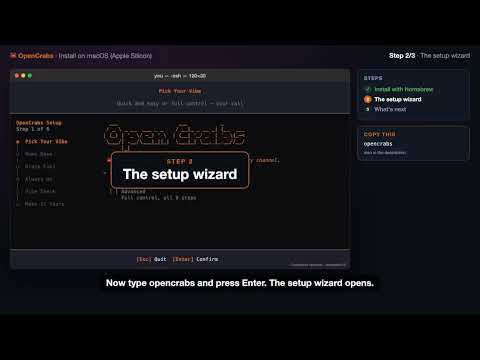 Install in under 2 minutes (Homebrew)
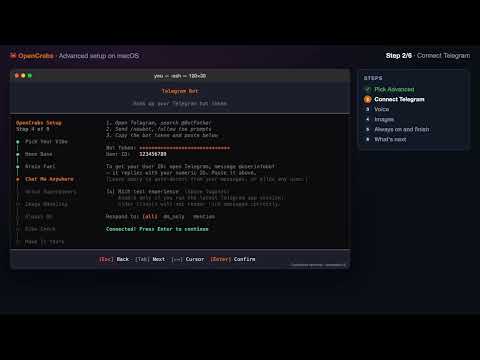 Advanced setup on macOS (Telegram, voice, images)
Ubuntu/Linux
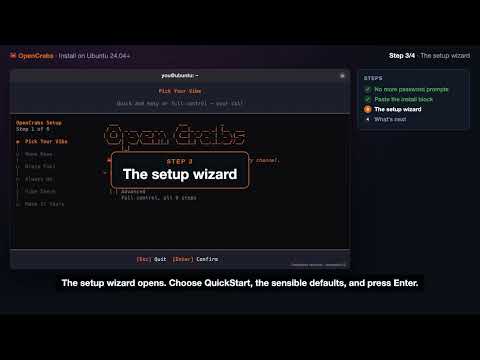 Install in 3 minutes (one paste)
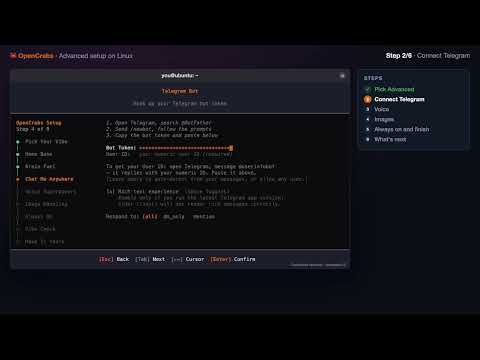 Advanced setup on Linux (Telegram, voice, images)
Windows
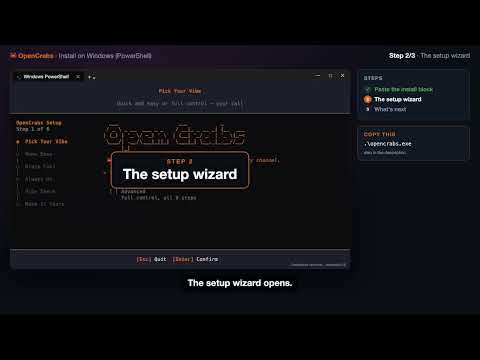 Install in 2 minutes (PowerShell)
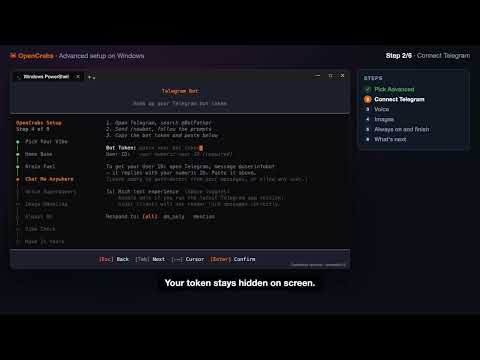 Advanced setup on Windows (Telegram, voice, images)
Toutes les vidéos : youtube.com/@OpenCrabs
La page Onboarding présente en texte les parcours pas à pas Démarrage rapide et Avancé.
Configuration
OpenCrabs uses two config files stored at ~/.opencrabs/:
| File | Purpose |
|---|---|
config.toml | Provider settings, features, channel connections |
keys.toml | API keys and secrets (never committed to git) |
Workspace Layout
~/.opencrabs/
├── config.toml          # Main configuration
├── keys.toml            # API keys (gitignored)
├── commands.toml        # Custom slash commands
├── opencrabs.db         # SQLite database
├── SOUL.md              # Agent personality
├── USER.md              # Your profile
├── MEMORY.md            # Long-term memory
├── AGENTS.md            # Agent behavior docs
├── TOOLS.md             # Tool reference
├── SECURITY.md          # Security policies
├── HEARTBEAT.md         # Periodic check tasks
├── memory/              # Daily memory notes
│   └── YYYY-MM-DD.md
├── images/              # Generated images
├── logs/                # Application logs
└── skills/              # Custom skills/plugins
Provider Configuration
See Provider Setup for detailed provider configuration.
Quick example: add Anthropic:
# config.toml
[providers.anthropic]
enabled = true
default_model = "claude-sonnet-4-20250514"
# keys.toml
[providers.anthropic]
api_key = "sk-ant-..."
Provider Priority
When multiple providers are enabled, the first one found in this order is used for new sessions:
MiniMax > OpenRouter > Anthropic > OpenAI > Gemini > Custom
Each session remembers which provider and model it was using. Switch providers per-session via /models.
Config Safety (v0.3.74)
A malformed line in config.toml or keys.toml corrupts the whole file and takes the agent down (no provider keys, no bot token, no way back in). v0.3.74 makes that class of failure nearly impossible:
- Config edits via config_manager only: the agent edits
config.toml/keys.tomlonly through theconfig_managertool, never with raw file edits. The write path validates the result and refuses anything that would break parsing (#715). - Guard config-breaking writes:
edit_file/write_filewrites that would breakconfig.toml/keys.tomlare denied outright (#713). - Re-validate before write: config is re-validated immediately before
fs::writein theconfig_managerwrite paths (#714). - Validate keys before snapshot:
keys.tomlis validated before it is saved as the last-good snapshot, so a bad snapshot can’t poison recovery (#712).
v0.3.79 hardened this further:
- Every config write is atomic (#911): a crash or a concurrent reader mid-write can never observe a half-written
config.tomlorkeys.toml. - Config loads no longer race on shared state, concurrent reloads can’t interleave and leave a torn config in memory.
- Reload failures are specific: a failed reload says what failed, and a write race is named as the transient condition it is instead of a scary generic error.
- Never select a provider you didn’t configure, fallback and model routing can no longer land on a provider section that doesn’t exist in your config.
Agent Behavior
[agent]
working_directory = "/path/to/default/dir"
thinking = "on"                     # "on", "off", or "budget_XXk"
approval_policy = "auto-always"     # "ask", "auto-session", "auto-always"
max_concurrent = 4                  # max parallel tool calls
context_limit = 200000              # context window cap (tokens)
max_tokens = 65536                  # max output tokens per API call
auto_update = true                  # auto-install releases on startup
silent_compaction = false           # suppress post-compaction personality narration
compaction_notice = false            # show the compaction notice pair; off by default (v0.5.4)
lazy_tools = true                   # JIT tool-schema loading (ships core + tool_search only)
redact_sensitive_data = true        # redact API keys, tokens, passwords, IPs from output
debug_logs = false                  # enable debug file logging (hot-reloads, no restart)
default_provider = "minimax"        # fallback provider when no provider is active (v0.3.62)
default_model = "MiniMax-M2.7"      # fallback model when no model is active (v0.3.62)
| Field | Défaut | Description |
|---|---|---|
working_directory | home dir | Default working directory for the agent |
thinking | "on" | Extended thinking mode: "on", "off", or "budget_XXk" |
approval_policy | "auto-always" | "ask" = confirm every tool call, "auto-session" = auto-approve for session, "auto-always" = never ask |
max_concurrent | 4 | Max tool calls running in parallel |
context_limit | 200000 | Context window limit in tokens. When exceeded, oldest messages are dropped |
max_tokens | 65536 | Max output tokens per single API call |
auto_update | true | Automatically install new releases on startup (binary mode only) |
silent_compaction | false | When true, suppresses the agent’s playful post-compaction narration. Useful for corporate/formal deployments |
compaction_notice | false | Show the compaction notice pair in the TUI. Off by default since v0.5.4 (#1686) |
lazy_tools | true | Ships only core tool schemas (~4k tokens) plus tool_search per request. The agent discovers and activates extended tools on demand via tool_search. Set false to load all ~95 schemas every request |
redact_sensitive_data | true | Redacts API keys, tokens, passwords, and IPs from tool outputs and display. Set false during sysadmin/devops work where seeing IPs/tokens/passwords is necessary |
debug_logs | false | Enable debug file logging to ~/.opencrabs/logs/. Hot-reloads on change (no restart). The --debug CLI flag always wins when set (OR logic) |
default_provider | None (uses active provider) | Fallback provider when no provider is active in the current session. Also used for cron jobs without an explicit provider (v0.3.62) |
default_model | None (uses active model) | Fallback model when no model is active in the current session. Also used for cron jobs without an explicit model (v0.3.62) |
Timeout flags resolve per provider first: [providers.<name>] wins over [agent], which wins over the built-in default, and every provider family honours the chain, anthropic and gemini included (v0.5.4, #1688).
Sub-agent and RSI Overrides
Route spawned sub-agents and RSI (self-improvement) cycles to separate providers so they never compete with your main chat for quota:
[agent]
subagent_provider = "minimax"           # provider for spawned sub-agents
subagent_model = "MiniMax-M2.7"         # model for spawned sub-agents
self_improvement_provider = "minimax"   # provider for RSI self-improvement cycles
self_improvement_model = "MiniMax-M2.7" # model for RSI cycles
| Field | Défaut | Description |
|---|---|---|
subagent_provider | None (uses session provider) | Provider for spawned sub-agents. Keeps sub-agents off your main provider |
subagent_model | None (uses session model) | Model for spawned sub-agents |
self_improvement_provider | None (uses session provider) | Provider for RSI self-improvement cycles. RSI runs on its own provider chain |
self_improvement_model | None (uses session model) | Model for RSI cycles. Prefer cheap, fast models since results are deterministic |
Channel Configuration
Telegram
[channels.telegram]
enabled = true
token = "123456:ABC-DEF1234ghIkl-zyx57W2v1u123ew11"
allowed_users = ["123456789"]       # numeric Telegram user IDs
allowed_channels = ["-100123456"]   # restrict to specific group/channel IDs (empty = all)
respond_to = "mention"              # "all", "dm_only", "mention" (default)
session_idle_hours = 24.0           # idle timeout for non-owner sessions
rich_messages = true                # native Telegram rich messages (Bot API 10.1, default since v0.3.64)
silence_group_start = true          # silently ignore /start from non-allowed users in groups
bot_owner = ["123456789"]           # owner IDs (gated commands, /cd hidden dirs, /profiles)
| Field | Défaut | Description |
|---|---|---|
enabled | false | Enable the Telegram bot channel |
token | None | Telegram Bot API token from @BotFather |
allowed_users | [] (accept all) | Numeric Telegram user IDs. Accepts int or string arrays. Empty = open mode |
allowed_channels | [] (all channels) | Restrict bot to specific channel/group IDs. DMs always pass |
respond_to | "mention" | When to respond in groups: "all" = every message, "dm_only" = ignore groups, "mention" = only when @mentioned or replied-to |
session_idle_hours | None (no timeout) | Idle timeout in hours for non-owner sessions. Owner sessions never expire |
rich_messages | false | Send structured replies as native Telegram rich messages (tables, headings, lists, math). Only works on current mobile/desktop Telegram clients. Telegram Web and older clients show a “not supported” placeholder. Enable only when your audience is on modern clients |
silence_group_start | true | Silently ignore /start from non-allowed users in group chats. Users who need their ID can DM the bot |
bot_owner | [] (first allowed_user) | Bot owner user IDs. Owners can access gated commands (/profiles, hidden files in /cd), manage profiles. When unset, defaults to first entry in allowed_users |
Discord
[channels.discord]
enabled = true
token = "your-discord-bot-token"
allowed_users = ["123456789012345678"]
allowed_channels = ["123456789012345678"]
respond_to = "mention"
session_idle_hours = 24.0
| Field | Défaut | Description |
|---|---|---|
enabled | false | Enable the Discord bot channel |
token | None | Discord bot token from the Developer Portal |
allowed_users | [] (accept all) | Discord user IDs. Accepts int or string arrays |
allowed_channels | [] (all channels) | Restrict bot to specific channel IDs |
respond_to | "mention" | When to respond: "all", "dm_only", "mention" |
session_idle_hours | None | Idle timeout for non-owner sessions |
Slack
[channels.slack]
enabled = true
token = "xoxb-your-bot-token"
app_token = "xapp-your-app-token"      # Socket Mode token
allowed_users = ["U12345678"]
allowed_channels = ["C12345678"]
respond_to = "mention"
session_idle_hours = 24.0
| Field | Défaut | Description |
|---|---|---|
enabled | false | Enable the Slack bot channel |
token | None | Bot token (xoxb-...) |
app_token | None | App-level token for Socket Mode (xapp-...) |
allowed_users | [] (accept all) | Slack user IDs (U12345678) |
allowed_channels | [] (all channels) | Restrict bot to specific channel IDs |
respond_to | "mention" | When to respond: "all", "dm_only", "mention" |
session_idle_hours | None | Idle timeout for non-owner sessions |
[channels.whatsapp]
enabled = true
allowed_phones = ["+15551234567"]      # E.164 format
session_idle_hours = 24.0
| Field | Défaut | Description |
|---|---|---|
enabled | false | Enable the WhatsApp channel |
allowed_phones | [] (accept all) | E.164 phone numbers. Empty = accept everyone (not recommended for business numbers) |
session_idle_hours | None | Idle timeout for non-owner sessions |
Trello
[channels.trello]
enabled = true
token = "your-trello-api-token"
app_token = "your-trello-api-key"
allowed_users = ["memberId1"]
board_ids = ["boardId1", "boardId2"]
poll_interval_secs = 60
session_idle_hours = 24.0
| Field | Défaut | Description |
|---|---|---|
enabled | false | Enable the Trello channel |
token | None | Trello API token |
app_token | None | Trello API key (stored as app_token for keys.toml symmetry) |
allowed_users | [] (accept all) | Trello member IDs |
board_ids | [] (all boards) | Board IDs to monitor for @mentions. Also accepts allowed_channels as an alias |
poll_interval_secs | None (tool-only) | Polling interval in seconds. Absent or 0 = no polling (tool-only mode) |
session_idle_hours | None | Idle timeout for non-owner sessions |
Other Channels (Preview)
Signal, Google Chat, and iMessage are available as preview placeholders:
[channels.signal]
enabled = true
allowed_phones = ["+15551234567"]

[channels.google_chat]
enabled = true
token = "your-google-chat-token"
allowed_users = ["user@example.com"]

[channels.imessage]
enabled = true
allowed_phones = ["+15551234567"]
Cron Defaults
Route cron jobs to cheaper providers so they never compete with your interactive session:
[cron]
default_provider = "minimax"
default_model = "MiniMax-M2.7"
| Field | Défaut | Description |
|---|---|---|
default_provider | None (uses active provider) | Default provider for cron jobs without an explicit provider |
default_model | None (uses active model) | Default model for cron jobs without an explicit model |
Memory and Embeddings
[memory]
vector_enabled = true

[memory.embedding]
url = "https://api.openai.com/v1"
model = "text-embedding-3-small"
# api_key loaded from keys.toml: [providers.memory_embedding] api_key = "sk-..."
# dimensions = 1536  # auto-detected from first API response if unset
| Field | Défaut | Description |
|---|---|---|
vector_enabled | true (desktop), false (VPS) | Enable vector embeddings for semantic memory search. When disabled, only FTS5 keyword search is used. Auto-disabled on systems with < 2GB RAM or detected cloud instances |
embedding.url | None | OpenAI-compatible API base URL. The /embeddings path is appended automatically |
embedding.model | None | Embedding model name (e.g. text-embedding-3-small, nomic-embed-text) |
embedding.api_key | None | API key for the embedding endpoint. Also loaded from keys.toml under [providers.memory_embedding] |
embedding.dimensions | None (auto-detected) | Embedding vector dimensions. Auto-detected from the first API response if unset. Local GGUF model always produces 768-dim vectors |
extra_paths | [] | External paths indexed into the external collection. Bare path strings or { path, pattern } tables; relative paths resolve against the OpenCrabs home |
exclude | VCS/build/secret globs | Glob excludes for external indexing, global across all entries |
external_allowed_in_shared | false | Allow scope="external" results in shared/group sessions. Default-deny: external content stays owner-session-only unless opted in |
sweep_interval_secs | 300 | Seconds between external-path freshness sweeps; modified files are also caught lazily at search time |
When [memory.embedding] is not set, embeddings are generated locally via the embeddinggemma-300M GGUF model (~300MB download, ~2.9GB RAM). Setting [memory.embedding] with an API endpoint eliminates the local model overhead.
To index your own docs (or an entire scraped docs site) into memory search, see Memory System → External Index Paths for the full knowledge-base workflow.
Brain Files
[brain]
strip_empty_sections = true
default_cap = 500

[brain.caps]
SOUL.md = 300
AGENTS.md = 800
| Field | Défaut | Description |
|---|---|---|
strip_empty_sections | true | Strip empty header stubs (## Header with no body) from brain-file reads. Writes are never affected, only the loaded view is filtered |
default_cap | 500 | Per-file line cap for sync_templates. When a merged file exceeds its cap, the sync bails instead of writing |
caps | {} (empty) | Per-file line caps overrides. Keys are filenames (case-sensitive: TOOLS.md and tools.md are distinct) |
Browser
[browser]
cdp_endpoint = "http://localhost:9222"
| Field | Défaut | Description |
|---|---|---|
cdp_endpoint | None (spawn new browser) | CDP endpoint for an existing Chromium instance. When set, connects via Chrome DevTools Protocol instead of spawning a new browser. Useful for sharing a single browser across multiple profiles to save memory (~250-300MB per instance) |
To start a standalone Chromium with CDP enabled:
chromium --remote-debugging-port=9222 --headless --no-sandbox
A2A (Agent-to-Agent) Gateway
[a2a]
enabled = false
bind = "127.0.0.1"
port = 18790
allowed_origins = ["https://your-app.com"]
# api_key = "your-secret-key"  # Bearer token for incoming requests
| Field | Défaut | Description |
|---|---|---|
enabled | false | Enable the A2A JSON-RPC 2.0 gateway |
bind | "127.0.0.1" | Bind address |
port | 18790 | Gateway port |
allowed_origins | [] | CORS origins. Must be set explicitly, no cross-origin requests allowed by default |
api_key | None | Bearer token for authenticating incoming A2A requests. If unset, no authentication required |
Daemon Mode
[daemon]
health_port = 8080
| Field | Défaut | Description |
|---|---|---|
health_port | None (no health server) | HTTP port for GET /health endpoint. Useful for systemd watchdog, uptime monitors, and external health probes |
OpenCrabs runs in two modes: TUI (interactive terminal UI with chat) and Daemon (headless background service for channels + cron). For any one profile, run only one at a time. The TUI always wins: opening it while a daemon runs shuts the daemon down and takes over the channels.
For full service lifecycle management (TUI vs Daemon comparison, opencrabs service install/start/stop, profile-aware services, OPENCRABS_PROFILE env var, troubleshooting), see the CLI Commands reference.
Image Generation and Vision
[image.generation]
enabled = true
model = "gemini-3.1-flash-image-preview"

[image.vision]
enabled = true
model = "gemini-3.1-flash-image-preview"
provider = "openrouter"           # bypasses enabled gate for vision-only providers (v0.3.63)
| Section | Field | Défaut | Description |
|---|---|---|---|
image.generation | enabled | false | Enable image generation via the generate_image tool |
image.generation | model | "gemini-3.1-flash-image-preview" | Model for image generation |
image.vision | enabled | false | Enable vision analysis via the analyze_image tool. Since v0.3.64: setting vision_model alone is sufficient to enable vision. enabled is no longer required when vision_model is set |
image.vision | model | "gemini-3.1-flash-image-preview" | Model for image/vision analysis |
image.vision | provider | None (auto-detect) | Dedicated provider for vision. Bypasses the enabled gate so you can use a vision-only provider without enabling it for general chat (v0.3.63) |
Vision analysis automatically scans all enabled providers (Google, OpenRouter, OpenAI-compatible, Anthropic) before returning an error. No configuration needed.
Voice Provider Fallback
STT and TTS providers support automatic failover via fallback_chain. When the primary returns a 5xx, fails a liveness probe (Voicebox), or is otherwise unreachable, the dispatcher walks the chain in order and tries each entry that has the credentials/config it needs.
[providers.stt]
fallback_chain = ["groq", "openai_compatible", "local"]

[providers.tts]
fallback_chain = ["openai_compatible", "openai", "local"]
| Chain | Valid labels |
|---|---|
| STT | voicebox, openai_compatible, groq, local (aliases: whisper, local_whisper) |
| TTS | voicebox, openai_compatible, openai, local (aliases: piper, local_piper). groq is STT-only, the TTS chain rejects it |
Empty or omitted chain means “use the default priority order with the primary removed.”
TOML Bash Blocklist (v0.3.78)
A new TOML-driven bash blocklist provides runtime-configurable safety gates for shell commands. The blocklist lives in a TOML file and defines patterns that the agent’s bash tool will refuse to execute:
# safety.toml (example)
[bash_blocklist]
patterns = ["rm -rf /", "dd if=", "mkfs", ":(){ :|:& };:"]
- Patterns are matched against the command string before execution
- The blocklist reloads on file change (no restart needed)
- Configurable per-profile, so different environments can have different safety gates
- Blocked commands return a clear error explaining which pattern matched
This replaces hardcoded safety checks with a user-extensible system. You can add project-specific dangerous commands without code changes.
Safety TOML Reload (v0.3.78)
All safety-related TOML files (bash blocklist, brain verification rules) now hot-reload on change. Edit the file and the new rules take effect immediately on the next tool call. No restart, no /reload, no config manager dance.
CLI Commands
OpenCrabs a une CLI complète avec plus de 20 sous-commandes pour gérer chaque aspect de l’agent.
Utilisation
opencrabs [COMMAND] [OPTIONS]
Commandes
| Commande | Description |
|---|---|
chat (par défaut) | Lance l’interface de chat TUI |
daemon | Tourne en arrière-plan (channels uniquement, sans TUI) |
agent | Chat interactif multi-turn ou mode message unique |
run | Exécute un prompt unique de façon non interactive ; --quiet supprime le chrome de l’UI pour un stdout pur machine, --format choisit text/json/markdown (v0.5.4) |
cron | Gère les tâches planifiées (add/list/remove/enable/disable/test) |
channel | Gestion des channels (list, doctor) |
memory | Gestion de la mémoire (list, get, stats, prune) |
session | Gestion des sessions (list, get) |
db | Gestion de la base de données (init, stats, clear) |
logs | Gestion des logs (status, view, clean, open) |
service | Gestion du service système (install/start/stop/restart/status/uninstall) |
status | Affiche l’état de l’agent |
doctor | Lance un contrôle de santé des connexions ; --fix répare les lignes cron bloquées, markers périmés et permissions (v0.3.83) |
onboard | Lance l’assistant de configuration |
completions | Génère les completions shell (bash/zsh/fish/powershell) |
version | Affiche les informations de version |
!command | Opérateur bang: Exécute n’importe quelle commande shell instantanément sans aller-retour LLM. La sortie s’affiche en message système. Ex. : !git status, !ls -la |
/evolve | Auto-update: Télécharge la dernière release et fait un hot-restart. S’exécute automatiquement au démarrage quand [agent] auto_update = true |
/restart | Redémarrer (v0.3.79): Relance le même binaire avec les mêmes arguments, donc rien de la façon dont il a été lancé n’a à être connu ou répété. Les turns inachevés reprennent automatiquement au démarrage. Dans le TUI, il reprend la session en cours. Réservé au owner sur les channels ; annonce avant d’agir. |
/exit | Arrêt (v0.3.79): Éteint OpenCrabs. Le relancer nécessite l’accès à la machine où il tourne, donc c’est l’unique commande sans retour possible depuis le chat. Réservé au owner sur les channels ; annonce avant d’agir. |
/clear | Session fraîche (v0.5.2): Ferme la session courante et en démarre une vierge sur place, sans l’appel au summariser, donc c’est instantané. Réservé à l’owner sur les channels. |
/btw | Agent parallèle: Crée un sous-agent isolé pour une tâche annexe pendant que la conversation principale continue. Ex. : /btw research the latest Rust async patterns |
/mission-control | Mission Control: Tableau de bord plein écran montrant l’inbox RSI (propositions en attente), le log d’activité (améliorations appliquées) et le planning cron. Naviguez aux touches vim, appliquez/rejetez les propositions avec a/r. |
/skills | Sélecteur de skills: Parcourez et lancez des templates de workflow avec fuzzy-finding. Chaque skill chargée s’enregistre automatiquement comme slash command. |
/security-audit | Audit de sécurité: Audit de sécurité et CVE complet, agnostique du langage. Détecte le type de projet, lance le bon scanner, examine le diff récent pour des motifs d’injection/auth/crypto, note de 0 à 100. |
/cost-estimate | Estimation de coût: Estimation du coût de construction du codebase, décomposition du ROI assisté par IA et valorisation au prix du marché. Demande le contexte business avant de produire la fourchette de valorisation. |
/repo-audit | Audit de repo: Contrôles de santé du dépôt, agnostiques du langage. Pipeline en 5 phases : détection du langage → exécution d’outils natifs → métriques git → analyse AST → scoring + recommandations. Couvre Rust, JS/TS, Python, Go. |
/goal | Boucle d’objectif autonome: Fixez un objectif avec /goal <texte> et l’agent boucle en autonomie : exécution, auto-évaluation par un juge LLM, et continuation jusqu’à satisfaction de l’objectif ou épuisement du budget de turns (20 par défaut). Supporte /goal pause, /goal resume, /goal status, /goal clear. |
/models <provider/model> | Changement de model direct (v0.3.66): Changez directement vers un model précis sur chaque channel. Utilisez /models anthropic/claude-sonnet-4-20250514 pour basculer immédiatement. Le sélecteur de portée vous laisse choisir session seule ou portée globale. |
opencrabs session set-model | Changement de model headless (v0.3.66): Changez de models depuis la CLI sans le TUI. Utile pour les scripts et l’automatisation. |
Flags de configuration
| Flag | Défaut | Description |
|---|---|---|
[agent] auto_update | true | Installe automatiquement les nouvelles releases au démarrage et fait un hot-restart. Mettez false pour garder le dialogue manuel. |
[agent] force_default | false | (v0.3.66) Quand true, pousse le couple provider/model par défaut vers toutes les sessions au reload de la config. Utile pour imposer un changement de model global. |
[agent] config_drift_warnings | true | (v0.3.66) Affiche des avertissements au démarrage quand une valeur de config dérive silencieusement du défaut attendu. Aide à attraper les changements de config non intentionnels. |
Raccourcis clavier (TUI)
| Raccourci | Action |
|---|---|
F12 | Active/désactive la capture de la souris pour la sélection de texte native du terminal |
Invite de mise à jour au démarrage
Quand une nouvelle version est disponible, un dialogue centré apparaît sur l’écran de splash pour accepter (Entrée) ou passer (Échap). Accepter déclenche /evolve automatiquement. Après la mise à jour, le binaire redémarre et le splash affiche la nouvelle version.
Commandes de channel
Le /doctor, /help, /usage, /evolve, /restart, /exit et les commandes système fonctionnent directement sur Telegram, Discord, Slack et WhatsApp sans passer par le LLM. Elles s’exécutent instantanément et renvoient les résultats dans le channel.
Le /restart et le /exit s’annoncent avant d’agir, parce qu’une fois le processus disparu, il ne reste rien pour signaler un échec. Les deux sont réservés au owner, comme chaque commande qui modifie le processus en cours. Le /exit est l’unique commande sans retour depuis le chat, la récupération nécessite l’accès à la machine où tourne OpenCrabs.
Depuis la v0.3.80, un stop parlé est aussi respecté, dire au bot d’arrêter en langage naturel fonctionne sur les channels et dans le TUI, pas seulement le mot sec « stop ».
Toute la logique de commandes de channel est centralisée dans src/channels/commands.rs (847 lignes), un handler partagé qui élimine la logique dupliquée à travers 5 implémentations de channel. Chaque channel délègue à try_execute_text_command() pour un comportement cohérent.
Le /evolve sur les channels s’exécute maintenant directement (télécharge + installe le binaire) sans demander d’aller-retour LLM. Auparavant il passait par l’agent.
Mode chat
# Par défaut: lancer le TUI
opencrabs

# Identique à ci-dessus
opencrabs chat
Mode agent
Mode non interactif pour le scripting et l’automatisation :
# Chat interactif multi-turn
opencrabs agent

# Mode message unique
opencrabs agent -m "What files changed today?"
Mode daemon vs TUI
OpenCrabs tourne dans un de deux modes. Choisissez celui qui convient à la machine. Pour un profile donné, n’en lancez qu’un à la fois.
| Mode | Comment vous le lancez | Ce que c’est | À utiliser sur |
|---|---|---|---|
| TUI (interactif) | opencrabs | L’interface terminal complète : panneaux de chat, sessions, réglages. Vos channels tournent aussi et partagent votre session. | Une machine où vous êtes assis (laptop/desktop) |
| Daemon (headless) | opencrabs daemon, or install as a service: opencrabs service install && opencrabs service start | Pas d’UI. Channels uniquement (Telegram, Discord, Slack, WhatsApp) + cron. Survit aux reboots, déconnexions SSH et plantages. | Une machine toujours allumée ou un VPS |
Pourquoi pas les deux à la fois ?
Une credential de bot (ex. un token Telegram) ne peut tenir qu’un seul poll getUpdates actif. Si un daemon et un TUI possèdent tous deux le token du même profile, ils se battent (HTTP 409) et le channel tombe.
Le TUI gagne toujours
Quand vous ouvrez le TUI pendant qu’un daemon du même profile tourne, le TUI ferme d’abord ce daemon, reprend les channels et affiche un banner pour le dire. Vos channels étaient déjà configurés, donc ils reprennent simplement, sans reconnexion. Le daemon reste éteint jusqu’à ce que vous le relanciez (opencrabs service start, ou relancez opencrabs daemon).
Sur une machine où le daemon tourne habituellement, le flux quotidien est : ouvrez opencrabs quand vous voulez vous y mettre ; fermez le TUI et opencrabs service start quand vous le voulez à nouveau headless.
Démarrage auto au boot
- Daemon: utilisez l’installeur de service (
opencrabs service install) ; il câble systemd (Linux) / launchd (macOS) pour démarrer au boot et redémarrer après un plantage. C’est la configuration always-on recommandée. - TUI: pour que l’interface terminal s’ouvre automatiquement à la connexion, utilisez un autostart de terminal/desktop, pas l’installeur de service :
- Desktop Linux : déposez un fichier
.desktopdans~/.config/autostart/avecExec=x-terminal-emulator -e opencrabs. - macOS : Réglages Système > Général > Éléments de connexion > ajoutez un script
.commandqui lanceopencrabs. - VPS par SSH : tournez dans
tmux/screenet rattachez-vous. Sur un VPS headless, vous voulez généralement le daemon, pas le TUI.
- Desktop Linux : déposez un fichier
Fortement recommandé pour les utilisateurs quotidiens. Si vous comptez utiliser OpenCrabs tous les jours, demandez-lui de s’installer comme service système. Dites simplement « installe-toi pour démarrer avec mon ordinateur » ou « retire le service de démarrage auto ». L’agent gère la mise en place et la suppression launchd (macOS) ou systemd (Linux) automatiquement pour vous.
Garder le TUI actif sur un VPS (tmux)
Si vous voulez le TUI interactif complet toujours disponible sur un serveur distant (pas le daemon headless), tmux est la solution. Votre session survit aux déconnexions SSH, à la veille du laptop et aux connexions capricieuses.
1. Installez tmux
# Debian / Ubuntu
sudo apt install tmux

# RHEL / CentOS / Fedora
sudo yum install tmux
2. Trouvez où opencrabs est installé
which opencrabs

# Si cela ne renvoie rien, cherchez tout le système de fichiers
find / -name "opencrabs" -type f 2>/dev/null
3. Démarrez une session tmux nommée
tmux new -s opencrabs
4. Lancez opencrabs dedans
opencrabs
5. Détachez (opencrabs continue de tourner)
Pressez Ctrl+B puis D. Vous pouvez maintenant fermer SSH et opencrabs continue de tourner.
6. Rattachez-vous plus tard
tmux attach -t opencrabs
C’est tout. Revenez de n’importe quelle machine, rattachez-vous, et reprenez où vous en étiez. Si vous n’avez besoin que des channels (Telegram, Discord, Slack, WhatsApp) en headless sans le TUI, le daemon convient mieux : opencrabs service install && opencrabs service start.
Endpoint de santé
Ajoutez au config.toml pour exposer un health check :
[daemon]
health_port = 8080
Ensuite GET http://localhost:8080/health renvoie 200 OK avec un statut JSON. Utile pour un watchdog systemd, des moniteurs d’uptime ou des load balancers.
Gestion du service
Installez OpenCrabs comme service système (launchd sur macOS, systemd sur Linux) :
opencrabs service install
opencrabs service start
opencrabs service stop
opencrabs service restart
opencrabs service status
opencrabs service uninstall
Services sensibles au profile
Chaque profile reçoit son propre service indépendant :
# Installer un profile précis comme service
opencrabs -p hermes service install
opencrabs -p hermes service start

# Chaque profile reçoit son propre nom de service
# macOS: com.opencrabs.daemon.hermes
# Linux: opencrabs-hermes.service

# Gérer indépendamment
opencrabs -p hermes service status
opencrabs -p hermes service stop
opencrabs -p hermes service uninstall
Plusieurs profiles peuvent tourner comme services daemon simultanés avec isolation complète.
Variable d’environnement OPENCRABS_PROFILE
Définissez OPENCRABS_PROFILE=hermes pour sélectionner un profile sans le flag -p. Utile pour les services systemd, les cron jobs et le mode daemon.
Dépannage : le daemon ne remonte pas
Si opencrabs service status dit stopped :
- Avez-vous ouvert le TUI ? Ouvrir
opencrabséteint délibérément le daemon pour que la session interactive possède les channels. Le daemon reste éteint jusqu’à ce que vous relanciezopencrabs service start. - Les anciennes builds peuvent encore avoir
Restart=on-failureau lieu deRestart=always. Régénérez l’unit avecopencrabs service install(puisservice start) pour adopter la politique de redémarrage permanent. - Config, clés, commandes et outils se rechargent à chaud à l’exécution. Éditer
config.tomloukeys.tomlne nécessite jamais de redémarrage du daemon. Si un changement ne prend pas effet, cherchez dans les logs une ligneConfigWatcher: reloadedplutôt que de redémarrer.
Gestion du cron
# Lister tous les cron jobs
opencrabs cron list

# Ajouter un nouveau cron job
opencrabs cron add \
  --name "Daily Report" \
  --cron "0 9 * * *" \
  --tz "America/New_York" \
  --prompt "Check emails and summarize" \
  --provider anthropic \
  --model claude-sonnet-4-20250514 \
  --thinking off \
  --deliver-to telegram:123456

# Remove a cron job (accepts name or ID)
opencrabs cron remove "Daily Report"

# Enable/disable (accepts name or ID)
opencrabs cron enable "Daily Report"
opencrabs cron disable "Daily Report"
Raccourcis clavier du TUI
| Touche | Action |
|---|---|
Enter | Envoyer le message |
Esc | Annuler / fermer |
Ctrl+N | Nouvelle session |
Ctrl+L | Écran des sessions |
Ctrl+K | Effacer la session en cours |
Ctrl+O | Basculer le repli du groupe d’outils |
| | Diviser le panneau horizontalement |
_ | Diviser le panneau verticalement |
Ctrl+X | Fermer le panneau actif |
Tab | Cycler le focus des panneaux / Accepter l’autocomplétion |
Up/Down | Naviguer les suggestions / sessions |
/ | Démarrer une slash command (ex. /help, /models) |
: | Ouvrir le sélecteur d’emoji |
Troubleshooting
Common issues and how to fix them.
Windows Defender Blocking OpenCrabs
Windows Defender may flag opencrabs.exe as suspicious because it’s an unsigned binary that executes shell commands and makes network requests. This is a false positive.
Add an exclusion:
- Open Windows Security → Virus & threat protection
- Virus & threat protection settings → Manage settings
- Exclusions → Add or remove exclusions
- Add an exclusion → File → select
opencrabs.exe
Or via PowerShell (admin):
Add-MpPreference -ExclusionPath "C:\path\to\opencrabs.exe"
If SmartScreen blocks the first run, click More info → Run anyway.
Binary Won’t Start or Crashes
Startup Errors
Run with debug logging to see what’s failing:
opencrabs -d chat
Logs are written to ~/.opencrabs/logs/.
Download a Previous Version
If the latest release crashes on your machine, download a previous working version from GitHub Releases:
# List all releases
gh release list -R opencrabs/opencrabs

# Download a specific version
gh release download v0.2.66 -R opencrabs/opencrabs -p "opencrabs-*$(uname -m)*$(uname -s | tr A-Z a-z)*"
/evolve: Update & Rollback
/evolve downloads the latest release from GitHub and hot-swaps the binary. It has built-in safety checks:
- Download: Fetches the platform-specific binary from GitHub Releases
- Pre-swap health check: Runs
opencrabs health-checkon the new binary (10s timeout). If it fails, the new binary is deleted and your current version stays untouched. - Backup: Creates a backup at
<binary-path>.evolve_backup - Atomic swap: Replaces the current binary
- Post-swap health check: Verifies the swapped binary works. If it fails, auto-rolls back to the backup.
- Restart: exec()-restarts into the new version
- Brain update prompt: After restart, your crab announces the new version, diffs brain templates against your local files, and offers to update them
If /evolve Fails
The most common reason is the health check caught an issue, your current version stays safe. If something went wrong after the swap:
# Restore the backup manually
cp /path/to/opencrabs.evolve_backup /path/to/opencrabs
chmod +x /path/to/opencrabs
Cargo Install Fallback
When /evolve uses cargo install (building from source), it tries the stable toolchain first. If that fails, it automatically falls back to cargo +nightly. The progress message shows which toolchain succeeded.
Check-Only Mode
The agent can check for updates without installing:
/evolve check_only=true
Bash Tool Safety
The bash tool includes a hard command blocklist that prevents catastrophic commands even if accidentally approved:
rm -rf /,sudo rm -rf .mkfs,ddto/dev/- Fork bombs
/etcoverwrites,/procwrites- Sensitive file exfiltration
- Crypto mining commands
These are blocked at the tool level: no configuration needed.
Older CPUs (Pre-2011 / No AVX)
Some features require AVX/AVX2 instructions. Since v0.2.67, OpenCrabs detects CPU capabilities at runtime and automatically hides unavailable options in the onboarding wizard.
What’s Affected
| Feature | CPU Requirement | Fallback |
|---|---|---|
| Local embeddings (memory search) | AVX (Sandy Bridge 2011+) | FTS-only keyword search (still works) |
| Local STT (rwhisper/candle) | AVX2 (Haswell 2013+) | API mode (Groq Whisper) or disabled |
| Local TTS (Piper) | None: tested on 2007 iMac | Works on any x86/ARM CPU |
Symptoms
- Local STT option doesn’t appear in
/onboard:voice: your CPU lacks AVX2 - Local TTS (Piper) should always be available: no CPU restrictions, works on machines as old as 2007
- Memory search falls back to text-only FTS silently
- Crash with “illegal instruction” on very old CPUs
Fix: Build from Source with CPU Targeting
# For your specific CPU (best performance)
RUSTFLAGS="-C target-cpu=native" cargo build --release

# For Sandy Bridge (AVX but no AVX2)
RUSTFLAGS="-C target-cpu=sandybridge" cargo build --release
macOS with Apple Silicon
Local STT uses Metal GPU acceleration on macOS, no CPU flags needed. Works out of the box on M1/M2/M3/M4.
Config Issues
Config Won’t Load
If config.toml has a syntax error, OpenCrabs will fail to start. Restore from backup:
# Check if a backup exists
ls ~/.opencrabs/config.toml.backup

# Restore it
cp ~/.opencrabs/config.toml.backup ~/.opencrabs/config.toml
Or reinitialize with defaults:
opencrabs init --force
Warning:
--forceoverwrites your config. Back upkeys.tomlfirst, it contains your API keys.
Manual Backup
Always keep a backup of your critical files:
cp ~/.opencrabs/config.toml ~/.opencrabs/config.toml.backup
cp ~/.opencrabs/keys.toml ~/.opencrabs/keys.toml.backup
cp ~/.opencrabs/commands.toml ~/.opencrabs/commands.toml.backup
RSI Has Never Run
Mission Control shows ⚠ RSI has never run: N tool event(s) recorded and unprocessed even though rsi_enabled = true is set.
Most common cause: self_improvement_provider is misspelled. Its value is the bare provider section name, no custom: prefix, no model appended:
[providers.custom.glm-53-max]              # the name is "glm-53-max"

[agent]
self_improvement_provider = "glm-53-max"   # ✅ not "custom:glm-53-max"
self_improvement_model = "..."             # the model goes in its own key
Checklist:
- The provider value matches the config section name exactly (
[providers.custom.moonshotai]→"moonshotai"). - No
custom:/custom./custom/prefix anywhere in a provider reference. - The model is in its own key (
self_improvement_model), never appended to the provider. - Restart after fixing: Mission Control confirms cycles on the next run.
Fixed at source in opencrabs#1314: current main normalises misspelled values with a warning. Released versions fail silently, which is exactly why the spelling matters.
Channel Issues
Telegram
Bot not responding:
- Verify token from @BotFather is in
keys.toml - Check your numeric user ID is in
allowed_users - If
respond_to = "mention", you must @mention the bot in groups
Regenerate bot token:
- Open @BotFather on Telegram
/mybots→ select bot → API Token → Revoke- Copy new token to
keys.tomlunder[channels.telegram] - Restart OpenCrabs
Re-setup from scratch: Run /onboard:channels in the TUI.
Telegram Won’t Connect / Reconnect
If the Telegram bot stops responding or you need to re-link it, re-run the channels setup and re-confirm the token + your numeric user ID.
Fix:
- Run
/onboard:channels(TUI: opens the wizard; on a channel: the agent walks you through it). - Paste your bot token again if it’s missing (get it from @BotFather).
- Paste your numeric user ID and hit Enter to confirm.
- If the bot sends you a message on Telegram, it worked.
On a channel you can do it in one line: /onboard:channels telegram <BOT_TOKEN> <YOUR_NUMERIC_ID>.
Why you have to provide your numeric ID: Telegram’s Bot API exposes only the bot’s identity from a token (via getMe), it has no way to reveal who created the bot in BotFather. A bot only learns a human’s ID when that human messages it. The onboarding wizard auto-detects your ID via getUpdates when you leave the field blank, but that only works if (a) you’ve already messaged the bot and (b) the bot isn’t already running and consuming those updates, which is exactly the case during a reconnect. So on reconnect, message the bot first, or just paste the ID (get it from @userinfobot).
QR code / session expired:
WhatsApp sessions are stored at ~/.opencrabs/whatsapp/session.db. To reconnect:
# Delete the session file
rm ~/.opencrabs/whatsapp/session.db

# Re-pair via onboarding
opencrabs chat --onboard
Or press R on the WhatsApp onboarding screen to reset and get a fresh QR code.
Messages not received:
- Verify phone number is in
allowed_phonesusing E.164 format:"+15551234567" - Empty
allowed_phones = []means accept from everyone
WhatsApp Won’t Connect / Wrong Number Replying
Each OpenCrabs instance supports one WhatsApp account (one companion device). If you connected multiple numbers or the wrong number is replying, you need a full reset. The bot always uses the last number you connected.
Critical: Always reset the connection before connecting a new number. OpenCrabs only keeps the last paired number.
Full reset steps:
- Remove ALL linked devices from WhatsApp. Open WhatsApp on your phone, go to Settings > Linked Devices, and remove every device in the list. Don’t bother hunting for the
opencrabsone. A stale device left over from an earlier pairing is the usual reason the old number keeps replying, so the reliable fix is to clear them all and start fresh. - Reset the connection in OpenCrabs: in the TUI or from a channel, go to
/onboard:channelsand press R to reset the WhatsApp connection. Wait for confirmation that the reset is complete. - Re-pair from scratch: after the reset is confirmed, go to WhatsApp > Settings > Linked Devices > Link a Device and scan the new QR code shown by OpenCrabs.
If the bot still shows the old number after resetting, make sure you completed step 1 (removing the device from WhatsApp) before step 2.
Common issues:
| Symptom | Cause | Fix |
|---|---|---|
| Old number still replying | A stale linked device is still paired | Remove ALL linked devices from WhatsApp > Settings > Linked Devices, then press R in /onboard:channels and re-pair |
| QR code doesn’t appear | Agent is still connected (no restart triggered) | Press R in /onboard:channels to force a restart, then wait for the new QR |
| Bot doesn’t reply to anyone | response_policy is too restrictive | Set response_policy = "allowlist" and add phone numbers to allowed_phones in config.toml |
| Bot replies to everyone | response_policy is open | Set response_policy = "allowlist" or "owner_only" in config.toml |
| Bot doesn’t reply to self-chat | allowed_phones doesn’t include the paired number | The paired number’s self-chat is always allowed, regardless of allowed_phones. Check that response_policy isn’t too restrictive |
Discord
Bot not receiving messages:
- Ensure Message Content Intent is enabled in Discord Developer Portal → Bot settings
- Required intents:
gateway,guild_messages,direct_messages,message_content - Use the bot token (starts with
MTk...), not the application ID
Regenerate token: Discord Developer Portal → Bot → Regenerate Token
Slack
Both tokens required:
- Bot token (
xoxb-...): For sending messages - App token (
xapp-...): For Socket Mode (receiving events)
Without the app token, the bot can send but not receive messages.
Socket Mode: Must be enabled in app settings → Features → Socket Mode → ON
Trello
Setup:
- Get API key: trello.com/app-key
- Generate token from the same page
- Add
board_idsto config: the bot only monitors listed boards - Set
poll_interval_secs > 0to enable polling (default 0 = disabled)
General: Re-run Channel Setup
For any channel issues, re-run the onboarding wizard:
opencrabs chat --onboard
Or type /onboard:channels in the TUI.
Agent Hallucinating Tool Calls
If the agent starts sending tool call approvals that don’t render in the UI (meaning it believes it executed actions that never actually ran) the session context has become corrupted.
Fix: Start a new session.
- Press
/and typesessions(or navigate to the Sessions panel) - Press N to create a new session
- Continue your work in the fresh session
This reliably resolves the issue. A fix is coming in a future release.
Claude Code CLI Refuses to Run as Root (VPS, Docker)
Symptom: the claude_cli provider is enabled and claude is authenticated, but every request fails as soon as it spawns. In the log the CLI exits immediately with a message about --dangerously-skip-permissions not being allowed for root, or the first spawn hangs waiting on a prompt nobody can answer.
Cause: OpenCrabs runs the CLI headless with --dangerously-skip-permissions (it owns tool execution itself, so the CLI never asks). Claude Code refuses that flag when the process runs as root unless it believes it is inside a sandbox, and on a fresh install it also wants a one-time interactive acknowledgement of that mode. A VPS or container where OpenCrabs runs as root hits both.
Fix: put the acknowledgement and the sandbox marker in the CLI’s own settings file, ~/.claude/settings.json for the user OpenCrabs runs as (/root/.claude/settings.json on a root box):
{
  "permissions": { "defaultMode": "bypassPermissions" },
  "skipDangerousModePermissionPrompt": true,
  "env": { "IS_SANDBOX": "1" }
}
Merge these keys into the file if it already exists (keep model, theme, and the rest). The CLI reads settings.json on every invocation, so no OpenCrabs restart is needed; the next spawn goes through. Verify as the same user:
echo "say OK" | claude -p --dangerously-skip-permissions
IS_SANDBOX=1 only tells Claude Code that the root check may be skipped. It does not sandbox anything, so keep the box firewalled the way you would for any root agent. On a desktop where OpenCrabs runs as your own user none of this is required.
Daemon Stays Down
Si opencrabs service status dit stopped :
- Avez-vous ouvert le TUI ? Ouvrir
opencrabséteint délibérément le daemon pour que la session interactive possède les channels. Le daemon reste éteint jusqu’à ce que vous relanciezopencrabs service start. - Les anciennes builds peuvent encore avoir
Restart=on-failureau lieu deRestart=always. Régénérez l’unit avecopencrabs service install(puisservice start) pour adopter la politique de redémarrage permanent. - Config, clés, commandes et outils se rechargent à chaud à l’exécution. Éditer
config.tomloukeys.tomlne nécessite jamais de redémarrage du daemon. Si un changement ne prend pas effet, cherchez dans les logs une ligneConfigWatcher: reloadedplutôt que de redémarrer.
For full daemon/service documentation, see CLI Commands: Daemon Mode vs TUI.
Local STT (Speech-to-Text)
Since v0.2.67, local STT uses rwhisper (candle, pure Rust) instead of whisper-rs/ggml. On macOS, it uses Metal GPU acceleration automatically.
Models
| Model | Size | Quality |
|---|---|---|
quantized-tiny | ~42 MB | Good for short messages |
base-en | ~142 MB | Better accuracy (English) |
small-en | ~466 MB | High accuracy |
medium-en | ~1.5 GB | Best accuracy |
Models download automatically from HuggingFace on first use.
Common Issues
Local STT option not showing in wizard: Your CPU lacks AVX2. Use API mode (Groq Whisper) instead, or build from source with RUSTFLAGS="-C target-cpu=native".
“No audio samples decoded”: Audio file is corrupt or unsupported format. Supported: OGG/Opus, WAV.
Transcription hangs: Times out after 300 seconds. Try a smaller model (quantized-tiny).
Model download fails: Check network connection. Models are fetched from HuggingFace.
Audio too short: Messages under 1 second are automatically padded to prevent tensor errors.
Disabling
[voice]
stt_enabled = false
Local TTS (Text-to-Speech)
Requirements
- Python 3 must be installed and in PATH
- Piper installs automatically in a venv at
~/.opencrabs/models/piper/venv/
Voices
| Voice | Description | Size |
|---|---|---|
ryan | US Male (default) | ~200-400 MB |
amy | US Female | ~200-400 MB |
lessac | US Female | ~200-400 MB |
kristin | US Female | ~200-400 MB |
joe | US Male | ~200-400 MB |
cori | UK Female | ~200-400 MB |
Common Issues
“python3 -m venv failed”: Install Python 3. On Ubuntu: sudo apt install python3 python3-venv. On macOS: brew install python3.
“pip install piper-tts failed”: Network issue or pip corrupted. Fix pip first:
python3 -m pip install --upgrade pip
Telegram voice messages show no waveform: This was fixed in v0.2.64, audio is now properly encoded as OGG/Opus (RFC 7845). Update to latest version.
Voice preview not playing: Preview uses afplay (macOS), aplay (Linux), or powershell (Windows). Ensure audio output is available.
Re-setup
Run /onboard:voice in the TUI to reconfigure STT/TTS mode and re-download models.
Disabling
[voice]
tts_mode = "off"
Local Embeddings (Memory Search)
The memory search engine uses a ~300 MB embedding model (llama.cpp) for semantic search. It requires AVX on x86 CPUs.
Fallback
If embeddings can’t initialize (no AVX, download failed, disk full), memory search falls back to FTS-only (keyword matching). It still works, just less semantic.
Fix for Older CPUs
Build from source with CPU targeting (see Older CPUs above).
Model Location
Models are stored in ~/.local/share/opencrabs/models/ (platform-specific data directory).
Database Issues
Location
- Main database:
~/.opencrabs/opencrabs.db(SQLite + WAL) - WhatsApp session:
~/.opencrabs/whatsapp/session.db
Database Corruption
SQLite with WAL mode is very resilient, but if corruption occurs:
# Back up the corrupted file first
cp ~/.opencrabs/opencrabs.db ~/.opencrabs/opencrabs.db.corrupt

# Reinitialize (WARNING: loses all history)
opencrabs db init
Migration Errors
The database automatically migrates on startup (11 migrations). If migrating from an older version with sqlx, the transition is handled automatically, no manual steps needed.
Building from Source
Quick Setup
curl -fsSL https://raw.githubusercontent.com/opencrabs/opencrabs/main/scripts/setup.sh | bash
git clone https://github.com/opencrabs/opencrabs.git && cd opencrabs
cargo build --release
Build Without Voice (Smaller Binary)
cargo build --release --no-default-features --features telegram,whatsapp,discord,slack,trello
Feature Flags
| Flag | Défaut | Description |
|---|---|---|
local-stt | On | whisper.cpp for local speech-to-text |
local-tts | On | Piper for local text-to-speech |
telegram | On | Telegram channel |
whatsapp | On | WhatsApp channel |
discord | On | Discord channel |
slack | On | Slack channel |
trello | On | Trello channel |
Debug Mode
Run with -d for verbose logging:
opencrabs -d chat
Logs go to ~/.opencrabs/logs/ with 7-day retention.
Supported AI Providers
OpenCrabs supports 15 built-in providers + Custom OpenAI Compatible. Switch between them at any time via /models in the TUI or any channel.
| Provider | Auth | Models | Streaming | Tools | Notes |
|---|---|---|---|---|---|
| Anthropic Claude | API key | Claude Opus 4.6, Sonnet 4.5, Haiku 4.5 | Yes | Yes | Extended thinking, 200K context |
| OpenAI | API key | GPT-5 Turbo, GPT-5, o3/o4-mini | Yes | Yes | Models fetched live |
| GitHub Copilot | OAuth | GPT-4o, Claude Sonnet 4+ | Yes | Yes | Uses your Copilot subscription: no API charges |
| OpenRouter | API key | 400+ models | Yes | Yes | Free models available. Reasoning output support (Qwen 3.6 Plus, etc.) |
| Google Gemini | API key | Gemini 2.5 Flash, 2.0, 1.5 Pro | Yes | Yes | 1M+ context, vision, image generation |
| MiniMax | API key | M2.7, M2.5, M2.1, Text-01 | Yes | Yes | Competitive pricing, auto-configured vision |
| Xiaomi MiMo | API key (auto) | MiMo V2.5 Pro, MiMo V2 Pro, MiMo V2.5, MiMo V2 Omni, MiMo V2 Flash | Yes | Yes | Default provider for new users. Keyless mode with automatic token provisioning during collab windows. 30 models across 5 tiers. |
| z.ai GLM | API key | GLM-4.5 through GLM-5 Turbo | Yes | Yes | General API + Coding API endpoints |
| Claude CLI | CLI auth | Via claude binary | Yes | Yes | Uses your Claude Code subscription |
| Codex | OAuth (PKCE) | GPT-5.5, GPT-5.4, GPT-5.3-Codex | Yes | Yes | Native Codex subscription auth via device-code PKCE, no CLI, no API key |
| Codex CLI | CLI auth | Via @openai/codex binary | Yes | Yes | Uses your Codex subscription: free tier available |
| Qwen/DashScope | API key | qwen3.6-plus (default) | Yes | Yes | DashScope API-key provider (replaced OAuth rotation). Local model tool-call extraction from text (bare JSON, Claude-style XML, Qwen formats). Prompt caching via cache_control, rate limit retry with exponential backoff |
| Ollama | Optional | Any Ollama model | Yes | Yes | Native local provider: run any model via Ollama API |
| OpenCode | None | Any OpenAI-compatible model | Yes | Yes | Non-CLI OpenAI-compatible provider |
| OpenCode CLI | None | Free models (Mimo, etc.) | Yes | Yes | Free: no API key or subscription needed |
| Custom | Optional | Any | Yes | Yes | LM Studio, Groq, NVIDIA, any OpenAI-compatible API |
How It Works
- One provider active at a time per session: switch with
/models - Per-session isolation: each session remembers its own provider and model. Changing provider in the TUI does not affect other active sessions (Telegram, Discord, Slack)
- Fallback chain: configure automatic failover when the primary provider goes down
- Models fetched live: no binary update needed when providers add new models
- Function calling detection: OpenCrabs detects when a model doesn’t support tool use and warns you with a model switch suggestion, rather than silently failing
tool_choice: "auto": sent automatically for OpenAI-compatible providers when tools are active, enabling function calling on models that require explicit opt-invision_modelworks on ANY provider: addvision_model = "..."to any built-in or custom provider block and the agent routes incoming images through that model on the same endpoint. No second API key, no Gemini dependency. See Image Generation & Vision for the full two-path setup
Custom Provider Onboarding (v0.3.24)
Adding a custom OpenAI-compatible provider is now smoother:
- Paste-by-default:
Ctrl+V/Cmd+Von the API key field pastes immediately, no need to tab into the field first - Enter-to-load: type a model name not in the fetched list and press Enter, it’s added to the list and selected
- Field refresh: saved values (base URL, API key, model list) appear instantly without restarting the dialog
Provider Registry (v0.3.34)
All provider resolution now routes through a single registry source of truth: no more hardcoded if-else ladders scattered across the codebase. The registry correctly enforces api_key requirements for API providers (Anthropic, OpenAI, GitHub Copilot, Gemini, OpenRouter, MiniMax), so resolution skips them cleanly when keys are missing instead of silently falling back. Adding a new provider is now a one-file change.
Retry & Fallback Overhaul (v0.3.36)
The provider retry and fallback system was rebuilt for reliability:
- Patient backoff: defaults changed from 100ms hammering to 1s / 2s / 4s / 8s, giving rate-limited endpoints time to recover
- In-place rate limit retry: hits 3 retries on the same provider before falling through the fallback chain, preventing unnecessary provider switches
- Full fallback chain on any HTTP error: previously only 5xx/429 triggered fallback; now any HTTP error walks the chain
- Fail fast on hard-down endpoints: DNS failures and connection refused bail immediately instead of wasting retries
- Retry events surfaced to user: each retry shows as
RetryAttempt 1/3 - rate_limit_exceededso you always know what’s happening - Transient 4xx HTML pages retried: Cloudflare/nginx error pages that look like 4xx but are actually transient infra issues are now retried
Qwen Cache Auto-Enable (v0.3.30)
Custom providers targeting Qwen-shaped endpoints (base URLs containing dashscope, aliyun, aliyuncs, dialagram, or models prefixed with qwen-*) automatically get ephemeral cache_control markers on the system prompt, last streaming message, and last tool call. Zero-config cost savings for Qwen custom providers, no API key or flag needed.
Qwen Tool-Call Leak Strip (v0.3.35)
Qwen models sometimes emit bare JSON tool-call objects like {"name":"bash","arguments":{"command":"ls"}} directly in the content text instead of through the proper tool-call API. A new bare_tool_call_extractor detects and strips these leaks so they don’t appear as raw JSON in the chat output.
/models Picker (v0.3.30)
The /models command now surfaces every known provider including unconfigured ones, marked with a 🔒 lock icon and setup help text. This helps users discover available providers without needing to know which ones need API keys. Custom providers with no configured models show a helpful empty-state message instead of an inert button.
OpenRouter Reasoning
For models that support extended reasoning (e.g. Qwen 3.6 Plus), OpenCrabs sends include_reasoning: true automatically when using OpenRouter. Thinking/reasoning output is displayed in collapsible sections:
▶ Thinking... (click to expand)
  The user wants to refactor...
Reasoning text wraps to screen width instead of truncating.
See Provider Setup for configuration details and API key setup.
AI Provider Setup
OpenCrabs supports 15 providers (14 built-in + Custom OpenAI-Compatible). Configure them through the onboarding wizard or manually via config.toml and keys.toml at ~/.opencrabs/.
Setup via Onboarding Wizard
The fastest way to configure a provider is the interactive wizard. Run /onboard:provider (or /onboard and navigate to step 3).
Keyboard Navigation
| Touche | Action |
|---|---|
↑ / ↓ or j / k | Move between providers / models |
Enter or Tab | Advance to next field |
BackTab or Shift+Tab | Go back to previous field |
Esc | Go back to previous wizard step |
| Type any character | Filter model list (when on model picker) |
Live-Fetch Providers (recommended)
For providers with a /v1/models API endpoint, the wizard fetches the model list live after you enter your API key.
Supported: Anthropic, OpenAI, OpenRouter, Gemini, MiniMax, Qwen (DashScope), Ollama, z.ai GLM
Flow:
- Use
↑/↓to select your provider (e.g. OpenRouter) - Press
Enter: advances to the API key field - Paste your API key (e.g.
sk-or-...) - Press
Enter: triggers a live fetch from the provider’s/v1/modelsendpoint - Use
↑/↓to browse models, or type to filter (case-insensitive substring match) - Press
Enteron your chosen model: saves config and advances
Tip: If you’ve already configured a key, the wizard detects it (shown as
••••••••) and skips straight to the model picker. PressEnterto re-fetch models with the existing key.
OAuth Providers (GitHub Copilot, Codex)
No API key needed: authenticate through your browser.
Flow:
- Select GitHub Copilot or Codex
- Press
Enter: starts the device-code PKCE flow - A user code and URL appear (e.g.
github.com/login/device) - Open the URL in your browser, enter the code, and authorize
- Tokens are saved automatically to
~/.opencrabs/auth/ - Models are fetched live: pick one and press
Enter
CLI Providers (Claude CLI, OpenCode CLI, Codex CLI)
Use your existing CLI subscription: no separate API key.
Flow:
- Select the CLI provider (e.g. Claude CLI)
- Press
Enter: skips the API key field (none needed) - Models are fetched from the local binary (
claude models,opencode models, etc.) - Pick a model and press
Enter
Requirements: The CLI binary must be installed and authenticated in your PATH.
z.ai GLM (Zhipu AI)
z.ai has two endpoint types. The wizard asks which one before the API key.
Flow:
- Select z.ai GLM
- Press
Enter: advances to Endpoint Type selector - Use
↑/↓to chooseAPI(general) orCoding(CodeGeeX) - Press
Enter: advances to API key field - Paste your key, press
Enter, fetches models - Pick a model and press
Enter
Custom OpenAI-Compatible
For Ollama, LM Studio, LocalAI, Groq, NVIDIA, vLLM, or any OpenAI-compatible endpoint.
Flow:
- Select Custom OpenAI-Compatible (last in the list)
- Press
Enter: advances to Name field - Name: type a provider identifier (e.g.
ollama,lm-studio,nvidia). PressEnter, normalized to a TOML-safe key - Base URL: paste your endpoint (e.g.
http://localhost:1234/v1). PressEnter - API Key: paste if required, or leave empty for local endpoints. Press
Enter - Model: you have two options:
- Type or paste a model name: use this for newly-launched models not yet available on the live API (e.g.
qwen3.6-35b-a3b-gguf) - Press Enter on empty field: triggers a live fetch from
{base_url}/models, then pick from the list
- Type or paste a model name: use this for newly-launched models not yet available on the live API (e.g.
- Context Window: enter the token limit (e.g.
128000). PressEnter, saves and advances
Context Window Recommendation: Set to 200000 (200k tokens) for best results. OpenCrabs handles large contexts gracefully with smart auto-compaction that keeps you always up to date without manual intervention.
Local LLMs: No API key needed, just set base URL and model name. If the model is already running, paste the name directly. If you want to browse available models, leave the Model field empty and press Enter to fetch the list from your local server.
Re-running Provider Setup
| Commande | What it does |
|---|---|
/onboard:provider | Jump to provider setup, return to chat when done |
/models | Switch provider/model for the current session |
/onboard | Full wizard (all steps) |
Manual Configuration (advanced)
If you prefer editing files directly, configure providers in config.toml and keys.toml.
Key Handling (v0.3.81)
keys.toml no longer drops provider API keys at runtime (#1066): four providers could silently lose their keys during config reloads. The stored-key marker has one owner, and keys already poisoned by the old marker are self-healed on load. If a provider worked yesterday and 401s today, re-check keys.toml: the fix also repairs the file in place.
Anthropic Claude
Models: claude-opus-4-6, claude-sonnet-4-5, claude-haiku-4-5, and legacy models, fetched live from the API.
# keys.toml
[providers.anthropic]
api_key = "sk-ant-..."
# config.toml
[providers.anthropic]
enabled = true
default_model = "claude-sonnet-4-20250514"
Features: Streaming, tool use, extended thinking, vision, 200K context window.
OpenAI
Models: GPT-5 Turbo, GPT-5, and others, fetched live.
# keys.toml
[providers.openai]
api_key = "sk-YOUR_KEY"
OpenRouter: 400+ Models
Access 400+ models from every major provider through a single API key. Includes free models (DeepSeek-R1, Llama 3.3, Gemma 2, Mistral 7B).
# keys.toml
[providers.openrouter]
api_key = "sk-or-YOUR_KEY"
Get a key at openrouter.ai/keys. Model list is fetched live, no binary update needed when new models are added.
Google Gemini
Models: gemini-2.5-flash, gemini-2.0-flash, gemini-1.5-pro, fetched live.
# keys.toml
[providers.gemini]
api_key = "AIza..."
# config.toml
[providers.gemini]
enabled = true
default_model = "gemini-2.5-flash"
Features: Streaming, tool use, vision, 1M+ token context window.
Gemini also powers the separate image generation and vision tools. See Image Generation & Vision.
GitHub Copilot
Use your existing GitHub Copilot subscription: no separate API charges. Authenticates via OAuth device flow.
# config.toml
[providers.github_copilot]
enabled = true
Setup: Run /onboard:providers → select GitHub Copilot → follow the device code flow at github.com/login/device. Models are fetched live from the Copilot API.
Requirements: An active GitHub Copilot subscription (Individual, Business, or Enterprise).
z.ai (Zhipu AI)
Models: GLM-4-Plus, GLM-4-Flash, GLM-4-0520, CodeGeeX, fetched live. Two endpoint types: General API and Coding API.
# keys.toml
[providers.zai]
api_key = "your-api-key"
# config.toml
[providers.zai]
enabled = true
default_model = "glm-4-plus"
Get your API key at open.bigmodel.cn.
Qwen (DashScope)
Qwen models via DashScope. As of v0.3.81:
- Reasoning carries across turns (#1033):
preserve_thinkingis sent so multi-turn conversations keep their reasoning context - Thinking knobs are family-gated (#1034): each model family gets only the knob it actually reads (
enable_thinking, effort tiers), instead of a shared guess - Tiered families default to the recommended effort tier (#1034)
- Hosted Qwen reachable everywhere (#1040): works outside Alibaba networks and with vendor-prefixed model ids
Claude CLI
Use your existing Claude Code subscription through the local claude binary, no separate API key needed. Supports streaming and extended thinking.
# config.toml
[providers.claude_cli]
enabled = true
Requirements: The claude CLI must be installed and authenticated. Models are detected automatically.
Ollama
Run any Ollama model natively: no custom provider setup needed. Supports both local (localhost:11434) and cloud (api.ollama.com) instances.
# config.toml
[providers.ollama]
enabled = true
default_model = "llama3"
# keys.toml (optional, only for cloud Ollama)
[providers.ollama]
api_key = "your-api-key"
Features: Streaming, tool use, local model tool-call extraction from text. Models are fetched live from the Ollama API.
Requirements: Ollama must be running locally (ollama serve) or you must have a cloud Ollama API key.
OpenCode CLI
Use the local opencode binary for free LLM completions, no API key or subscription needed. Supports NDJSON streaming and extended thinking.
# config.toml
[providers.opencode_cli]
enabled = true
Requirements: The opencode binary must be installed and available in your PATH. Models are fetched live via opencode models.
Codex CLI
Use OpenAI’s @openai/codex CLI as a native provider. User authenticates once via codex CLI; OpenCrabs piggybacks on cached credentials, zero API key handling. Non-interactive mode via codex exec --json with JSONL streaming.
# config.toml
[providers.codex_cli]
enabled = true
Models: GPT-5.5, GPT-5.4, GPT-5.3-Codex
Requirements: The codex CLI must be installed (npm install -g @openai/codex) and authenticated. Models are detected automatically.
Codex OAuth
Native OpenAI Codex subscription auth via device-code PKCE flow. No CLI dependency, no API key. User authenticates through browser once; tokens stored in ~/.opencrabs/auth/codex.json with automatic refresh and background rotation.
# config.toml
[providers.codex]
enabled = true
Models: GPT-5.5, GPT-5.4, GPT-5.3-Codex (curated GPT-5 model list)
Setup: Run /onboard:provider → select Codex OAuth → follow the device code flow at auth.openai.com/codex/device. Two-step PKCE exchange: device auth poll → authorization code → token exchange.
Requirements: An active OpenAI Codex subscription. No CLI installation needed.
MiniMax
Models: MiniMax-M2.7, MiniMax-M2.5, MiniMax-M2.1, MiniMax-Text-01
# keys.toml
[providers.minimax]
api_key = "your-api-key"
Get your API key from platform.minimax.io. Model list comes from config.toml (no /models endpoint).
Custom (OpenAI-Compatible)
Use for Ollama, LM Studio, LocalAI, Groq, or any OpenAI-compatible API.
# config.toml
[providers.custom.lm_studio]
enabled = true
base_url = "http://localhost:1234/v1"
default_model = "qwen2.5-coder-7b-instruct"
models = ["qwen2.5-coder-7b-instruct", "llama-3-8B"]
Local LLMs: No API key needed, just set
base_urlanddefault_model.Remote APIs (Groq, etc.): Add the key in
keys.toml:[providers.custom.groq] api_key = "your-api-key"
Multiple Custom Providers
Define as many as you need with different names:
[providers.custom.lm_studio]
enabled = true
base_url = "http://localhost:1234/v1"
default_model = "qwen2.5-coder-7b-instruct"

[providers.custom.ollama]
enabled = false
base_url = "http://localhost:11434/v1"
default_model = "mistral"
Naming Custom Providers
The provider’s name is the last segment of its config section, nothing else.
[providers.custom.moonshotai] # the name is "moonshotai"
When you reference the provider anywhere (self_improvement_provider, subagent_provider, plan_provider, execute_provider, or the /models command) use that bare name:
[agent]
self_improvement_provider = "moonshotai"        # ✅ bare section name
self_improvement_model = "kimi-k2.5"            # the model has its own key
Never carry the custom path into the reference, and never append the model:
self_improvement_provider = "custom:moonshotai"    # ❌ RSI silently never runs
self_improvement_provider = "custom.moonshotai"    # ❌ same
self_improvement_provider = "moonshotai/kimi-k2.5" # ❌ provider-only, model goes in self_improvement_model
Real case: a user with
[providers.custom.glm-53-max]setself_improvement_provider = "custom:glm-53-max"and RSI silently never ran, Mission Control showed thousands of tool events recorded and unprocessed. Dropping thecustom:prefix fixed it instantly (opencrabs#1314). Current main auto-corrects misspelled values with a warning; released versions fail silently, so spell it bare.
Free Prototyping with NVIDIA API
Kimi K2.5 is available for free on the NVIDIA API Catalog, no billing required.
# config.toml
[providers.custom.nvidia]
enabled = true
base_url = "https://integrate.api.nvidia.com/v1"
default_model = "moonshotai/kimi-k2.5"
# keys.toml
[providers.custom.nvidia]
api_key = "nvapi-..."
Fallback Provider Chain
Configure automatic failover when the primary provider fails (rate limits, outages, errors). Fallbacks are tried in order until one succeeds.
# config.toml
[providers.fallback]
enabled = true
providers = ["openrouter", "anthropic"]  # Tried in order on failure
Each fallback provider must have its API key configured in keys.toml. Both complete() and stream() calls are retried transparently, no changes needed downstream.
Single fallback shorthand:
[providers.fallback]
enabled = true
provider = "openrouter"
Or just ask your Crab: “Set up fallback providers using openrouter and anthropic”, it will configure config.toml for you at runtime.
Quota Circuit Breaker (v0.3.79)
Fallback chains now know the difference between a provider that is momentarily busy and one that is genuinely out of quota.
- Hard quota exhaustion (your account has run out of credits/allowance for the period) trips a TTL circuit breaker on that provider. While the breaker is open the provider is skipped in fallback walks instead of being retried pointlessly, so failover lands on a provider that can actually serve the request.
- Transient throttles (short rate limits, 429s that clear in seconds) are classified separately and retried as before, they never trip the breaker.
- When every provider in the chain is exhausted, the failure is reported explicitly as chain exhaustion rather than surfacing as a confusing error from the last provider tried.
- Retry notices now name the provider and model being retried, and state whether the cause was a quota exhaustion or a transient throttle.
No configuration needed: it is always on whenever a fallback chain is configured.
Fallback Improvements (v0.3.80)
- Proactive setup suggestion (#1008): when no fallback chain is configured, OpenCrabs makes a one-shot suggestion to set one up, ask once, answered once, never nags again.
- HTTP 400 failover guidance (#1006, #1007): a 400-series failure now carries guidance on what to check, and a chain-exhaustion ledger records why each provider in the chain was ruled out.
- Fallback provenance in streaming logs (#969): each streamed call logs which provider actually served it, so retries and failovers are visible per call.
- Codex CLI failures route into retry and fallback (#1004, #1005) instead of surfacing as terminal errors.
Provider Configuration Fields
Every provider section ([providers.<name>]) supports these fields:
| Field | Type | Défaut | Description |
|---|---|---|---|
enabled | bool | true | Enable/disable the provider |
api_key | string | None | API key (loaded from keys.toml or env) |
base_url | string | None | API base URL override (for custom/local providers) |
default_model | string | None | Default model for this provider |
models | array | [] | Available models (updated at runtime via /models) |
force_default | bool | false | Push this provider’s default pair to all sessions on reload (see Force Default Provider) |
vision_model | string | None | Vision-capable model override (swaps in when images are present) |
generation_model | string | None | Image generation model override (wins over global image.generation.model) |
context_window | u32 | None | Context window size in tokens (for auto-compaction). Ignored on the built-in OpenCrabs provider, whose window is fixed at 200k |
endpoint_type | string | None | Endpoint type for providers with multiple API modes (e.g. z.ai: "api" or "coding") |
plan | string | None | Subscription tier (Kimi Code: "moderato", "allegretto", "allegro", "vivace") |
reasoning_effort | string | None | Reasoning control (e.g. "max" for Kimi K3, "on"/"off" for K2.x) |
voice | string | None | TTS voice name (e.g. "echo") |
model | string | None | TTS model override (e.g. "gpt-4o-mini-tts") |
enable_thinking | bool | None | Thinking mode for reasoning-capable models (Qwen, local providers) |
Example: full provider config:
# config.toml
[providers.minimax]
enabled = true
default_model = "MiniMax-M2.7"
vision_model = "MiniMax-Text-01"
generation_model = "MiniMax-Image-01"
context_window = 200000
force_default = true
Force Default Provider
When you set force_default = true on a provider section, a config reload pushes that provider’s default pair (provider + model) to every non-archived session, overriding their stored pairs. This enforces your chosen default across all active sessions instead of just new ones.
# config.toml
[providers.minimax]
enabled = true
default_model = "MiniMax-M2.7"
force_default = true  # Pushes MiniMax M2.7 to all sessions on reload
How it works:
- Only fires when the flagged section is the active default provider (set via
/modelsordefault_providerin[agent]) - Archived sessions are never touched
- Sessions already on the target pair are skipped
- Without this flag: defaults apply to new sessions only, existing sessions keep their own provider/model
Use case: You want to roll out a new default model (e.g. MiniMax M2.7) across all active sessions immediately, not just new ones. Set force_default = true on the MiniMax section, reload config, and every session switches to M2.7.
Note: This only reinforces the default, it doesn’t override a different active provider. If a session is using Anthropic Claude and you set force_default = true on MiniMax, the Claude session stays on Claude (because MiniMax isn’t the active default).
Vision Model
When your default chat model doesn’t support vision, set vision_model to a vision-capable model on the same provider. This registers a vision tool that the agent can call, it sends the image to the vision model, gets a description back, and the chat model uses that context to reply.
# config.toml
[providers.minimax]
enabled = true
default_model = "MiniMax-M2.5"
vision_model = "MiniMax-Text-01"  # Agent calls vision tool → this model describes image → M2.5 replies
[providers.openai]
enabled = true
default_model = "gpt-5-nano"
vision_model = "gpt-5-nano"
MiniMax auto-configures vision_model = "MiniMax-Text-01" on first run. You can also ask your Crab to set it up: “Configure vision model for MiniMax”, it will update config.toml at runtime.
This is separate from the Gemini image tools which provide dedicated generate_image and analyze_image tools.
Per-Session Providers
Each session remembers its provider and model. Switch to Claude in one session, Gemini in another, switching sessions restores the provider automatically.
Model Picker (v0.3.75)
The /models picker got a real overhaul:
- Opus 5 surfaced: Opus 5 now shows up via a third parallel list plus state discovery.
- Newest-first ordering: models are ordered newest-first instead of by merge order.
- claude-cli model discovery: the claude-cli model list is discovered live from the CLI instead of being hardcoded, with every claude-cli row formatted consistently.
- Reconciled against live inventory: the picker reconciles against the live model inventory so it never offers a model that isn’t actually available.
Natural Model Naming (v0.3.76)
The /models command now accepts colloquial model names. Instead of typing the exact model ID, you can say it the way people talk:
/models opus        → claude-opus-4-8
/models sonnet      → claude-sonnet-4-20250514
/models gpt5        → gpt-5
/models qwen max    → qwen3.8-max-preview
The resolver normalizes spacing, case, and common abbreviations before matching against the provider’s model list. Exact matches still take priority.
Plan/Execute Provider Routing (v0.3.76)
The /plan and /execute commands can now route onto their own dedicated provider and model, separate from the main chat provider:
# config.toml
[agent]
plan_provider = "anthropic"
plan_model = "claude-opus-4-8"
execute_provider = "openrouter"
execute_model = "anthropic/claude-sonnet-4"
This lets you use a stronger model for planning (where reasoning quality matters most) and a faster/cheaper model for execution (where throughput matters). If unset, both fall back to the session’s active provider.
Image Generation & Vision
OpenCrabs supports image generation (text-to-image and img2img) and vision analysis (image-to-text). Vision works through two paths, pick whichever fits your provider setup.
Vision: Two Paths
Path A: vision_model on Your Active Provider (Preferred)
Set vision_model = "<model>" inside the provider block you’re already using. Works for every built-in and custom provider. No second API key needed, the agent calls analyze_image against the vision model on the same provider endpoint.
# keys.toml
[providers.openrouter]
api_key = "sk-or-..."

# config.toml
[providers.openrouter]
model = "anthropic/claude-sonnet-4"
vision_model = "google/gemini-2.5-flash"   # ← any vision-capable model on the same endpoint
When a user sends an image and the chat model can’t handle it natively, the agent routes the image through vision_model, gets a text description back, and replies with that context.
Example: User sends an image while you’re on MiniMax M2.5 (no native vision). The agent calls the vision tool, which sends the image to MiniMax-Text-01 (or any model you set), gets the description, and M2.5 replies using that context.
Why this is preferred:
- Single API key, single billing account
- Works on any OpenAI-compatible endpoint (OpenRouter, Ollama, LM Studio, vLLM, Groq, custom)
- No extra onboarding step: just add one line to your existing provider block
Path B: Gemini Global Fallback
Use this only when your active provider has no vision-capable model. Gemini acts as a dedicated vision+image backend, independent of your chat provider.
# keys.toml
[image]
api_key = "AIza..."    # ← MUST go here. See gotcha below.

# config.toml
[image.generation]
enabled = true
model = "gemini-3.1-flash-image-preview"

[image.vision]
enabled = true
model = "gemini-3.1-flash-image-preview"
Get a free API key from aistudio.google.com. Configure interactively with /onboard:image.
⚠️ Gotcha: #[serde(skip)] on [image.vision] api_key
The api_key field under [image.vision] in config.toml is silently ignored: it’s marked #[serde(skip)] in the source. Always put the Gemini key in keys.toml under [image], never in config.toml. If vision reports as unavailable despite a key being set, this is almost always the cause.
Diagnostic: Why Is Vision Unavailable?
is_vision_available logs the exact reason at INFO level with target=vision. Search your daily log:
grep 'target=vision' ~/.opencrabs/logs/opencrabs.$(date -u +%Y-%m-%d)
Common causes surfaced:
- Missing
vision_modelon active provider (the only field actually required since v0.3.64) - Missing
api_keyfor that provider - Missing Gemini
[image] api_keyinkeys.toml - Key placed in
config.tomlwhere#[serde(skip)]drops it
v0.3.64 change: setting
vision_modelon your active provider is now sufficient to enable vision. Theenabledflag under[image.vision]is no longer required. The vision roll-through tries each provider endpoint and falls back to Gemini last.
Agent Tools
When vision or image generation is enabled, these tools become available:
| Tool | Description |
|---|---|
generate_image | Generate an image from a text prompt: saves to ~/.opencrabs/images/; walks a provider chain with vision parity, so generation falls back the same way vision does (v0.5.4, #1672) |
analyze_image | Analyze an image file or URL via the active vision path (Path A provider or Gemini fallback) |
Example prompts:
- “Generate a pixel art crab logo”: agent calls
generate_image, returns file path - “What’s in this image: /tmp/screenshot.png”, agent calls
analyze_image
img2img: Edit Images with Context
generate_image accepts an optional image parameter (local file path or HTTPS URL). When provided, the model modifies, restyles, or composites onto that image instead of generating from scratch.
User: "Make this logo darker and add a border"
Agent: generate_image(prompt="dark background with thin white border", image="/tmp/logo.png")
- Gemini backend: full img2img support via
inlineData - OpenAI-shaped backends: reject with a clear error pointing at Gemini (img2img not supported)
Use cases: replace elements, restyle photos, composite logos onto backgrounds, modify user-uploaded images in-place.
Incoming Images from Channels
When a user sends an image from any channel, it arrives as <<IMG:/tmp/path>> in the message. The file is already downloaded, the agent can:
- See it directly (if the chat model supports vision natively)
- Pass the path to
analyze_imagefor vision processing - Use the path in
bashcommands or any tool that accepts file paths - Reference it in replies with
<<IMG:path>>to forward to channels
analyze_video: Frame-Extraction Fallback (v0.3.36)
The analyze_video tool sends the full video to Gemini’s video API for multimodal analysis. When that fails (network error, upload timeout, unsupported format), the agent falls back to ffmpeg frame extraction:
- Extract frames at 1 fps via ffmpeg
- Cap at 30 frames (one frame per second for the first 30 seconds)
- Send each frame to Gemini vision via
analyze_image - Combine per-frame descriptions into a chronological summary
This means analyze_video works even when the video API is unreachable, as long as ffmpeg is installed and at least one vision path (Path A or Path B) is configured. The fallback activates automatically. No user configuration needed.
Model Choices
- Path A: any vision-capable model on your active provider. On OpenRouter:
google/gemini-2.5-flash,anthropic/claude-sonnet-4,openai/gpt-4o. On Ollama:llava,bakllava. On custom endpoints: whatever the server offers. - Path B:
gemini-3.1-flash-image-previewhandles both vision input and image output in a single request.
Channel Integrations
OpenCrabs connects to multiple messaging platforms simultaneously. All channels share the TUI session by default, with per-user sessions for non-owners.
Setting Up Channels
Channels are configured through the onboarding wizard, not by editing TOML files manually.
Running the Wizard
- First launch: the wizard runs automatically
- Re-run: type
/onboardin chat, or/onboard:channelsto jump straight to the channels step - Quick jump:
/onboard:channelsopens the channel picker and returns to chat when done
Navigation
The channel picker is a keyboard-driven TUI screen:
| Touche | Action |
|---|---|
↑ / ↓ or j / k | Move focus between channels |
Space | Toggle the focused channel on/off |
Enter on an enabled channel | Open that channel’s setup screen |
Enter on Continue | Skip remaining setup and advance |
Tab | Same as Continue: advance to the next wizard step |
Esc | Go back to the previous step |
Channel Setup Screens
When you press Enter on an enabled channel, a dedicated setup screen opens with the fields needed for that platform (bot token, channel ID, allowed users, etc.). Each field:
- Auto-detects existing values from
config.toml/keys.toml(shown as masked••••••••for secrets, plain text for IDs) - Tab moves to the next field
- Enter on the last field (or the Test Connection button) saves and returns to the channel list
- BackTab moves to the previous field
The Five Channels
| # | Channel | Setup Fields | Test |
|---|---|---|---|
| 0 | Telegram | Bot Token, Owner User ID, Respond To | Send test message |
| 1 | Discord | Bot Token, Channel ID, Allowed Users, Respond To | Send test message |
| 2 | QR Code scan, Phone Allowlist | Connection status | |
| 3 | Slack | Bot Token, App Token, Channel ID, Allowed Users, Respond To | Send test message |
| 4 | Trello | API Key, API Token, Board ID, Allowed Users | Board access check |
After enabling and configuring your channels, the wizard saves everything to config.toml and keys.toml automatically. You can always re-run /onboard:channels to modify settings.
Supported Channels
| Channel | Protocol | Images In | Voice In | Image Gen Out | Setup |
|---|---|---|---|---|---|
| Telegram | Long polling | Vision pipeline | STT | Native photo | Bot token |
| Discord | WebSocket | Vision pipeline | STT | File attachment | Bot token |
| Slack | Socket Mode | Vision pipeline | STT | File upload | Bot + App token |
| QR pairing | Vision pipeline | STT | Native image | QR code | |
| Trello | REST API | Card attachments | - | Card attachment | API key + token |
Cross-Channel Session Resolution (v0.3.29)
All messaging channels now share a stable [chat:<id>] suffix pattern for reliable session lookup. Previously only Telegram had this; Discord, Slack, and WhatsApp used exact-title matching which broke when the agent auto-renamed sessions (creating duplicates on every message).
The shared channels::session_resolve module provides:
- Suffix-first lookup: fast path using
[chat:discord-dm-<user_id>],[chat:slack-<channel_id>],[chat:wa-<phone>]etc. - Legacy forward-migration: pre-suffix rows are migrated to the suffix format on first lookup
/sessionsbinding: explicit chat→session binding on switch so user choices win over suffix lookup
Follow-Up Cancel (v0.3.30)
Sending a message while the agent is mid-run now acts as ESC x2 (cancel current run) across all channels. The cancelled partial content is preserved, and the new message starts a fresh agent turn.
ZIP Attachments (v0.3.30)
ZIP file attachments from users are extracted and processed inline:
- Text files are inlined into the conversation
- Images get vision markers for multimodal processing
- PDFs get text extraction
- Capped at 50 files / 10 MB per ZIP entry
Group Onboarding & /cowork (v0.3.74)
Getting a bot into a group and making it useful is now a single flow:
- /cowork opens the group:
/coworksets the target groupopen = trueand persists it (#718). - /cowork admin deep link: the
/coworkdeep link requests admin rights, so the bot joins already promoted (#709). - Group onboarding greeting: the bot greets the group with an onboarding nudge when it joins (#707, #708).
- Per-group /start registration:
/startin a group registers the member per-group instead of the staleconfig.tomllecture (#708). - Register joining members: any member who joins a bot group is auto-registered (#710).
- Secure by default: member auto-registration is gated to
open = truegroups (#717).
Follow-Up Suggestions (v0.3.74)
- follow_up_question degrades gracefully: returns the question as plain text on non-interactive surfaces (#716).
- Telegram follow-up taps:
suggest_followupsrenders last, fixing taps doing nothing (#723, #724). - Accurate description: the
suggest_followupstool description is channel-accurate, so the model invokes it instead of writing plain-text suggestions (#706). - Outbound media dedup: an identical file+caption re-uploaded to the same chat within a short window is collapsed, so the agent can’t send it twice (#721).
Common Features
All messaging channels support:
- Shared session with TUI (owner) or per-user sessions (non-owners)
- Slash commands:
/help,/models,/new,/sessions, custom commands - Inline buttons: Provider picker, model picker, session switcher (Telegram, Discord, Slack)
- User allowlists: Restrict access by user ID, chat ID, role, or phone number. Since v0.5.1 the allowlists are deny-by-default and are the access boundary: on Discord and Slack an unconfigured channel (no
allowed_users, noallowed_roles, nobot_owner) refuses every message, matching Telegram; on WhatsApp an emptyallowed_phonesno longer grants anyone owner rights. Because the defaultapproval_policyisauto-always, the allowlist is what decides who can drive tools at all, set it deliberately respond_tofilter:all,dm_only, ormention(respond only when @mentioned)
File & Media Support
| Channel | Images (in) | Text files (in) | Documents (in) | Audio (in) | Image gen (out) |
|---|---|---|---|---|---|
| Telegram | Vision pipeline | Extracted inline | PDF note | STT | Native photo |
| Vision pipeline | Extracted inline | PDF note | STT | Native image | |
| Discord | Vision pipeline | Extracted inline | PDF note | STT | File attachment |
| Slack | Vision pipeline | Extracted inline | PDF note | STT | File upload |
| Trello | Card attachments → vision | Extracted inline | - | - | Card attachment |
| TUI | Paste path → vision | Paste path → inline | - | STT | [IMG: name] display |
Images are passed to the active model’s vision pipeline if it supports multimodal input, or routed to the analyze_image tool (Google Gemini vision) otherwise. Text files are extracted as UTF-8 and included inline up to 8,000 characters.
Proactive Channel Tools
The agent can send messages and take actions proactively:
| Tool | Actions |
|---|---|
discord_send | 17 actions: send, reply, react, edit, delete, pin, create_thread, send_embed, etc. |
slack_send | 17 actions: send, reply, react, edit, delete, pin, set_topic, send_blocks, send_file (TTS voice via OGG/Opus) |
trello_send | 22 actions: create_card, move_card, add_comment, add_checklist, search, etc. |
Channel Voice Parity
All four messaging channels (Telegram, Discord, WhatsApp, Slack) now share a single code path via crate::channels::voice::{transcribe, synthesize}. Bot replies are recorded in the channel_messages table for conversation context, previously only user messages were stored.
Typing Indicator Persistence (v0.3.76)
Typing indicators now survive background tasks. Previously, when the agent spawned a background task (long build, test suite), the typing indicator would drop because the foreground turn ended. Now the indicator stays alive until the final response is delivered, regardless of how many background tasks run in between.
Smart Chunk Boundaries (v0.3.78)
When a response exceeds platform message limits and must be split into chunks, the splitter now prefers boundaries that leave no markup open. Previously, a chunk could end mid-bold (**text) or mid-code-fence, causing rendering glitches on the receiving platform. The splitter now scans for the nearest safe break point where all markdown delimiters are balanced.
Owner-Gated Channel Commands (v0.3.80)
User-defined slash commands and skills are owner-gated on the channel catch-all arm (#975). In a group chat, only the bot owner can trigger custom commands and skills; other members’ messages fall through to normal conversation. This closes a gap where any group member could run owner-defined automation through the catch-all routing path.
Telegram
Connect OpenCrabs to Telegram for DMs and group chats.
Setup
Step 1: Create a Bot with BotFather
- Message @BotFather on Telegram
- Send
/newbotand follow the prompts - Copy the bot token (format:
123456:ABC-DEF...)
Step 2: Configure via the Onboarding Wizard
Run /onboard:channels (or /onboard and navigate to the Channels step):
- Use
↑/↓to focus Telegram - Press
Spaceto toggle it on - Press
Enterto open the Telegram setup screen - Fill in the fields:
- Bot Token: paste the token from BotFather
- Owner User ID: your numeric Telegram chat ID
- Respond To:
all,dm_only, ormention(when to respond in groups)
- Press
Enteron Test Connection to verify the bot works - Press
Enterto save and return to the channel list
Get your chat ID by messaging @userinfobot on Telegram.
Manual Configuration (advanced)
If you prefer editing files directly, the wizard writes to ~/.opencrabs/keys.toml and ~/.opencrabs/config.toml:
# keys.toml
[channels.telegram]
bot_token = "123456:ABC..."

# config.toml
[channels.telegram]
enabled = true
allowed_users = ["123456789"]
respond_to = "all"
Features
- DMs and groups: Works in private chats and group conversations
- Forum topic routing (v0.3.31): In supergroups with topics enabled, the bot tracks
thread_idthrough the full pipeline. Uselist_topicsaction to map topic names (e.g.#announcements) to numeric IDs, then passthread_idtosend/reply/send_phototo route into a specific topic - Context-aware pre-tool status (v0.3.31): While a tool runs, the bot shows a live status message naming the tool, elapsed time, and either a reasoning excerpt or an anchored phrase from the user’s request
- Inline ctx budget footer (v0.3.36): context budget footer (
ctx: XK/YK Z% | N tok/s) is now appended to the last response message instead of sent as a separate message. Keeps the chat clean.
v0.3.76–v0.3.78 Improvements
/new Gating (v0.3.76)
The /new command is now gated to the bot owner in group chats. Non-owners cannot create new sessions or reset context. The command menu is also scoped: owners see the full menu, non-owners see only the commands available to them.
HTML Conversion (v0.3.77)
All telegram_send actions now apply HTML-to-Telegram conversion consistently. Previously, only the main response path converted HTML entities; proactive sends, follow-ups, and media captions could arrive with raw <b> tags or unescaped ampersands.
Rich Delivery (v0.3.78)
Telegram delivery is unified on markdown formatting. The legacy “blocks path” (which sent structured JSON blocks) has been removed in favor of a single rich-markdown renderer. This eliminates formatting inconsistencies between streaming responses and proactive sends.
Callback Routing (v0.3.78)
Inline keyboard callbacks (plan approvals, follow-up taps, dedup approvals) now route to the originating session instead of the chat-bound session. Previously, tapping a button in a group chat could route the callback to the wrong session if multiple sessions shared the same chat.
Background Streaming (v0.3.78)
Background task results now stream through one turn per session instead of spawning a new message per tick. This eliminates the message flood when a background task (build, test suite) produces incremental output.
Follow-Up Attribution (v0.3.78)
When a user taps a follow-up suggestion button in a group chat, the agent now names the member who tapped it. Previously, follow-up taps were anonymous in group contexts.
Other Fixes
/startrecognizes existing members of closed groups (v0.3.76)- Plan-card serialisation prevents duplicate cards on concurrent refreshes (v0.3.76)
- Follow-up taps run a real tools turn instead of echoing text (v0.3.76)
- Flow block no longer posts a new message every tick (v0.3.77)
- Echoed plan titles dropped from responses (v0.3.77)
- Open-group registration gated on persisted open flag (v0.3.78)
- Cowork members recorded on first message (v0.3.78)
- Rolling status edit-in-place (v0.3.36): tool status messages (⚙️ running, ✅ done) are edited in-place instead of delete+recreate, preventing flicker and preserving scroll position.
- Bot command hot-reload (v0.3.36): bot commands refresh automatically when config or skills change, without restarting the bot.
- Guard tok/s against burst-delivery (v0.3.36): tok/s footer is guarded against burst-delivery artifacts so the number stays stable.
follow_up_questionpolish (v0.3.34): Telegram keyboard is now single-column with a 40-character label cap (longer options rejected with a clear error). The rolling “Running follow_up_question (16s)” status is suppressed while the keyboard is pending so buttons don’t get visually buried. The LLM is instructed to call the tool silently without echoing the question text in surrounding prose- Inline buttons: Provider picker, model picker, session switcher use Telegram inline keyboards
- Image support: Send images to the bot, receive generated images
- Voice messages: STT transcription + TTS response
- All slash commands:
/help,/models,/new,/sessions, custom commands - Owner vs non-owner: Owner uses the shared TUI session, non-owners get per-user sessions
- Onboarding overhaul (v0.3.30): Auto-detects owner user ID from
getUpdates, persists partial config on cancel, only Enter on the last step commits (Tab no longer silently rewrites ~30 config keys) - Teloxide upgrade + join detection (v0.3.35): Upgraded from teloxide 0.13 to 0.17. New members joining a group are now detected before the allowlist check, so the bot can greet or moderate join events. Marathon-bucket rolling status rotates through project-author quip pool for more varied status messages.
v0.3.81 Improvements
Mermaid Diagrams as Images (#1044)
Mermaid code fences in rich messages render as images via the markdown+media route, while tables stay native Telegram formatting instead of being rasterized into the image.
Delivery and Rate-Limit Hardening
- Rich blocks decode as a typed AST (#1058) instead of ad-hoc string surgery, so structured messages can’t arrive mangled
- Inline rate-limit waits capped at 30s (#1064): a Telegram 429 never parks a turn indefinitely
- Flow footer + section cap (#1052, #1053, #1054, #1056): flow logs get a footer and bounded sections instead of unbounded message growth
Group Safety
- Only the owner may add the bot to a group (#1042)
- Bot-add detection (#1041): being added by a member is told apart from another bot arriving
- Unauthorised chats are never recorded (#1043): chats that were never approved leave no session residue
v0.3.82 Improvements
Long Rate-Limit Windows Bail Immediately (#1110)
A Telegram 429 that asks for a long wait no longer sleeps inline. The send returns immediately and the work is rescheduled, instead of the turn parking on a multi-minute (or multi-hour) window. This closes the failure mode where one throttled send held a turn open long enough to look like a hang.
Delivery Correctness
- Rich sends stop building a double-slash URL (#1117): a trailing slash on the API base no longer produces
//bot<token> - Rich API calls honour
set_api_url(#1088): the rich path used a hardcodedapi.telegram.org, so it bypassed a redirected Bot. It now routes through the caller’s API URL like every other method, which also makes the path testable without a real network call - All six send arms route through thread resolution: forum-topic targeting is applied consistently instead of on some arms only
Observability
- Send-correlation telemetry (#1085): the three send chokepoints, every
telegram_sendarm, and the final streaming edit-in-place are all logged, so a message that never arrived can be traced to the arm that dropped it
Configuration
All Telegram options live under [channels.telegram] in ~/.opencrabs/config.toml:
[channels.telegram]
enabled = true
token = "123456:ABC-DEF..."          # or store in keys.toml
allowed_users = ["123456789"]         # numeric Telegram user IDs
allowed_channels = ["-100123456"]     # restrict to specific group/channel IDs (empty = all)
respond_to = "mention"                # "all", "dm_only", "mention" (default)
session_idle_hours = 24.0             # idle timeout for non-owner sessions
rich_messages = false                 # native Telegram rich messages (Bot API 10.1)
silence_group_start = true            # silently ignore /start from non-allowed users in groups
bot_owner = ["123456789"]             # owner IDs (gated commands, /cd hidden dirs, /profiles)
| Field | Défaut | Description |
|---|---|---|
enabled | false | Enable the Telegram bot channel |
token | None | Telegram Bot API token from @BotFather |
allowed_users | [] (accept all) | Numeric Telegram user IDs. Accepts int or string arrays. Empty = open mode |
allowed_channels | [] (all channels) | Restrict bot to specific channel/group IDs. DMs always pass |
respond_to | "mention" | When to respond in groups: "all" = every message, "dm_only" = ignore groups, "mention" = only when @mentioned or replied-to |
session_idle_hours | None (no timeout) | Idle timeout in hours for non-owner sessions. Owner sessions never expire |
rich_messages | true (since v0.3.64) | Send structured replies as native Telegram rich messages (tables, headings, lists, math). Requires current mobile/desktop Telegram clients. Telegram Web and older clients show a “not supported” placeholder. Toggle via the onboarding checkbox or config |
silence_group_start | true | Silently ignore /start from non-allowed users in group chats. Users who need their ID can DM the bot |
bot_owner | [] (first allowed_user) | Bot owner user IDs. Owners can access gated commands (/profiles, hidden files in /cd), manage profiles. Defaults to first entry in allowed_users |
guest_queries | false | Answer Telegram Guest Mode tags: someone tags the bot in a chat it is not a member of and gets one reply there. Callers must be the owner, an admin, or listed for that chat. See Guest queries |
Per-group access control (per-chat ACL)
Telegram groups can have their own member list, so a user can be allowed in one group without gaining DM access:
allowed_users(channel level): admins: may DM the bot and act in any chat.bot_owner: the owner: always allowed everywhere.[channels.telegram.groups.<chat_id>].allowed_users: allowed in that group only. These users are refused in DMs unless they are also an admin or the owner, which closes the “DM the bot privately to escape group oversight” bypass.
DMs are gated to admins + owner. If neither allowed_users nor bot_owner is set, the bot is unconfigured and stays open (no hard lockout); set either one to lock it down.
Each group can also override respond_to just for itself.
[channels.telegram]
allowed_users = ["111"]                  # admins: DM + any chat
respond_to = "mention"                   # global default

[channels.telegram.groups.-1001234567890]
allowed_users = ["222", "333"]           # allowed in this group only, never via DM
respond_to = "all"                       # per-group override of the global respond_to
respond_to accepts all, mention, dm_only, or auto (reply to all while there is at most one active sender, then switch to mention-only once a second unique sender appears).
Per-group open mode (v0.3.66)
Set open = true on a trusted group to serve all members without individual allowlisting:
[channels.telegram.groups.-1001234567890]
open = true                              # all members can talk, no per-user registration needed
Use this for public/community groups where you want the bot available to everyone. Members still can’t DM the bot unless they’re in the global allowed_users or bot_owner.
Guest queries
Telegram Guest Mode (Bot API 10.0) lets someone tag @yourbot in a chat the bot is not a member of. With guest_queries = true, OpenCrabs answers the tag right there using the API method answerGuestQuery.
[channels.telegram]
guest_queries = true                     # default false: guest tags are ignored
allowed_users = ["111"]                  # admins: answered anywhere
[channels.telegram.groups.-1001234567890]
allowed_users = ["222"]                  # this user is answered in this chat only
Default is off, and the gate is narrow once it is on. The caller must be the bot_owner, an admin (allowed_users), or listed for that chat. A group’s open = true grants nothing here: it opens that group to the bot, it does not authorize answering guest tags from its members. Refused queries are logged with the guest_query_id, the caller, and the chat.
Boundaries of a guest turn:
- The bot sees only the tagged message, no history from that chat, and nothing from the guest turn is stored in that chat’s history.
- A guest turn runs the same tool surface as a normal turn, with one exception: tools that need approval are denied, because approvals are buttons in a chat and the caller is not the machine’s owner. The tool set is capped at what a stranger should reach (#2134).
- The live status block and rich rendering match a normal turn: the guest sees the same progress chrome and the same markdown or rich reply, and an edit replaces the placeholder rather than appending a second message (#2109, #2133, #2135, #2138).
- One guest turn per session at a time, cancellable, behind a rate limit, so a tag storm cannot fan out into parallel turns (#2143).
- A reply with no tool calls is the answer alone, and the answer is never carried twice in one reply (#2113).
- Channel directives (
<<...>>) are stripped, so a local file path can never leak into someone else’s chat. - An overlong reply is cut and marked
[truncated]rather than dropped.
Because the pinned teloxide-core has no guest update variant, guest queries are read on the raw getUpdates layer, and guest_message is in the bot’s allowed_updates list. Nothing to configure for that; it is on whenever the channel runs.
Voice and file pickup in groups
In mention-only groups (respond_to = "mention"), users can share files and voice messages even when the bot isn’t directly tagged in the same message:
- Fire-and-forget file capture: The bot downloads ALL incoming voice, video, document, and audio files from group messages to
~/.opencrabs/tmp/, regardless of whether the bot was mentioned. This happens silently in the background. - Tag-then-ask: A user sends a voice message, then tags the bot in a follow-up message (e.g.
@bot what did I just say?). The bot scans the tmp directory for recent voice files from that chat (5-minute window), transcribes the most recent one, and prepends the transcript to the user’s message.
This solves the core UX problem in mention-only groups: previously, tagging the bot in the same message as a voice note didn’t work because Telegram sends voice and text as separate messages.
The agent can use telegram_send with 20+ actions. The thread_id field on send / reply / send_photo targets a specific forum topic in supergroups with topics enabled.
| Action | Description |
|---|---|
send | Send text message (with optional thread_id for forum topics) |
reply | Reply to a message |
send_photo | Send image file (supports caption and reply_parameters since v0.3.58) |
send_document | Send document (supports caption and reply_parameters since v0.3.58) |
send_voice | Send voice message |
list_topics | Returns (thread_id, topic_name) pairs the bot has observed: translate #announcements into a numeric thread_id |
pin / unpin | Pin or unpin a message |
set_reaction | Add an emoji reaction |
| And more… |
Reactions (v0.3.58)
The bot understands Telegram emoji reactions in both directions:
- Inbound: when a user reacts to one of the bot’s messages with an emoji, the bot picks up that reaction (it looks up the original bot message by its platform message ID) and can act on it as feedback.
- Frame reactions (v0.3.61): inbound reactions are read by sentiment and the bot addresses the user by first name in its response.
- Mid-turn reactions (v0.3.61): if a user reacts during a running turn, the reaction injects into the current loop instead of spawning a second turn.
- Reaction-only replies: when a short acknowledgement says it all (a thumbs-up, a 👀, a 😂), the bot can respond with just a reaction instead of a full text message, keeping the chat uncluttered.
- Emoji validation: only real emoji count as reaction directives; code spans and stray characters are ignored, and react directives are stripped from intermediate status messages so they never leak into the visible reply.
Use the set_reaction action on telegram_send to add a reaction to a specific message from the agent.
/cowork: Workspace Creation (v0.3.59)
/cowork creates a team workspace directly from Telegram. Run it in your DM with the bot:
- Send
/coworkin your DM with the bot - The bot replies with an invite link and QR code for a new group
- Scan the QR code or tap the link to create the group
- Add your friends or teammates to the group
- Members auto-register to the group’s allow list (
[channels.telegram.groups.<chat_id>].allowed_users), not the global one. Both new joiners (via invite link) and existing members (on their first message) get registered. Cowork members can talk in the group but cannot DM the bot privately unless also on the globalallowed_users. The owner gets a confirmation for each registration.
/cowork works from any surface. In Telegram DMs, the native flow activates directly. From the TUI, Discord, Slack, or WhatsApp, the agent calls the cowork_connect tool which mints a session, registers it with the bot, and returns the t.me deep link plus a scannable QR code PNG.
Flow Logs (v0.3.63)
Telegram’s rich API supports 32K-character processing-log blocks. When the agent runs multi-step operations (tool calls, research, code generation), it streams progress into a single flow-log message that grows as the turn progresses. For shorter messages, HTML formatting falls back to plain text.
Flow logs show:
- Tool calls with parameters and results
- Intermediate reasoning steps
- File edits and git operations
- Build/test progress
- Wall-clock duration (v0.3.66): finished/failed/timeout states carry the total turn time
- Bash comments as flow status (v0.3.66): line-start comments in a bash command surface as live flow status
- Full status preview (v0.3.66): the status preview uses the whole last human-readable line, no truncation
The flow-log message is edited in-place as each step completes, so the channel stays clean. Users see real-time progress without message spam.
Flow blocks re-stick to the chat bottom when buried (v0.3.65), so you always see the latest progress without scrolling.
Forum Topic Management and /clear (v0.5.2)
The agent can create and rename forum topics (not just route into existing ones), and a group’s session can bind to a topic so each topic keeps its own conversation context. /clear starts a fresh session in place (the current one closes and a blank one begins) without invoking the summariser, so it is instant and free (#1585).
Group Chat Behavior
In groups, the agent:
- Responds when mentioned by name or replied to
- Stays quiet when the conversation doesn’t involve it
- Tracks context from group messages passively
Discord
Connect OpenCrabs to Discord for server and DM interactions.
Setup
Step 1: Create a Discord Bot
- Go to discord.com/developers/applications
- Create a new application
- Go to Bot section, create a bot
- Enable MESSAGE CONTENT Intent (required: under Privileged Gateway Intents)
- Copy the bot token
- Under OAuth2 → URL Generator, select
botscope withSend MessagesandRead Message Historypermissions - Use the generated URL to invite the bot to your server
Step 2: Configure via the Onboarding Wizard
Run /onboard:channels (or /onboard and navigate to the Channels step):
- Use
↑/↓to focus Discord - Press
Spaceto toggle it on - Press
Enterto open the Discord setup screen - Fill in the fields:
- Bot Token: paste the token from the Developer Portal
- Channel ID: the Discord channel to send the welcome message to (right-click a channel with Developer Mode on → Copy Channel ID)
- Allowed Users: comma-separated Discord user IDs (since v0.5.1 an empty allowlist no longer allows everyone: until you set users, roles, or
bot_owner, the channel denies all messages) - Respond To:
all,dm_only, ormention
- Press
Enteron Test Connection to verify - Press
Enterto save and return to the channel list
Enable Developer Mode in Discord: Settings → Advanced → Developer Mode
Manual Configuration (advanced)
# keys.toml
[channels.discord]
token = "your-bot-token"

# config.toml
[channels.discord]
enabled = true
allowed_channels = ["123456789"]
allowed_users = []
respond_to = "all"
Configuration
All Discord options live under [channels.discord] in ~/.opencrabs/config.toml:
[channels.discord]
enabled = true
token = "your-discord-bot-token"       # or store in keys.toml
allowed_users = ["123456789012345678"]  # Discord user IDs
allowed_channels = ["123456789012345678"]
respond_to = "mention"                  # "all", "dm_only", "mention" (default)
session_idle_hours = 24.0               # idle timeout for non-owner sessions
| Field | Défaut | Description |
|---|---|---|
enabled | false | Enable the Discord bot channel |
token | None | Discord bot token from the Developer Portal |
allowed_users | [] (denies unless roles/owner configured) | Discord user IDs. Accepts int or string arrays. Any one of allowed_users, allowed_roles, bot_owner configures the channel; a configured one admits allowlisted users, holders of an allowed role (never in DMs), or the owner |
allowed_channels | [] (all channels) | Restrict bot to specific channel IDs |
respond_to | "mention" | When to respond: "all", "dm_only", "mention" |
session_idle_hours | None (no timeout) | Idle timeout for non-owner sessions. Owner sessions never expire |
Features
- Server channels and DMs: Works in text channels and direct messages
- Interactive components: Select menus, modal forms, button interactions with component TTL and role access
- Media gallery: Batch generated files into one multi-attachment message
- Grouped tool calls: Consecutive tool calls collapse into one expandable block with Expand/Collapse toggle
- Reactions: Agent can add emoji reactions to messages. Emoji reactions from users trigger agent turns (parity with Slack/Telegram)
- Forum threads: Support for Discord forum channels
- Image support: Send and receive images
- Embed suppression: Agent wraps multiple links in
<>to suppress embeds - Slash commands: All built-in and custom commands work
Interactive Components (v0.3.63)
Discord buttons, select menus, and modal forms power the provider picker, model picker, and session switcher. Components support:
- Component TTL: Components expire after a configurable timeout
- Role access: Restrict component interactions to specific Discord roles
- Forum threads: Agent can create and manage forum threads
Media Gallery (v0.3.63)
When the agent generates multiple files (PDFs, spreadsheets, images), Discord batches them into one multi-attachment message instead of sending separate messages for each file.
Grouped Tool Calls (v0.3.63)
Consecutive tool calls collapse into a single expandable block in Discord. Users can toggle between expanded and collapsed views. This keeps the channel clean during multi-step operations.
Reactions (v0.3.63)
The agent can add emoji reactions to messages. When a user reacts with an emoji, it triggers an agent turn (parity with Slack and Telegram). This enables quick, lightweight interactions without typing full messages.
Formatting Notes
- Markdown tables in agent output convert to native Discord tables (v0.5.2); in your own messages, bullet lists are still the safest habit
- Wrap multiple links in
<url>to suppress embeds
Live Reply Tracing, Auto-Threading, Native Tables (v0.5.2)
Long turns stream as a live reply that is traced and edited in place instead of staying silent until the end. Answers that belong together are auto-threaded, and markdown tables in agent output render as native Discord tables rather than raw pipes (#1608). A dedup guard on tool turns stops the final response from double-posting content a tool summary already showed (#1603).
Native Polls, Voice Replies, Slash Projection, Flow Groups (v0.5.5)
send_poll posts a native Discord poll with each option as its own answer button, so follow-up option sets render as the platform’s own poll UI (#1848). TTS replies are delivered as Discord voice messages instead of attachment links (#1849), and your commands.toml is projected onto native slash commands, so your custom commands appear in Discord’s command picker (#1850).
Flow groups now open at turn start with a live clock that keeps running while the agent thinks, and the activity text leads the line instead of hiding behind the tool count (#1841, #1843, #1844, #1845). Every outbound write, including the persistent plan card, rides one shared write governor that parks cleanly on 429s (#1910, #1912).
Per-channel control arrived with respond_to and open modes in the channel config, enforced in the message filter, the ACL and the command gate (#2014). Two commands set them from inside the channel itself: /respond_to picks who the crab answers there, and /cowork opens the channel or thread to its members (#2014, #2015). Cron reports on Discord arrive as one edited forum post instead of a chain of messages (#1851).
Sustained Typing Indicator (v0.3.76)
Discord now shows a sustained typing indicator while the agent processes a request. Previously, Discord had no typing indicator at all (Telegram and Slack did). The indicator stays alive through background tasks and long tool executions, so users see “OpenCrabs is typing…” for the entire processing duration, not just the first few seconds.
Slack
Connect OpenCrabs to Slack workspaces.
Setup
Step 1: Create a Slack App
- Go to api.slack.com/apps
- Create a new app (From Scratch)
- Enable Socket Mode under Settings
- Generate an App-Level Token (Settings → Basic Information → App-Level Tokens) with
connections:writescope - Under OAuth & Permissions, add bot scopes:
chat:write,channels:history,groups:history,im:history,reactions:write - Install the app to your workspace (Install App → Install to Workspace)
- Copy both tokens: they live in different places in the Slack dashboard:
- Bot Token (
xoxb-...): under Install App, in the OAuth Tokens for Your Workspace section. It only appears after you install the app to the workspace. - App-Level Token (
xapp-...): under Basic Information → App-Level Tokens. If you already generated it in step 4, Slack only lists the token name here; click the name to expand it and reveal the actualxapp-...value to copy.
- Bot Token (
Step 2: Configure via the Onboarding Wizard
Run /onboard:channels (or /onboard and navigate to the Channels step):
- Use
↑/↓to focus Slack - Press
Spaceto toggle it on - Press
Enterto open the Slack setup screen - Fill in the fields:
- Bot Token: the
xoxb-...token - App Token: the
xapp-...token - Channel ID: right-click a channel → View channel details → copy the Channel ID at the bottom
- Allowed Users: comma-separated Slack user IDs (Profile → ⋯ → Copy member ID)
- Respond To:
all,dm_only, ormention
- Bot Token: the
- Press
Enteron Test Connection to verify - Press
Enterto save
Manual Configuration (advanced)
# keys.toml
[channels.slack]
bot_token = "xoxb-..."
app_token = "xapp-..."

# config.toml
[channels.slack]
enabled = true
allowed_channels = ["C12345678"]
allowed_users = []
respond_to = "all"
Configuration
All Slack options live under [channels.slack] in ~/.opencrabs/config.toml:
[channels.slack]
enabled = true
token = "xoxb-your-bot-token"          # or store in keys.toml
app_token = "xapp-your-app-token"      # Socket Mode token
allowed_users = ["U12345678"]           # Slack user IDs
allowed_channels = ["C12345678"]
respond_to = "mention"                  # "all", "dm_only", "mention" (default)
session_idle_hours = 24.0               # idle timeout for non-owner sessions
| Field | Défaut | Description |
|---|---|---|
enabled | false | Enable the Slack bot channel |
token | None | Bot token (xoxb-...) |
app_token | None | App-level token for Socket Mode (xapp-...) |
allowed_users | [] (unconfigured: denies everyone) | Slack user IDs (U12345678). Since v0.5.1 a workspace with no allowlist and no bot_owner denies all messages; once configured it admits allowlisted users or the owner |
allowed_channels | [] (all channels) | Restrict bot to specific channel IDs |
respond_to | "mention" | When to respond: "all", "dm_only", "mention" |
session_idle_hours | None (no timeout) | Idle timeout for non-owner sessions. Owner sessions never expire |
Features
- Channels and DMs: Works in public/private channels and direct messages
- Action buttons: Provider picker, model picker, session switcher use Slack action buttons
- Thread support: Responds in threads when appropriate
- Slash commands: All built-in and custom commands work
- Reactions: Agent can add emoji reactions. Emoji reactions from users trigger agent turns (react-back)
- Grouped tool calls: Consecutive tool calls collapse into one edited-in-place message with Expand/Collapse toggle
- TTS voice replies: Voice responses sent as OGG/Opus files via
files.uploadwith inline waveform UI
Grouped Tool Calls (v0.3.62)
Consecutive tool calls collapse into a single message in Slack. The message is edited in-place as each tool executes. Users can toggle between expanded and collapsed views with an Expand/Collapse button. This keeps channels clean during multi-step operations.
Reactions (v0.3.62)
The agent can add emoji reactions to messages. When a user reacts with an emoji, it triggers an agent turn (react-back). This enables quick, lightweight interactions without typing full messages. Parity with Telegram and Discord.
Reactions (v0.3.62)
Slack supports emoji reactions for lightweight acknowledgements:
- React-back: When you react to a bot message, the bot acknowledges it (e.g., adds a 👍 to show it saw your reaction)
- Reaction turns: Certain reactions can trigger agent actions (configurable)
- Grouped tool calls: Multiple tool calls in one turn collapse into a single collapsible message, keeping the channel clean
Native Rendering (v0.3.80)
Slack messages render in Slack’s own shape instead of raw markdown (#1016):
- Tables are converted to Slack-native layout instead of arriving as pipe characters
- Headings are rendered as Slack formatting rather than
#hashes
Step-group narration is folded on the character stream rather than on paragraphs, and the final message no longer repeats the step-group narration it already sent (#1010).
Socket Mode
Slack uses Socket Mode (WebSocket) instead of HTTP webhooks, no public URL or ngrok needed. The connection is outbound from your machine.
Connect OpenCrabs to WhatsApp via QR code pairing.
Setup
Configure via the Onboarding Wizard
Run /onboard:channels (or /onboard and navigate to the Channels step):
- Use
↑/↓to focus WhatsApp - Press
Spaceto toggle it on - Press
Enterto open the WhatsApp setup screen - The setup screen has two fields:
- Connection: shows the QR code or connection status
- Phone Allowlist: comma-separated phone numbers in E.164 format (e.g.
+15551234567). Leave empty to accept all messages.
- When not yet paired, a QR code appears in the terminal:
- Open WhatsApp on your phone → Settings → Linked Devices → Link a Device
- Scan the QR code
- The status updates to “Connected” automatically
- When already paired, press
Ron the Connection field to reset and re-pair - Press
Enterto save
The pairing session persists across restarts: no need to re-scan.
Manual Configuration (advanced)
# config.toml
[channels.whatsapp]
enabled = true
allowed_phones = ["+15551234567"]
Configuration
WhatsApp options live under [channels.whatsapp] in ~/.opencrabs/config.toml:
[channels.whatsapp]
enabled = true
allowed_phones = ["+15551234567"]      # E.164 format
session_idle_hours = 24.0              # idle timeout for non-owner sessions
| Field | Défaut | Description |
|---|---|---|
enabled | false | Enable the WhatsApp channel |
allowed_phones | [] (open replies under auto, but never owner rights) | E.164 phone numbers. Since v0.5.1 an empty list no longer makes every sender the bot owner, owner commands (/evolve, /rebuild, /exit, /cd) and approval answers need the self-chat, bot_owner, or the resolver over bot_owner + allowed_phones |
session_idle_hours | None (no timeout) | Idle timeout for non-owner sessions. Owner sessions never expire |
response_policy | "auto" | Who the bot responds to. auto: reply to all while there is at most one active sender, then switch to mention-only once a second unique sender appears. owner_only: only the bot owner. allowlist: only allowed phones. open: everyone |
bot_owner | None (auto-seeded from allowed_phones[0]) | Phone number of the bot owner in E.164 format. The owner gets access that other allowlisted users do not. Commands that expose personal data or the host system are owner-only |
How it works
One account per instance. Each OpenCrabs instance supports one WhatsApp account (one companion device). You run the bot AS whatever account you scan: your own number (talk via “Message Yourself”), or any other number you own, including a WhatsApp Business account.
The bot talks to itself. If you message the bot’s own paired number, the bot replies to you. This is by design. The paired account’s self-chat is always allowed, regardless of response_policy or allowed_phones.
Allowlist behavior. Anyone messaging the paired number who is on the allowed_phones list gets a reply. The response_policy controls who else can interact beyond the allowlist.
Ownership (v0.5.1, deny-by-default). Before v0.5.1 an empty allowed_phones under response_policy = "auto" answered every contact and elevated them all to owner: one forgotten allowlist away from handing strangers /evolve and /cd. That elevation is gone: being answered no longer means being in charge. Owner status comes from the paired account’s self-chat, a configured bot_owner, or ownership resolution over allowed_phones + bot_owner: never from an empty list. Tool-approval replies (Yes/Always/No/YOLO) resolve only for the owner on all four channels.
- Personal and group chats: Works in DMs and group conversations
- Image support: Send and receive images
- Voice messages: STT transcription + TTS response
- Plain text UI: No buttons (WhatsApp limitation), uses text-based menus
- Slash commands: All built-in and custom commands work
Outbound rate limiting
WhatsApp is the channel with the heaviest ban consequences, so every outbound send goes through a budget (since v0.5.1):
[channels.whatsapp.rate_limit]
messages_per_minute = 30   # token bucket: sustained sends per minute
daily_cap = 800            # rolling 24h hard cap
| Mechanism | Comportement |
|---|---|
| Per-minute pacing | A token bucket sized to messages_per_minute (default 30) refills continuously. An over-budget send is paced, not dropped: the caller sleeps for the refill gap and then sends. Set 0 to disable pacing. |
| Rolling daily cap | The 24h window allows daily_cap sends (default 800). On saturation further sends park in a FIFO queue; a background drainer flushes them as the window slides. A queued quote-reply loses its quote context, the text still arrives. Set 0 to disable the cap. |
| Owner alert | The first send queued in a saturation episode alerts the bot owner exactly once (through the WhatsApp session), and the alert re-arms when traffic drops back under the cap. |
| Owner bypass | Messages addressed to the owner skip budget consumption entirely, so you always get fast replies; the saturation alert itself is also exempt. |
Streaming answers used to post every chunk as its own message, exactly the volume pattern Meta’s heuristics hunt. Outbound replies now edit one message in place (since v0.5.1), which keeps chunked turns well inside the budget; the limiter is the safety net underneath.
Formatting Notes
- No markdown tables: use bullet lists
- No headers: use bold or CAPS for emphasis
- Links render natively
Voice Message Handling
When receiving a voice message:
- Agent downloads and transcribes via STT
- Sends text response first (searchable)
- Optionally generates TTS audio response
Features
- Personal and group chats: Works in DMs and group conversations
- Image support: Send and receive images
- Voice messages: STT transcription + TTS response
- Plain text UI: No buttons (WhatsApp limitation), uses text-based menus
- Slash commands: All built-in and custom commands work
Surface (v0.5.2)
The WhatsApp channel grew to match the phone app’s surface:
- Outbound: native voice notes (opus), edit-in-place streaming for long replies, pin, forward, and profile actions
- Inbound: video, stickers, location, contacts, reactions, and poll votes are parsed into the turn; presence events and media recovery fill gaps after reconnects
- Sessions: disappearing messages honored per chat, contact blocking, per-chat history with reaction acknowledgements
- Surfaces: status updates and newsletter discovery, native-flow buttons for interactive prompts; follow-up suggestion sets that exceed the native button cap render as a poll, and a vote selects the option (#1616)
Troubleshooting
Wrong number replying
Each OpenCrabs instance supports one WhatsApp account (one companion device). If you connected multiple numbers or the wrong number is replying, you need a full reset. The bot always uses the last number you connected.
Critical: Always reset the connection before connecting a new number. OpenCrabs only keeps the last paired number.
Full reset steps:
- Remove ALL linked devices from WhatsApp. Open WhatsApp on your phone, go to Settings > Linked Devices, and remove every device in the list. Don’t bother hunting for the
opencrabsone. A stale device left over from an earlier pairing is the usual reason the old number keeps replying, so the reliable fix is to clear them all and start fresh. - Reset the connection in OpenCrabs: in the TUI or from a channel, go to
/onboard:channelsand press R to reset the WhatsApp connection. Wait for confirmation that the reset is complete. - Re-pair from scratch: after the reset is confirmed, go to WhatsApp > Settings > Linked Devices > Link a Device and scan the new QR code shown by OpenCrabs.
If the bot still shows the old number after resetting, make sure you completed step 1 (removing the device from WhatsApp) before step 2.
Common issues
| Symptom | Cause | Fix |
|---|---|---|
| Old number still replying | A stale linked device is still paired | Remove ALL linked devices from WhatsApp > Settings > Linked Devices, then press R in /onboard:channels and re-pair |
| QR code doesn’t appear | Agent is still connected (no restart triggered) | Press R in /onboard:channels to force a restart, then wait for the new QR |
| Bot doesn’t reply to anyone | response_policy is too restrictive | Set response_policy = "allowlist" and add phone numbers to allowed_phones in config.toml |
| Bot replies to everyone | response_policy is open | Set response_policy = "allowlist" or "owner_only" in config.toml |
| Bot doesn’t reply to self-chat | allowed_phones doesn’t include the paired number | The paired number’s self-chat is always allowed, regardless of allowed_phones. If it’s not working, check that response_policy isn’t too restrictive |
Trello
OpenCrabs integrates with Trello for board and card management via the trello_send tool.
Setup
Step 1: Get Trello Credentials
- Go to trello.com/power-ups/admin
- Create a new Power-Up to get your API Key
- Click the “Token” link next to your API key to generate an API Token
Step 2: Configure via the Onboarding Wizard
Run /onboard:channels (or /onboard and navigate to the Channels step):
- Use
↑/↓to focus Trello - Press
Spaceto toggle it on - Press
Enterto open the Trello setup screen - Fill in the fields:
- API Key: from the Trello Power-Up admin page
- API Token: generated alongside the API key
- Board ID: board name or 24-character hex ID (names are resolved automatically)
- Allowed Users: Trello member IDs allowed to interact with the bot (leave empty for all members)
- Press
Enteron Test Connection to verify board access - Press
Enterto save
Manual Configuration (advanced)
# keys.toml
[channels.trello]
api_key = "your-api-key"
token = "your-token"

# config.toml
[channels.trello]
enabled = true
boards = ["Board Name or ID"]
allowed_users = []
# poll_interval_secs = 30  # Poll for new card comments
Configuration
All Trello options live under [channels.trello] in ~/.opencrabs/config.toml:
[channels.trello]
enabled = true
token = "your-trello-api-token"        # or store in keys.toml
app_token = "your-trello-api-key"      # stored as app_token for keys.toml symmetry
allowed_users = ["memberId1"]           # Trello member IDs
board_ids = ["boardId1", "boardId2"]   # boards to monitor (also accepts allowed_channels)
poll_interval_secs = 60                 # polling interval (absent or 0 = tool-only mode)
session_idle_hours = 24.0               # idle timeout for non-owner sessions
| Field | Défaut | Description |
|---|---|---|
enabled | false | Enable the Trello channel |
token | None | Trello API token |
app_token | None | Trello API key (stored as app_token for keys.toml symmetry) |
allowed_users | [] (accept all) | Trello member IDs |
board_ids | [] (all boards) | Board IDs to monitor for @mentions. Also accepts allowed_channels as alias |
poll_interval_secs | None (tool-only) | Polling interval in seconds. Absent or 0 = no polling (tool-only mode) |
session_idle_hours | None (no timeout) | Idle timeout for non-owner sessions. Owner sessions never expire |
Tool Actions
The trello_send tool supports 22 actions:
| Action | Description |
|---|---|
create_card | Create a new card |
get_card | Get card details |
update_card | Update card fields |
move_card | Move card to another list |
archive_card | Archive a card |
find_cards | Search for cards |
add_comment | Add a comment to a card |
get_card_comments | Read card comments |
add_checklist | Add a checklist to a card |
add_checklist_item | Add an item to a checklist |
complete_checklist_item | Mark checklist item done |
add_label_to_card | Add a label |
remove_label_from_card | Remove a label |
add_member_to_card | Assign a member |
remove_member_from_card | Unassign a member |
add_attachment | Attach a file or URL |
list_boards | List accessible boards |
list_lists | List columns in a board |
get_board_members | Get board members |
search | Search across boards |
get_notifications | Get notifications |
mark_notifications_read | Mark notifications read |
Comportement
- Tool-only by default: The agent acts on Trello only when explicitly asked
- Optional polling: Set
poll_interval_secsto enable monitoring for@bot_usernamementions - Image attachments: Generated images are sent as card attachments with embedded previews
- File attachments: Card attachments (images, documents) are fetched and processed through the vision pipeline
Built-in Tools
OpenCrabs ships with 50+ tools available to the agent out of the box, plus support for user-defined dynamic tools.
File Operations
| Tool | Parameters | Description |
|---|---|---|
ls | path | List directory contents |
glob | pattern, path | Find files by glob pattern |
grep | pattern, path, include | Search file contents with regex |
read_file | path, line_start, line_end | Read file contents |
edit_file | path, old_string, new_string | Edit files with search/replace |
write_file | path, content | Write new files |
Code Execution
| Tool | Parameters | Description |
|---|---|---|
bash | command, timeout | Execute shell commands |
execute_code | language, code | Run code in sandboxed environment |
Web & Network
| Tool | Parameters | Description |
|---|---|---|
web_search | query | Search the web (multi-engine fan-out; results deduped by URL across engines, v0.5.4) |
serper_search | query | Google SERP results via Serper; set the key in keys.toml (serper.dev) (v0.5.4) |
web_scrape | url | Native URL-to-markdown scraping with SSRF protection, sitemap crawling, JS-shell detection (v0.3.60) |
http_request | method, url, headers, body | Make HTTP requests |
Document Parsing
| Tool | Parameters | Description |
|---|---|---|
parse_document | path | Extract text from PDF, DOCX, XLSX, XLS, XLSM, XLSB, ODS, DOC, CSV, HTML, TXT, MD, JSON, XML (v0.3.61 added spreadsheet support; v0.3.80 added xlsm/xlsb/ods via calamine, legacy .doc via rwml, and VBA macro source extraction from macro-enabled workbooks) |
Document Generation
| Tool | Parameters | Description |
|---|---|---|
generate_document | format, content, style | Generate PDF, DOCX, XLSX, PPTX natively. Brand colors, logos, image blocks, live Excel formulas. Files delivered as channel attachments (v0.3.62) |
Session & Memory
| Tool | Parameters | Description |
|---|---|---|
session_search | query, limit | Semantic search across sessions |
session_context | action | Read/write session context |
task_manager | action, various | Manage plans and tasks |
decide_cached | decision input | L1 decision cache (#1648): exact-repeat decisions are served from a reuse ring keyed on canonicalized input, with a shadow tier that logs what it would answer before it goes live (v0.5.4) |
Image & Video
| Tool | Parameters | Description |
|---|---|---|
generate_image | prompt, filename | Generate images via Gemini |
analyze_image | image, question | Analyze images via Gemini vision |
analyze_video | video, question | Analyze videos via Gemini multimodal vision. Supports mp4/m4v/mov/webm/mkv/avi/3gp/flv. Inline bytes for ≤18 MB, resumable Files API upload for larger files (v0.3.17) |
Channel Integrations
| Tool | Parameters | Description |
|---|---|---|
telegram_send | action, various | Telegram operations (19 actions) |
discord_connect | action, various | Discord operations (17 actions) |
slack_send | action, various | Slack operations (17 actions) |
trello_connect | action, various | Trello operations (22 actions) |
Sub-Agent Orchestration
Agents can spawn independent child agents for parallel task execution:
| Tool | Parameters | Description |
|---|---|---|
spawn_agent | label, agent_type, prompt | Spawn a typed child agent in an isolated session |
wait_agent | agent_id, timeout_secs | Wait for a child agent to complete and return output |
send_input | agent_id, text | Send follow-up input to a running agent (multi-turn) |
close_agent | agent_id | Terminate a running agent and clean up resources |
resume_agent | agent_id, prompt | Resume a completed/failed agent with new prompt (preserves context) |
team_create | team_name, agents[] | Spawn N typed agents as a named team (parallel) |
team_broadcast | team_name, message | Fan-out message to all running agents in a team |
team_delete | team_name | Cancel and clean up all agents in a team |
Agent Types
When spawning, agent_type selects a specialized role with a curated tool registry:
| Type | Role | Tool Access |
|---|---|---|
general | Full-capability (default) | All parent tools minus recursive/dangerous |
explore | Fast read-only codebase navigation | read_file, glob, grep, ls |
plan | Architecture planning | read_file, glob, grep, ls, bash |
code | Implementation with full write access | All parent tools minus recursive/dangerous |
research | Web search + documentation lookup | read_file, glob, grep, ls, web_search, http_request |
ALWAYS_EXCLUDED tools (no agent type has these): spawn_agent, resume_agent, wait_agent, send_input, close_agent, rebuild, evolve – no recursive spawning, no self-modification from subagents.
Browser Automation
Native headless Chrome control via Chrome DevTools Protocol (CDP):
| Tool | Parameters | Description |
|---|---|---|
navigate | url | Open a URL in the browser |
click | selector | Click an element by CSS selector |
type | selector, text | Type text into an input field |
screenshot | selector | Capture a screenshot |
eval_js | code | Execute JavaScript in the page context |
extract_content | selector | Extract text content from elements |
wait_for_element | selector, timeout | Wait for an element to appear |
find | pattern, mode | Find elements by CSS, XPath, text, or aria-label. Returns stable selectors |
browser_close | - | Close browser tab and free CDP session. Prevents stale page reuse across browser actions (v0.3.18) |
Auto-detects your default Chromium browser. Feature-gated under browser (enabled by default).
Dynamic Tools
Define custom tools at runtime via ~/.opencrabs/tools.toml. See Dynamic Tools for details.
| Tool | Parameters | Description |
|---|---|---|
tool_manage | action, various | Create, remove, or reload dynamic tools |
System
| Tool | Parameters | Description |
|---|---|---|
slash_command | command, args | Execute slash commands (/cd, /compact, etc.) |
config_manager | action, various | Read/write config, manage commands |
evolve | check_only | Download latest release |
rebuild | - | Build from source and restart |
plan | action, various | Create and manage execution plans |
Error Handling
v0.2.92 improved error surfacing across all tool connections. Channel connect tools (slack_connect, whatsapp_connect, trello_connect) now surface actual connection errors instead of silently swallowing them. Tool call status correctly transitions from “running” to success/failure instead of showing a perpetual spinner.
System CLI Tools
OpenCrabs runs in a TUI with full terminal access. The agent can execute any CLI tool installed on the host via the bash tool – no plugins, no wrappers. If it’s on your system, the agent can use it. Common ones:
| Tool | Purpose | Check |
|---|---|---|
gh | GitHub CLI: issues, PRs, repos, releases, actions | gh --version |
gog | Google CLI: Gmail, Calendar (OAuth) | gog --version |
docker | Container management | docker --version |
ssh | Remote server access | ssh -V |
node | Run JavaScript/TypeScript tools | node --version |
python3 | Run Python scripts and tools | python3 --version |
ffmpeg | Audio/video processing | ffmpeg -version |
curl | HTTP requests (fallback when http_request insufficient) | curl --version |
GitHub CLI (gh)
Authenticated GitHub CLI for full repo management:
gh issue list / view / create / close / comment
gh pr list / view / create / merge / checks
gh release list / create
gh run list / view / watch
Google CLI (gog)
OAuth-authenticated Google Workspace CLI. Supports Gmail and Calendar:
gog calendar events --max 10
gog gmail search "is:unread" --max 20
gog gmail send --to user@email.com --subject "Subject" --body "Body"
Requires GOG_KEYRING_PASSWORD and GOG_ACCOUNT env vars.
Companion Tools
SocialCrabs: Social Media Automation
SocialCrabs is a social media automation tool with human-like behavior simulation (Playwright). Supports Twitter/X, Instagram, and LinkedIn.
The agent calls SocialCrabs CLI commands via bash:
node dist/cli.js x tweet "Hello world"
node dist/cli.js x mentions -n 5
node dist/cli.js ig like <post-url>
node dist/cli.js linkedin connect <profile-url>
Read operations are safe. Write operations (tweet, like, follow, comment) require explicit user approval.
WhisperCrabs: Floating Voice-to-Text
WhisperCrabs is a floating voice-to-text widget controllable via D-Bus. Click to record, click to stop, text goes to clipboard. The agent can start/stop recording, switch providers, and view transcription history via D-Bus commands.
Custom Commands
Define your own slash commands in ~/.opencrabs/commands.toml. Commands work from the TUI and all channels (Telegram, Discord, Slack, WhatsApp).
Configuration
# ~/.opencrabs/commands.toml

[commands.credits]
description = "Show remaining API credits"
action = "prompt"
value = "Check my API credit balance across all providers and give me a summary"

[commands.deploy]
description = "Deploy to production"
action = "prompt"
value = "Run the production deployment pipeline: git pull, build, test, deploy"

[commands.status]
description = "Show system status"
action = "system"
value = "System is operational. All channels connected."
Action Types
| Action | Comportement |
|---|---|
prompt | Sends the value as a message to the agent: the agent processes it like any user message |
system | Displays the value directly as a system message: no agent involvement |
Using Commands
Type /commandname in the TUI or any connected channel:
/credits     → agent checks API balances
/deploy      → agent runs deployment
/status      → shows static system message
Visibility
Custom commands appear in:
/helpoutput (TUI and channels) under a “Custom Commands” section- TUI slash autocomplete when typing
/
Commands are sorted alphabetically and show their description.
Memory System
OpenCrabs uses a 3-tier memory system for persistent context across sessions.
Memory Tiers
1. Daily Notes (memory/YYYY-MM-DD.md)
Automatic daily files for session-specific observations:
~/.opencrabs/memory/2026-03-07.md
The agent writes here during conversations: new integrations, bugs fixed, decisions made, server changes.
2. Long-term Memory (MEMORY.md)
Curated knowledge that persists across all sessions:
- Server details, SSH access, credentials locations
- User preferences and workflows
- Integration configurations
- Lessons learned from debugging
3. Semantic Search (session_search)
Full-text search across all past sessions stored in SQLite. The agent can query:
- Previous conversations
- Tool execution history
- Past decisions and context
Memory Search
The agent uses session_search for fast memory lookups (~500 tokens) instead of reading full memory files (~15K tokens). This is the primary recall mechanism.
Chunk-Hash Caching (v0.3.82)
Embedding is skipped for chunks whose content has not changed (#1107). Each chunk carries a hash; on write, only chunks whose hash differs from the stored one are re-embedded. Editing one line of a large brain file no longer re-embeds the whole document.
Scoped Search (v0.3.80)
memory_search takes a scope that picks which corpus to search (#1020):
| Scope | Corpus | Use it for |
|---|---|---|
memory (default) | Daily logs | History: what happened, when, what was decided |
brain | Brain files (SOUL, USER, AGENTS, TOOLS, CODE, SECURITY, MEMORY, BOOT, HEARTBEAT) | Rules and policy: does a rule about this ALREADY exist, and which file owns it |
all | Both | “Have I ever written about this anywhere” |
Picking the wrong scope is the usual reason a search comes back with nothing useful. Daily logs outnumber brain files and reuse the same words for unrelated things, so searching memory for a rule usually fails: history outranks policy and you get confident irrelevant hits. Search brain before appending any rule: a hit tells you WHICH file owns it, and then load_brain_file with a query reads the whole section.
Chunked Retrieval and Index-on-Write (v0.3.80)
Memory retrieval was rebuilt around chunking (#998-1002, #1018):
- Documents are chunked before embedding, so chunks past the first are searchable. Previously a long document effectively hid everything after its opening.
- Lexical hits are narrowed to the matching chunk, so keyword results point at the relevant slice instead of the whole document.
- The index updates on write: memory is searchable immediately, not from a boot-time snapshot. Brain files are indexed into the brain collection on write too.
- The store resolves per profile, so profiles never share or cache each other’s memory index.
- The chunker is multi-byte safe: no more panics on UTF-8 boundaries.
- MEMORY.md recall is ranked with BM25 instead of shared-word counts (#996), and recall folds Latin diacritics so accented queries match.
In-tree Memory Store (v0.3.81)
The qmd binary dependency is gone (#1032). OpenCrabs now owns its memory store in-tree (src/memory/): SQLite FTS5 for lexical search plus vector embeddings in one store, resolved per profile. One fewer external binary to install or break, and the store schema ships with the binary.
External Index Paths (v0.3.81)
Memory search can read indexes that live outside the profile directory (#1051, #1055):
[memory]
# Each entry is a bare path string or a { path, pattern } table.
# Relative paths resolve against the OpenCrabs home (not the session cwd),
# so the index stays stable across /cd and profile switches.
extra_paths = [
  "~/knowledge/product-docs",
  { path = "~/knowledge/website-mirror", pattern = "docs/**/*.md" },
]
| Field | Défaut | Description |
|---|---|---|
extra_paths | [] | Paths indexed into the external collection. Bare strings or { path, pattern } tables |
exclude | VCS/build/secret globs | Glob excludes applied to external indexing, global across all entries (.git, node_modules, .env*, *.pem, .ssh/**, *credential*, …) |
external_allowed_in_shared | false | Shared/group sessions are default-deny: external content stays out of memory_search results unless you opt in |
sweep_interval_secs | 300 | Seconds between freshness sweeps that pick up added/removed files. Modified files are also caught lazily at search time |
Indexed files are searchable within one sweep interval (~5 min), no restart needed. Results come back as ranked excerpts with file paths via memory_search scope="external"; the agent can then read the full file for verbatim quotes.
Gotchas: UTF-8 text only (binary files are skipped with a warning); HTML files index as raw markup, so mirror sites to .md first; nested roots and symlinks are skipped by design; test external scope from an owner session, group sessions return nothing unless you set external_allowed_in_shared = true.
Build a knowledge base from any docs site
web_scrape sitemap mode pairs with extra_paths into a complete, zero-cost pipeline: scrape a site to markdown, index it, then ask questions answered verbatim from those docs (see Web Scraping):
[memory]
extra_paths = ["scrapes/docs.example.com"]
web_scrape url="https://docs.example.com" mode=sitemap export=true: every sitemap page saved as clean markdown underscrapes/, local extraction, no AI/API cost (hard cap: 100 pages per scrape)- Point
extra_pathsat the scrapes directory (relative paths resolve against the OpenCrabs home) - Ask anything: answers are grounded in and quoted from the indexed docs
Structural Code Search Upgrades (v0.5.1)
The code-graph answers (who calls X, what does X call, impact of X) got four upgrades:
- Truncation is now visible. Caller sets in real repos are unbounded (5,000+ call sites exist), so every structural listing that had to cut ends with a marker line ( “… and N more callers of X (re-query with higher n or offset)”) and sets beyond 500 collapse into a per-file rollup instead of one-liners. Nothing is silently chopped anymore.
- Offset pagination.
memory_searchaccepts anoffsetalongsidenfor structural listings, so the full set can be walked page by page. Ranked text/vector results stay rank-truncated: the window applies to listings only. - Depth-2 impact chains.
impact of Xnow walks two hops over the call-edge graph, surfacing the callers-of-callers that a direct query misses. - Cleaner hits. External code hits render repo-relative paths instead of absolute machine paths, and every
scope=allhit carries a corpus provenance tag (which index the fact came from), so a memory answer and a code-graph answer can be told apart (#89).
Embedding Hardening (v0.3.81)
Embedding API calls now carry timeouts, a vector gate (malformed or empty vectors never reach the store), and non-blocking writes (embedding failures never stall the turn) (#1062). /doctor reports embedding health, and a sweep finds unembedded documents and backfills them (#1069, #1067).
Embedding Modes
OpenCrabs supports three embedding configurations:
- Local GGUF (default): downloads a 300MB embedding model and runs it locally via llama.cpp
- OpenAI-compatible API: configure external embedding providers (OpenAI
text-embedding-3-small, Ollamanomic-embed-text, Jina, LM Studio, or any/v1/embeddingsendpoint) via[memory.embedding]config withurl,model,api_key,dimensions - FTS5-only: pure keyword search with zero RAM overhead. Set
[memory] vector_enabled = false. Auto-detects VPS environments and configures automatically
Context Compaction
When context reaches ~80% capacity, OpenCrabs automatically compacts:
- Summarizes the conversation so far into a comprehensive continuation document
- Clears old messages from context
- Continues with the summary as context
Manual compaction: type /compact in chat.
Auto-Save Triggers
The agent saves to memory when:
- New integrations are connected
- Server/infrastructure changes occur
- Bugs are found and fixed
- New tools are configured
- Credentials are rotated
- Architecture decisions are made
- You say “remember this”
- Errors take >5 minutes to debug
Proactive Memory Surfacing (v0.3.76)
The agent now surfaces relevant memory without being asked. When a conversation topic matches something stored in MEMORY.md or daily notes, the relevant context is loaded and injected automatically. Previously, memory was only recalled when the agent explicitly called memory_search or load_brain_file. Now the system proactively checks for relevant context on each turn, so the agent brings up past decisions, server details, or preferences that apply to the current conversation without you having to say “check your memory.”
Confidence, Decay and Pruning (v0.5.3)
MEMORY.md facts carry confidence and decay over time (#1643): a belief’s trust drops as it goes unused and unverified, so stale claims stop outranking fresh ones when memory is recalled. Decay is config-driven through the [epistemic] section.
Cold content is managed in two passes (#1657):
- Archive pass: cold MEMORY.md sections move to
memory/archive/with a backup and reindex, instead of silently accumulating forever. opencrabs memory prune: a dry-run preview (the default) of cold beliefs (key, confidence, hits, age) and cold sections (heading, bytes).--applyarchives the sections first, then sweeps the remaining cold beliefs.--max-age-days <N>overrides the cold threshold (default: 90).
Brain Files
See Brain Files for the full list of files the agent reads on startup.
Brain Files
Brain files define the agent’s personality, knowledge, and behavior. They live at ~/.opencrabs/ and are loaded on every session start.
Startup Read Order
SOUL.md: Personality and valuesUSER.md: Your profile and preferencesmemory/YYYY-MM-DD.md: Today’s notesMEMORY.md: Long-term memoryAGENTS.md: Agent behavior guidelinesTOOLS.md: Tool reference and custom notesCODE.md: Coding standards and file organizationSECURITY.md: Security policiesHEARTBEAT.md: Periodic check tasks
File Reference
SOUL.md
Agent personality. Core truths: strong opinions, brevity, resourcefulness, honesty. Hard rules: never delete files without approval, never send emails without request, never commit code directly.
USER.md
Your profile: name, location, timezone, role, specialties, communication preferences, pet peeves.
AGENTS.md
Comprehensive agent behavior docs: memory system, safety rules, git rules, workspace vs repository separation, cron best practices, platform formatting, heartbeat guidelines.
TOOLS.md
Tool parameter reference, system CLI tools, provider configuration, integration details for all channels and services.
CODE.md
Coding standards brain template. Enforces: no file over 500 lines (target 100–250), types in types.rs, one responsibility per file, mandatory tests for every feature, security-first patterns. Rust-first philosophy, single binary, no runtime dependencies. The agent follows these rules when writing or reviewing code.
SECURITY.md
Security policies: third-party code review, attack playbook awareness, network security, data handling, incident response.
HEARTBEAT.md
Tasks for periodic proactive checks. Keep empty to skip heartbeat API calls. Add tasks for the agent to rotate through (email checks, calendar, weather, etc.).
BOOT.md
Startup procedures: check git log, verify build, greet human with context awareness.
Query-Based Loading (v0.3.76)
load_brain_file now accepts an optional query parameter that returns only the sections matching the query instead of the entire file. This saves significant context budget:
load_brain_file(name="TOOLS.md", query="telegram")
→ Returns only the Telegram-related sections, not the full 2000-line file
Whole sections are returned (never cut mid-section), so a rule is never truncated. This is especially useful for large brain files like TOOLS.md and AGENTS.md where loading the full file wastes 10K+ tokens on irrelevant content.
Customization
These files are yours. The agent reads them but you control the content. Templates are at src/docs/reference/templates/ in the source repo, compare your local files against templates when updating to pick up new sections without losing custom content.
New installs (v0.2.72+): CODE.md and SECURITY.md are automatically seeded on first run. Existing users can ask their crab: “Check my brain templates and update them if any are missing or outdated.”
Upgrading: Brain files are never overwritten by
/evolveor/rebuild. After updating, ask your crab to compare templates against local files and patch in new sections.
User-owned files are never synced (v0.3.82)
SOUL.md, USER.md and MEMORY.md are excluded from upstream template sync (#1119). They hold your agent’s personality, your identity, and what it has learned about you, so upstream has no authority over them. Before this, every startup appended upstream sections into them, which grew one user’s SOUL.md from under 2 KB to nearly 5 KB, re-appending after each manual prune.
Seeding is unaffected: all three are still created on first run. Only the merge is forbidden. The remaining brain files (AGENTS, TOOLS, CODE, SECURITY, BOOT, HEARTBEAT) continue to sync normally.
Related (#1121): rules belong in AGENTS.md, not MEMORY.md. MEMORY.md is on-demand, reached only through memory_search, so a rule written there does not bind on a cold session and does not survive compaction. Facts go in MEMORY.md; anything that must always hold goes in AGENTS.md, which is always loaded.
Sessions
Sessions as Isolated Agents
A session in OpenCrabs is not a tab, not a window, not a chat thread. Each session is a fully independent agent with its own brain: conversation history, provider, model, working directory, tool state, approval policy, and context window. When you create a new session, you are spinning up a separate agent that knows nothing about any other session and shares nothing with them.
This is the core mental model: one session = one agent = one context. You can run dozens of sessions in parallel and they will never interfere with each other.
Zero Context Contamination
Sessions are completely isolated at every layer:
- Separate message queues: each session has its own queue. Messages are routed strictly to their originating session. No cross-session bleeding, even when 10 sessions are processing simultaneously.
- Separate provider and model: switching to Gemini in session A does not affect session B running Claude. Each session remembers its own provider independently.
- Separate working directory:
/cdin one session does not change the working directory of any other session. - Separate conversation history: full SQLite-backed history per session. No shared memory, no prompt pollution, no context bleed.
- Separate token tracking: cumulative usage, cost, and context window are tracked per session.
This isolation is guaranteed by Rust’s thread safety and async runtime. Each session runs as an independent tokio task with its own state, and the type system prevents accidental sharing at compile time. You can run split panes, channel sessions, background agents, and sub-agents all at once with zero risk of one session’s output leaking into another.
Switching Sessions Keeps the Transcript
Switching sessions with /sessions and coming back does not fold your transcript away. The fold state for every turn is keyed by a stable role and timestamp anchor, so a turn you had opened stays open across a reload, and a turn you had folded stays folded (#2155). A turn that is still running also stays unfolded while it runs, so the work in flight stays visible instead of hiding behind a collapsed header.
The display window keeps a bounded number of recent messages in the pane rather than trimming by token budget, so one huge tool result can no longer evict the rest of the conversation. The hidden-count marker still tells you how many older rows are out of view, and Ctrl+O pages back through them.
Workflow Patterns: One Session Per Context
The power of isolated sessions becomes clear when you treat each one as a dedicated agent for a specific domain:
Pattern 1: DevOps for a Server
Create a session for a specific server or infrastructure concern. Send a first message like "Devops for server XYZ, monitor nginx builds, manage cronjobs, handle deployments, run log cleanups". The session locks into that context: working directory set to the server’s codebase, provider set to a fast model for quick ops tasks, history filled with that server’s deployment patterns. Come back to it days later and the agent remembers every previous deploy, every cron change, every nginx config tweak.
Pattern 2: Mobile App Development with a Co-Founder
Create a session named mybrand-mobile and connect it to a Telegram group with your co-founder. The agent is locked into the Dart/Flutter codebase, the product design context, and the mobile-specific toolchain. Your co-founder can ask questions, request design changes, or review PRs directly in Telegram while you work on backend tasks in a separate session. The two contexts never mix.
Pattern 3: Production Logs with a Team on Slack
Create a session named mybrand-prod-logs-debug and connect it to a Slack channel. Your team can ask questions about production, staging, or dev logs without you having to context-switch. The agent stays locked into log analysis mode with the right SSH aliases, the right log paths, and the right debugging tools. Meanwhile, your main TUI session is free for development work.
The key insight: you never have to explain the full context again. Once a session is locked into a domain, every follow-up message inherits that context automatically.
Session Context Integrity (v0.3.78)
Two fixes harden session_context (the tool agents use to store key-value state):
- Atomic writes: context writes now use atomic file operations, eliminating trailing-character corruption that could occur when a write was interrupted mid-flush. Previously, a crashed write could leave a JSON file with a truncated trailing character, making the entire context unreadable.
- Concurrency pinning: concurrent
session_contextcalls from parallel tool executions no longer race on the same file. A concurrency pin serializes writes, and temp files are cleaned up after each operation.
Creating Sessions
- TUI: Press
Ctrl+Nor type/new - Channels: Type
/newin any channel
The First Message Matters
When you create a new session, the first message you send becomes the seed for the entire session’s context. OpenCrabs uses it to:
- Auto-generate a session title: a background LLM call extracts a 3-8 word descriptive title from your first message. This runs asynchronously and never enters the conversation context.
- Anchor the agent’s context: the initial message establishes what this session is about, what codebase it should focus on, what tools it should prioritize.
Good first messages are specific and contextual:
"Devops for server XYZ: nginx, cronjobs, deployments, log cleanups""Flutter mobile app for mybrand: Dart codebase at ~/srv/mobile/mybrand""Debug production logs for mybrand staging and dev environments"
The auto-title will generate something like Devops Server XYZ, Mybrand Mobile Flutter, or Mybrand Prod Logs Debug. You can always rename it later.
Switching Sessions
- TUI: Press
Ctrl+Lto open the sessions screen, navigate with arrow keys, pressEnterto select - Channels: Type
/sessionsto see recent sessions with inline buttons
Renaming Sessions
Auto-generated titles are a starting point, not a final name. You can rename any session:
- TUI: Press
Ctrl+L, navigate to the session, pressrto rename - Agent-initiated: the
rename_sessiontool lets the agent rename the current session with a descriptive title when the conversation evolves beyond its original scope
Empty or whitespace-only titles are rejected (v0.3.30, #128).
Session Screen
The sessions screen shows:
- Session name
- Created date
- Provider/model badge
- Working directory
- Token usage
- Context window usage (current session)
- Status indicators (processing spinner, pending approval, unread)
Sub-Agent Sessions Stay Out of Your Way (v0.3.79)
Every spawned sub-agent creates a session titled subagent: {label}, and a busy turn can create several. They are an implementation detail of one tool call, so since v0.3.79:
- Sub-agent sessions are hidden from session lists the moment they exist, your session screen only ever shows your sessions.
- They are automatically purged once past
agent.subagent_session_ttl_days(default 7; set0to keep them forever). - Your own sessions are never touched: the cleanup sweep matches the
subagent:title prefix only.
Per-Session State
Each session remembers:
- Provider and model: Switch to Claude in one, Gemini in another
- Working directory:
/cdpersists per session - Conversation history: Full message history in SQLite
- Token count and cost: Cumulative usage tracking
v0.3.74 hardened per-session isolation:
- Per-session working directory: the working directory is isolated per session so it can’t leak across concurrent sessions (#703).
- Restore session provider: a session’s saved provider is restored before its turn, so it never accidentally runs on the global default (#704).
- Don’t persist involuntary remap: an involuntary provider/model remap is not persisted over a session’s saved pair (#705).
Session Management
| Action | TUI | Channels |
|---|---|---|
| New | Ctrl+N / /new | /new |
| Switch | Ctrl+L + Enter | /sessions |
| Rename | R on sessions screen | - |
| Delete | D on sessions screen | - |
Background Processing
Sessions can process in the background while you work in another session. The sessions screen shows:
- Spinner for actively processing sessions
!for sessions waiting for tool approval- Dot for sessions with unread messages
Background Tasks (v0.3.74)
Long-running shell commands no longer block your session. When the agent runs a known-long command (cargo test, cargo build, npx remotion render, gh run watch, and similar), OpenCrabs auto-promotes it to a background task (#722): the command runs detached, the session is freed immediately, and the agent can keep working (or you can switch away) while it finishes.
When the task completes, the result is injected back into the originating session and resumes it automatically. On the TUI the session picks up at the next tool-call boundary; on Telegram the resume is delivered to the same chat (#722). No polling loops, no re-running the command to “check”, the completion report arrives on its own.
The agent is told via its preamble that long tasks run in the background and resume the session when done, so it wraps up or moves on instead of sitting in a wait loop (#722).
Two related session fixes landed in the same release:
- No perpetual resume: a completed session no longer resumes on every restart. Resume turns are not re-tracked as pending requests, so a finished background task stays finished across restarts (#729).
- No lingering cancelled query: a query cancelled before the agent replied, plus its empty assistant placeholder, are dropped as a pair so they don’t linger in context and duplicate on resend (#730).
Background-Task Resume Everywhere (v0.3.75)
v0.3.74 introduced background-task resume on the TUI and Telegram. v0.3.75 extends it to every channel: Discord, Slack, WhatsApp, and the interactive CLI agent now resume your session the moment a long task finishes, powered by a shared bg_resume helper so the behaviour is identical across surfaces.
A few refinements make background tasks easier to live with:
- Indicator on the input border: the background-task indicator moved onto the input border, and a detached command shows what it’s currently doing.
- No scaffolding in chat: a background task’s system scaffolding no longer reaches the chat.
- Restart-killed tasks reported: background tasks a restart killed are reported instead of leaving the session waiting forever.
Split Panes
Run multiple sessions side by side with tmux-style pane splitting. Each pane is a fully isolated agent, see Split Panes for details.
State Management
v0.2.92 improved session state tracking:
- Session reload after cancellation: After Esc+Esc cancel, session context reloads from DB to pick up any changes made during the cancelled operation
- Cached state cleanup: Deleting a session now clears stale pane cache entries, preventing phantom state on restart
- CLI tool segment persistence: Tool results from CLI providers (Claude CLI, OpenCode CLI) are now saved to DB alongside regular messages, preserving correct text/tool interleaving across restarts
- Case-insensitive tool input: Tool input descriptions use case-insensitive key lookup, fixing failures when providers return different casing
Channel Sessions
All channels (Telegram, Discord, Slack, WhatsApp, Trello) persist sessions in SQLite by channel/group title. Sessions survive process restarts, no more lost context after daemon restart. Each channel group gets its own isolated session, while owner DMs share the TUI session. Cross-channel stable session suffixes ([chat:<id>]) ensure reliable session resolution across Discord, Slack, and WhatsApp (v0.3.29).
Session-Routed Recovery Reports (v0.3.81)
Crash-recovery reports route by session (#1037): a resumed turn reports back to the session that owned it, not to whichever session happened to boot the recovery. Multi-session setups no longer cross-deliver recovery noise.
Split Panes
OpenCrabs supports tmux-style pane splitting in the TUI. Run multiple sessions side by side, each with its own provider, model, and context, all processing in parallel.
Splitting
| Action | Raccourci |
|---|---|
| Split horizontal | | (pipe) |
| Split vertical | _ (underscore) |
| Cycle focus | Tab |
| Close pane | Ctrl+X |
How It Works
Each pane runs an independent session. You can have one pane writing code with Claude while another reviews tests with Gemini. The status bar shows [n/total] to indicate which pane is focused.
- Independent providers: Each pane can use a different AI provider and model
- Independent context: Conversation history is isolated per pane
- Parallel processing: All panes process concurrently via Tokio
- Persistent sessions: Each pane’s session is saved to SQLite like any other session
Example Layout
┌──────────────────────┬──────────────────────┐
│  Session 1 (Claude)  │  Session 2 (Gemini)  │
│  Writing code...     │  Reviewing PR...     │
├──────────────────────┴──────────────────────┤
│  Session 3 (OpenRouter)                      │
│  Running tests...                            │
└──────────────────────────────────────────────┘
Split vertically with _, then horizontally with | in the top pane.
Persistent Layout
Split pane configuration (splits, sizes, focused pane) saves to ~/.opencrabs/pane_layout.json on quit and Ctrl+C. On restart, your layout is restored exactly as you left it. Each restored pane preloads its session messages from the database, so content is visible immediately instead of blank.
Non-Focused Panes
Non-focused panes show compact tool call summaries and stripped reasoning text. Tool groups display as single collapsed lines matching the focused pane style. All panes auto-scroll to the bottom when new messages arrive.
v0.2.92 fixed several rendering issues:
- Tool calls no longer show a perpetual “running” spinner after completion
- Scroll position correctly tracks for inactive panes
- Stale cache is cleared when sessions are updated or deleted
State Management
Deleting a session now properly cleans up cached pane state. Previously, deleting a session left stale entries in the pane cache, which could cause phantom panes on restart.
Live Background Updates (v0.3.36)
Inactive panes now update live in the background. Previously, non-focused panes only refreshed when you switched focus to them. Now a background-session live-state cache routes IntermediateText and QueuedUserMessage events into per-session deltas, so you can watch tool calls and responses appearing in other panes in real time without switching focus.
Provider/model contamination prevention: When closing or switching panes, the old session’s provider is captured before the switch. This blocks cross-provider model leaks at 27 call sites throughout the codebase. The footer always shows the correct provider+model for the focused pane.
Ctrl+N binds the focused pane and live-refreshes the footer title, so new sessions show up immediately in the status bar.
Reasoning Expand (v0.3.74)
Reasoning blocks now cycle through three states instead of toggling open/closed. Click a reasoning block (or press Ctrl+O) to cycle: collapsed → capped → full. The capped middle state shows a bounded preview so a long chain-of-thought never floods the viewport (#727, #726).
Two refinements make expanding predictable:
- Anchor block on expand: the clicked block’s header is pinned to its screen row, so expanding or collapsing grows the block in place instead of jumping the viewport (#728).
- Click vs drag on mouse-up: click-vs-drag is decided on mouse-up, so a click-drag selects text (for copying) instead of toggling the expand state (#726).
Version in the UI (v0.3.74)
The running OpenCrabs version now shows on the TUI header and in channel /help and /usage output (#696), so you always know which build a session is on.
Double-Escape Returns the Query (v0.3.74)
Pressing Esc twice before any reply now returns the query to the input box and removes it from the conversation (#698), so a half-typed prompt you cancel doesn’t linger as an empty turn.
Per-Turn Headers (v0.3.75)
Every turn now gets a one-line header summarising the work that turn did, and the turn’s working-out folds up into it. OpenCrabs infers turn boundaries so each turn can be grouped, then folds the narration, intermediate text, and tool calls underneath the header.
The view stays clean by default:
- Fold every turn by default: turns fold as soon as they settle (and even while still running), so settled work collapses out of the way instead of scrolling off screen.
- Fold live: intermediate text folds while the turn is still running, and stale narration the model kept thinking past is collapsed.
- Readable folded turn: a folded turn stays readable and holds its place when toggled, and the tool-call summary stays at full visibility.
- Short live-thinking excerpt: live thinking shows a short excerpt with room to finish a thought, not a scrolling wall.
- Labelled token counter: the live token counter is labelled as a turn total and shows the ctx budget; ctx dropped from the spinner since it already shows under the input.
Expanding a turn is smooth: the header is kept after expand, and expanding no longer scrolls the view up by its own size.
TUI Improvements (v0.3.76–v0.3.78)
Steps AND Tools Display (v0.3.76)
The TUI now shows both steps and tool calls in the turn view. Previously it was either/or: if tool calls existed, steps were hidden. Now both render, with steps providing the narrative and tool calls showing the mechanical detail.
Background Task Position (v0.3.77)
Background task feedback moved from the left border to the right border of the input box. This prevents it from colliding with the context budget footer on the left.
Duplicate-Submit Guard (v0.3.76)
Pressing Enter twice quickly no longer submits the same message twice. The TUI drops a re-submitted message if the running turn is already answering it.
Command Labelling (v0.3.76)
Commands in the TUI are now labelled by what they run (e.g. “cargo test”) instead of the working directory. Makes the activity feed readable at a glance.
Deliverable Report Visibility (v0.3.78)
When a turn produces a deliverable report (audit, comparison, analysis), the report stays visible even when the turn folds. Previously, folding a turn would hide the report along with the working-out.
Background Running Indicator (v0.3.78)
The “running” indicator is now cleared before delivering the final response. Previously, the indicator could linger for a moment after the response appeared, creating a visual glitch.
Limits
There is no hard limit on pane count – you can run as many as your terminal fits. Each pane is a full session with its own token tracking and working directory.
Dynamic Tools
Define custom tools at runtime without recompiling. Tools are defined in ~/.opencrabs/tools.toml and can be created, removed, and reloaded on the fly.
Defining Tools
Create ~/.opencrabs/tools.toml:
[[tools]]
name = "deploy"
description = "Deploy the application to production"
executor = "shell"
command = "cd {{project_dir}} && ./deploy.sh {{environment}}"

[[tools]]
name = "check-status"
description = "Check service health"
executor = "http"
method = "GET"
url = "https://api.example.com/health"
Executors
| Executor | Description |
|---|---|
shell | Runs a shell command |
http | Makes an HTTP request |
Template Parameters
Use {{param}} syntax for dynamic values. The agent fills these in when calling the tool:
[[tools]]
name = "search-logs"
description = "Search application logs for a pattern"
executor = "shell"
command = "grep -r '{{pattern}}' /var/log/myapp/ --include='*.log' -l"
Runtime Management
The tool_manage meta-tool lets the agent manage dynamic tools during a session:
- Create: Add a new tool definition
- Remove: Delete an existing dynamic tool
- Reload: Re-read
tools.tomlwithout restarting
Dynamic tools appear alongside built-in tools in the agent’s tool list. Enable or disable individual tools without restarting the process.
Per-Parameter Value Coercion (v0.3.24)
Dynamic tools defined in tools.toml can now handle empty-string or null parameters gracefully. When a parameter arrives as "" or null, the engine substitutes a configured value before rendering the command template.
| Field | Purpose |
|---|---|
coerce_empty_to | Substitute when parameter is "" |
coerce_null_to | Substitute when parameter is null |
[[tools]]
name = "deploy"
description = "Deploy to environment with optional verbose flag"
executor = "shell"
command = "cd {{project_dir}} && ./deploy.sh --env {{environment}} {{verbose}}"

[[tools.deploy.params]]
name = "verbose"
type = "string"
required = false
coerce_empty_to = "--quiet"
A shell tool with an optional --verbose flag no longer breaks when the parameter is omitted. The engine substitutes --quiet (or any configured default) instead of passing an empty string.
(#95)
External contributions now enable tools.toml to be loaded in run mode and agent mode (not just the TUI). Previously, dynamic tools only worked in the interactive TUI session. Now they’re available across all modes, allowing headless automation and scripted workflows to use custom tools.
(#79: thanks @leshchenko)
Shell Parameter Escaping (v0.3.35)
Dynamic shell tool parameters now properly escape single quotes, preventing command injection edge cases when user-supplied values contain quotes. Contributed by @leshchenko1979.
Browser Automation
OpenCrabs includes native headless Chrome control via the Chrome DevTools Protocol (CDP). No Selenium, no Playwright, direct browser control built into the binary.
Requirements
- A Chromium-based browser installed (Chrome, Brave, Edge, or Chromium)
- Feature flag:
browser(enabled by default)
OpenCrabs auto-detects your default Chromium browser, no manual path configuration needed.
Browser Tools
| Tool | Description |
|---|---|
navigate | Open a URL in the browser |
click | Click an element by CSS selector |
type | Type text into an input field |
screenshot | Capture a screenshot of the page |
eval_js | Execute JavaScript in the page context |
extract_content | Extract text content from elements |
wait_for_element | Wait for an element to appear |
find | Find elements matching a pattern (CSS, XPath, text, or aria-label). Returns stable selectors for subsequent click/type operations |
browser_act | Batched multi-action in one call: an ordered array of click / fill / press / select / wait / upload (max 10 actions, 120s budget). Selectors resolve up front, so a stale reference rejects the whole batch instead of half-running it; aborts on first failure and reports the completed prefix; one screenshot at the end. upload attaches local files to a file input without putting their bytes in the context (#2112) |
How It Works
The browser is lazy-initialized as a singleton, it only launches when the agent first needs it. It runs in stealth mode with a persistent profile directory, so cookies and sessions survive across tool calls.
On macOS, display auto-detection enables headed mode when a display is available, falling back to headless in CI or daemon environments.
Exemple
Ask the agent:
“Go to our staging site, log in with the test account, navigate to the dashboard, and take a screenshot”
The agent will chain navigate → type (username) → type (password) → click (login button) → navigate (dashboard) → screenshot: all autonomously.
Inventory Mode (v0.3.80)
browser_find now works without a pattern (#1022). Call it bare and it enumerates every visible interactive element on the page (links, buttons, inputs, selects, textareas, role=button elements, onclick handlers, tabindex elements, labels, and disclosure widgets) each stamped with a selector and index you can click directly.
This is the structural fix for the screenshot-as-discovery loop: instead of screenshotting repeatedly and guessing selectors, the agent gets the page’s clickable inventory in one call. When browser_screenshot reports an identical page, the hint now nudges toward inventory mode.
Shadow-DOM Resolution (v0.5.2)
Selector resolution is shadow-DOM aware: an element inside one or more shadow roots is reached by piercing the roots along the path, so web components and widget libraries that host their UI in shadow trees are automatable like light-DOM content. Applies across the browser tools (click, type, find, screenshot targeting).
Configuration
No configuration needed. The browser feature is enabled by default. To disable it at build time:
cargo build --release --no-default-features --features "telegram,discord,slack"
Cron Jobs
Schedule tasks to run on a recurring schedule. Cron jobs can run in isolated sessions or wake the main session.
CLI Management
# Add a job
opencrabs cron add \
  --name "Morning Report" \
  --cron "0 9 * * *" \
  --tz "Europe/London" \
  --prompt "Check emails, calendar, and give me a morning briefing" \
  --deliver-to telegram:123456

# List all jobs
opencrabs cron list

# Enable/disable (accepts name or ID)
opencrabs cron enable "Morning Report"
opencrabs cron disable "Morning Report"

# Remove (accepts name or ID)
opencrabs cron remove "Morning Report"
Agent Management
The agent can also manage cron jobs via the cron_manage tool:
"Create a cron job that checks my emails every morning at 9am"
Since v0.3.80, cron_manage supports an update action that patches an existing job in place (#966), change the schedule, prompt, model, or delivery target without deleting and recreating the job.
Options
| Flag | Description |
|---|---|
--name | Job name (unique identifier) |
--cron | Cron expression (e.g. 0 9 * * *) |
--tz | Timezone (e.g. America/New_York) |
--prompt | The prompt to send to the agent |
--provider | AI provider to use (optional) |
--model | Model to use (optional) |
--thinking | Thinking mode: on, off, budget_XXk |
--deliver-to | Channel delivery: telegram:CHAT_ID, discord:CHANNEL_ID, HTTP webhook URL, or comma-separated multiple targets |
--auto-approve | Auto-approve tool use for this job |
Multi-Target Delivery
deliver_to accepts comma-separated targets to send results to multiple destinations simultaneously:
opencrabs cron add \
  --name "Morning Report" \
  --cron "0 9 * * *" \
  --prompt "Give me a morning briefing" \
  --deliver-to "telegram:-12345,http://webhook.example.com/notify"
Supported targets in any combination:
telegram:CHAT_IDortelegram:-GROUP_IDdiscord:CHANNEL_IDslack:CHANNEL_IDwhatsapp:PHONE_OR_JIDhttp://...orhttps://...(webhook URL)
Target URLs (v0.5.1)
Since v0.5.1 every delivery field also speaks a unified oc:// target scheme, resolved by a central resolver against the live channel bindings (issue #148):
| Form | Meaning |
|---|---|
oc://telegram/<chat>[/<thread>] | Telegram chat (optionally a forum topic) |
oc://discord/<channel> | Discord channel |
oc://slack/<channel> | Slack channel |
oc://whatsapp/<phone|jid> | WhatsApp contact |
oc://session/<uuid-or-prefix> | Park the result in that OpenCrabs session’s notify queue, the agent gets cron output the same way a sub-agent or a detached command reaches its parent (v0.5.1) |
here | This conversation’s channel (refused on headless surfaces, which have none) |
Target URLs are resolved once, at create/update time, and the concrete channel target is baked into the job; if an unbaked URL ever reaches fire time the run fails loudly instead of resolving against a possibly-changed world.
Forum-topic delivery (v0.5.1, opt-in)
telegram:CHAT_ID:THREAD_ID (or the oc://telegram/<chat>/<thread> form) delivers into a specific topic of a forum group. It is deliberately opt-in: the chat must actually be a forum and the topic must exist: an invalid thread target is rejected loudly at fire time, never silently re-routed to the general topic. When a job is created from inside a thread (here/oc:// form), the origin thread id is persisted so the result lands back in the same topic (#104).
Results are stored in the DB via the cron_results table regardless of delivery target, so you can query past execution results with opencrabs cron results <name>.
Trigger-gated jobs (v0.5.3)
A job can carry a pre-flight trigger: at each fire time the scheduler runs a shell command first, and only executes the prompt when a condition on that command’s result is met. This turns scheduled jobs from “fires into the void every hour” into “acts when something actually happened” (a file appeared, a health check failed, a log line matched) (#233).
Set it through the cron_manage tool at create or update time:
| Field | What it does |
|---|---|
trigger_cmd | Shell command run under /bin/sh -c before the prompt. 30s timeout; a hung trigger is killed, not orphaned. Either prompt or trigger_cmd must be set. |
trigger_on | Fire condition (see below). Default non_empty. |
set_goal | On fire, set the active goal in the destination session instead of a plain prompt turn. Requires deliver_to to target a session; refused for passive channel deliveries. |
goal_template | Template for the goal/notification text. Interpolates {output}, {stdout}, {stderr}, {exit_code}. |
trigger_on conditions
| Value | Fires when |
|---|---|
non_empty (default) | stdout or stderr contains any non-whitespace output |
exit_zero | the trigger exits 0 |
exit_non_zero | the trigger exits non-zero (health checks, grep misses) |
regex:PATTERN or re:PATTERN | combined output matches the regular expression |
always | the trigger finished, regardless of output or exit code |
Semantics
- Condition not met → the run is short-circuited at 0 tokens and recorded as a skipped/success run. The prompt never executes, nothing is delivered.
- Trigger command errors or times out → the run is recorded as an error; the prompt still does not execute.
- Empty
promptwith a trigger → direct 0-token delivery: the formatted trigger output (goal_template, or the raw output) is delivered todeliver_towithout an agent turn at all. set_goal→ the fired trigger dispatches into the target session as an active goal, so the session’s agent works the condition it detected rather than just echoing output.
Put the watching in trigger_cmd (deterministic, cheap, script-runner pattern), the condition in trigger_on, and the acting in the prompt or goal.
Scheduler Lock (v0.3.65)
The cron scheduler uses a file lock to prevent duplicate job execution. Only one scheduler instance can run per profile at a time. If you accidentally start OpenCrabs twice, the second instance won’t fire duplicate cron jobs.
Heartbeat vs Cron
Use heartbeat (HEARTBEAT.md) when:
- Checks are periodic but timing is flexible (~30 min)
- You want to reduce API calls by batching
- Tasks share the main session context
Use cron when:
- Exact timing matters (“9:00 AM every Monday”)
- Task needs isolation from main session
- You want a different model or thinking level
- Output should deliver to a specific channel
Plans
Plans provide structured multi-step task execution with a live progress widget in the TUI.
Creating a Plan
Ask the agent to plan a complex task:
"Plan the migration from PostgreSQL to SQLite"
The agent uses the plan tool internally to create a plan with:
- Title and description
- Technical stack
- Risk assessment
- Test strategy
- Ordered tasks with dependencies and complexity ratings
Plan Lifecycle
- Draft: Agent creates the plan and adds tasks
- Finalize: Agent calls
finalizewhich triggers the tool approval dialog - Approved: You approve in the tool dialog, plan status becomes
Approved, and the agent begins executing tasks immediately - In Progress: Tasks execute in dependency order
- Completed: All tasks done
In ask mode (default), the finalize step triggers the tool approval dialog, you review the full plan before execution begins. In auto-approve mode, finalize is auto-approved and the agent plans and executes without pausing.
Plan Requirement Gate
A turn that crosses a threshold of tool calls has to stop and write a plan before it continues (#2128). This is what keeps a sprawling refactor from being discovered after twenty files have already changed: you see the shape of the work, and you get a chance to say no before it lands.
The gate is configurable under [agent]. A turn that already has a live plan is never gated again, and a session configured to run autonomously is not stalled by an approval prompt it was told to skip.
Task States
Each task in a plan can be:
Pending(·): Waiting for dependenciesInProgress(▶): Currently executingCompleted(✓): DoneSkipped(✓): Manually skippedFailed(✗): Execution failedBlocked(·): Dependencies not met
TUI Plan Widget
When a plan is active, a live checklist panel appears above the input box showing:
- Plan title and progress counter (e.g.
3/7) - Progress bar: Visual
██████░░░░bar with percentage - Task list: Up to 6 tasks visible with status icons and task numbers
- Overflow indicator:
... (N more)when tasks exceed the visible limit
The widget updates in real-time as the agent completes each task.
Managing Plans
Plans are managed through natural language:
"Approve the plan"
"Reject the plan"
"What's the plan status?"
"Skip task 3"
The agent handles plan creation, approval, execution, and status reporting through the plan tool.
Mid-Plan Insertion (v0.3.36)
Tasks can be inserted at any position in an existing plan using insert_after:
plan(operation: "add_task", insert_after: 3, title: "Re-run tests after fix", ...)
This inserts the new task as task #4, and all existing tasks from #4 onward are renumbered automatically. Dependencies between tasks are preserved through the renumber.
This is useful when a later task introduces a bug caught by an earlier test. Instead of re-opening the completed test task, insert a fresh re-test task right after the fix.
Finished Checklist Persistence (v0.3.76)
When a plan completes all tasks, the finished checklist now stays on screen instead of disappearing. You can review the final state (all tasks marked ✓) without having to ask “what was the plan?” again. The completed card renders its final state with the full task list and progress bar at 100%.
Epistemic Orient Gate (v0.3.78)
Plan execution is now gated behind an epistemic Orient phase before any task starts. The agent must:
- Observe: gather ground truth (read files, check state)
- Orient: map observations against current beliefs and goals
- Decide: form intention, confirm alignment and safety
- Act: execute through mechanical gates
This prevents the agent from charging into a plan task with stale assumptions. The Orient gate checks whether the agent’s beliefs about the codebase/state still hold before writing anything.
Criteria-Aware Verification (v0.3.78)
The Ralph loop (OpenCrabs’ iterative task execution engine) now verifies task completion against declared acceptance criteria instead of just “did the command exit 0?”. Each task’s criteria are checked mechanically:
- If a task declares
acceptance_criteria, the verification gate checks each one - Criteria that require specific output (e.g. “clippy passes with zero warnings”) are verified against actual tool output
- Tasks without explicit criteria fall back to the standard exit-code check
This means a task marked “complete” actually met its stated goals, not just “something ran.”
Ralph Verification Gate + Iteration Cap (v0.3.78)
The Ralph loop gained a mechanical verification gate with an iteration cap:
- After each task execution, the gate checks whether the outcome matches the intention
- If verification fails, the task retries (up to the iteration cap)
- The cap prevents infinite loops on tasks that can never satisfy their criteria
- State lives in files, not context, each iteration reads fresh state from disk
Combined with the epistemic Orient gate, this makes plan execution significantly more reliable: the agent orients before acting, and verifies after acting, with bounded retries.
Plan State Across Sessions (v0.3.79)
Plans are no longer tied to the lifetime of a single session. Plan state threads across session boundaries, so a plan survives session swaps, restarts, and context compaction. Spawned child sessions resolve their parent’s plan file automatically, which is what makes the next feature possible.
Isolated Plan-Task Execution
Each plan task can now run in a freshly spawned isolated worker session: the worker gets only the task brief and the plan file, not the parent conversation’s context. The brief is self-contained and the worker reports its verdict back via disk, so nothing leaks between the parent session and the task, and a long-running task can’t burn the parent’s context window.
agent.plan_isolated_executionis the master switch, and it defaults ON since v0.3.79: Ralph loops run fresh-context by construction, so isolation is the only sane default for autonomous execution.- An explicit
isolated: true/falseon astartcall still wins over the default. - Ralph verification now runs in the session’s own working directory, not the directory OpenCrabs was launched from, a plan in one repo is verified against that repo’s build results, not another repo’s (#921).
- The plan gate’s
RequireApprovaldecision respectsauto_approve, so autonomous sessions are not stalled by an approval prompt they were configured to skip (#934).
Type-Aware Verification (v0.3.83)
Acceptance criteria are checked against the plan’s toolchain (#1133): a Rust task must satisfy cargo-shaped criteria, a Flutter task flutter-shaped ones, and a task whose criteria cannot be verified is marked instead of waved through. Plans also verify with the project’s own toolchain rather than always cargo, and locate the project from the folder the session is working in. Checklist plans no longer write a design scaffold .md (#1145).
Importing Pre-Defined Plans (v0.3.35)
Plans can be loaded from JSON files for repeatable workflows:
plan(operation: "import", file_path: "~/plans/rust-refactor.json")
Bundled reference plans ship with OpenCrabs at ~/.opencrabs/profiles/<profile>/plans/ covering common patterns like rust-fast, rust-medium, rust-full, python-fast, python-medium, python-full, and sample-minimal-plan.
The JSON format requires a minimum of 6 fields: title, description, plus 3 fields per task (title, description, task_type). Full schema supports dependencies, complexity ratings, acceptance criteria, and technical stack.
Security: Import validates symlinks against the target path only (rejecting ancestor false positives on macOS) and checks for orphan dependencies that reference non-existent tasks.
Multi-Agent Orchestration
OpenCrabs supports spawning specialized sub-agents that run autonomously in isolated sessions. Each child agent gets its own context, tool registry, and cancel token. Introduced in v0.2.97 with a typed agent system and team orchestration.
Agent Types
When spawning an agent, an agent_type parameter selects a specialized role with a curated tool set:
| Type | Role | Tools |
|---|---|---|
general | Full-capability agent (default) | All parent tools minus recursive/dangerous |
explore | Fast codebase navigation (read-only) | read_file, glob, grep, ls |
plan | Architecture planning (read + analysis) | read_file, glob, grep, ls, bash |
code | Implementation (full write access) | All parent tools minus recursive/dangerous |
research | Web search + documentation lookup | read_file, glob, grep, ls, web_search, http_request |
Each type receives a role-specific system prompt that shapes its behavior. Explore agents are fast and lightweight – they only read files. Code agents can modify anything. Research agents can search the web but not touch your filesystem.
Safety: ALWAYS_EXCLUDED Tools
No agent type has access to these tools, preventing dangerous or recursive operations:
spawn_agent– no spawning agents from agentsresume_agent,wait_agent,send_input,close_agent– no managing siblingsrebuild– no building from sourceevolve– no self-updating
Five Orchestration Tools
| Tool | Description |
|---|---|
spawn_agent | Create a typed child agent to handle a sub-task autonomously in the background |
wait_agent | Wait for a spawned agent to complete and return its output (configurable timeout) |
send_input | Send follow-up instructions to a running agent (multi-turn conversation) |
close_agent | Terminate a running agent and clean up its resources |
resume_agent | Resume a completed or failed agent with a new prompt (preserves prior context) |
Spawn an Agent
spawn_agent(
  label: "refactor-auth",      # Human-readable label
  agent_type: "code",          # general | explore | plan | code | research
  prompt: "Refactor auth...",  # Task instruction
  include_brain: false         # opt in to workspace brain pre-injection (v0.5.1)
)
The agent runs in its own session with auto-approved tools. No blocking – it executes in the background while the parent continues.
Lean children and include_brain (v0.5.1)
Sub-agents start lean: no pre-injected workspace brain (SOUL.md, USER.md, AGENTS.md, project directives). Pass include_brain: true to spawn_agent (or per-agent in team_create) to opt into pre-injection; the choice is frozen for the agent’s lifetime and resume_agent re-attaches accordingly. When a child runs lean, its prompt discloses the gap: the child is told the workspace brain is not loaded and pointed at load_brain_file for on-demand access, so neither side operates on the assumption rules are ambiently known (#145).
Headless children (v0.5.1)
Child agents are headless by law: interactive-only tools (session_notify, suggest_options) are stripped from the child’s tool surface and the registry refuses to register them there: a call returns a hard tool error, not a silent no-op. The headless tool roster excludes interactive-only tools wholesale, and headless prompts (spawn and resume, cron/daemon, CLI one-shot) carry a preamble saying so, so the child never reaches for a button it does not have (#129). The same backstop covers cron’s here target: it is refused on headless surfaces.
Wait for Completion
wait_agent(
  agent_id: "abc-123",
  timeout_secs: 300            # Max wait time (default: 300s)
)
Multi-Turn with send_input
After spawning, you can send additional instructions without restarting:
send_input(
  agent_id: "abc-123",
  text: "Also add unit tests for the new module"
)
The child agent processes the input on its next iteration. This enables iterative workflows – review the agent’s output, then ask it to refine or continue.
Resume a Completed Agent
resume_agent(
  agent_id: "abc-123",
  prompt: "Now port the same changes to the other two files"
)
The agent continues in its original session, preserving all prior context. No need to re-explain the codebase.
Team Orchestration
The TeamManager coordinates named groups of agents for parallel execution. Three team-specific tools:
Create a Team
team_create(
  team_name: "backend-refactor",
  agents: [
    { label: "auth", agent_type: "code", prompt: "Refactor auth module" },
    { label: "tests", agent_type: "code", prompt: "Write tests for auth" },
    { label: "docs", agent_type: "general", prompt: "Update documentation" }
  ]
)
All agents spawn simultaneously and run in parallel. Returns the team name and all agent IDs.
Broadcast to a Team
team_broadcast(
  team_name: "backend-refactor",
  message: "Use the new AuthError enum instead of plain strings"
)
Sends a message to all running agents in the team. Non-running agents are skipped. Useful for sharing context or direction changes.
Delete a Team
team_delete(team_name: "backend-refactor")
Cancels all running agents and cleans up resources. Completed agents are left in the subagent manager for reference.
Subagent Provider/Model Config
By default, every spawned agent inherits the parent session’s provider and model. You can override this globally in config.toml so child agents route to a different (usually cheaper or faster) backend:
[agent]
subagent_provider = "openrouter"   # Provider for child agents
subagent_model    = "qwen/qwen3-235b" # Model override

# Omit both keys and child agents inherit the parent session's provider
# and run on that provider's default model.
The override applies to spawn_agent, resume_agent, and every member of a team_create team. Changes take effect on next session start; running sessions keep their existing provider.
Per-Call Overrides (v0.3.35)
spawn_agent, resume_agent, and team_create now accept optional provider and model fields that override config defaults for a single call. This enables mixed-model teams:
team_create(
  team_name: "mixed-stack",
  agents: [
    { label: "planner", provider: "zhipu", model: "glm-5", prompt: "Architect the feature" },
    { label: "coder", provider: "deepseek", model: "deepseek-coder", prompt: "Implement it" },
    { label: "reviewer", provider: "kimi", model: "kimi-k2.5", prompt: "Review the code" }
  ]
)
Precedence order (highest first): per-call provider/model > [agent] subagent_provider/subagent_model in config > parent session’s provider.
Why It Matters
The common pattern is premium parent, cheap children. Your main conversation stays on a reasoning-capable model (Opus, GPT-5, Gemini 2.5 Pro) while subtasks (file exploration, test writing, web research, bulk refactors) run on a faster, cheaper model. With a 4-agent team running 10 minutes each, the cost delta between Opus and Qwen on the children is roughly 50x.
Concrete Examples
OpenRouter parent, Qwen children, best bang-for-buck on mixed workloads:
[providers.openrouter]
enabled = true
api_key = "sk-or-..."
model = "anthropic/claude-opus-4"

[agent]
subagent_provider = "openrouter"
subagent_model    = "qwen/qwen3-235b-a22b-instruct"
Kimi on custom OpenCode provider: fast code generation for code and explore agents:
[providers.opencode-kimi]
enabled = true
base_url = "https://api.kimi.com/v1"
api_key  = "..."
model    = "kimi-k2.5"

[agent]
subagent_provider = "opencode-kimi"
subagent_model    = "kimi-k2.6"
Local Ollama children: zero cost, fully offline, good for explore agents that just read files:
[providers.ollama]
enabled = true
model = "qwen3:14b"

[agent]
subagent_provider = "ollama"
subagent_model    = "qwen3:14b"
Gemini parent, Gemini Flash children, single billing account, reasoning on main, flash on team:
[providers.gemini]
enabled = true
model = "gemini-2.5-pro"

[agent]
subagent_provider = "gemini"
subagent_model    = "gemini-2.5-flash"
Gotchas
- The subagent provider must be enabled and have a valid API key (or be a CLI/none-auth provider). Missing keys cause the spawn to fail with a provider resolution error.
subagent_modelmust be a model the provider actually serves.qwen/qwen3-235bworks on OpenRouter, not on Anthropic. Check/modelson the target provider to confirm.team_createmembers all share the same subagent config. If you need heterogeneous routing (e.g. a research agent on web-search model, a code agent on code-specialized model), spawn them individually withspawn_agentunder different config profiles.- The CLI model override is surfaced in the
spawn_agent,resume_agent, andteam_createtool descriptions themselves, so the LLM knows to mention these keys to you instead of inventing per-call overrides.
If subagent_provider or subagent_model is not set, the spawned agent loads from the parent session’s provider and runs on that provider’s default model.
Workflow Patterns
Parallel Research + Implementation
team_create("feature-research", [
  { label: "research", agent_type: "research", prompt: "Find best practices for rate limiting in Rust" },
  { label: "explore", agent_type: "explore", prompt: "Find all middleware files in the codebase" }
])
Wait for results, then spawn a code agent with the combined context.
Iterative Code Review
# 1. Spawn a code agent
spawn_agent(label: "impl", agent_type: "code", prompt: "Implement rate limiting middleware")

# 2. Wait for completion
wait_agent(agent_id: "impl-id")

# 3. Resume with refinements
resume_agent(agent_id: "impl-id", prompt: "Add tests for the edge cases we discussed")
Large-Scale Refactoring
team_create("refactor-team", [
  { label: "module-a", agent_type: "code", prompt: "Refactor module A to use the new trait" },
  { label: "module-b", agent_type: "code", prompt: "Refactor module B to use the new trait" },
  { label: "module-c", agent_type: "code", prompt: "Refactor module C to use the new trait" },
  { label: "tests", agent_type: "code", prompt: "Update all tests for the new trait signature" }
])
Testing
84 tests cover the entire multi-agent system:
- Manager state machine (spawn, wait, close lifecycle)
SendInputwiring and input loopCloseAgentcleanupWaitAgenttimeout behaviorAgentTypetool filteringTeamManager,TeamDelete,TeamBroadcast- Registry exclusion (ALWAYS_EXCLUDED enforcement)
Sub-Agent Result Reporting (v0.3.81)
A finished agent reports its result back to the spawning session (#1036): the parent sees the outcome in-turn instead of polling or reading status files. Orphaned sub-agent status files from crashed runs are reconciled at startup (#1038), so the registry never shows ghosts of agents that no longer exist.
Sub-Agent Worktree Isolation (v0.3.83)
Each spawned agent gets its own worktree and branch instead of sharing the parent’s working tree: a fan-out of several agents on one repository can no longer clobber each other’s checkouts or builds. The parent’s tree stays untouched while children work in isolation, and results come back through the normal git flow.
Agent-to-Agent (A2A) Protocol
OpenCrabs includes a built-in A2A gateway implementing the A2A Protocol RC v1.0 for peer-to-peer agent communication.
Enabling
Legacy
[gateway]name (v0.3.82): this section was once spelled[gateway]. Both spellings now fold into one setting, and the legacy name is rewritten to[a2a]on disk so it survives a reload round trip instead of reappearing (#1116). Nothing to do by hand; an existing[gateway]block migrates itself on the next load.
# config.toml
[a2a]
enabled = true
bind = "127.0.0.1"   # Loopback only (default): use "0.0.0.0" to expose externally
port = 18790
# api_key = "your-secret"  # Optional Bearer token auth for incoming requests
# allowed_origins = ["http://localhost:3000"]  # CORS
Configuration Options
| Option | Défaut | Description |
|---|---|---|
enabled | false | Enable the A2A gateway |
bind | 127.0.0.1 | Bind address: use 0.0.0.0 to accept external connections |
port | 18790 | Gateway port |
api_key | (none) | Bearer token for authenticating incoming requests. If set, all JSON-RPC requests must include Authorization: Bearer <key> |
allowed_origins | [] | CORS allowed origins: no cross-origin requests unless explicitly set |
Endpoints
| Endpoint | Method | Description |
|---|---|---|
/.well-known/agent.json | GET | Agent Card: discover capabilities (auto-populated from tool registry) |
/a2a/v1 | POST | JSON-RPC 2.0: message/send, message/stream, tasks/get, tasks/cancel |
/a2a/health | GET | Health check |
Methods
message/send: Send a message to the agent, creates a task. Returns the task with result.message/stream: Same asmessage/sendbut returns an SSE stream with real-time status updates and artifact chunks as the agent works.tasks/get: Poll a task by ID to check status and retrieve results.tasks/cancel: Cancel a running task.
Active tasks are persisted to the database and restored on restart.
The a2a_send Tool
The agent has a built-in a2a_send tool that lets it proactively communicate with remote A2A agents. This enables true bidirectional agent-to-agent communication.
Actions:
| Action | Description |
|---|---|
discover | Fetch a remote agent’s Agent Card to see its capabilities and skills |
send | Send a task to a remote agent and wait for the result |
get | Poll a task by ID on a remote agent |
cancel | Cancel a running task on a remote agent |
The agent can use this tool autonomously: for example, delegating subtasks to a specialized remote agent.
Connecting Two Agents
Example: VPS + Local Machine
On VPS (~/.opencrabs/config.toml):
[a2a]
enabled = true
bind = "0.0.0.0"
port = 18790
api_key = "your-shared-secret"
On local machine (~/.opencrabs/config.toml):
[a2a]
enabled = true
bind = "127.0.0.1"
port = 18790
Connectivity Options
-
SSH tunnel (recommended): No ports to open, encrypted:
# From local machine, tunnel VPS A2A to localhost:18791
ssh -L 18791:127.0.0.1:18790 user@your-vps
Local agent talks to
http://127.0.0.1:18791/a2a/v1 -
Direct: Open port 18790 on VPS firewall. Simple but exposes the port. Always use
api_keywith this approach. -
Reverse proxy: Nginx/Caddy on VPS with TLS + Bearer auth via
api_key.
Examples
# Discover the agent
curl http://127.0.0.1:18790/.well-known/agent.json | jq .

# Send a message (with Bearer auth)
curl -X POST http://127.0.0.1:18790/a2a/v1 \
  -H "Content-Type: application/json" \
  -H "Authorization: Bearer your-shared-secret" \
  -d '{
    "jsonrpc": "2.0",
    "id": 1,
    "method": "message/send",
    "params": {
      "message": {
        "role": "user",
        "parts": [{"text": "What tools do you have?"}]
      }
    }
  }'

# Stream a task (SSE)
curl -N -X POST http://127.0.0.1:18790/a2a/v1 \
  -H "Content-Type: application/json" \
  -H "Authorization: Bearer your-shared-secret" \
  -d '{
    "jsonrpc": "2.0",
    "id": 2,
    "method": "message/stream",
    "params": {
      "message": {
        "role": "user",
        "parts": [{"text": "Analyze the system status"}]
      }
    }
  }'

# Poll a task
curl -X POST http://127.0.0.1:18790/a2a/v1 \
  -H "Content-Type: application/json" \
  -H "Authorization: Bearer your-shared-secret" \
  -d '{"jsonrpc":"2.0","id":3,"method":"tasks/get","params":{"id":"TASK_ID"}}'

# Cancel a task
curl -X POST http://127.0.0.1:18790/a2a/v1 \
  -H "Content-Type: application/json" \
  -H "Authorization: Bearer your-shared-secret" \
  -d '{"jsonrpc":"2.0","id":4,"method":"tasks/cancel","params":{"id":"TASK_ID"}}'

# Health check
curl http://127.0.0.1:18790/a2a/health | jq .
Session Resume and Profile Addressing (v0.3.83)
A2A sessions resume by context id (#1159): a reconnecting client restores the session bound to its context instead of starting cold. The gateway is profile-addressed (#1161), so a multi-profile host serves the right profile’s sessions, and the profile_list tool is registered for remote peers (#1160, #1161).
Bee Colony Debate
Multi-agent structured debate via confidence-weighted voting (based on ReConcile, ACL 2024). Multiple “bee” agents argue across configurable rounds, enriched with knowledge context, then converge on a consensus answer.
Security
- Loopback only by default: binds to
127.0.0.1 - Bearer auth: set
api_keyto requireAuthorization: Bearer <key>on all JSON-RPC requests - CORS locked down: no cross-origin requests unless
allowed_originsis set - For public exposure, use a reverse proxy with TLS + the
api_keyBearer auth
ACP: Editor Integration
ACP server mode lets agent-aware editors (Zed, MonoCode, any ACP client) drive OpenCrabs as a backend agent over the Agent Client Protocol. The editor spawns opencrabs acp as a child process and speaks JSON-RPC 2.0 over stdio, so your editor session and your channels share the same brain, tools, memory, and provider configuration (#1540).
Running
opencrabs acp            # default model from config
opencrabs acp --model anthropic/claude-sonnet-4-20250514
Point your editor’s ACP/agent client at the opencrabs acp command and it appears as an available agent. One child process serves one conversation thread.
Protocol
- Framing: JSON-RPC 2.0, newline-delimited (NDJSON) over stdio
session/prompt: runs the full tool loop for a turn; the reply arrives when the turn settlessession/update: progress notifications stream back while the turn works (tool calls, output chunks)session/request_permission: tool approvals round-trip to the editor, so the client’s permission UI gates dangerous calls the same way channel approvals do
stdout is the protocol channel: nothing but JSON-RPC frames is ever written to it. Logs go to the daily log file (or stderr in debug builds), never stdout.
Sessions (v0.5.4)
Sessions are first-class on the ACP surface:
session/newoffers a live model catalog, so the client picks from models that actually exist in your configsession/loadreplays the transcript and restores the per-session modelset_modelpersists on the session row and survives process restartssession/set_modeapplies the approval policy server-side (native, no prompt workaround)session/compactpushes compaction to the client- The context meter is restored on load and rides usage updates, so the editor always shows a true context reading
Session Lifecycle v1 (v0.5.5)
The ACP server now implements the five v1 session lifecycle methods (#1815): session/list pages your sessions with a cursor, session/resume reattaches without replaying history while still restoring the model pin, session/set_config_option is the write half of the model picker (F4 only displayed it before), session/close cancels in-flight work and frees live state, and session/delete removes the row after freeing it. initialize now advertises the list, resume, close, and delete session capabilities. The plan is also published as a native v1 plan update, and image prompt blocks sent by the client are decoded into <<IMG>> attachments the agent can actually see.
Why it matters
Before ACP mode, driving OpenCrabs from an editor meant copy-pasting between the editor and a channel. With ACP mode the editor is a first-class surface: same providers, same skill gating, same plan approvals, same memory. Configuration is shared with the rest of OpenCrabs; there is no separate ACP config section.
Self-Healing
OpenCrabs monitors its own health and automatically recovers from failures without user intervention. All recovery events surface as visible notifications across TUI and all channels.
How It Differs from Crash Recovery
OpenCrabs has had crash recovery since early versions – if the process dies mid-request, pending requests are tracked in SQLite and automatically resumed on restart (see Pending Request Recovery below).
Self-healing (v0.2.92) goes further: the agent detects and fixes problems while it’s still running – corrupted config, degraded providers, context overflow, stuck streams, DB corruption – without restarting. Crash recovery is the safety net; self-healing prevents the fall.
Config Recovery
Every successful write to config.toml creates a snapshot at ~/.opencrabs/config.last_good.toml. When the config becomes corrupted or unparseable, OpenCrabs restores from the last-known-good snapshot automatically.
⚠️ Config was corrupted: restored from last-known-good snapshot (2 minutes ago)
A CONFIG_RECOVERED atomic flag tracks whether recovery happened during the current session, so downstream code can react accordingly.
Unknown Key Detection
Unknown top-level keys in config.toml trigger a startup warning listing the unrecognized entries. This catches typos like [teelgram] or [a2a_gatway] before they cause silent misconfiguration.
Known valid sections: [crabrace], [database], [logging], [debug], [providers], [channels], [agent], [daemon], [a2a], [image], [cron].
The [a2a] section also accepts gateway as an alias via serde, deduplicating a common typo.
Custom Provider Name Normalization
Provider names with mixed case or whitespace (e.g. "My Provider" vs "my provider") are normalized on load and save, preventing duplicate entries that would confuse the provider registry.
Provider Health Tracking
Per-provider success/failure history is persisted to ~/.opencrabs/provider_health.json. Each provider tracks:
last_successandlast_failure(epoch seconds)last_error(truncated to 200 chars)consecutive_failurescount (resets on success)
{
  "anthropic": {
    "last_success": 1743250500,
    "consecutive_failures": 0
  },
  "openai": {
    "last_success": 1743249800,
    "last_failure": 1743249700,
    "last_error": "rate_limit_exceeded",
    "consecutive_failures": 0
  }
}
The /doctor command surfaces health stats for every configured provider. Combined with the fallback provider chain, OpenCrabs detects degraded providers and routes to healthy ones automatically.
Source: src/config/health.rs (120 lines), integrated into src/brain/agent/service/helpers.rs.
DB Integrity Check
SQLite PRAGMA integrity_check runs at startup. If corruption is detected, a notification appears in TUI and all connected channels instead of silently failing.
Error Surfacing
v0.2.92 eliminated 14+ instances of silently swallowed errors across:
- Config writes
- Channel sends (Telegram, Discord, Slack, WhatsApp)
- Tool connections (Slack, WhatsApp, Trello connect tools)
- Pane state persistence
Before: let _ = ... and .ok() everywhere, errors vanish. After: Every error surfaces via logging or user notification.
Onboarding config writes use try_write! macros that batch errors during wizard steps and report them all at the end, so users see exactly what failed.
AgentService Config Propagation
AgentService::new() now requires an explicit &Config parameter instead of calling Config::load() internally. This eliminates hidden I/O, makes dependencies explicit, and enables test injection via AgentService::new_for_test().
Render, dialogs, messaging, and cron modules no longer call Config::load() internally – errors propagate up the call stack instead of being swallowed.
Context Budget Management
The agent enforces a 65% context budget threshold. When token usage reaches 65% of the effective context window (context limit minus tool schema overhead), automatic LLM compaction fires:
- Detect context usage ≥ 65% of effective max tokens
- Compact via LLM summarization (preserves meaning, not just truncation)
- Retry up to 3 times if compaction fails
- Second pass with tighter budget if still over threshold
The 65% threshold exists because providers like MiniMax degrade on function-calling quality well before hitting theoretical context limits – tool calls break around ~133k tokens of a 200k limit.
Async Proactive Compaction (v0.3.16)
At 65% context, compaction now runs asynchronously in the background instead of blocking the chat. The agent continues processing while the LLM summarizes older messages. Once compaction completes, the context is swapped seamlessly. No more frozen UI during compaction.
Source: src/brain/agent/service/tool_loop.rs (lines 14-112)
Emergency Compaction (ARG_MAX Recovery)
When CLI provider conversation context exceeds the OS ARG_MAX limit (~1MB on macOS), the agent recovers with a 3-stage fallback:
- Catch the “Argument list too long” or “prompt too large” error
- Emergency compact the conversation with an LLM summarization pass
- Insert a system marker so the agent knows context was compacted
- Retry the request
If compaction still fails, hard truncation kicks in – keeps last 24 messages (12 conversation pairs) with a marker telling the agent to use search_session for older context. Both markers persist to DB for recovery across sessions.
Both actions emit SelfHealingAlert progress events so users see exactly what happened.
Source: src/brain/agent/service/tool_loop.rs (lines 550-687), tested with ArgTooLongMockProvider and ContextLengthMockProvider in src/tests/cli_arg_too_long_test.rs (352 lines).
Stream Resilience
Stuck Loop Detection
Some streaming providers (notably MiniMax) occasionally loop the same content indefinitely without sending a stop signal. The agent detects this:
- Maintains a 2048-byte rolling window of recent streamed text
- When a 200+ byte substring from the second half appears in the first half, it’s a repeat
- Stream is terminated immediately and retry logic fires
Source: src/brain/agent/service/helpers.rs – detect_text_repetition(), tested in src/tests/stream_loop_test.rs (15 tests)
Idle Timeout
If a stream goes silent for 60 seconds (API providers) or 10 minutes (CLI providers) with no events, it’s treated as a dropped connection.
CLI providers (Claude CLI, OpenCode CLI) run internal tools (cargo builds, tests, gh commands) that can take several minutes without producing stream events. The 60-second timeout caused premature termination on these, so CLI providers now get a 10-minute window before timeout fires.
If a stream goes silent:
#![allow(unused)]
fn main() {
const STREAM_IDLE_TIMEOUT: Duration = Duration::from_secs(60);
}
The tokio::select! loop races the stream against the timeout and the user’s cancellation token. Timeout triggers retry, not a hard error.
Pending Request Recovery
Crash recovery tracks every in-flight agent request in a pending_requests SQLite table. When a request starts, a row is inserted; when it completes (success or failure), the row is deleted.
On startup, any surviving rows mean the process crashed mid-request:
-
Query
pending_requestsfor interrupted rows -
Clear all rows (prevents double-recovery if this run also crashes)
-
Dedup by session_id (resume each session only once)
-
Spawn background tasks with a continuation prompt:
“A restart just occurred while you were processing a request. Read the conversation context and continue where you left off naturally.”
-
Emit
TuiEvent::PendingResumedso the TUI shows a recovery notification
Source: src/db/repository/pending_request.rs, src/cli/ui.rs (lines 705-790)
Cross-Channel Crash Recovery (v0.2.93)
Before v0.2.93, pending request recovery always responded via the TUI, even if the original request came from Telegram, Discord, Slack, or WhatsApp. The resumed response would appear in the wrong place.
Now each channel passes its name and chat_id into run_tool_loop, which stores them in pending_requests. On restart, recovery routes responses back to the originating channel:
| Original channel | Recovery response goes to |
|---|---|
| Telegram | Same Telegram chat |
| Discord | Same Discord channel |
| Slack | Same Slack channel |
| Same WhatsApp chat | |
| Trello | Same Trello board |
| TUI | TUI (as before) |
The pending_requests table gained channel and channel_chat_id columns via a DB migration. get_interrupted_for_channel lets each channel handler query only its own pending rows. Selective delete_ids prevents one channel from clearing another channel’s recovery entries.
State Cleanup
Session deletion triggers cascade deletes across all related data:
- Messages (full conversation history)
- Usage ledger entries (token/cost records)
- Channel messages (Telegram, Discord, Slack, WhatsApp delivery records)
- Plans (autonomous plans created in the session)
- Cron jobs (scheduled tasks bound to the session)
- Cached pane state (stale split pane entries)
Custom provider names are normalized on load and save ("My Provider" → "my-provider"), preventing duplicate entries that would confuse the provider registry.
Model Selector Safety
Pressing Enter in the model selector no longer clears existing API keys. The selector preserves current configuration while switching models.
Model switching errors now surface the actual error with a ⚠️ prefix on all channels, instead of always showing “Model switched” even on failure.
UTF-8 Safety
split_message() across all 5 channel handlers (Telegram, Discord, Slack, WhatsApp, Trello) now uses is_char_boundary() to find safe split points, preventing panics on multi-byte characters (emojis, CJK, accented characters).
Cancel Persistence (v0.2.97)
When a user double-Escapes to abort a streaming response, the partial content is now persisted to the database before handle.abort() fires. This means cancelled content survives a session reload – you can scroll back and see exactly what the agent was saying before you stopped it.
Claude CLI Subprocess Cleanup
Previously, aborting a Claude CLI request would orphan the underlying claude subprocess. Now the stream reader loop monitors tx.closed() via tokio::select! and kills the child process when the receiver drops, preventing leaked subprocesses accumulating in the background.
Telegram Stale Delivery Suppression
When a request is cancelled mid-flight, the agent sometimes continued processing and delivered a stale response to Telegram. A cancel_token.is_cancelled() guard now fires before final delivery, preventing old agent results from posting after cancellation.
Config Overwrite Protection
The onboarding wizard previously overwrote existing channel settings on every save, causing data loss when re-running /onboard. apply_config() now scopes writes to only the current onboarding step. from_config() sets EXISTING_KEY_SENTINEL for all existing channel data, ensuring untouched fields are never overwritten.
Tool Description Wrapping
Tool call descriptions were previously truncated at 80 characters in the TUI. render_tool_group now wraps description headers and value lines to terminal width, and the 80-char pre-truncation of bash commands in format_tool_description has been removed. Long commands and file paths display fully.
Auto-Fallback on Rate Limits (v0.2.98)
When the primary provider hits a rate or account limit mid-stream, OpenCrabs catches the RateLimitExceeded error, saves the current conversation state, and resumes the same conversation on a fallback provider configured in [providers.fallback]:
[providers.fallback]
enabled = true
providers = ["openrouter", "anthropic"]  # tried in order
The fallback chain reads from config at startup. has_fallback_provider() and try_get_fallback_provider() are available at runtime for dynamic queries.
Two-Tier Context Budget Enforcement
Compaction budget scales proportionally to max_tokens instead of a hardcoded 170k, supporting custom providers with different context windows:
- 65% soft trigger: LLM compaction with retries (preserves meaning)
- 90% hard floor: Forced truncation to 75% (cannot fail)
- Pre-truncate target: 85% of max_tokens
- Compaction is silent to user: summary written to memory log only, no chat spam
Mid-Stream Decode Retry (v0.3.0)
Transient stream decoding errors now trigger a 3x backoff retry before falling back to the provider fallback chain. This reduces false provider switches caused by momentary network glitches.
SIGINT Handler + Panic Hook (v0.3.0)
Proper terminal restoration on crash or Ctrl+C via custom SIGINT handler and panic hook. No more garbled terminal after interrupt, the handler restores raw mode, cursor visibility, and alternate screen before exiting.
Proactive Rate Limiting (v0.2.99)
For OpenRouter :free models, OpenCrabs paces requests automatically using a shared global static limiter to avoid account-level bans. The rate limiter’s first-call sentinel (last_granted=0) no longer causes an unnecessary sleep.
RSI Alert Suppression (v0.3.13)
RSI alerts are now suppressed when the feedback dimension already has a fix commit in the recent git history. This prevents the agent from alerting on issues that have already been addressed. Stale alerts also age out via a sliding window on tool failure stats.
Expanded Phantom Detection (v0.3.17)
The phantom detector now catches additional patterns:
- “Now <file-op gerund>” phantoms: catches phrases like “Now creating…”, “Now writing…”, “Now editing…” where the model narrates a file operation without actually executing it
- Build/deploy intent + past-tense completion claims, catches when the model claims to have built or deployed something without running the actual commands
- Module extraction: gaslighting and phantom detectors extracted into their own dedicated module for cleaner maintenance
RSI Escalation for Repeat Violations (v0.3.17)
RSI now bumps a violation counter on existing rules instead of deduping repeat violations away. Rules that keep getting broken get louder, not silenced. This prevents the agent from ignoring persistent failure patterns.
Partial JSON Repair (v0.3.17)
A new json_repair module automatically fixes common JSON corruption:
- Closes unterminated strings
- Balances brackets
- Strips trailing commas
- Drops trailing keys-without-value
Wired into 5 drop sites across OpenAI-compatible providers and the ContentBlockStop finalizer. Unrecoverable input returns a {"_partial": ..., "_repair_failed": true} envelope instead of crashing the turn.
Upstream Template Sync (v0.3.15)
Brain file templates are now automatically synced from the upstream OpenCrabs repo. The sync uses version gating (only applies templates from newer versions) and append-only diffs (never overwrites existing content). This ensures you always get the latest brain file improvements without losing your customizations.
Browser Resilience (v0.3.18)
Multiple browser reliability improvements:
- Network idle wait after navigate: now waits for
networkIdleinstead of just CDPloadevent, catching async fetches - CDP manager lock released before await: lock was held during screenshot await, blocking concurrent browser operations
- CDP pre-flight health check: added health check before screenshot capture to prevent stale connection failures
- Browser navigate errors logged: navigate errors no longer silently swallowed with
let _ =, now logged at WARN
Cloud Handshake Timeout (v0.3.18)
Bumped cloud provider handshake timeout from 30s to 60s. Routing proxies like dialagram legitimately take 20-45s; 30s was killing mid-request on slow-but-healthy providers.
Gemini API Key Security Fix (v0.3.18)
Fixed CodeQL #64 (HIGH): Gemini API key was leaked in URL query string (?key=...) in analyze_video’s resumable upload init and file-state polling. Moved to x-goog-api-key header, matching analyze_image and generate_image.
Stream & TUI Fixes (v0.3.18)
- File paths starting with
/no longer treated as slash command typos,/Users/.../file.pdf yo crabs check thistriggered “Unknown command”. Addedlooks_like_file_path()helper gating both TUI and channel handlers. - Truncation continuations no longer trigger provider fallback, mid-sentence continuations should stay on the same provider. Fallback now skipped for truncation paths.
- Fallback error reason surfaced in TUI: when fallback fired, the underlying error was swallowed. Now shows as a system message.
- Pipe-delimited rows hard-broken: when not recognized as a table, pipe rows ran together. Added hard-break between rows.
v0.3.25 Fixes
- Compaction dropped 55% kept-tail: summary IS the conversation now, no more redundant tail retention
- Self-heal 5-nudge budget: reasoning-only turns get 5 nudges before sticky fallback, preventing empty replies from silently dropping
- Completion-escape clause: phantom enforcement messages now have escape clause to prevent infinite loops
- Scroll fixes: removed
load_more_history()from scroll handler (overshoot fix), preserved scroll during streaming, skip first-render compensation - Brain file cleanup_intent:
write_opencrabs_filenow acceptscleanup_intentflag for user-driven maintenance. RSI agent blocked from shrinking brain files (issue #103) - Channel improvements: WhatsApp photo batching for multi-image uploads, Telegram
media_group_id-based batching, Gemini schema stripsdefault/examplefrom tool schemas (#101, @leshchenko1979) - Custom provider model selection persistence, properly saves and displays custom provider model selection
- Compaction prompt dominance fix: plan tool descriptions and scroll sensitivity improvements
v0.3.23 Fixes (Hotfix Release)
- Phantom detection restored: v0.3.21’s turn-level
tools_executed_this_turngate was too aggressive: once any tool ran in a turn, phantom detection went silent for the rest of the turn, letting fabricated wrap-up text reach the TUI. Dropped the gate from all three phantom branches. - Self-heal never aborts: stuck-intent-loop now fast-escalates to sticky fallback instead of aborting; cap-exhaustion resets retry counter and injects hard nudge;
phantom_retries_usednow tracks consecutive phantoms since last real tool. Recovery always retries or falls back. - Brain file guardrail: generic
write_file/edit_filenow refuse to modify protected brain files (SOUL.md, USER.md, TOOLS.md, etc.), preventing accidental clobber. Routed throughwrite_opencrabs_fileinstead. - A2A approval policy wired: A2A
message/sendtasks now resolve approval policy viacheck_approval_policy(). Withauto-alwaysset, tools auto-approve; otherwise returns warning. Fixes “Tool requires approval but no approval mechanism configured” errors. - Channel
/newsession switching fixed:/newnow uses per-message resolver’s title format everywhere (Telegram, Discord, Slack), so session switching works across all channels. - Version-aware model sort: when OpenAI-compatible servers return zero or identical
createdtimestamps, extracts numeric segments from model names and sorts newest version first. Fixes meaningless model lists on vLLM/llama.cpp.
v0.3.22 Fixes
- Compaction typing without banner: reverted the visible “🗜️ Compacting context” banner text. Now uses typing-only refresh (Telegram
send_chat_action(Typing), Discordbroadcast_typingloop) keeping the “is typing” indicator alive during the 10-60s compaction window silently. - Channel
/newarchive consistency: unified archive behavior across all channels: non-owner sessions get archived (so next title lookup resolves cleanly), owner sessions stay non-archived and remain visible in/sessions.
v0.3.21 Fixes
- Multi-language phantom detection via compile-time TOML, replaced regex patterns per language with TOML-defined char sets compiled into build-time match arms. New languages added by editing TOML, no Rust changes. Cross-language regression test added.
- Self-heal pipeline hardened: phantom detection gated on turn-level tool execution, phantom iterations no longer persisted to DB, phantom text stripped from context before next turn, sticky fallback applied on exhaust.
- OpenAI-compatible image generation: new image generation backend calling any
/v1/images/generationsendpoint. Providers override generation model independently viageneration_modelconfig field. - Working directory visible across tools: working directory now visible to all tools within the same iteration.
- Compaction banner stripped from context: compaction banner text no longer fed to LLM context, preventing models from echoing it back.
- Pipe-separate model callback: custom-provider model callbacks now pipe-separated so colons in provider names (e.g. “Qwen: DashScope”) survive parse.
- Custom-provider model selection persists:
/modelsdialog now correctly saves and syncs live model list for custom providers. one_shot_pctdisplay corrected: fixed incorrect percentage display in usage dashboard.- Session
updated_attouched on switch: session last-modified timestamp updated when switching sessions via Telegram, preventing stale session resolution.
v0.3.19 Fixes
- Cron provider/model cross-contamination fixed, cron’s
execute_jobcalled globalswap_provider()instead of session-scopedswap_provider_for_session(), so concurrent cron jobs on the sharedCronsession overwrote each other’s provider. Now each job swaps on its own session ID. - Cron mismatched pair validation: reversed cron config (e.g.
default_model = "zhipu"wherezhipuis a provider name) produced impossible pairs likedialagram/zhiputhat timed out with no diagnostics. Added validation: ifeffective_modelis not in the provider’ssupported_models(), the job is skipped with a loud error. - Windows CI test failures fixed:
tool_loop_helpers_test.rsused hardcoded Unix/tmp/paths and/etc/hostsassertions. Added platform-specific test variants with#[cfg(unix)]/#[cfg(windows)]. - CI Node 24 forced upgrade removed: removed
FORCE_JAVASCRIPT_ACTIONS_TO_NODE24: trueenv var that brokeactions/cache@v4withpunycodedeprecation on Node 21+. - Codex OAuth device flow field names fixed: OpenAI’s device auth API uses non-standard field names (
device_auth_idinstead ofdevice_code, stringintervalinstead of number,expires_atinstead ofexpires_in). Fixed with serde aliases and custom deserializer. - Codex OAuth verification URL corrected: was hardcoded to non-existent
auth.openai.com/verify, changed toauth.openai.com/codex/devicematching Codex CLI. - Codex OAuth model list curated:
/modelsdialog showed non-OpenAI models (Phi-4, Llama, Mistral) because thecodexprovider ID wasn’t mapped to the curated GPT-5 model list.
v0.3.26 Fixes
- Hashline collision detection (#105): pure content hash prevents line-shift avalanche when lines are inserted/deleted above a hash anchor. On collision, escalates to
edit_filefallback instead of corrupting the edit - RSI brain file hygiene (#111): rejects raw failure-event logs from being written to brain files. RSI now sanitizes feedback dimensions before persisting
- Tool error output (#113): tool errors now include stdout/stderr in error content, ANSI escape sequences stripped, 8000 char cap to prevent context blowout
v0.3.27 Fixes
- Ctx budget baseline on channel
/new: shows calibrated baseline immediately after/newinstead of waiting for first message - Auto-title session fix (#114): preserves
[chat:ID]suffix to prevent title duplication on subsequent auto-title fires - Sessions display (#115): arrow prefix + “current” label instead of checkmark for clearer session switching UI
v0.3.28 Fixes
- Voicebox + STT/TTS fallback chains: 2s liveness probe detects dead audio devices, librosa error translator surfaces actionable messages instead of Python tracebacks, per-provider fallback chains configured in
config.toml - Browser multi-step navigation hardening (6 commits):
text=/xpath=selector prefixes, recovery hints on click failures, semantic loop detection (4+ screenshots in 8 iterations triggers abort), no-op screenshot rejection, same-URL short-circuit - Tool-call shape recovery: dict-by-call-id extraction for Qwen-3.7-max-preview regression where tool calls arrive as flat dicts instead of nested arrays
- Edit tool improvements (#117): fuzzy line-sequence fallback when exact match fails, hashline docs clarification
- Brain backup rotation: max 5 backups per file, max 7 days old, preventing unbounded
.bakaccumulation - Auto-title fixes (#118, #120): fires on FIRST turn (not second), retries on LLM failure instead of giving up
- Ctx counter real-time only (#119): ripped out calibration system entirely, uses provider-reported
input_tokensverbatim. No more “0/max” for uncalibrated providers - Profile brain-template seeding: seeds 8 templates on
profile create, recovery path for empty profiles
v0.3.29 Fixes
- Auto-title thinking-block fallback (#121): reasoning models returning only a Thinking block (no Text block) now get a title extracted from the thinking content instead of dropping silently.
extract_title_candidatefalls back topluck_title_from_thinking(last quoted phrase, then last short sentence) - Telegram label-drift fix (PR #123 @leshchenko1979): auto-titled sessions no longer overwritten on every subsequent message.
should_refresh_labelpolicy only refreshes default→default-different or group label changes, never auto-titled or custom titles. Chat→session binding on/sessionsswitch
v0.3.30 Fixes
- 5-language deferment stall detection: self-heal catches “I need to X” / “I have to X” / “I must X” / “I should X” patterns in English, Spanish, Portuguese, French, and Russian
- Follow-up message = ESC x2 cancel: all four channel handlers treat a follow-up message during an active agent run as double-Escape cancel, then starts fresh
- Dynamic Telegram status messages: replaced hardcoded quips with context-aware messages showing actual tool being called, tokens streamed, and elapsed time
- rename_session rejects empty titles (#128): whitespace-only titles rejected so sessions can’t become unidentifiable
v0.3.31 Fixes
- Fun POST-COMPACTION PROTOCOL prompts: after compaction, the agent receives a playful system prompt instead of a sterile summary marker. These rotating prompts (e.g. “You just woke up from a nap. The summary above is everything you remember.”) make the post-compaction experience less robotic. Users can opt out with
[agent] silent_compaction = truein config.toml. - Telegram forum topic routing: in supergroups with topics enabled,
thread_idis tracked through the full pipeline. The agent can uselist_topicsto map topic names to IDs, then route responses to specific topics viathread_idon send/reply/send_photo. - PDF
page_rangeparam:parse_documentnow acceptspage_rangestrings like"1-30","5,7,10-15", or"3"for targeted extraction. Text-first routing skips Gemini for text-native PDFs. Inline preview cap raised to ~60 pages.
v0.3.32 Fixes
- Evolve hardening (#136): the
/evolvecommand now handles busy Linux binaries with a remove+rename dance (can’t overwrite a running binary on Linux), delayedsystemd-runrestart to let the current process finish cleanly, structured tracing for better error diagnosis, and a pre-flightcount_matching_systemd_unitscheck to avoid restarting when multiple OpenCrabs instances are running.
v0.3.33 Fixes
- User-correction metadata (#138, PR #140):
display_text_overridenow captures the actual user message text instead of the 236-character Telegram channel prefix that was previously stored. This makes user correction entries in the feedback ledger readable and actionable.
v0.3.34 Fixes
follow_up_questionrace fix (closes #142): all four channels (Telegram, Discord, Slack, WhatsApp) now flush intermediate text handles before presenting the follow-up keyboard. Prevents the race where the bot’s in-progress message got orphaned or duplicated when the user tapped a button mid-stream. Each channel got its own atomic commit with per-channel regression tests pinning the flush-before-keyboard sequence.follow_up_questiondisplay polish (closes #148): Telegram keyboard is now single-column with a 40-character label cap (rejects options longer than 40 chars in the tool validator with a clear error). Rolling “Running follow_up_question (16s)” status is suppressed while the keyboard is pending, and the LLM is now instructed to call the tool silently without echoing the question text in surrounding prose. Discord left alone due to its 5-ActionRow-per-message hard limit.- Phantom detector hardening: two narration shapes had been leaking past the phantom detector: pronounless deferment (
Need to read the X) and bare gerunds (Reading the current state of the affected files). Added 28 pronounless EN variants, 15 telegraphic FRbesoin devariants, and gerund+determiner bigrams. New regression file pins both leaked sentences verbatim. Follow-up fixed French accent detection:detect_languagemissedé/è/ë/ü, so French narration fell through to English and the newbesoin dephrases never matched. Added the 4 markers. - Fallback provider cascade (closes #152):
/modelsswaps and session restores were storing a raw provider instead of wrapping it inFallbackProvider, so the fallback cascade could not fire on 5xx/429 errors after a model switch. Every active provider now gets wrapped unless it is already a chain or no fallbacks are configured. 174-line integration test simulating 5xx cascades across swapped providers. - Error persistence: agent failures now persist as permanent chat bubbles with actionable wording on TUI and channels instead of vanishing after the turn. UTF-8 panic after redact-prefix scan fixed by snapping to char boundary.
- FINISHING A TURN rewrite: split the brain preamble directive into side-effect vs analysis response shapes, added a nudge on empty data-fetch closes so the agent never ends a turn silently after running research tools, and requires an explicit acknowledgement sentence instead of letting
finish_reason: stopwith no content reach the user. - Claude CLI model auto-learn: footer showed Opus 4.7 after Anthropic shipped 4.8 because
default_for_aliashardcodedopus -> opus-4-7. Now the provider learns the CLI-resolved version frommessage_startevents, persists to~/.opencrabs/claude_cli_models.json(rewriting only when the value changes), and the TUI refreshes the session model live so the footer self-corrects to the actual version without code changes.default_for_aliasprefers the learned cache and falls back to a build-time seed only on a fresh install. - tok/s in channel footers: channel context budget footers showed only
ctx: XK/YK Z%while the TUI also showed| N tok/s. Addedtokens_per_second: Option<f64>toAgentResponse, extendedformat_ctx_footerto accept a thirdtpsparameter, computed tok/s fromtotal_output_tokens / turn_durationacross the whole turn intool_loop.rs, and wired it through all four channels.
Unreleased (post-v0.3.33)
- Phantom post-success exemption: the phantom detector used to fire on short completion acknowledgments like “Pushed.”, “Done.”, or “Committed as abc123” because those look like past-tense completion claims without a tool call. But when the agent just finished a real tool run, that one-line ack is the correct behavior. A turn-scoped
tool_calls_completed_this_turncounter and aphantom_eligiblegate now suppress phantom detection once real tool calls have landed in the current turn. The complementaryFINISHING A TURNbrain preamble directive tells the agent to reply with one short ack, skip verification re-runs, and stop restating conclusions in different wording. follow_up_questionintermediate flush (issue #142): when the agent calledfollow_up_questionafter typing an explanatory preamble, Telegram/Discord/Slack/WhatsApp sometimes delivered the button block before the preamble text because intermediate text sat in a 500ms-polled queue whilefollow_up_questionsent directly. All four channel handlers now flush pending intermediateJoinHandles before dispatching the question, guaranteeing the explanatory text renders above the buttons.
v0.3.36 Fixes
- Near-miss tool name self-heal (closes #176): when the model guesses a wrong tool name (e.g.
tg_send_messageinstead oftelegram_send), the tool registry now tries three fallback strategies before returning NotFound: (1) normalized match (strip underscores, lowercase), (2) abbreviation expansion (tg→telegram,wa→whatsapp), (3) typo fallback (Levenshtein distance). Conservative: only heals on a unique high-confidence match, so ambiguous guesses still return an error. - Retry overhaul: patient backoff defaults changed from 100ms hammering to 1s/2s/4s/8s. Rate limits now retry in-place (3 retries) before falling through the fallback chain. Hard-down endpoints (DNS failure, connection refused) fail fast instead of wasting retries. Transient 4xx HTML infra pages (Cloudflare, nginx error pages) are retried. Each retry surfaces as a
RetryAttempt N/M - reasonevent to the user. - Provider/model contamination prevention: atomic provider+model swap across 27 call sites prevents the footer from showing a stale provider after switching panes or sessions.
- Secret redaction expanded: query-param keys (
?api_key=...) and URL passwords (https://user:pass@host) now redacted alongside Bearer tokens and API key patterns. RSI TUI notifications also redacted.
v0.3.35 Phantom Hardening
- Re-engaged on forward intent: phantom detector now re-engages self-heal when forward intent is detected after a successful tool call, preventing the agent from narrating what it’s about to do instead of just doing it.
- Five-language cleanup: destructive verb intent phrases cleaned up across EN, ES, FR, PT, and RU. Prevents the agent from narrating destructive actions (“I’ll now delete the file”) when it should just execute the tool.
Thinking-Loop Timeout (v0.3.78)
A new thinking-loop timeout catches the agent stuck in an infinite reasoning loop (producing thought tokens but never emitting a tool call or response). When the timeout fires:
- The stuck stream is terminated
- Phantom enforcement retry fires (nudges the agent to produce real output)
- If still stuck after retries, sticky fallback provider kicks in
This eliminates the “agent appears to be thinking forever but never does anything” failure mode.
Expanded Phantom Detection (v0.3.76–v0.3.78)
The phantom detector gained significant coverage across three releases:
v0.3.76 Additions
- File-delivery claims: catches “I’ve sent the file” / “document delivered” when no file-sending tool ran
- Null-effect tool calls: tools that execute but produce no observable effect no longer grant phantom immunity
- Command verification: quoted commands are checked against what the turn actually ran
- Evidence checking: quoted evidence (output, logs) is verified against actual tool returns
- Investigation claims: “I investigated” / “I looked into” counts as a completion claim requiring evidence
- Both-ends check: examines both the lead-in AND the wrap-up of a turn, not just the opening
- Self-update claims: “I updated my memory” / “I noted this” counts as a completion claim
v0.3.78 Additions
- Shipped-and-tracked claims: “shipped and tracked in issue #N” without actual gh/git calls
- Colloquial delivery claims: “that’s out the door”, “it’s in your inbox”, casual completion language
- Media-delivery claims: “I’ve attached the image” / “video sent” without media tools running
v0.3.75 Hardening
- Bounded self-heal loop: the phantom self-heal loop is now bounded instead of re-nudging forever, and discarded phantom self-heal narration is stripped from the live buffer so it never reaches the chat.
- Patient mid-stream retry: mid-stream retry is more patient: 5 attempts with exponential backoff instead of giving up early.
- Flaky 404 retried: a flaky-provider 404 is retried instead of being treated as a permanent failure.
- Multilingual hallucination detection: image-generation hallucination detection (a media claim with no marker and zero tool calls) now works across languages, and self-heal no longer delivers an image hallucination when it gives up.
- Poisoned-session recovery: auto-recovers from a repetitive-tool-call poisoned session instead of looping on the same broken call.
- Phantom verdict on recovery paths: the turn-end phantom verdict now catches narration delivered via recovery paths, and issue-tracker actions count as completion claims.
Loop Guards (v0.3.80)
Three guards stop the agent repeating itself (#957, #961):
- Cross-turn announcement loop guard: detects when the agent keeps announcing the same action across turns without actually doing it
- Near-match loop guard: catches reworded repetitions of the same tool call, generalized to ALL tools, not just bash
- Mid-turn announcement checks: reworded announcement loops are caught inside the turn, not only between turns
When the loop detector kills a stalled turn, that kill reaches the fallback chain (#1023): it is raised as a provider-attributable error so the turn can retry with another provider instead of surfacing as a hard failure, and it is no longer misreported as a provider fault. Spent thinking-loop budget is routed into the fallback chain the same way (#1021).
Notifications
All self-healing events are delivered to:
- TUI (status bar notification)
- Telegram, Discord, Slack, WhatsApp (if connected)
Nothing happens silently. If the crab fixes itself, it tells you what it fixed.
Early Loop Detection (v0.3.81)
The loop detector now notices a repeating tool round before the provider rejects the turn. Instead of burning the context window on identical rounds and surfacing a provider error, the detector catches the pattern early and routes it through the existing loop-kill path (which reaches the fallback chain since v0.3.80).
Fact-Based Detectors Fire the Heal (v0.3.81)
Phantom-detection refinements (#1073, #1074):
- Fact-based detectors self-heal: detectors that verify against ground truth (files, command output) now fire the self-heal path directly, not just gate the claim
- Wider command allowlist: inspection-style claims are checkable, so “I ran X” verification covers more real phrasings
- Dotted commands survive the sentence split:
some.command --flagis no longer torn in half when the claim is parsed
Self-Improvement (RSI)
OpenCrabs improves itself over time through Recursive Self-Improvement (RSI). The agent analyzes its own performance, identifies patterns, and autonomously updates its own brain files.
How It Works
1. Feedback Collection
Every tool execution, user correction, and interaction is automatically logged to the feedback ledger. Categories include:
tool_success/tool_failure: whether tool calls workeduser_correction: when you corrected the agent’s behaviorprovider_error: LLM stream drops, rate limits, timeoutspattern_observed: recurring behaviors the agent notices
2. Pattern Analysis
The agent calls feedback_analyze to review its performance:
- Per-tool success rates
- Recent failure patterns
- User correction frequency
- Provider reliability trends
3. Autonomous Improvement
When patterns are identified, the agent calls self_improve to:
- read: Load a brain file (SOUL.md, TOOLS.md, etc.) before modifying
- apply: Append new instructions based on observed patterns
- update: Surgically replace existing sections that need refinement
- list: Show all previously applied improvements
4. Change Tracking
Every improvement is logged to ~/.opencrabs/rsi/improvements.md with:
- Timestamp
- Target file modified
- Description of the change
- Rationale (which feedback event triggered it)
Old improvements are archived to ~/.opencrabs/rsi/history/ to keep the active file lean.
Exemple
User: "stop including testing steps in your output"
  → feedback_record(event_type="user_correction", dimension="output_hygiene")

Agent notices pattern of 5+ corrections on output hygiene:
  → feedback_analyze(query="failures")
  → self_improve(action="apply", target_file="SOUL.md",
    content="Never include testing steps or verification commands in user-facing output.")
  → Logged to rsi/improvements.md
Key Rules
- No human approval needed for self-improvements, the agent identifies patterns and applies fixes directly
- Surgical updates only: replaces specific sections, doesn’t rewrite entire files
- Always reads before modifying: never blindly overwrites brain files
- Archives old improvements: keeps the improvement log manageable
RSI Engine Architecture
The RSI engine is a background task that runs continuously alongside OpenCrabs. Here’s how it works at each layer:
Feedback Ledger
Every tool execution, user correction, provider error, and self-heal event is automatically logged to a SQLite-backed feedback ledger. Event types:
| Event Type | What It Tracks |
|---|---|
tool_success / tool_failure | Whether tool calls worked, with args and error details |
user_correction | When you corrected the agent’s behavior |
provider_error | LLM stream drops, rate limits, timeouts |
pattern_observed | Recurring behaviors the agent notices |
context_compaction | Context budget exceeded |
improvement_applied | RSI applied a fix to a brain file |
self_heal_trigger | Runtime self-heal caught and fixed an issue |
Cycle Flow
- Startup: writes a digest of feedback stats to
~/.opencrabs/rsi/digest.md - Every hour: checks for new feedback entries since the last cycle
- Opportunity detection: identifies tools with >20% failure rate (7-day window), user correction patterns, and provider errors
- Git-aware suppression: checks if a fix commit already landed for the tool in question. If yes, suppresses the alert instead of re-reporting stale issues
- Autonomous agent spawn: if opportunities are found, spawns a lightweight agent with RSI-only tools (feedback_analyze, self_improve, rsi_propose) that analyzes the data and applies targeted fixes
Brain File Taxonomy
RSI routes improvements to the correct brain file based on what went wrong:
| Brain File | What It Controls | When RSI Writes Here |
|---|---|---|
SOUL.md | Behavior, tone, reasoning patterns | Phantom tool calls, verbose responses, wrong tone |
TOOLS.md | Tool usage, argument formats, pitfalls | Repeated tool failures with similar args |
USER.md | User preferences and corrections | Repeated user corrections |
MEMORY.md | Persistent knowledge and context | Agent lacks context it should retain |
AGENTS.md | Workspace rules, safety policies | Agent-level behavior issues |
CODE.md | Coding standards | Code quality feedback |
SECURITY.md | Security policies | Security-related feedback |
Repeat-Violation Escalation
RSI tracks violation counters inline in brain file rules. When a rule keeps getting broken, RSI bumps the counter and appends evidence (dates, session IDs). Rules that keep getting broken get louder, not silenced. This is the escalation pattern that makes RSI effective at fixing persistent bad habits.
RSI Proposals
The RSI loop can propose new dynamic tools and slash commands based on gaps it observes in the agent’s capabilities. Proposals land in TOML inboxes at:
~/.opencrabs/rsi/
├── proposed_tools.toml      # pending tool proposals
├── proposed_commands.toml   # pending command proposals
├── applied/                  # accepted proposals (daily archive)
│   ├── 2026-05-01-tools.toml
│   └── 2026-05-01-commands.toml
└── rejected/                 # rejected proposals (daily archive)
    ├── 2026-05-01-tools.toml
    └── 2026-05-01-commands.toml
How Proposals Work
- RSI analyzes feedback and notices the agent repeatedly working around a missing capability
- RSI drafts a tool or command definition with a rationale citing the evidence
- Proposal lands in the inbox: reviewed via Mission Control or the
rsi_proposalstool - User applies or rejects: applied entries go to
tools.toml/commands.toml, rejected entries are archived with an optional reason
When RSI Proposes a Tool
- A specific bash command appears repeatedly across sessions (e.g.
gh issue list,docker ps) - The agent calls
http_requestto the same endpoint multiple times with similar payloads - Only safe-by-default tools are proposed (read-only verbs, GET requests). Shell-based tools always set
requires_approval=true
When RSI Proposes a Command
- The user types
/somethingrepeatedly that doesn’t exist - A common multi-step prompt gets reused verbatim, a slash command saves typing
Safety Guardrails
- RSI never installs directly: proposals require user approval via Mission Control or the
rsi_proposalstool - No destructive proposals: RSI will never propose
rm,dd,mv, or any shell tool with destructive side effects - Deduplication: if a proposal was already filed and not applied, RSI won’t repropose it
- One proposal per cycle: quality over quantity
- Evidence required: every proposal cites the feedback events that drove it
RSI Hardening (v0.3.13)
- Append-only brain files: brain files (SOUL.md, TOOLS.md, etc.) are now append-only with backup-before-write. The agent can only add new content, never delete or overwrite existing lines. This prevents accidental data loss from bad self-improvements.
- Upstream template sync: brain file templates are automatically synced from the upstream repo with version gating and append-only diffs. You get the latest improvements without losing your customizations.
- RSI alert suppression: alerts are suppressed when the dimension already has a fix commit, preventing noise on already-addressed issues.
RSI Autonomous Proposals (v0.3.16)
The RSI loop can now propose new tools and slash commands autonomously. Proposals land in the Mission Control inbox for review, the agent identifies gaps from feedback data and drafts solutions, but installation requires human approval via the inbox UI or /mission-control.
RSI Escalation for Repeat Violations (v0.3.17)
RSI now bumps a violation counter on existing rules instead of deduping repeat violations away. When a rule keeps getting broken across multiple sessions, the escalation counter increases and the agent prioritizes fixing that pattern. This prevents persistent bad habits from being silently ignored.
v0.3.10 Additions
- Cycle summaries no longer truncated: full text displays in TUI instead of cutting off mid-sentence
- Phantom detection reduced to 2-signal requirement, needs both intent keyphrase AND zero tool calls before flagging, eliminating spurious self-heal triggers
- Uses active provider: respects current provider/model config instead of hardcoded Anthropic
- Persistent session reuse: one session per cycle, survives app restarts by persisting
last_cycletimestamp - Skips unchanged feedback: if feedback count hasn’t changed, skips analysis to avoid wasted LLM calls
v0.3.11 Additions
- DashScope migration: Qwen OAuth rotation replaced with simple API-key provider, deleting ~2,500 lines of complexity
- Local model tool-call extraction: auto-extracts tool calls from text content: bare JSON
{"tool_calls":[...]}, Claude-style XML<TOOLNAME><PARAM>value</PARAM></TOOLNAME>, and Qwen-specific<!-- tool_calls -->markers - 40+ TUI/self-heal fixes: narrowed phantom gate, split thinking per iteration, anti-code-block nudge for local models, tighter phantom scope, mid-turn “Let me see:” catch, backtick code reference detection
- Per-session provider isolation: each session carries its own provider instance; no global swap affecting all sessions
- Sub-agent
AwaitingInputstate:wait_agentpolls state and returns partial progress on timeout instead of deadlocking
v0.3.20 Additions
- RSI home directory resolution fixed: RSI now resolves
~to the actual home directory instead of using CWD-relative paths, preventing brain file writes to wrong locations - Bare tool-call arrays caught: top-level arrays from models no longer crash RSI’s feedback dimension parsing; wrapped correctly before recording
v0.3.21 Additions
- Multi-language phantom detection: compile-time TOML char sets replaced language-specific regex patterns. RSI feedback now works with all supported languages via the new char-set system. Cross-language regression test added.
- RSI cycle output dedup by hashing: cycle output dedup now uses hash comparison of assembled opportunities instead of string matching, preventing duplicate cycle reports.
- Sticky fallback on phantom exhaust: when phantom detection exhausts retries, RSI applies sticky fallback provider to prevent cascading failures.
- Phantom iterations not persisted: phantom iterations no longer written to DB, keeping history clean of failed self-heal attempts.
- OpenAI-compatible image generation: image generation via any
/v1/images/generationsendpoint with configurablegeneration_modeloverride.
v0.3.23 Additions
- Brain file clobber guardrail: generic
write_file/edit_filenow refuse protected brain files, routing throughwrite_opencrabs_filewhich enforces append-only, dedup-aware shrink, and.baksnapshots. - A2A approval policy: A2A tasks now resolve approval policy correctly.
auto-alwaysandauto-sessionpolicies work for remote agents.
v0.3.25 Additions
- Brain file cleanup_intent:
write_opencrabs_fileacceptscleanup_intentflag for user-driven brain file maintenance. RSI agent explicitly blocked from shrinking brain files, preventing autonomous self-improvement from accidentally wiping content (issue #103). - RTK Token Savings integration: bundled RTK binary (4MB, v0.40.0) as default feature with zero-config. Works as direct proxy: agent runs
git status, RTK intercepts output through Rust, filters it, returns token-optimized version. 100+ commands supported (git, cargo, npm, pnpm, docker, kubectl, grep, find, ls, tree, curl), blocklist for interactive/REPL commands (vim, ssh, python, mysql). Binary discovery checks bundled location first, falls back to PATH./rtkslash command shows savings stats. Real-world results: 53.5% token savings across 180 commands (PR #102).
v0.3.19 Additions
- RSI feedback records actual model used: when helpers remap a mismatched model to the provider default, RSI now records the resolved model instead of the impossible original pair. All 3 recording sites in
tool_loop.rsnow resolve the actual model before constructing the feedback dimension - Tool loop reasoning markers persisted: reasoning content persisted in non-CLI content column so thinking state survives across tool loop iterations
- @ file picker fixed for large repos: recursive walk now skips
.git/.hg/.svndirectories and raised result cap from 5k to 20k, preventing pack/ref files from exhausting the cap
v0.3.26 Additions
- RSI brain file hygiene: rejects raw failure-event logs from being written to brain files. Feedback dimensions are sanitized before persisting, preventing noise accumulation in SOUL.md and TOOLS.md
- Hashline collision escalation: when hashline_edit detects a collision (two lines with identical content hashes), RSI escalates to
edit_filefallback instead of applying a corrupted edit - Dynamic help screen: help screen auto-generates from
SLASH_COMMANDSconstant, so new commands appear automatically without manual help text updates
v0.3.28 Additions
- Brain backup rotation: max 5 backups per file, max 7 days old. Prevents unbounded
.bakaccumulation in~/.opencrabs/from repeated RSI writes - Profile brain-template seeding:
profile createnow seeds 8 brain file templates automatically, with recovery path for empty profiles. Ensures new profiles start with complete brain file sets - Auto-title retry on LLM failure: auto-title no longer gives up on first LLM error; retries with backoff before falling back to truncated first message
v0.3.30 Additions
- RSI rejects trivial content:
self_improveapply action now rejects trivial test content before it can pollute brain files, preventing noise from accumulating in SOUL.md and TOOLS.md
v0.3.31 Additions
- RSI skill proposals:
skillis now a third proposal kind alongsidetoolandcommand. When RSI identifies a multi-stage workflow pattern that recurs across sessions, it proposes aSKILL.mdfile instead of a simple tool or command. Applied skill proposals write to~/.opencrabs/skills/<name>/SKILL.mdand become immediately invocable as/<name>across all channels. - Bash command visibility: RSI now sees the actual bash command text plus a subsystem classifier (git, cargo, docker, npm, etc.) in feedback events. This lets RSI identify recurring shell patterns more accurately and propose targeted tools or skills.
- Successful patterns surface as proposals: RSI doesn’t only react to failures. When a tool/command/skill pattern works reliably across multiple sessions, RSI surfaces it as a proposal to make the pattern more discoverable or ergonomic.
v0.3.34 Additions
- Brain dedup scan (closes #147): new RSI proposal kind
BrainDedupthat scans all 11 brain files daily, clusters duplicate lines (minimum 10 chars, skips structural markdown like headings and separators), and files dedup proposals into Mission Control with a soft purple badge. Runs every 24 RSI cycles (about once per day at 1-hour intervals), never auto-applies, human approval required through the existingrsi_proposalsapply/reject flow. Core scan logic indedup_scan.rs(393 lines), hooked into the RSI cycle with periodicity gating, 14 regression tests covering empty files, short-line filtering, cross-file detection, proposal format, and canonical selection. - Skill description injection (closes #151): skill descriptions were documented in TOOLS.md as LLM auto-invoking triggers but were never actually injected into the system prompt, so the LLM could not auto-invoke from description alone. Added
push_skills_section()toprompt_builder.rsthat loads all skills viacrate::brain::skills::load_all_skills()and formats each as- skill_name: description, appending an## Available Skillsblock to bothbuild_core_brain()andbuild_system_brain(). 2 regression tests. - RSI decorative counters removed (closes #149, PR #150): removed the counter-bumping logic that incremented inline counters in SOUL.md like
phantom_tool_call: 219. These counters were decorative only, nothing read them, and the real canonical source is the SQLite feedback ledger at~/.opencrabs/feedback.db. Counters went stale (ledger showed 302, SOUL.md showed 219) and got wiped by upstream template sync. Replaced with evidence appends (date/session). DB stays the single source of truth. Follow-up commit escaped unescaped double quotes the PR introduced in the prompt string literal and added text regression tests.
v0.3.35 Additions
cycle_numberpersistence:cycle_numbernow persists to~/.opencrabs/rsi/cycle_numberacross TUI restarts. Previously it reset to 0 on every process restart, meaning the brain dedup scan (which fires every 24 cycles) would never trigger if the TUI restarted more frequently than 24 hours. Now the cycle counter survives restarts and the daily dedup scan fires as intended.
v0.3.66 Additions
- Skill candidates from tool sequences: RSI detects recurring tool sequences as skill candidates. When the agent repeatedly calls the same sequence of tools (e.g.
read_file→edit_file→bashwith specific patterns), RSI proposes a skill that encapsulates the workflow. - Slash commands from repeated asks: RSI proposes slash commands from repeated user requests. When users type the same multi-word prompt repeatedly, RSI suggests a
/commandthat captures the pattern. - RSI staleness indicator: Mission Control shows a staleness indicator for RSI cycles, plus a provider-creation fallback when the primary provider is unavailable.
v0.3.75 Additions
- Brain dedup system: a new
/dedupcommand runs an on-demand cross-file brain dedup scan, backed by a post-write scan that fires after brain writes and a weekly cron safety net that catches cross-file duplication. The scanner ignores fenced code and table rows so it only flags real prose duplication. - Inline-keyboard dedup approval: dedup proposals can be approved straight from a Telegram inline keyboard.
- Brain-file hints on tool misses: when a tool call misses or errors (including approval-branch errors), the relevant brain notes surface automatically so the agent can self-correct (#767).
- Wider TOOLS.md load trigger, routing, skill, and cron questions now proactively load TOOLS.md.
v0.3.76 Additions
- RSI /evolve proposal: when a new OpenCrabs release is available, RSI surfaces it as an
/evolveproposal in the Mission Control inbox instead of silently ignoring it. The proposal cites the version delta and links to the release notes. - Config-example tracking: RSI tracks config examples so pricing fixes and new provider entries reach users through template sync.
v0.3.78 Additions
- TOML brain verification: a new
brain_verify.tomldefines post-write verification rules. After any brain file write, the system re-reads the file and checks required anchors (H1 title,**Owns:**header) are still present. If verification fails, the write is flagged. - brain_verify Orient gate:
self_improvenow routes through the epistemic Orient gate before applying changes. The agent must orient (verify current state) before writing, preventing RSI from applying fixes based on stale beliefs about brain file content. - RSI digest totals: the RSI digest now surfaces raw failure totals alongside surfaced opportunities, giving better visibility into what’s actually failing vs what RSI chose to act on.
- Rule size cap: brain file rules are now capped in size. A narrow consolidation path allows merging related rules, preventing unbounded growth from repeated RSI appends.
- Contradiction scope fix: brain_verify contradiction matching is now scoped per-entry instead of whole-file, eliminating false positives where unrelated entries triggered contradiction warnings.
Self-Healing vs Self-Improvement
| Self-Healing | Self-Improvement |
|---|---|
| Fixes runtime errors (config corruption, DB issues) | Fixes behavioral patterns (bad habits, user corrections) |
| Automatic, no analysis needed | Requires feedback analysis first |
| Protects the system from crashing | Makes the agent better over time |
| Immediate | Accumulates across sessions |
RSI Convergence Gates (v0.3.80)
The self-improvement engine now knows when to hold back (#977):
- Pauses on convergence self-reports: when a cycle reports its findings have converged, the RSI agent pauses instead of churning
- Interval backs off on zero-improvement streaks: repeated cycles that improve nothing automatically lengthen the wait before the next cycle
- Findings hashed by stable identity: the same finding keeps the same identity across cycles, so no description churn and no duplicate proposals
- Gated on actionable feedback deltas: cycles only run when there is new actionable feedback to work with
- Session history sealed each cycle with a compaction marker, so every cycle starts from a clean read
- Cycle provider resolved from user config, not registry order
RSI Engine Gate (v0.3.81)
The autonomous RSI engine is gated behind rsi_enabled (#1063). In the TUI nothing changes, but headless daemons default RSI off, an unattended service no longer rewrites its own brain files by default. Opt in explicitly:
[agent]
rsi_enabled = true
Mission Control
Mission Control is a full-screen TUI dashboard that brings RSI activity, inbox proposals, and scheduled jobs into one place. Open it with /mission-control.
The Three Panels
The screen is divided into three panels: a large Inbox on the left, and Activity + Schedule stacked on the right.
Inbox
Pending RSI proposals displayed as cards. Each card shows:
- Tool proposals (orange
toolbadge): new dynamic tools RSI thinks you need, with the shell command template - Command proposals (teal
commandbadge): new slash commands RSI drafted based on usage patterns - Skill proposals: new
SKILL.mdfiles RSI drafted when it detects a repeated multi-step workflow that isn’t covered by an existing skill
Each card shows the proposal name, type badge, description or command template, and how long ago it was proposed.
Apply or reject proposals inline:
a: apply the selected proposal (installs tool/command to config, or creates skill directory)r: reject the selected proposal (archives with optional reason)
Applied and rejected entries are archived daily to ~/.opencrabs/rsi/applied/ and ~/.opencrabs/rsi/rejected/ so the trail is auditable.
A banner on session start shows the count of pending inbox items.
Activity
A chronological feed of the last 100 RSI improvements. Shows what the autonomous engine did, when, and why:
- Brain file modifications (SOUL.md, MEMORY.md, TOOLS.md, etc.)
- Template syncs from upstream
- Hard rule additions
- Feedback analysis summaries
- Violation count updates
Each entry shows the time ago, a summary of the change, and the target file.
Schedule
Your cron job queue with paused/active state. Each job shows:
- Job name
- Cron expression
- Next run time (when active)
pausedlabel (when paused)
See Cron Jobs for full cron documentation.
Cron BLOB Recovery (v0.3.20)
Cron jobs with legacy BLOB-typed prompt rows in the database are now tolerated instead of causing silent failures. The schedule panel resumes showing jobs normally.
Compaction Typing Without Banner (v0.3.22)
The visible compaction banner text has been removed. The schedule panel now uses typing-only indicators during compaction windows (10-60s), keeping the experience clean.
Context Counter Evolution (v0.3.26→v0.3.28)
- v0.3.26: introduced per-provider tokenizer calibration. Uncalibrated providers showed
0/maxuntil first message calibrated the ratio - v0.3.28: calibration system removed entirely. Context counter now uses provider-reported
input_tokensverbatim, showing real-time usage without calibration overhead
Keyboard Navigation
| Touche | Action |
|---|---|
Tab / Shift+Tab | Cycle focus between panels (Inbox → Activity → Schedule) |
↑ / ↓ | Move selection within a panel |
Enter | Open detail popup for selected item |
a | Apply selected inbox proposal |
r | Reject selected inbox proposal |
Esc | Close popup or exit Mission Control |
Architecture
Mission Control is split into three module trees:
| Layer | Path | Purpose |
|---|---|---|
| Data services | brain/mission_control/ | Fetches inbox proposals, activity log, schedule items |
| Panel renderers | tui/render/mission_control/ | Draws each panel (inbox, activity, schedule, detail popup) |
| App state + input | tui/app/mission_control/ | Focus management, keystroke handling, actions |
Layout and keystroke contracts are unit-testable without spinning up a full App instance.
Analytics Panel (v0.3.78)
Mission Control gained a full Analytics view with its own database layer, event emitters, and responsive UI.
What It Tracks
Every agent interaction emits analytics events to a dedicated SQLite table:
| Event Category | Examples |
|---|---|
| Phantom detection | Detect/resolve events, false-positive rate |
| Streaming | Recovery count, tool_use per stream |
| Brain verification | Orient gate pass/reject, contradiction hits |
| Model usage | Active model per turn, provider switches |
The Analytics UI
Open the analytics panel from Mission Control. It has:
- Global time filter: Day / Week / Month / All toggle at the top. All cards and tabs respect the selected window.
- Responsive 3-across card grid: summary cards (total events, phantom rate, streaming recoveries, brain verify hits) laid out in a 3-column grid that adapts to terminal width.
- Model status icons: each model row shows a health icon (green/yellow/red) based on recent success rate.
- Tabbed detail panels: Phantom / Model / D-W-M tabs with independent scroll. Each tab shows a ranked breakdown relevant to its category.
Architecture
| Layer | Purpose |
|---|---|
analytics_events DB table | Append-only event store with category, model, timestamp |
| Event emitters | Wired across tool_loop, streaming, brain_verify, and provider paths |
| Query + report layer | Aggregation queries (counts, rates, top-N) with time-window filtering |
| TUI renderer | Card grid + tabbed scroll panels in Mission Control |
Related
- Self-Improvement (RSI): the engine that generates proposals
- Skills System: skills proposed by RSI land in the inbox
- Dynamic Tools: what RSI tool proposals install into
- Custom Commands: what RSI command proposals install into
- Cron Jobs: the schedule panel
Multi-Profile Support
Run multiple isolated OpenCrabs instances from a single installation. Each profile gets its own config, memory, sessions, brain files, skills, cron jobs, and gateway service.
Introduced in v0.2.94.
Why Profiles?
Common use cases:
- Work vs personal: separate API keys, brain files, Telegram bots
- Multiple clients: different persona and config per customer
- Model experimentation: compare different provider setups without clobbering your main config
- Staging vs production: test brain file changes on a staging profile before rolling to your main agent
Creating a Profile
# Create a new profile
opencrabs profile create hermes

# List all profiles
opencrabs profile list

# Show details for a profile
opencrabs profile show hermes

# Delete a profile
opencrabs profile delete hermes
Switching Profiles
There are two ways to use a non-default profile:
# CLI flag (per-session)
opencrabs -p hermes

# Environment variable (persistent)
export OPENCRABS_PROFILE=hermes
opencrabs
The default profile (~/.opencrabs/) works exactly as before: zero breaking changes.
Directory Structure
Each profile gets its own directory under ~/.opencrabs/profiles/<name>/:
~/.opencrabs/
├── config.toml          # default profile config
├── memory/              # default profile memory
├── sessions.db          # default profile sessions
└── profiles/
    ├── hermes/
    │   ├── config.toml
    │   ├── memory/
    │   ├── sessions.db
    │   ├── logs/
    │   └── layout/
    └── assistant/
        ├── config.toml
        └── ...
Profile Migration
Copy config and brain files from one profile to another:
# Copy from default to hermes
opencrabs profile migrate --from default --to hermes

# Overwrite existing files in target
opencrabs profile migrate --from default --to hermes --force
Migration copies all .md and .toml files plus the memory/ directory. It excludes the database, sessions, logs, and layout state, so the target profile starts fresh with the source’s personality and configuration, not its history.
Export and Import
Share profiles as portable archives:
# Export a profile as .tar.gz
opencrabs profile export hermes
# → creates hermes.tar.gz in current directory

# Import on another machine
opencrabs profile import ./hermes.tar.gz
Token-Lock Isolation
Two profiles cannot bind the same bot token simultaneously. Before connecting a Telegram, Discord, Slack, or Trello channel, OpenCrabs checks for existing token locks using PID-based lock files:
~/.opencrabs/locks/telegram_<token_hash>.lock
If another profile (still running) holds the lock, startup fails with a clear message. Stale locks (process dead) are automatically cleaned up.
This prevents split-brain scenarios where two agents fight over the same bot.
Profile-Aware Daemons
Install a separate OS service per profile:
# Install daemon for the hermes profile
opencrabs -p hermes service install

# Start it
opencrabs -p hermes service start

# macOS: creates com.opencrabs.daemon.hermes.plist
# Linux: creates opencrabs-hermes.service
Multiple profile daemons can run simultaneously as separate OS services, each with its own ports, bot connections, and config.
Per-Session Provider Isolation
Changing the provider in one session does not affect other sessions or profiles. Each session remembers its own provider independently. See Sessions for the full isolation story.
Profile-Aware Paths (v0.3.35)
All internal paths now resolve through opencrabs_home() instead of hardcoded ~/.opencrabs/. This means subagent status directories, tools.toml fallback resolution, and write_opencrabs_file confirmation messages all respect the active profile. No more cross-profile contamination when running multiple instances.
/profiles Command and TUI Dialog (v0.3.55)
The /profiles command works across every channel: TUI, Telegram, Discord, WhatsApp, and Slack.
In the TUI, /profiles opens a native dialog with full keyboard navigation:
- Browse all profiles with active profile highlighted
- Create a new profile inline with name validation
- Delete a profile with confirmation
- Migrate brain files and config from one profile to another
- Switch instantly to another profile
On Discord, WhatsApp, and Slack, /profiles renders a rich profile browser showing all profiles, the active one, and quick switch/delete/create actions.
# From any channel
/profiles

# In the TUI, use j/k to navigate, Enter to select, d to delete, c to create, m to migrate
Voice (TTS & STT)
OpenCrabs supports text-to-speech and speech-to-text with five provider tiers: Off, Groq (API), OpenAI-compatible (any /v1/audio endpoint), Voicebox (self-hosted), or Local (on-device, zero cost).
Quick Setup
Run /onboard:voice in the TUI to configure everything interactively. The voice screen has radio selectors for both STT and TTS, with fields shown/hidden based on the selected provider. API keys are wired to keys.toml automatically.
Speech-to-Text (STT)
Providers
| Provider | Engine | Cost | Latency | Setup |
|---|---|---|---|---|
| Groq | Whisper (whisper-large-v3-turbo) | Per-minute pricing | ~1s | API key in keys.toml |
| OpenAI-compatible | Any Whisper-compatible endpoint | Varies | ~1-3s | stt_base_url + stt_model + API key |
| Voicebox | Self-hosted open-source | Free | ~2-5s | voicebox_stt_enabled=true + voicebox_stt_base_url |
| Local | whisper.cpp (on-device) | Free | ~2-5s | Auto-downloads model |
Local STT Models
| Model | Size | Quality | Speed |
|---|---|---|---|
local-tiny | ~75 MB | Good for short messages | Fastest |
local-base | ~142 MB | Better accuracy | Fast |
local-small | ~466 MB | High accuracy | Moderate |
local-medium | ~1.5 GB | Best accuracy | Slower |
Models auto-download from HuggingFace to ~/.local/share/opencrabs/models/whisper/ on first use.
Configuration
# config.toml
[voice]
stt_enabled = true
stt_mode = "local"              # "api" or "local"
local_stt_model = "local-tiny"  # local-tiny, local-base, local-small, local-medium
For API mode:
# keys.toml
[providers.stt.groq]
api_key = "your-groq-key"       # From console.groq.com
Text-to-Speech (TTS)
Providers
| Provider | Engine | Cost | Voices | Setup |
|---|---|---|---|---|
| OpenAI | gpt-4o-mini-tts | Per-character pricing | alloy, echo, fable, onyx, nova, shimmer | API key in keys.toml |
| OpenAI-compatible | Any /v1/audio/speech endpoint | Varies | Varies by server | tts_base_url + tts_model + tts_voice + API key |
| Voicebox | Self-hosted async POST /generate | Free | Configurable profiles | voicebox_tts_enabled=true + voicebox_tts_base_url + voicebox_tts_profile_id |
| Local | Piper (on-device) | Free | 6 voices | Auto-downloads model |
Local TTS Voices (Piper)
| Voice | Description |
|---|---|
ryan | US Male (default) |
amy | US Female |
lessac | US Female |
kristin | US Female |
joe | US Male |
cori | UK Female |
Models auto-download from HuggingFace to ~/.local/share/opencrabs/models/piper/. A Python venv is created automatically for the Piper runtime.
Configuration
# config.toml
[voice]
tts_enabled = true
tts_mode = "local"              # "api" or "local"
local_tts_voice = "ryan"        # ryan, amy, lessac, kristin, joe, cori
For API mode:
# config.toml
[voice]
tts_mode = "api"
tts_voice = "echo"              # OpenAI voice name
tts_model = "gpt-4o-mini-tts"   # OpenAI model
# keys.toml
[providers.tts.openai]
api_key = "your-openai-key"
Full Configuration Reference
# config.toml
[voice]
# Speech-to-Text
stt_enabled = true
stt_mode = "groq"                 # "groq", "openai_compatible", "voicebox", "local"
local_stt_model = "local-tiny"    # local-tiny, local-base, local-small, local-medium
stt_base_url = "https://..."      # OpenAI-compatible STT endpoint
stt_model = "whisper-1"           # OpenAI-compatible STT model
voicebox_stt_enabled = false
voicebox_stt_base_url = "https://..."

# Text-to-Speech
tts_enabled = true
tts_mode = "openai"               # "openai", "openai_compatible", "voicebox", "local"
tts_voice = "echo"                # OpenAI TTS voice name
tts_model = "gpt-4o-mini-tts"     # OpenAI TTS model
local_tts_voice = "ryan"          # Local mode: Piper voice
tts_base_url = "https://..."      # OpenAI-compatible TTS endpoint
tts_model = "tts-1"               # OpenAI-compatible TTS model
voicebox_tts_enabled = false
voicebox_tts_base_url = "https://..."
voicebox_tts_profile_id = "profile-id"
# keys.toml
[providers.stt.groq]
api_key = "your-groq-key"

[providers.stt.openai_compatible]
api_key = "your-api-key"

[providers.tts.openai]
api_key = "your-openai-key"

[providers.tts.openai_compatible]
api_key = "your-api-key"
OpenAI TTS Onboarding (v0.3.78)
The onboarding wizard (/onboard:voice) now includes a dedicated OpenAI TTS voice selector and API key field. When you select OpenAI as your TTS provider during onboarding:
- A voice picker appears with all available OpenAI voices (alloy, echo, fable, onyx, nova, shimmer)
- An API key field is shown if no key is configured yet
- Selection is saved to
config.toml(tts_voice) andkeys.toml(API key) automatically
This removes the need to manually edit config files for the most common TTS setup path.
How Voice Messages Work
When a voice message arrives on Telegram, WhatsApp, Discord, or Slack:
- Audio is decoded (OGG/Opus or WAV)
- Transcribed via STT (local whisper.cpp or Groq API)
- Agent processes the text and generates a response
- Response is converted to speech via TTS (local Piper or OpenAI API)
- Audio is encoded as OGG/Opus and sent back as a voice message
Local mode handles everything on-device: no API calls, no cost, no data leaves your machine.
Hardware Requirements
| Feature | CPU Requirement | Notes |
|---|---|---|
| Local STT (rwhisper) | AVX2 (Haswell 2013+) | Metal GPU on macOS Apple Silicon |
| Local TTS (Piper) | No restrictions | Tested on 2007 iMac: works on any x86/ARM |
| Local embeddings | AVX (Sandy Bridge 2011+) | Falls back to FTS-only search |
OpenCrabs detects CPU capabilities at runtime and hides unavailable options in the onboarding wizard. Local TTS (Piper) has no CPU limitations and should work on virtually any machine.
Building Without Voice
Voice features are enabled by default. To build without them (smaller binary):
cargo build --release --no-default-features --features telegram,whatsapp,discord,slack,trello
Feature flags: local-stt (whisper.cpp), local-tts (Piper).
Voice Dialog Key Handling (v0.3.81)
The voice settings dialog no longer hides stored API keys behind placeholder text or overwrites them when you save unrelated changes (#1039). What is in keys.toml stays there unless you explicitly replace it.
Skills System
Skills are reusable workflow templates that extend OpenCrabs with specialized capabilities. They work across Claude Code, Anthropic managed agents, and OpenClaw using a shared SKILL.md format.
How Skills Work
Each skill lives in its own directory under ~/.opencrabs/skills/:
~/.opencrabs/skills/
├── security-audit/
│   └── SKILL.md
├── cost-estimate/
│   └── SKILL.md
└── my-custom-skill/
    └── SKILL.md
Skill Format
Every skill is a markdown file with YAML frontmatter:
---
name: security-audit
description: Language-agnostic security & CVE audit for any codebase
---

# Security Audit

You are a senior security engineer performing a comprehensive
security audit of the codebase in the current working directory...

### Path-Triggered Skills: `globs` (v0.5.1)

A skill can claim file patterns the way editor rule files do, via an opt-in `globs:`
frontmatter field: a comma string, an inline flow list, or a block list:

```markdown
---
name: rust-style
description: Project conventions for Rust edits
globs: ["src/**/*.rs", "build.rs"]
---
When the agent is about to touch a matching path without that skill loaded in the current context, the tool call is rejected once, carrying the full skill body in the rejection. The identical retry then passes: the model has now read the rules. A registry of seen skills (track of loads, epoch-tracked) re-arms the gate after context compaction, and the master switch is [agent] skill_glob_gate (default: on). The effect: conventions attached to a path are impossible to edit against by omission.
Stage 1: Project detection
…
The `name` and `description` fields in the frontmatter are required. The markdown body becomes the prompt that gets injected when the skill runs.

## Built-in vs User Skills

Skills come from two sources:

- **Built-in** (orange badge): ship with the OpenCrabs binary via `include_str!`. Always available.
- **User** (teal badge): created by you in `~/.opencrabs/skills/<name>/SKILL.md`. Override built-ins by file presence.

## Built-in Skills

| Skill | Description |
|-------|-------------|
| `opencli` | Reference for all 25+ opencli-rs dynamic tools (news, social, search, web). Use when user asks about trending topics, news, social media, jobs, or web search. |
| `browser-cdp` | Native CDP browser automation reference. Headless/headed Chrome control, screenshots, JS evaluation. |
| `a2a-gateway` | Agent-to-Agent (A2A) protocol gateway reference. JSON-RPC 2.0 peer-to-peer agent communication. |
| `dynamic-tools` | Runtime tool management with tool_manage and tools.toml format. Create, enable, disable, reload tools without restart. |
| `security-audit` | Language-agnostic security & CVE audit. Detects project type from manifests, runs the appropriate scanner, reviews the diff for injection / auth / crypto / deserialization / path-traversal patterns, and scores 0-100. |
| `cost-estimate` | Codebase cost-to-build estimate, AI-assisted ROI breakdown, and fair-market valuation. |
| `repo-audit` | Language-agnostic repository health checks. 5-phase pipeline: language detection, native tool execution, git metrics, AST analysis, scoring + recommendations. Covers Rust, JS/TS, Python, Go. (v0.3.18) |

## Running Skills

### Skills Picker (`/skills`)

Type `/skills` to open the full-screen filterable picker. The top shows a filter bar with the total skill count. The main area lists all skills, each showing:

- **Skill name** as a slash command (e.g. `/security-audit`)
- **Type badge**: orange `built-in` or teal `user`
- **Description** of what the skill does
- **Keywords** for search matching in parentheses

| Key | Action |
|-----|--------|
| `Tab` / `↑↓` | Navigate the skill list |
| `Enter` | Run the selected skill |
| `Esc` | Close the picker |
| Type | Filter skills by name and description (case-insensitive) |

When the filter narrows to a single match, Enter fires it immediately.

### Slash Commands

Type any skill name directly as a slash command:
/security-audit
### Channels

Skills auto-register as slash commands across all connected channels (Telegram, Discord, Slack, WhatsApp). No `commands.toml` entry needed. Just type `/<skill-name>` in any channel to run it.

## Creating Custom Skills

1. Create a directory under `~/.opencrabs/skills/`:

```bash
mkdir -p ~/.opencrabs/skills/my-skill
- Create
SKILL.mdwith frontmatter and prompt:
---
name: my-skill
description: What this skill does
keywords: [my-skill, custom, example]
---

# My Skill

Instructions for the agent when this skill runs...
- The skill immediately appears in
/skills(with auserbadge) and as/my-skillin TUI and all channels.
Cross-Harness Compatibility
The SKILL.md format works identically on:
- OpenCrabs: native support via
/skillspicker and slash commands - Claude Code: drop the same
SKILL.mdfile into Claude Code’s skills directory - Anthropic managed agents: compatible with managed agent skill loading
- OpenClaw: works with OpenClaw’s skill system
Write a skill once, use it everywhere.
RSI-Proposed Skills
The RSI engine can propose new skills based on usage patterns it observes in the feedback ledger. For example, if the agent repeatedly performs a multi-step workflow that isn’t covered by an existing skill, RSI will draft a skill and file it in the Mission Control inbox for your review.
This is part of the RSI Proposals system: RSI identifies gaps in the agent’s capabilities and drafts solutions, but installation always requires your approval.
Slash Command Resolution (v0.3.78)
The slash_command tool now correctly resolves skills and the /onboard:<topic> form. Previously, calling a skill via slash_command could fail if the skill name didn’t exactly match the internal registry key. The resolver now checks skills, built-in commands, and user commands in priority order, and the /onboard:voice / /onboard:provider / /onboard:channels sub-topic forms route correctly.
Themes
The TUI is colored by semantic roles, not raw hexes. Every render site resolves a role (accent, text_primary, selection_bg, …) through the active theme, so one switch restyles the whole interface at runtime. A theme is one file, 43 keys, done.
Switching themes
| Commande | What it does |
|---|---|
/theme | Opens the interactive picker: ↑/↓ (or j/k) move the cursor and preview live, the whole UI recolors under the arrow keys. Enter applies and persists, Esc (or q) cancels and reverts to whatever was active when the picker opened. |
/theme list | Lists built-in themes and user presets, then re-scans ~/.opencrabs/themes/. Files that fail validation are listed with a human-readable rejection reason, never silently ignored. |
/theme set <name> | Applies a theme immediately and writes it to your config. Lookup is case-insensitive across built-ins and user presets; an unknown name tells you to run /theme list. |
/theme reset | Returns to the default (crab-dark) and clears the config key. |
To pin a theme without the picker, set it in config.toml:
[tui]
theme = "nord"
The value is applied at boot before the first frame. An empty or unknown name falls back to crab-dark. User theme files are re-scanned on every /theme invocation, so editing a preset file hot-loads it without restarting the TUI.
Built-in themes
There are 39 built-in themes: 8 hand-tuned presets plus a curated pack of 31 converted from popular upstream palettes (see Imported themes). crab-dark is the default and matches the historical OpenCrabs look.
| Preset | Vibe |
|---|---|
crab-dark | The house palette: burnt-orange accent, cool grays, deep ink |
dracula | The classic purple-blue dark theme with orange accent |
alucard | Warm dark, muted contrast (Castlevania’s good-boy Dracula) |
monokai | Sublime’s iconic warm dark with pink/yellow |
catppuccin-mocha | Pastel dark, soft and low-contrast |
catppuccin-latte | The same pastels on light surfaces |
solarized-light | Ethan Schoonlif’s light base |
solarized-dark | The original dark base |
The curated pack adds: aura, ayu, carbonfox, catppuccin-frappe, catppuccin-macchiato, cobalt2, cursor, everforest, flexoki, github, gruvbox, gruvbox-light, kanagawa, material, matrix, mercury, nightowl, nord, one-dark, opencode, orng, osaka-jade, palenight, rosepine, rosepine-dawn, synthwave84, tokyonight, tokyonight-storm, vercel, vesper, zenburn.
Gallery
Swatches show four anchor roles per theme (accent, body text, success, ink background), read from the shipped sources. Regenerate with python3 docs/scripts/gen_theme_gallery.py.
| Theme | Type | accent | text | success | ink | Source |
|---|---|---|---|---|---|---|
| crab-dark | default | #d76414 | #c8c8d2 | #50c878 | #14141e | built-in |
| dracula | hand-built | #ffb86c | #f8f8f2 | #50fa7b | #282a36 | built-in |
| alucard | hand-built | #a34d14 | #1f1f1f | #14710a | #1f1f1f | built-in |
| monokai | hand-built | #fd971f | #f8f8f2 | #a6e22e | #272822 | built-in |
| catppuccin-mocha | hand-built | #fab387 | #cdd6f4 | #a6e3a1 | #1e1e2e | built-in |
| catppuccin-latte | hand-built | #fe640b | #4c4f69 | #40a02b | #4c4f69 | built-in |
| solarized-light | hand-built | #cb4b16 | #657b83 | #859900 | #073642 | built-in |
| solarized-dark | hand-built | #cb4b16 | #839496 | #859900 | #002b36 | built-in |
| aura | curated pack | #a277ff | #edecee | #61ffca | #0f0f0f | opencode, dark, 2026-09-11 |
| ayu | curated pack | #e6b450 | #bfbdb6 | #7fd962 | #0b0e14 | opencode, dark, 2026-09-11 |
| carbonfox | curated pack | #ff7eb6 | #f2f4f8 | #25be6a | #161616 | opencode, dark, 2026-09-11 |
| catppuccin-macchiato | curated pack | #f5bde6 | #cad3f5 | #a6da95 | #24273a | opencode, dark, 2026-09-11 |
| cobalt2 | curated pack | #2affdf | #ffffff | #9eff80 | #193549 | opencode, dark, 2026-09-11 |
| cursor | curated pack | #88c0d0 | #e4e4e4 | #3fa266 | #181818 | opencode, dark, 2026-09-11 |
| everforest | curated pack | #d699b6 | #d3c6aa | #a7c080 | #2d353b | opencode, dark, 2026-09-11 |
| flexoki | curated pack | #8b7ec8 | #cecdc3 | #879a39 | #100f0f | opencode, dark, 2026-09-11 |
| github | curated pack | #39c5cf | #c9d1d9 | #3fb950 | #0d1117 | opencode, dark, 2026-09-11 |
| gruvbox | curated pack | #8ec07c | #ebdbb2 | #b8bb26 | #282828 | opencode, dark, 2026-09-11 |
| kanagawa | curated pack | #d27e99 | #dcd7ba | #98bb6c | #1f1f28 | opencode, dark, 2026-09-11 |
| material | curated pack | #89ddff | #eeffff | #c3e88d | #263238 | opencode, dark, 2026-09-11 |
| matrix | curated pack | #c770ff | #62ff94 | #62ff94 | #0a0e0a | opencode, dark, 2026-09-11 |
| mercury | curated pack | #8da4f5 | #dddde5 | #77c599 | #171721 | opencode, dark, 2026-09-11 |
| nightowl | curated pack | #c792ea | #d6deeb | #c5e478 | #011627 | opencode, dark, 2026-09-11 |
| nord | curated pack | #8fbcbb | #eceff4 | #a3be8c | #2e3440 | opencode, dark, 2026-09-11 |
| one-dark | curated pack | #56b6c2 | #abb2bf | #98c379 | #282c34 | opencode, dark, 2026-09-11 |
| opencode | curated pack | #9d7cd8 | #eeeeee | #7fd88f | #0a0a0a | opencode, dark, 2026-09-11 |
| orng | curated pack | #fff7f1 | #eeeeee | #6ba1e6 | #0a0a0a | opencode, dark, 2026-09-11 |
| osaka-jade | curated pack | #549e6a | #c1c497 | #549e6a | #111c18 | opencode, dark, 2026-09-11 |
| palenight | curated pack | #89ddff | #a6accd | #c3e88d | #292d3e | opencode, dark, 2026-09-11 |
| rosepine | curated pack | #ebbcba | #e0def4 | #31748f | #191724 | opencode, dark, 2026-09-11 |
| synthwave84 | curated pack | #b084eb | #ffffff | #72f1b8 | #262335 | opencode, dark, 2026-09-11 |
| tokyonight | curated pack | #ff966c | #c8d3f5 | #c3e88d | #1a1b26 | opencode, dark, 2026-09-11 |
| vercel | curated pack | #8e4ec6 | #ededed | #46a758 | #000000 | opencode, dark, 2026-09-11 |
| vesper | curated pack | #ffc799 | #ffffff | #99ffe4 | #101010 | opencode, dark, 2026-09-11 |
| zenburn | curated pack | #93e0e3 | #dcdccc | #7f9f7f | #3f3f3f | opencode, dark, 2026-09-11 |
| catppuccin-frappe | curated pack | #e5c890 | #c6d0f5 | #a6d189 | #303446 | alacritty-theme, 2026-09-11 |
| gruvbox-light | curated pack | #b57614 | #3c3836 | #98971a | #fbf1c7 | alacritty-theme, 2026-09-11 |
| rosepine-dawn | curated pack | #d38d2f | #575279 | #286983 | #faf4ed | alacritty-theme, 2026-09-11 |
| tokyonight-storm | curated pack | #ff9e64 | #a9b1d6 | #9ece6a | #24283b | alacritty-theme, 2026-09-11 |
The 43 roles
A user theme is a flat TOML file mapping every role to a #RRGGBB hex. Role names double as the TOML keys. What each one colors:
| Group | Touche | Colors |
|---|---|---|
| Accents | accent | Primary emphasis: prompts, active states, the crab orange |
accent_teal | Primary action / selected accent | |
accent_soft | Passive, informational accent (soft white) | |
| Text | text_primary | Body text |
text_secondary | Secondary text | |
text_muted | Muted labels | |
text_dim | Deepest text tier | |
| Chrome grays | gray | Borders, passive labels, info lines (the workhorse) |
gray_mid | Secondary borders, quiet panel text | |
gray_detail | Detail rows under primary rows (tool list) | |
gray_dim | Inactive borders (unfocused input frame) | |
gray_dark | Deeper inactive chrome | |
gray_base | Darkest neutral foreground (plan-widget borders) | |
gray_light | Bright neutral text | |
gray_soft | Soft label text | |
gray_muted | Muted body text (plan widget) | |
| Positive | success | “ok” states, active pane borders |
analytics_green | Mission-control bars and values | |
green_check | Checked-markdown checkboxes | |
| Negative | error | Primary failures |
error_soft | Error titles | |
error_faded | Error bodies | |
| Warning | warning | Amber input hints |
warning_muted | Muted amber | |
amber_muted | Proposed-skill inbox badges | |
| Teal tiers | teal_vivid | Selection/active in input + tools |
teal_bright | Dialogs | |
teal_muted | Completed/skipped plan tasks | |
teal_calm | Plan progress bars | |
| Blue tiers | blue_slate | Help text, input placeholders |
blue_steel | Informational accents (sessions, files, projects) | |
blue_link | Markdown links | |
blue_sky | Projects | |
blue_soft | Chat accents | |
blue_vivid | Onboarding voice brand accent | |
blue_code | Inline code (markdown) | |
| Surfaces | selection_bg | Selected text in the composer |
surface_panel | Mission-control panel background | |
surface_qr | QR panel background (onboarding) | |
surface_code | Code-block background | |
surface_code_alt | Code-block background, alternate shade | |
| Ink | ink | The main background canvas |
| Misc | purple_soft | Proposed-brain-dedup inbox badges |
Decorative animation cycles (like the rotating project badge colors) are deliberately not roles: they stay preset-agnostic.
Writing your own theme
Drop a file at ~/.opencrabs/themes/<name>.toml. The file stem is the theme name. All 43 keys are required; here is a complete valid theme (nord, from the curated pack):
accent = "#8fbcbb"
accent_teal = "#8fbcbb"
accent_soft = "#eceff4"
text_primary = "#eceff4"
text_secondary = "#8b95a7"
text_muted = "#767b84"
text_dim = "#9ca0a8"
gray = "#434c5e"
gray_mid = "#9ca0a8"
gray_detail = "#91959e"
gray_dim = "#7e838c"
gray_dark = "#6b707a"
gray_base = "#434c5e"
gray_light = "#d0d3d9"
gray_soft = "#afb3ba"
gray_muted = "#8d929a"
success = "#a3be8c"
analytics_green = "#a3be8c"
green_check = "#a3be8c"
error = "#bf616a"
error_soft = "#bf616a"
error_faded = "#6f4853"
warning = "#d08770"
warning_muted = "#9f6e62"
amber_muted = "#87625a"
teal_vivid = "#8fbcbb"
teal_bright = "#8fbcbb"
teal_muted = "#6d8c90"
teal_calm = "#5a7177"
blue_slate = "#698f9e"
blue_steel = "#88c0d0"
blue_link = "#81a1c1"
blue_sky = "#88c0d0"
blue_soft = "#648896"
blue_vivid = "#88c0d0"
blue_code = "#88c0d0"
selection_bg = "#505660"
surface_panel = "#3b4252"
surface_qr = "#343a45"
surface_code = "#434c5e"
surface_code_alt = "#494e59"
ink = "#2e3440"
purple_soft = "#81a1c1"
Validation rules
Validation is loud, never silent. A theme file is rejected, with the reason shown by /theme list, when it:
- misses any of the 43 roles: the error names the missing key;
- carries an unknown key: strict typo guard, there is no partial-schema mode;
- uses a malformed value: only
#RRGGBBorRRGGBB, case-insensitive; - fails the contrast floor (eight reading-critical (foreground, background) pairs must hit 2.5:1 WCAG contrast:
text_primary/text_secondary/accent/success/error/warningonink,blue_codeonsurface_code, andgray_midonsurface_panel. Deliberately dim tiers (text_muted,text_dim, …) are excluded) dim is their job; - collides with a built-in name: user files can never shadow a shipped preset.
Everything else is free for the runtime: each valid theme gets its ANSI-256 fallback tier derived automatically, so terminals without truecolor still render it (nearest index in the 6×6×6 cube, grayscale ramp for neutrals).
Theme enforcement (v0.5.3)
Every widget in the TUI now resolves its colours through the theme engine, the last hardcoded ANSI sites are gone, and a suite-level guard fails the build if a new raw ANSI colour site appears (#1634). Themes can also declare an optional canvas background (the source background carries through catalog conversion), so a theme can restyle the whole terminal canvas, not just the widgets on it.
Imported themes
The 31-theme curated pack was generated by the in-tree converter (tui::theme_catalog) from two upstream formats:
- alacritty-theme TOML (
[colors.primary]background/foreground plus the 16 ANSI colors): thealacritty/alacritty-themecatalog, 176 themes; - opencode theme JSON (
defs+themetoken maps with dark/light variants, hex strings, ANSI integers,defsreferences and"none"), thesst/opencodebuilt-in themes, 33 assets.
Both convert through a fixed 43-role mapping (semantic token first, ANSI color or deterministic bg/fg mix as fallback), and every generated file is pre-certified by the same validator user themes face: a converted file that doesn’t validate never ships. Each pack file carries a # source: provenance header naming the upstream repo, file, and fetch date; the gallery table shows it. Upstream palettes belong to their authors; the pack imports their colors, not their names’ goodwill.
The converter is generation-time tooling: the TUI itself only knows the embedded presets and your drop-in files.
Usage Dashboard
The Usage Dashboard shows your token usage, costs, models, tools, and project breakdown. Open it with /usage.
Overview
The header shows your totals:
| Metric | Description |
|---|---|
| Tokens | Total tokens consumed (in millions) |
| Cost | Total spend in USD |
| Sessions | Number of sessions |
| Calls | Total API calls made |
The Four Panels
The dashboard is a 2x2 grid of panels:
Daily Activity (top-left)
A horizontal bar chart showing token usage per day. Peak days stand out clearly. Useful for spotting burst activity or debugging unexpected spikes.
By Project (top-right)
A ranked table of projects by cost:
| Column | Description |
|---|---|
| Project | Working directory name |
$ | Total cost |
M | Tokens in millions |
s | Total session time |
By Model (bottom-left)
A ranked table of every model used:
| Column | Description |
|---|---|
| Model | Provider + model name |
$ | Total cost |
M | Tokens in millions |
C | Number of API calls |
The selected row is highlighted in orange. Use this to spot expensive models or optimize your provider mix.
By-Model Quantization Tree View (v0.3.20)
Model variants grouped under parent rows with tree connectors:
| Column | Description |
|---|---|
| Model | Provider + model name (parent row, bold) |
├─ / └─ | Variant rows (e.g. qwen3.6-35b-a3b-gguf-oq2, qwen3.6-35b-a3b-gguf-oq4) |
Parent rows show aggregated stats (total tokens, cost, calls) across all quant variants. This eliminates the noisy duplication where qwen3.6-35b-a3b-gguf, -oq2, -oq4, -iq4_xs each appeared as separate rows.
Before: 6 separate rows for one model family After: 1 parent row + 3 variant rows with aggregated parent stats
Core Tools (bottom-right)
A horizontal bar chart ranking your most-used tools. bash and read_file typically dominate. Useful for understanding your agent’s workflow patterns.
By Activity (footer)
A summary table showing cost and turns by activity category (Development, CI/Deploy, Features), plus the 1-shot success rate for each.
Cache Efficiency Card (v0.3.36)
A new card on the dashboard shows your cache hit rate as a percentage. Providers that support prompt caching (like Anthropic and Z.AI) return cache_creation_input_tokens and cache_read_input_tokens in their usage data. These are now persisted to the messages table (DB migration #25), and the dashboard aggregates them into a hit-rate percentage.
When cache data is unavailable (provider doesn’t report it, or no cached tokens yet), the card degrades gracefully with a dash instead of showing 0%.
Time Filters
| Touche | Filter |
|---|---|
T | Today |
W | This week |
M | This month |
A | All time |
Esc | Close dashboard |
Provider and Model Breakdown (v0.3.63)
The /usage command now shows per-provider and per-model cost breakdowns with period filters. This helps identify which providers or models are driving costs and optimize your usage accordingly.
Use the time filters (T/W/M/A) to scope the breakdown to specific periods. The By Model panel already shows provider + model name, but the new breakdown provides aggregated views for quick cost analysis.
Per-Model Cache Breakdown (v0.3.76)
The /usage command on Telegram now shows a per-model cache breakdown: for each model that supports prompt caching, you see cache creation tokens, cache read tokens, and the resulting hit rate. This makes it easy to spot which models benefit most from caching and whether your cache strategy is working.
Pricing Updates (v0.3.76)
- Claude Opus 5 pricing added to the cost calculator
- qwen3.8-max-preview pricing added
- Cost attribution fix: costs are now attributed to the provider that actually served the request, not the originally-requested provider (matters when fallback fires mid-turn)
- Provider-reported costs (v0.5.4): the ledger prefers the cost the provider actually reported in its usage payload over the calculator estimate (#1707)
Navigation
| Touche | Action |
|---|---|
Tab | Cycle focus between panels |
Enter | Open details for selected item |
Esc | Close dashboard |
RTK: Rust Token Killer
RTK is natively bundled into OpenCrabs as a built-in feature. It intercepts bash commands before they run, filters and compresses their output, and returns a token-optimized version to the LLM context. The result: 60-90% token savings on common development commands, which directly translates to lower API costs and faster responses.
What It Does
When OpenCrabs runs a bash command like git status or cargo build, RTK:
- Intercepts the command before execution
- Runs it through RTK’s filtering engine
- Compresses verbose output (removes noise, keeps signal)
- Returns the optimized output to the agent
The agent sees the same information, but using a fraction of the tokens.
Real-World Impact
From production usage (13,600+ commands executed):
| Metric | Value |
|---|---|
| Total Commands | 13,600+ |
| Input Tokens | 245M |
| Output Tokens | 35M |
| Tokens Saved | 209M |
| Savings Rate | 85.6% |
| Total Exec Time | 40h 50m (avg 10.8s per command) |
Top Commands by Savings
| Commande | Count | Tokens Saved | Avg Savings |
|---|---|---|---|
rtk grep | 1,920 | 175M | 16.3% |
rtk find | 1,670 | 24M | 71.1% |
rtk cargo test --all-... | 90 | 5.4M | 99.8% |
rtk cargo test | 40 | 2.1M | 100.0% |
rtk:toml ps aux | 30 | 1.2M | 97.9% |
Supported Commands
RTK supports 40+ common development and sysadmin commands:
Version Control
git,gh(GitHub CLI),glab(GitLab CLI)
Package Managers
npm,npx,pnpm,cargo,dotnet
Build & Test
jest,vitest,tsc,next,prisma,prettier,eslint,playwright
Cloud & Infrastructure
aws,docker,kubectl,psql
System Inspection (Sysadmin)
ps,top,lsof,netstat,ss,journalctl,dmesg,dig,nslookup,host,traceroute
File Operations
grep,find,ls,tree,diff,curl,wget
Blocked Commands
RTK never rewrites these (too interactive, security-sensitive, or already RTK meta-commands):
sudo, ssh, scp, sftp, rsync, vim, vi, nvim, nano, emacs, less, more, man, python, python3, node, mysql, redis-cli, psql
How It Works
Command Rewriting
When the agent runs git status, OpenCrabs automatically rewrites it to rtk git status. RTK then:
- Executes
git statusinternally - Parses the output structure
- Applies command-specific filters (e.g., for
git diff: show file names and change stats, not full diffs) - Returns the compressed output
Smart Filtering
RTK uses different strategies per command:
- Git commands: Show file-level summaries, not full diffs
- Cargo build/test: Show errors and warnings, skip successful compilations
- System commands (
ps,top): Use TOML filter templates to extract key metrics - File searches (
grep,find): Limit output length, show context only when relevant
/rtk Command
In the TUI, type /rtk to see your token savings dashboard:
═══ RTK Token Savings Report ═══

Total Commands: 13,600+
Total Tokens Saved: 209M
Average Savings: 85.6%
Tracking Since: 2026-05-15 10:30:00 UTC

Savings by Command Type:
  grep: 1,920 cmds, 175M tokens saved, 16.3% avg
  find: 1,670 cmds, 24M tokens saved, 71.1% avg
  cargo: 130 cmds, 7.5M tokens saved, 99.9% avg
  ...
Installation
RTK is enabled by default in all OpenCrabs builds. No setup required.
If you’re building from source and want to disable it:
cargo build --no-default-features --features telegram,whatsapp,discord,slack,trello,local-stt,local-tts,browser
To verify RTK is active:
# In the TUI, type:
/rtk

# Or check if the binary is available:
which rtk
Why It Matters
LLM API costs are based on token count. A typical git diff on a large repo can produce 50,000+ tokens of output. With RTK, that same diff might use only 5,000 tokens, a 90% reduction.
Over a day of heavy development work:
- Without RTK: ~250M tokens consumed by command outputs
- With RTK: ~35M tokens consumed
- Savings: ~215M tokens per day
At typical API pricing ($3-15 per 1M input tokens), that’s $600-3,000+ saved per day in token costs alone.
Learn More
- RTK source: github.com/rtk-ai/rtk
- RTK is developed by fast-rlm and integrated natively into OpenCrabs
Autonomous Goal Loop (/goal)
The /goal command lets you set a high-level goal and have OpenCrabs work toward it autonomously, executing actions, self-evaluating with an LLM judge, and continuing until the goal is satisfied or a turn budget runs out.
How It Works
- Set a goal:
/goal <description of what you want> - The agent loops: executes an action, then an LLM judge evaluates whether the goal is met
- Self-correction: if the goal isn’t satisfied, the agent continues with a correction prompt
- Completion: the loop ends when the judge says the goal is met, or the turn budget (default 20 turns) is exhausted
This is fully hands-off. Set the goal, walk away, come back to results.
Utilisation
/goal <text> (Set a new goal and start the autonomous loop
/goal status) Check current goal progress
/goal pause (Pause the autonomous loop
/goal resume) Resume a paused goal
/goal clear: Remove the current goal
Examples
/goal Fix all failing tests in the auth module and make sure clippy passes
/goal Research the top 5 Rust web frameworks and write a comparison in research/frameworks.md
/goal Set up a CI pipeline with GitHub Actions for this project
/goal Refactor the database layer to use connection pooling
/goal Find and fix all TODO comments in src/handlers/
Turn Budget
The default turn budget is 20 autonomous turns. Each turn is one full LLM round-trip (action + evaluation). The agent uses a lightweight LLM judge to evaluate progress, keeping costs low.
If the budget runs out before the goal is satisfied, the agent reports what it accomplished and what remains.
Best Practices
- Be specific: “Fix the login bug” works better than “make the app better”
- Set boundaries: mention files, modules, or constraints in the goal
- Use for multi-step tasks:
/goalshines on tasks that need repeated execution and self-correction - Check status: use
/goal statusto monitor progress on long-running goals - Pause when needed:
/goal pauseif you need the agent for something else
Self-Goaling (v0.3.61)
The agent can also set and drive its own multi-turn goals autonomously via the goal_manage tool. This lets the agent break down a complex request into self-directed goal loops without the user needing to invoke /goal manually. The agent evaluates its own progress and adjusts course, the same way a user-set /goal loop works.
Availability
/goal works across all channels: TUI, Telegram, Discord, Slack, and WhatsApp. Set autonomous goals from wherever you talk to your agent.
When to Use /goal vs /btw vs Plans
| Feature | Use Case |
|---|---|
/goal | Autonomous loop for a single clear objective. Agent self-evaluates until done. |
/btw | Spawn a parallel side task while you keep chatting. |
| Plans | Multi-step structured work with explicit tasks, dependencies, and acceptance criteria. |
/goal is best when you have a clear outcome and want the agent to figure out the steps itself.
Companion Tools
OpenCrabs works with companion tools that extend its capabilities.
WhisperCrabs: Voice-to-Text
WhisperCrabs is a floating voice-to-text tool. Click to record, click to stop, transcribes, copies to clipboard.
- Local (whisper.cpp, on-device) or API transcription
- Fully controllable via D-Bus: start/stop recording, switch providers, view history
- Works as an OpenCrabs tool: use D-Bus to control WhisperCrabs from the agent
Installation
git clone https://github.com/adolfousier/whispercrabs.git
cd whispercrabs
cargo build --release
Usage with OpenCrabs
Just ask naturally. OpenCrabs controls WhisperCrabs via D-Bus:
“Start recording” / “Stop and transcribe” / “Switch to Groq Whisper”
SocialCrabs: Social Media Automation
SocialCrabs automates social media via CLI + GraphQL with human-like behavior simulation. Twitter/X, Instagram, LinkedIn. No browser needed for read operations.
Setup
git clone https://github.com/adolfousier/socialcrabs.git
cd socialcrabs && npm install && npm run build

# Add cookies from browser DevTools to .env (auth_token + ct0 for Twitter)
# See SocialCrabs README for per-platform credential setup

node dist/cli.js session login x          # Authenticate Twitter/X
node dist/cli.js session login ig         # Authenticate Instagram
node dist/cli.js session login linkedin   # Authenticate LinkedIn
node dist/cli.js session status           # Check all sessions
Usage with OpenCrabs
Just ask naturally. OpenCrabs calls SocialCrabs CLI commands via bash automatically:
“Check my Twitter mentions” / “Search LinkedIn for AI founders” / “Post this to X”
Read operations run automatically. Write operations (tweet, like, follow, comment, DM) always ask for your approval first.
Twitter/X commands
node dist/cli.js x whoami                     # Check logged-in account
node dist/cli.js x mentions -n 5              # Your mentions
node dist/cli.js x home -n 5                  # Your timeline
node dist/cli.js x search "query" -n 10       # Search tweets
node dist/cli.js x read <tweet-url>           # Read a specific tweet
node dist/cli.js x tweet "Hello world"        # Post a tweet
node dist/cli.js x reply <tweet-url> "text"   # Reply to tweet
node dist/cli.js x like <tweet-url>           # Like a tweet
node dist/cli.js x follow <username>          # Follow a user
Instagram commands
node dist/cli.js ig feed -n 5                 # Your feed
node dist/cli.js ig search "query" -n 10      # Search posts
node dist/cli.js ig read <post-url>           # Read a specific post
node dist/cli.js ig like <post-url>           # Like a post
node dist/cli.js ig comment <post-url> "text" # Comment on post
node dist/cli.js ig follow <username>         # Follow a user
LinkedIn commands
node dist/cli.js linkedin feed -n 5           # Your feed
node dist/cli.js linkedin search "query" -n 10 # Search posts
node dist/cli.js linkedin read <post-url>     # Read a specific post
node dist/cli.js linkedin like <post-url>     # Like a post
node dist/cli.js linkedin comment <post-url> "text" # Comment on post
Web Scraping
OpenCrabs includes a native URL-to-markdown scraping tool (web_scrape) that converts any web page into clean markdown. Zero AI cost, zero API tokens for the extraction itself. The agent uses tool_search to activate it on demand, keeping it out of the always-loaded core tool set.
How It Works
web_scrape follows a five-step pipeline:
- Validate: SSRF guard rejects private IPs, localhost, loopback, link-local addresses, cloud metadata endpoints (169.254.169.254), and non-http(s) schemes
- Fetch:
reqwestwith browser User-Agent and timeout.is_js_shellheuristic detects JS-heavy pages (React/Vue/Angular/Svelte shells,<div id="app">, no<article>). Escalates to browser manager when available - Extract: CSS selector cascade (article, main, .content, etc.) isolates primary content from HTML, falling back to body with junk selectors (header, nav, sidebar, ads) removed
- Clean: Language-agnostic HTML cleaner strips scripts, styles, inline handlers, HTML comments. Decodes entities, collapses blank lines
- Convert:
htmdconverts cleaned HTML to markdown.absolutize_urlsresolves relative src/href against page base URL. Images preserved astags for selective agent vision
Single URL Mode
Scrape a single URL and return the markdown content directly:
web_scrape https://example.com/page
The agent receives the markdown in its context, ready for analysis, summarisation, or extraction.
Sitemap Mode
Discover and crawl an entire site via its sitemap:
web_scrape https://example.com --sitemap
This discovers /sitemap.xml, /sitemap_index.xml, and common variations. Recursively crawls sitemap indexes (iterative worklist, 1000-URL cap, 3 levels deep). Returns the URL list for the agent to pick from.
Each page’s markdown is exported to a directory. The output path resolves to the project files directory if the session is assigned to a project, or the profile-scoped OpenCrabs home otherwise. Files never land outside managed workspace.
Pair it with memory: point [memory] extra_paths at the export directory and every scraped page becomes searchable via memory_search scope="external", a zero-cost knowledge base your agent quotes verbatim. Full walkthrough in Memory System → Build a knowledge base. Note the hard cap: 100 pages per sitemap scrape.
SSRF Protection
The SSRF guard uses url::Host enum classification to properly handle:
| Blocked | Reason |
|---|---|
| Private IPs (10.x, 172.16-31.x, 192.168.x) | Internal network |
| Localhost (127.0.0.1, ::1) | Local services |
| Link-local (169.254.x.x) | Cloud metadata, DHCP |
| Non-http(s) schemes | file://, ftp://, gopher:// |
This runs before any network request, so malicious URLs never reach the fetcher.
JS-Shell Detection
When a page returns mostly empty HTML with JS framework markers (React root, Vue app, Angular bootstrap, Svelte kit), web_scrape detects it as a JS shell and escalates to the browser manager if available. This avoids returning empty markdown for single-page applications that require JavaScript rendering.
Image Handling
Images are preserved as  markdown tags rather than being stripped. This lets the agent decide which images are worth visioning (via analyze_image) and which can be ignored, rather than losing all visual context.
Document Generation
OpenCrabs writes real documents, not just text files. The built-in generate_document tool creates XLSX, DOCX, and PDF natively inside the binary (no Python, no LibreOffice, no font installs), and PPTX through python-pptx when the host has it. On channels the agent sends the finished file back as a downloadable attachment in the same turn.
Supported Formats
| Format | Engine | Content | Styling |
|---|---|---|---|
| XLSX | Native Rust (rust_xlsxwriter) | Multiple sheets, rows of typed cells; any cell starting with = becomes a live Excel formula that recalculates when the user edits the file | Colored header row, zebra striping, frozen header, autofilter dropdowns, colored sheet tabs, per-column number formats (currency, percent, date, integer, or raw Excel codes) |
| DOCX | Native Rust (docx-rs) | Headings (real Word styles, navigation pane works), paragraphs, bullet/numbered lists (real numbering), tables, image blocks (inline PNG/JPEG with optional caption) | Accent-colored headings, page header/footer on every page, shaded table headers, zebra rows |
Native Rust (printpdf + bundled DejaVu Sans) | Same block model as DOCX; A4 flow with word wrap, page breaks, content-sized table columns with header separators and row rules; image blocks (inline PNG/JPEG with aspect-preserving sizing and optional caption); real Unicode text (accents, Cyrillic, arrows, checkmarks) | Brand accent + text colors, H1 underline bar, page header with logo image (local PNG/JPEG), footer with exact Page N of M, zebra tables | |
| PPTX | Host python-pptx (clear install hint when missing) | Slides with title, bullets, speaker notes | Brand template: build slides into an existing .pptx so they inherit the company master (logos, fonts, backgrounds); accent-colored titles; per-slide layout choice |
How It Works
Everything is driven by one structured tool call, so it works with any provider including local models. All styling defaults off; bad colors or a missing logo degrade to the plain look instead of failing the document.
The tool accepts:
- Format (xlsx, docx, pdf, pptx)
- Content blocks (headings, paragraphs, lists, tables, image blocks)
- Style configuration (brand colors, logos, page furniture)
Image Blocks
PDF and DOCX support embedding PNG and JPEG images inline with optional captions. Images are sized to fit the page while preserving aspect ratio.
Page Size and Orientation (v0.3.65)
All three document formats support custom page sizes and orientations:
| Format | Options |
|---|---|
landscape mode, custom page_width and page_height (in points) | |
| DOCX | orientation (portrait or landscape), custom page_width and page_height (in twips) |
| PPTX | slide_width and slide_height (in EMUs), aspect ratio control |
Default sizes: PDF/DOCX use A4 portrait, PPTX uses 16:9 widescreen.
Brand Templates
For PPTX, you can point the tool at an existing .pptx file to inherit the company master (logos, fonts, backgrounds). Each slide gets a layout choice and accent-colored titles.
Delivery
On Telegram, WhatsApp, Discord, and Slack, generated documents are sent as downloadable attachments in the same turn the tool was called. No separate “here’s your file” message needed.
Examples
Ask the agent:
- “Create a PDF report with these sales figures”
- “Generate an Excel spreadsheet with formulas for monthly totals”
- “Make a Word document with this content and our company logo”
- “Build a PowerPoint presentation from these bullet points”
The agent handles formatting, styling, and delivery automatically.
Histoires d’utilisateurs
Ce sont des cas d’usage, pas des avis. De vrais workflows que des gens font tourner sur OpenCrabs, étiquetés selon ce qu’ils automatisent, et reliés au post d’origine quand nous l’avons. Cliquez sur une carte pour le détail complet et la source. Pour ce que les gens disent de l’outil lui-même, voir les avis sur la page d’accueil.
Vous faites tourner un workflow comme ceux-là ? Dites-nous.
Nous collectionnons de vrais cas d’usage avec les preuves. Les meilleurs atterrissent sur ce mur, étiquetés et reliés à vous.
Le crabe vit à l’intérieur du téléphone
Daniel a rooté un Xiaomi Mi 8, installé OpenCrabs dans un chroot Ubuntu sur l’appareil, et branché une app Flutter dessus via ACP. Puis le crabe a écrit une app Android, compilé l’APK sur le téléphone avec aapt2, javac, d8 et apksigner, et l’a installée. Pas de PC, pas de cloud, pas de Gradle, pas de SDK.
Certains disent que Flutter craint… ouais (ironique) @opencrabs à l’intérieur du téléphone relié en a2a sur une app flutter maison. Il peut changer l’OS. Il peut coder une app android, la compiler et l’ouvrir… tout ça dans le satané téléphone
Première app entièrement construite dans le téléphone avec @opencrabs oui, code fait dans le téléphone, apk compilé et ouvert. Pas besoin de pc ;)
L’appareil : un Xiaomi Mi 8 (dipper), Android 10 / API 29, MIUI 12, aarch64, noyau 4.9.186, 5,6 Go de RAM. Le root vient de l’image de boot elle-même : Magisk la patche sur le téléphone, fastboot la flashe, et un vérificateur dépaquette le résultat pour inspecter le ramdisk au lieu de faire confiance au log de patch. En direct : magisk -c renvoie 30.7:MAGISK:R.
Faire tourner un userland Linux sur Android a demandé deux tentatives. La première génération livrait le binaire aarch64-linux-android sous forme de module Magisk avec un script superviseur, ce qui impliquait un port de cfg sur 59 fichiers et une bataille glibc contre musl. La deuxième génération, celle qui tourne aujourd’hui, est un chroot Ubuntu 24.04.5 en glibc 2.39, ce que réclame réellement le binaire linux-arm64 publié. Le piège qui a coûté le plus de temps : /apex est un tmpfs de bind mounts par apex, donc un seul bind de /apex copie un répertoire vide et tous les binaires Android meurent avec « required file not found », ce qui ressemble à une erreur de permission mais signale un interpréteur manquant. Le remède est de binder chaque entrée /apex/* séparément.
Puis l’app. Daniel voulait l’UI de conversation qu’il aime sur le web, construite nativement en Flutter, pas une WebView. L’app parle donc ACP (JSON-RPC 2.0 sur stdio) à opencrabs acp qui tourne dans le chroot, le même protocole que la TUI : chunks de raisonnement en direct, cartes d’outils, demandes de permission, consommation de tokens. Pas de navigateur, pas de serveur, pas de port ouvert.
- Survit à un redémarrage sans que personne touche au téléphone : un job JobScheduler qui se réarme sans condition, un hook de service qui attend
sys.boot_completedet rétablit les sept mounts, et une boucle qui réapplique les appops idle et autostart de MIUI parce que le powerkeeper efface l’exemption de batterie environ 20 s après le boot - Preuve, depuis logcat après un vrai redémarrage : handshake ok à 12 s, service up, exemption de batterie stabilisée, puis un self test headless de 12 pass / 0 fail, GREEN en 3,7 s couvrant la version du binaire, le shell, les sessions, le câblage de boot, l’état du service, l’exemption de batterie, le recognizer vocal, la permission micro, le binding du widget, ACP prêt et un vrai prompt
- L’APK compilé sur le téléphone : MIUI livre sa tuile d’enregistreur d’écran avec seulement un stub de 20 Ko derrière, donc l’appuyer ouvre le store et n’enregistre rien. Le crabe a écrit une vraie tuile Quick Settings, l’a compilée en six étapes sans Gradle ni SDK manager, et l’a placée dans le panneau à côté du WiFi. 12 784 octets.
- La chaîne de build :
aapt2 compile→aapt2 link→javac --release 8contreandroid.jar→d8de R8 → zipper le dex dedans →zipalign→apksigner signetverify - Installé depuis l’intérieur du chroot, en atteignant le package manager d’Android via
nsenter -t 1 -m, puis root accordé en écrivant une ligne de policy Magisk et ajouté au shade aveccmd statusbar add-tile - Un corps, deux cerveaux : ACP passe par stdio et
ssh -Taussi, donc le téléphone peut pointer vers un Mac du LAN sans bridge et sans port ouvert. Mesuré :initializeen 1,2 s, liste de 40 sessions distantes, self test 9/9 GREEN contre le cerveau distant
Le point qui compte : la tuile n’enregistre rien elle-même. Elle shell out, via su de Magisk, vers le même binaire d’enregistrement dans le chroot que celui utilisé par la commande de chat /rec, donc un seul enregistreur, un seul fichier d’état, un seul dossier de sortie. Le crabe a écrit une app Android qui est une poignée pour un outil Linux dans le même téléphone. L’app est le pouce, le crabe est le cerveau. C’est toute l’architecture de ce projet, en 13 Ko.
Le journal de raisonnement de cette session est le détail qui vaut la peine d’être gardé : le crabe s’est arrêté pour vérifier qu’il était vraiment sur un téléphone, et l’a confirmé depuis le runtime au lieu de le supposer.
L’APK compilé sur le téléphone ↗
L’opérateur comptable viré
Alexey a remplacé son opérateur comptable par un comptable IA qui tourne sur OpenCrabs. Plus rapide, plus transparent, moins cher, et il ne prend pas les remarques personnellement. Le tout tourne à 3 000 ₽/mois sur une stack Docker légère.
J’ai viré mon opérateur comptable parce que j’ai réalisé qu’un comptable IA ferait son travail plus vite, plus transparentment et moins cher.
Et sans susceptibilités de génération Z à cause de mes remarques.
À voir par vous-même : miidas.ru. #ai #business #accounting
MIIIDAS : la comptabilité sans personne en plus. À 3 000 ₽/mois, il remplace entièrement l’opérateur :
- Remplace l’opérateur : comptes de résultat générés automatiquement, rapprochements pris en charge, données entrantes contrôlées et validées
- Assiste le chef comptable : prépare les données pour 1C:CounterV.S., cherche les écarts, rédige contrats et rapports
- S’intègre aux outils existants : 1C, Excel, Google Sheets, Word, Google Docs
La stack : 9 conteneurs Docker (7 avec des clients, 4 actifs), supervision Grafana, Telegram comme plateforme de déploiement, un repo template pour les mises à jour centrales de skills/brains, isolation des conteneurs par client. L’empreinte ressources est assez faible pour faire tenir ~30 crabs sur un VPS de 2 Go avec du swap.
Son comptable est un bot Telegram
Janina gère de l’immobilier commercial et résidentiel à Moscou (appartements, bureaux, box de stockage, entreprises prêtes à louer) plus la comptabilité d’une seconde société, entièrement via un seul bot dans Telegram. Relevés de compteurs en entrée, factures en sortie, contrats relus, annonces publiées : un mois d’usage réel avec des clients, directement depuis le chat.
Ce qui me rend folle, c’est de calculer les sommes quand les relevés de compteurs arrivent, et de suivre les paiements.
La chaîne comptable, dans ses propres mots : le locataire envoie les relevés de compteurs → les transmettre à la société de gestion et au fournisseur d’électricité → calculer les sommes → émettre les factures → les envoyer → suivre le paiement. La partie qu’elle détestait (le calcul des sommes et le contrôle des paiements) est désormais le travail du bot, avec les rappels programmés aux locataires, les vérifications de changement de tarif et les états de rapprochement.
- Bureau des contrats : contrats d’agence relus pour repérer les clauses qui la désavantagent (un contrat d’agence de 85 paragraphes, ligne par ligne), protocoles de litige générés en tableaux Word (« avant → corrigé »), vérifications croisées à trois volets d’un bail + protocole de litige + avenant de sous-location, modifications redlinées surlignées en couleur
- Devoirs juridiques : vérifications de litiges sur les contreparties demandées (kad.arbitr), bloquées parce que le serveur du bot se trouve hors de Russie ; les coordonnées de sa société récupérées depuis une carte bancaire et insérées dans les contrats
- Annonces en volume : présentations de vente PDF transformées en fiches marketing (photos, plans et descriptions dans son format strict (titre sur sa propre ligne, une phrase par ligne, aucun tag HTML que son CRM ne sait pas lire)) un lot de six biens en une session, plus des fiches à l’unité à la demande
- Opérations documentaires : conversion docx → PDF, modèles de contrats de location reconstruits avec des conditions ajustées, et une revue de vulnérabilité côté exécutant d’un contrat qu’elle s’apprêtait à signer
- Le point bloqué : l’automatisation complète de l’API Sber (ordres de paiement, contrôle des paiements côté banque) attend un accès que seule la banque peut accorder (des clés d’API que son client ne retrouve pas, une app OAuth non vérifiée) donc cette boucle reste manuelle pour l’instant
Elle ne touche ni à OpenCrabs, ni aux terminaux, ni aux configs. Elle parle juste à un bot dans Telegram, et tout le travail immobilier et comptable passe par là.
Un financier IA pour les petites entreprises
Deux semaines à construire miidas.ru sur OpenCrabs, un financier IA pour les PME. Le plus dur n’était pas le code. C’étaient les trois scénarios avec lesquels chaque client de petite entreprise arrive.
Pendant 2 semaines, j’ai implémenté miidas.ru sur @opencrabs, un financier IA pour les petites entreprises. Trois scénarios :
(1) le client n’arrive pas à décrire son process
(2) ne connaît pas les capacités de l’IA, à quoi elle sert et à quoi elle ne sert pas
(3) oublie le bot au bout de deux jours#automation #smb
L’agent est conçu pour gérer la réalité désordonnée de la finance des petites entreprises : des clients qui n’arrivent pas à formuler ce dont ils ont besoin, qui ne comprennent pas ce que l’IA peut faire pour eux, et qui décrochent au bout de quelques jours. OpenCrabs guide chaque scénario de façon autonome au lieu d’attendre le prompt parfait.
L’assistant viré
Alexey a viré son assistant et confié tout le boulot au crabe : scanner Telegram pour de nouveaux leads immobiliers, recouper les chats, convenir d’une relance ou d’une clôture, et les envoyer en cinq minutes. La même reprise couvre la boucle des factures : OCR, app bancaire, validation manuelle, comptabilité de gestion.
J’ai viré mon assistant à cause de @opencrabs. Aujourd’hui il a :
· scanné mon telegram pour les notifications de nouveaux leads sur notre dernière offre #RealEstateInvestment
· scanné à nouveau pour voir mes chats avec ces leads
· validé avec moi les décisions relance / clôture
· envoyé les relances5 minutes. Boom.
La boucle des factures (« le nœud du crabe ») :
Le nœud du crabe : surveille un groupe telegram, passe une facture à l’OCR, la saisit dans l’app bancaire, je valide manuellement, il télécharge la notification et la renvoie dans le groupe telegram, puis classe la transaction dans l’app de comptabilité de gestion.
Un assistant remplacé, deux workflows automatisés, chacun avec un point de validation humaine exactement là où ça compte.
Pas de frameworks, juste OpenCrabs
L’équipe d’Alexey a complètement abandonné les frameworks. Quand le code coûte aussi peu cher, le coût d’apprentissage et de maintenance d’un framework n’en vaut pas la peine. Ils ont même utilisé OpenCrabs pour construire les evals d’OpenCrabs.
On a décidé de n’utiliser aucun framework du tout.
Pas sûr qu’à une époque où le code est si bon marché, ça vaille le coup d’apprendre d’autres frameworks (surtout pour des tâches plus simples) au lieu de juste construire les nôtres.
Plus rapide, plus de contrôle, moins de risques.
Utilisé @opencrabs pour construire les evals de @opencrabs.
Le coup méta : un agent IA qui génère la suite d’évaluation qui teste ce même agent IA. Pas de taxe framework, contrôle total, moins de dépendances à surveiller.
Du dev produit mobile sur Telegram, 24/7
Carlos Eduardo est un gars produit, pas un dev à plein temps, et app.heyiolo.com est en ligne, construit presque entièrement avec OpenCrabs. Il pilote tout depuis un chat Telegram 24 heures sur 24 : décrire une fonctionnalité, le crabe planifie, écrit, teste et livre. Déploiement sur Hetzner, CI sur GitHub Actions.
Vous décrivez votre projet en mots simples : « un 2 pièces près de Lyon à moins de 300 k€, balcon, bonnes écoles à proximité ». L’IA analyse le marché, comprend vos VRAIS critères et vous montre les biens les plus pertinents en temps réel. Un agent d’achat dans votre poche, 24/7.
app.heyiolo.com est en ligne. Un assistant IA qui vous aide à trouver votre bien juste en lui parlant : pas de filtres sans fin, pas de 47 onglets ouverts, pas besoin de deviner ce que vous voulez vraiment.
Carlos a construit presque tout avec OpenCrabs, Adolfo assurant la partie technique (infra, backend). Son crabe vit dans un chat Telegram avec lui 24 heures sur 24 : il décrit une fonctionnalité, le crabe planifie, écrit le code, teste et livre. UX, backend, tout, de « et si on… » à « c’est en prod » le même après-midi.
Le pipeline tourne en pilote automatique : GitHub, CI avec GitHub Actions, déployé sur Hetzner. Il pousse une idée sur Telegram, le crabe s’occupe du reste, et c’est en ligne.
Un tableau Trello qui se gère tout seul
L’agent d’opryshok possède son propre tableau Trello. Il crée les tâches, les suit et gère le tableau de façon autonome. L’humain ajuste le crabe chaque jour ; le crabe fait tourner le backlog.
Chaque jour j’ajuste Crabs pour faire les choses plus vite. Au passage, l’intégration Trello est géniale. Mon agent a maintenant un tableau avec des tâches qu’il gère tout seul.
Gestion autonome des tâches via l’intégration Trello : l’agent maintient son propre tableau sans qu’on lui dise quoi déplacer ensuite.
De l’idée à l’app livrée
kaduzeras construit une app à partir d’idées brutes avec CRABS, et parle d’une étape marquante dans son apprentissage. L’agent prend une idée et la mène vers un produit qui fonctionne.
J’ai construit une APP moi-même avec CRABS à partir d’idées et c’est une sacrée ÉTAPE dans mon apprentissage. BIG UP À @AdolfoUsier qui continue d’améliorer ce truc, et ce n’est que le début 🔥🔥🔥
Idée en entrée, app en sortie. L’agent est le partenaire de build qui transforme un concept en quelque chose de réel, et celui qui construit progresse au passage.
Brainstorm → recherche → build
Tout le process d’Adi passe par OpenCrabs : il lance une idée, le crabe trouve des données valides, ils creusent ensemble jusqu’à une conclusion, puis l’agent s’occupe de la construction.
L’essentiel du process, c’était de brainstormer avec OpenCrabs : je lançais une idée, Crabs trouvait des données valides, on faisait la recherche et on arrivait à une conclusion, puis il s’occupait de la construction.
Une boucle complète, de l’idéation à l’implémentation, avec l’agent comme partenaire de recherche et comme bâtisseur. L’humain pilote, le crabe exécute.
Le majordome qui a réfuté sa propre hypothèse
« Vérifie si le vol Azimuth de demain a été reprogrammé. » Quelqu’un vole demain, donc le majordome du profil famille ne s’est pas contenté d’une source : il a scrapé le flux ops de la compagnie depuis la page des horaires, reconstitué l’API du tableau des départs en direct de l’aéroport en lisant le JavaScript de la page, formé une hypothèse de partage de code, puis l’a réfutée avec l’historique réel des départs. Verdict honnête : le vol a été retiré des horaires de ce jour, et la compagnie n’a jamais publié de raison.
Vérifie le site de l’aéroport de Tbilissi : le vol Azimuth de demain vers Moscou Vnoukovo, vers 14 h, a-t-il été reprogrammé ?
Une question d’une ligne avec de vraies conséquences. Le majordome l’a traitée comme un incident ops :
- Flux ops de la compagnie, scrapé : la page des horaires embarque les données ops en direct en JSON dans le HTML ; l’agent les a extraites et parsées (186 vols, fenêtre de 4 jours, horaires prévus/réels et statuts)
- Tableau des départs en direct, reconstitué : le tableau se charge depuis un endpoint AJAX non documenté ; l’agent a lu le JS de la page pour trouver le bon paramètre et a récupéré du JSON structuré (horaires prévus/estimés/réels, remarques, portes)
- Une hypothèse, puis le coup fatal : le vol était absent du tableau de demain alors qu’un vol au code partenaire occupait le même créneau, partage de code, non ? L’historique des vols a dit non : les deux numéros sont partis le même jour à ~20 minutes d’intervalle, deux appareils physiques distincts
- Vérification de rotation : le vol de positionnement entrant pour demain manquait aussi du flux ops, ce qui bouclait la boucle
- Le verdict honnête : ni retardé, ni reprogrammé, retiré de cette date purement et simplement. Des alternatives nommées, et un « je ne connais pas la raison, la compagnie n’en a pas publié » dit clairement au lieu d’être deviné
Le même profil, le même jour : des questions de santé sur la fréquence des doses traitées contre des sources à comité de lecture, avec les réserves d’usage et les listes de signaux d’alerte, une anecdote astronomique transférée corrigée avec un humour pince-sans-rire (le rapport de distance est de ~389×, pas 400×, assez proche pour le folklore, pas pour un majordome), et une question scientifique contestée traitée en citant des études des deux côtés.
Compte rendu complet (issue #27) ↗
Un desk Coupe du monde en un seul PDF
Adi a fait produire à son crabe un rapport de cinq pages sur la Coupe du monde 2026 en PDF paysage. De la phase de groupes aux phases finales, les surprises des 32es, les résultats des 16es, l’avant-match du jour, le tableau des quarts avec les cotes, et un suivi continu « notre pronostic vs la réalité ».
là c’est bleu… mais ça rend super bien… purée
Un desk sportif vivant, généré avec l’outil document et tenu à jour au fil du tournoi :
- L’arc complet : les classements de la phase de groupes jusqu’au tableau final
- Les résultats et les surprises : 32es (l’Allemagne sort, le Paraguay passe), 16es (l’Angleterre 3-2 Mexique, la Norvège 2-1 Brésil)
- L’avant-match du jour : Portugal vs Espagne, USA vs Belgique
- Le tableau et les cotes : la configuration des quarts et les vainqueurs du tournoi
- La responsabilité : un suivi « pronostic vs réalité » qui note ses propres pronostics
Mise en page paysage, branding des pages et un tableau de scores pour ses propres prédictions. Le crabe, c’est toute la dernière page.
La paie de 100+ salariés, depuis un seul tableur
Le crabe d’Adi transforme un seul tableur d’employés en bulletins de paie prêts à imprimer pour une plantation. Deux mises en page (un PDF par personne, ou deux par page avec traits de coupe), lignes d’indemnités vides masquées automatiquement, traitées par lots sur 100+ salariés. Il a même vérifié la loi avant d’ajouter une mention « valable sans signature ».
Source : un XLSX d’employés pour PT. Tulas Sakti Jaya (Pasaman Barat). Il en sort une pile de bulletins prêts à imprimer :
- V1 : des bulletins PDF individuels, un par salarié (Deni, Herlima, Yodrial, Ade, Afriyanto)
- V2 : deux bulletins par page A4 avec traits de coupe pointillés, « tinggal gunting » (ya qu’à couper)
- Sortie propre : les lignes à zéro masquées automatiquement (par ex. Tunj. BBM quand c’est vide)
- Détail complet : en-tête de la société plus les données du salarié (NIK, nom, statut, jabatan, pekerjaan, HK), sections revenus et retenues
- Lot : 104 salariés de plus traités depuis la même feuille
- Vérifié, pas supposé : a lancé une recherche web (36 appels d’outils) sur la validité d’un bulletin de paie indonésien sans signature avant d’ajouter la mention
Un tableur en entrée, la paie en sortie, avec les petites lignes juridiques vérifiées d’abord.
Un film synchronisé sur le beat, réalisé par deux agents
Adi a dit à son crabe de cesser d’être le défaut global et d’agir comme une identité motion design spécialisée. Il a ouvert une collab agent-à-agent avec un agent spécialisé vidéo appelé « onno » pour les références et les repères de beat, puis construit un film Remotion synchronisé sur une bande synthwave qu’il a composée lui-même en Python pur.
agis strictement comme ton identité actuelle, spécialisée, tournant sur mon moteur, PAS le opencrabs par défaut global
Le résultat : « CrabMotion », une pièce de 30 secondes en 720p construite mathématiquement :
- Agent-à-agent : collab avec « onno » (une base de connaissances vidéo) pour les références, le rythme, les repères de beat et les timings de keyframes
- Bande originale : un morceau synthwave à 120 BPM synthétisé en Python pur (math.sin + wave, progression Am-F-C-G)
- Sur le beat : chaque visuel calé sur une grille de 15 images par beat via interpolation d’images
- Passé en v2 : 36 secondes, 9 cartes de capacités, des stats (75+ outils, 16 skills)
Deux agents, un film. Le crabe tire ses références d’un pair, écrit la musique et construit l’animation sur le beat.
Le crabe qui fait la QA d’OpenCrabs lui-même
Adi utilise son crabe comme partenaire QA qui chasse les bugs dans OpenCrabs lui-même et ouvre des issues GitHub avec des citations source file:line. Il a trouvé le bug des boutons fantômes dans Telegram et livré un rapport de télémétrie sur les appels d’outils fantômes qui est devenu un correctif mergé.
- Des preuves concrètes : ouvre des issues GitHub détaillées avec des citations file:line directement depuis la source
- Boutons fantômes : a trouvé le bug des suggestions de relance dans Telegram (#706) où les boutons s’affichaient en texte fantôme non interactif
- De la télémétrie, pas des impressions : un rapport sur les appels d’outils fantômes portant sur ~69,5k événements, un taux de fantômes de 0,7 % et 85,3 % de succès des outils, avec un artefact concret (du texte de raisonnement plus un fragment XML stocké comme nom d’outil parasite) et deux suggestions de correctif
- Livré : ce rapport est devenu l’issue #687, corrigée et mergée dans le commit dd7eab97
- Le montage : @Adicrabs_bot sur le propre moteur d’Adi comme identité spécialisée, un petit modèle avec le raisonnement poussé au maximum
L’agent qui teste l’agent. Le crabe d’Adi fait le travail du mainteneur avant de poster.
Un seul crabe fait tourner toute l’entreprise
Adolfo fait tourner trois entreprises sur une seule instance OpenCrabs avec un seul cerveau. Elle gère chaque serveur, débogue la production en direct avec l’équipe, construit la stack produit, anime les standups quotidiens et suit les ops, tout à la fois dans des dizaines de sessions isolées.
Instance unique, cerveau unique. Il gère tout en parallèle, dans des dizaines de sessions isolées simultanées, chacune son propre dossier.
Une seule installation d’OpenCrabs, un cerveau accumulé, et toute l’opération qui passe par lui en même temps :
- Chaque serveur : Truelens dev, staging et production, plus Neura/OpenCrabs dev, staging et prod
- Débogage de production, en direct : dans le canal Slack avec l’équipe Truelens, en temps réel
- La routine, prise en charge : mises à jour d’UI, requêtes en base, les changements qui n’ont pas besoin du CTO, pour qu’Adolfo ne garde que les décisions complexes
- La construction du produit : toute la stack backend et frontend de Truelens, et l’infra et le DevOps backend avec Carlos
- Le rythme quotidien : un récap à 9 h, le standup quotidien de chaque équipe, et un digest analytique de l’usage de l’IA sur toute la flotte
- La couche ops : les PR et issues GitHub, les cron jobs qui surveillent les certificats, et tout le reste qui fait tourner la machine
Pas un assistant par tâche. Un cerveau, beaucoup de mains, tous au travail en même temps.
Le crabe qui se construit lui-même
Chaque nouvelle fonctionnalité et chaque correctif d’OpenCrabs est construit par OpenCrabs. Le crabe d’Adolfo développe, teste et livre le produit même sur lequel il tourne, puis s’améliore lui-même selon un planning.
Le dogfooding ultime : l’agent est l’ingénieur de sa propre plateforme.
- Chaque fonctionnalité et correctif : conçus, codés, testés et commités par le crabe, désormais en v0.3.80 et ça monte
- L’auto-amélioration planifiée : des jobs d’auto-amélioration quotidiens et hebdomadaires, la consolidation de la mémoire et l’évolution de l’âme tournent en cron
- Il se fait sa propre QA : la même boucle récursive qui livre les fonctionnalités chasse aussi ses propres bugs (voir la carte QA d’Adi)
Le produit se construit tout seul, et s’améliore chaque nuit, qu’Adolfo soit réveillé ou non.
Full-stack : tout un produit, du backend au frontend
Le crabe a construit tout le produit Truelens, backend et frontend, et construit l’infrastructure, le backend et le DevOps de HeyIolo aux côtés de Carlos. Livraison full-stack depuis un chat : schéma, API, UI, déploiement.
- Toute la stack Truelens : le moteur de conformité BSR côté backend (structurer les soumissions, vérifier la complétude, tenir le Golden Thread) et le frontend, construits par le crabe
- HeyIolo avec Carlos : l’infrastructure, le backend et le DevOps, construits en binôme
- Un flux de déploiement scripté : construire les images en local, pousser vers le registry, mettre à jour les tags sur le serveur cible, et laisser la CI redémarrer les conteneurs. Jamais de push manuel
- Répartition du travail : le CTO garde les décisions d’architecture complexes ; le crabe livre les mises à jour d’UI, les requêtes en base et les fonctionnalités de bout en bout
Un ingénieur full-stack dans une fenêtre de chat : schéma, API, UI et déploiement, sur deux produits.
D’astreinte en production, avec l’équipe
Quand quelque chose casse en production sur Truelens, le crabe débogue en direct dans le canal Slack aux côtés de l’équipe, en temps réel. Il prend les correctifs de routine pour que le CTO garde les décisions difficiles.
Un incident de production, c’est un canal d’équipe, et le crabe est l’un des intervenants :
- Débogage en temps réel : dans le Slack Truelens avec l’équipe (Felipe, Jan, Ruhul), à investiguer au moment où ça arrive
- Les changements de routine : retouches d’UI, requêtes en base, les correctifs qui n’ont pas besoin d’un CTO, le crabe les gère directement avec l’équipe
- L’escalade par conception : tout ce qui touche aux branches de production ou à une architecture complexe attend l’accord explicite d’Adolfo
L’équipe gagne un ingénieur toujours dispo dans le canal. Adolfo reste le CTO, pas celui d’astreinte.
Six environnements, une seule couche ops autonome
Deux produits, six environnements, un crabe qui les maintient en vie : Truelens et Neura/OpenCrabs en dev, staging et production. Il déploie, surveille les certificats, ping l’uptime, répare le serveur web tout seul et vérifie les sauvegardes, pour que rien ne tombe en silence.
- Six environnements : Truelens dev/staging/prod et Neura/OpenCrabs dev/staging/prod, chacun sur son propre serveur
- Certificats surveillés : une vérification horaire suit chaque certificat SSL et alerte avant toute expiration
- Watchdogs d’uptime : les sites sont pingés toutes les cinq minutes, et un self-heal nginx redémarre le serveur web s’il tombe
- Disque et sauvegardes : des moniteurs attrapent un disque qui se remplit ou une sauvegarde ratée avant que ça devienne une panne
- Suivi des déploiements et des releases : chaque déploiement et chaque release GitHub surveillés automatiquement
Une couche ops qui ne dort jamais : le crabe surveille les certificats, l’uptime, les disques et les sauvegardes sur les six environnements, et corrige ce qu’il peut avant que quiconque s’en aperçoive.
VPS mort ? Le crabe a écrit le ticket au fournisseur
Un VPS de production est devenu totalement injoignable au niveau réseau, pas de ping, pas de SSH, pas de HTTPS, alors que le panneau de l’hébergeur affichait toujours « running ». Le crabe du profil ops d’Alexey a traité l’incident de bout en bout : panne confirmée depuis deux points de vue indépendants, pilotage de l’API du fournisseur depuis le shell, déterrage de leur nouvelle API power v2 dans le repo de doc, et récupération de la preuve décisive, le panneau du fournisseur lui-même n’arrivait pas à joindre le nœud hyperviseur Proxmox. Puis de la forensique côté guest après le rétablissement, et un ticket d’escalade prêt à coller, dans la langue du fournisseur.
Vrai incident, 2026-09-06. n8n, Postgres, ~20 conteneurs sur un seul VDS. Tombé vers 05:30 UTC depuis deux réseaux indépendants alors que le panneau affirmait « running » et que deux redémarrages depuis le panneau n’ont rien changé. Le crabe a pris le relais :
- Vérification depuis deux points de vue : injoignable confirmé depuis deux réseaux différents, ce qui écarte le routage local avant de toucher à quoi que ce soit
- L’API du fournisseur pilotée depuis le shell : via un script CLI qu’il avait écrit et commité dans le repo infra quelques jours plus tôt, avec la clé d’API stockée hors de git
- L’API power v2 du fournisseur trouvée dans leur repo de doc, et bascule hors des endpoints legacy, ce qui a révélé la preuve décisive : le panneau du fournisseur lui-même n’arrivait pas à joindre le nœud hyperviseur Proxmox (
connect ETIMEDOUTsur le port de management du nœud), état d’alimentation périmé, et les quatre redémarrages en file (2 panneau + 2 API) n’avaient jamais été exécutés - Arrêté de tirer des redémarrages au moment où les preuves pointaient vers le nœud hôte, aucune action aveugle une fois qu’il était clair qu’aucun appel API ne pouvait aider avant l’intervention du fournisseur
- Forensique côté guest après le rétablissement : première connexion sortante échouée à 05:30:02 et rétablissement à 08:51:59, épinglés depuis les logs de health-check des conteneurs ; uptime continu, zéro événement de link-down sur la NIC et syslog ininterrompu pendant toute la coupure, la preuve que le guest était innocent
- Tableau d’impact par conteneur : quels services ont loggé des tempêtes de retry, lesquels n’ont pas été touchés, et le seul conteneur qui a OOM comme effet de bord
- Le livrable : un rapport d’escalade prêt à coller pour le support du fournisseur, rédigé dans la langue du fournisseur, avec les chaînes d’erreur exactes de leur propre API comme preuve
Verdict : wedge du datapath de l’hyperviseur, guest innocent. Deuxième signature identique en quatre jours, signalée comme un schéma d’incident récurrent avec une recommandation de migration. Toute la connaissance du diagnostic (les particularités de l’API du fournisseur, la loi « vérifier l’état d’alimentation avant de tirer des redémarrages ») persistée dans les brain files du crabe, et le fil d’investigation a survécu à ~5 heures et à plusieurs compactions de contexte sans perdre le fil.
Compte rendu complet (issue #26) ↗
Le gestionnaire de repo
Le crabe fait tourner le workflow GitHub : trier les issues entrantes, rédiger les réponses, suivre chaque PR et chaque release, et garder le backlog honnête. Adolfo relit ; le crabe fait le gros du travail.
- Triage : les nouvelles issues du repo OpenCrabs triées toutes les 30 minutes
- Brouillons : réponses et relances sur les issues rédigées automatiquement
- Suivi : PR et releases surveillées en continu
- Toute la boucle de correction : ouvrir une issue, la corriger, commenter avec le commit, la fermer, tout via le crabe
Un mainteneur de repo infatigable : triage, brouillons, suivi et notes de release, l’humain n’intervenant que pour les décisions qui comptent.
Le produit Airbnb en 12 heures
estimertravaux.com transforme des photos de rénovation en estimations détaillées pour le marché français en quelques secondes. OpenCrabs est le cerveau qui fait tout : analyse d’images, sélection de SKU, prix, planning, tout le pipeline du SKU au budget, orchestré comme un agent autonome.
EstimersTravaux est l’app d’estimation de Gaspare Russo pour le marché français de la rénovation : les clients photographient leurs pièces, choisissent les pièces et les corps de métier, et obtiennent en quelques secondes une estimation détaillée par pièce basée sur les prix réels du marché français 2026.
- OpenCrabs comme cerveau : le bridge Dart invoque la CLI OpenCrabs (v0.3.83) comme agent autonome (
opencrabs run --auto-approve) et lui délègue toute l’estimation - Orchestration des SKU : l’agent lit les photos, sélectionne des gammes de produits cohérentes avec l’usage et le style du bien dans un catalogue de marques par corps de métier (Tollens, Legrand DX3, Uponor, Porcelanosa, Grohe, IKEA…), estime les quantités et émet des lignes par pièce avec des fourchettes min/max
- Vraie connaissance du marché : multiplicateurs régionaux (Côte d’Azur ×1,18, Paris ×1,25), TVA adaptative selon l’âge du bâtiment, orientation d’achat conditionnelle, les biens locatifs reçoivent des gammes Leroy Merlin, le haut de gamme du Point.P premium et du Villeroy & Boch
- Contrat de sortie strict : l’agent renvoie du JSON pur (pièces + lignes + planning) ; le bridge l’extrait par appariement de crochets et persiste tout dans PostgreSQL
- Zéro fallback codé en dur : si l’IA échoue, l’utilisateur reçoit une erreur explicite et un retry, pas de chiffres bidon
L’origine : construit en 12 heures dans un Airbnb à Lisbonne par Gaspare Russo avec Carlos Eduardo (heyiolo.com) et Adolfo Usier, le créateur d’OpenCrabs. Pendant le build, OpenCrabs a aussi traduit en direct la conversation français↔anglais de l’équipe sur un groupe Telegram dédié, et ça a marché du tonnerre.
Building from Source
Prerequisites
- Rust 1.94+ (stable, nightly not required)
- SQLite3 development headers
- OpenSSL development headers (vendored by default)
- pkg-config (Linux/macOS)
macOS
brew install sqlite3 pkg-config
Ubuntu / Debian
sudo apt install build-essential pkg-config libsqlite3-dev libssl-dev
Arch Linux
sudo pacman -S base-devel sqlite openssl pkg-config
Clone and Build
git clone https://github.com/opencrabs/opencrabs.git
cd opencrabs
cargo build --release
The binary is at target/release/opencrabs.
Feature Flags
OpenCrabs uses Cargo features to toggle channel support:
| Feature | Défaut | Description |
|---|---|---|
telegram | Yes | Telegram bot via teloxide |
discord | Yes | Discord bot via serenity |
slack | Yes | Slack bot via slack-morphism |
whatsapp | Yes | WhatsApp via whatsapp-rust |
trello | Yes | Trello integration |
browser | Yes | Headless Chrome automation via CDP |
profiling | No | pprof flamegraphs (Unix only) |
Build with specific features:
# Minimal: TUI only, no channels
cargo build --release --no-default-features

# Only Telegram
cargo build --release --no-default-features --features telegram
Release Profile
The release profile is optimized for size and speed:
[profile.release]
opt-level = 3
lto = "fat"
codegen-units = 1
strip = true
panic = "abort"
There’s also a release-small profile for minimal binary size:
cargo build --profile release-small
Running Tests
cargo test --all-features
Linting
Always use clippy with all features:
cargo clippy --all-features
Self-Update
If you build from source, use git pull && cargo build --release instead of /evolve. The /evolve command downloads pre-built binaries from GitHub Releases.
Architecture
High-Level Overview
┌─────────────────────────────────────────────────┐
│          TUI (ratatui) + Split Panes             │
├────────┬────────┬──────────┬────────────────────┤
│Telegram│Discord │  Slack   │     WhatsApp       │
├────────┴────────┴──────────┴────────────────────┤
│                 Brain (Agent Core)               │
│  ┌──────────┐ ┌──────────┐ ┌──────────────────┐ │
│  │ Providers│ │  Tools   │ │  Memory (3-tier) │ │
│  │ Registry │ │ +Dynamic │ │                  │ │
│  └──────────┘ └──────────┘ └──────────────────┘ │
├─────────────────────────────────────────────────┤
│   Services / DB (SQLite) │ Browser (CDP)         │
├─────────────────────────────────────────────────┤
│   A2A Gateway │ Cron Scheduler │ Sub-Agents      │
├─────────────────────────────────────────────────┤
│   Shared Channel Commands (commands.rs, 847 lines) │
├─────────────────────────────────────────────────┤
│   Self-Healing (config recovery, provider health, │
│   ARG_MAX compaction, error surfacing)             │
├─────────────────────────────────────────────────┤
│   Daemon Mode (health endpoint, auto-reconnect)  │
└─────────────────────────────────────────────────┘
Source Layout
src/
├── main.rs              # Entry point, CLI parsing
├── lib.rs               # Library root
├── cli/                 # CLI argument parsing (clap)
├── config/              # Configuration types, loading, health tracking
│   └── health.rs        # Provider health persistence (120 lines)
├── db/                  # SQLite database layer
│   ├── models.rs        # Data models (Session, Message, etc.)
│   └── repository/      # Query functions per entity
├── migrations/          # SQL migration files
├── services/            # Business logic layer
│   └── session.rs       # Session management service
├── brain/               # Agent core
│   ├── agent/           # Agent service, context, tool loop
│   │   └── service/     # Builder, context, helpers, tool_loop
│   ├── provider/        # LLM provider implementations
│   ├── tools/           # 50+ tool implementations
│   └── memory/          # 3-tier memory system
├── tui/                 # Terminal UI (ratatui + crossterm)
│   ├── app/             # App state, input, messaging
│   └── render/          # UI rendering modules
├── channels/            # Messaging platform integrations
│   ├── commands.rs      # Shared text command handler (847 lines)
│   ├── telegram/        # Teloxide-based bot
│   ├── discord/         # Serenity-based bot
│   ├── slack/           # Slack Socket Mode
│   └── whatsapp/        # WhatsApp Web pairing
├── a2a/                 # Agent-to-Agent gateway (axum)
├── cron/                # Cron job scheduler
├── memory/              # Vector search + FTS5
├── docs/                # Embedded doc templates
├── tests/               # Integration tests
└── benches/             # Criterion benchmarks
Key Crates
| Crate | Purpose |
|---|---|
ratatui + crossterm | Terminal UI rendering and input |
rusqlite + deadpool-sqlite | SQLite database with connection pooling |
reqwest | HTTP client for LLM APIs |
axum + tower-http | A2A HTTP gateway |
crabrace | Provider registry and routing |
teloxide | Telegram Bot API |
serenity | Discord gateway |
slack-morphism | Slack API |
In-tree memory store (src/memory/) | Memory search (SQLite FTS5 + vector embeddings) |
rwhisper (candle) | Local STT: pure Rust, Metal GPU on macOS |
piper (Python venv) | Local TTS with OGG/Opus encoding |
syntect | Syntax highlighting in TUI |
tiktoken-rs | Token counting |
Data Flow
- Input arrives from TUI, channel, A2A, or cron trigger
- Channel commands (
/doctor,/help,/usage,/evolve) execute directly via the shared handler without LLM routing - Brain builds context (system prompt + brain files + memory + conversation)
- Provider streams the LLM response via the selected provider; health is tracked per-provider
- Tool Loop executes any tool calls, feeds results back to the LLM. CLI provider segments (text/tool interleaving) are tracked for correct ordering
- Response is delivered back to the originating channel
- DB persists messages, token usage, session state, and CLI tool segments
- Self-healing monitors for config corruption, context budget overflow (65% threshold), ARG_MAX limits, stuck streams (2048-byte repeat detection), idle timeouts (60s), provider failures (per-provider health tracking with auto-failover), and DB integrity. Crash recovery replays pending requests on restart. All errors surfaced – nothing swallowed silently
Database
SQLite with WAL mode. Tables:
sessions: Session metadata, provider, model, working directorymessages: Conversation history per sessionusage_ledger: Permanent token/cost trackingmemory_*: FTS5 and vector tables for semantic memory
Migrations run automatically on startup from src/migrations/.
Concurrency Model
- Tokio async runtime with multi-threaded scheduler
- Each channel runs as an independent tokio task
- Sessions are isolated: each has its own conversation state
- Tool execution uses
tokio::task::block_in_placefor sync operations - A2A gateway runs as a separate axum server task
Logging and Forensics (v0.3.82)
One daily rolling log file per profile, written synchronously on the calling thread.
Session correlation (#1078)
Every agent turn opens a tracing span carrying its session_id, so each log line emitted inside that turn is stamped with it. Cron jobs open a job span (name + id) and the RSI engine opens its own. Spawned tasks inherit the span, so work that moves onto another task still reports the turn it belongs to.
This makes a single turn greppable out of a file where every session, cron job and RSI cycle is interleaved:
grep '<session-id>' ~/.opencrabs/logs/opencrabs.YYYY-MM-DD
Before this, filtering was guesswork: thread ids get reused and outlive a turn, and timestamps only narrow the window.
Writer reliability (#1115, #1077)
The file writer is deliberately synchronous rather than using a background worker, because the worker swallows IO errors and drops events under load. Two failure modes were fixed in v0.3.82:
- Events were dropped, and log output could reach the TUI’s terminal (#1115), corrupting the display.
- A stalled write silenced everything (#1077). The writer held a mutex for the duration of a write, so if one write blocked (a hung filesystem, disk pressure), every other thread trying to log blocked behind it. One parked write could take the whole process’s logging down while the agent kept running. The writer now uses
try_lock: under contention the event is dropped rather than blocking the caller, so one stalled write can never silence another thread.
Testing Guide
Comprehensive test coverage for OpenCrabs. All tests run with:
cargo test --all-features
Quick Reference
| Category | Tests | Location |
|---|---|---|
| Tests: Streaming Active Secs | 2 | src/tests/streaming_active_secs_test.rs |
| Tests: Tool Execution Stats | 2 | src/tests/tool_execution_stats_test.rs |
| Tests: Mission Control Report | 2 | src/tests/mission_control_report_test.rs |
| Tests: Custom Provider No Models | 2 | src/tests/custom_provider_no_models_test.rs |
| Tests: Provider Context Window Override | 2 | src/tests/provider_context_window_override_test.rs |
| Tests: Slack Handler | 2 | src/tests/slack_handler_test.rs |
| Tests: Custom Provider Section Resolver | 2 | src/tests/custom_provider_section_resolver_test.rs |
| Tests: Mission Control Command | 2 | src/tests/mission_control_command_test.rs |
| Tests: Rsi Self Improve Dedup | 2 | src/tests/rsi_self_improve_dedup_test.rs |
| Tests: Clipboard Image Paste | 2 | src/tests/clipboard_image_paste_test.rs |
| Tests: Cowork Connect | 2 | src/tests/cowork_connect_test.rs |
| Tests: Discord Handler | 2 | src/tests/discord_handler_test.rs |
| Tests: Cron Tool Registry | 2 | src/tests/cron_tool_registry_test.rs |
| Tests: User Correction Metadata | 3 | src/tests/user_correction_metadata_test.rs |
| Tests: Pdf Vision | 3 | src/tests/pdf_vision_test.rs |
| Tests: Xiaomi Config Default | 3 | src/tests/xiaomi_config_default_test.rs |
| Tests: Telegram Model Callback Data | 3 | src/tests/telegram_model_callback_data_test.rs |
| Tests: Telegram Caption | 3 | src/tests/telegram_caption_test.rs |
| Tests: New Session Pane Binding | 3 | src/tests/new_session_pane_binding_test.rs |
| Tests: Mimo Tool Call Hint | 3 | src/tests/mimo_tool_call_hint_test.rs |
| Tests: Brain Project Overlay | 3 | src/tests/brain_project_overlay_test.rs |
| Tests: Systemd Unit | 3 | src/tests/systemd_unit_test.rs |
| Tests: Profile Pid Lock | 3 | src/tests/profile_pid_lock_test.rs |
| Tests: Phantom Going To | 3 | src/tests/phantom_going_to_test.rs |
| Tests: Auto Title E2E | 3 | src/tests/auto_title_e2e_test.rs |
| Tests: Glob Tool | 3 | src/tests/glob_tool_test.rs |
| Tests: Project File Archive | 3 | src/tests/project_file_archive_test.rs |
| Tests: Brain Live Rebuild | 3 | src/tests/brain_live_rebuild_test.rs |
| Tests: Build User Message Image | 3 | src/tests/build_user_message_image_test.rs |
| Tests: Read Media Redirect | 3 | src/tests/read_media_redirect_test.rs |
| Tests: Provider Picker Setup Hint | 4 | src/tests/provider_picker_setup_hint_test.rs |
| Tests: Project File Slug | 4 | src/tests/project_file_slug_test.rs |
| Tests: Browser Cdp Endpoint | 4 | src/tests/browser_cdp_endpoint_test.rs |
| Tests: Tui Drop Path | 4 | src/tests/tui_drop_path_test.rs |
| Tests: Telegram Join Detection | 4 | src/tests/telegram_join_detection_test.rs |
| Tests: Pdf To Images | 4 | src/tests/pdf_to_images_test.rs |
| Tests: Plan Reminder | 4 | src/tests/plan_reminder_test.rs |
| Tests: Xiaomi Keyed Provider Regression | 4 | src/tests/xiaomi_keyed_provider_regression_test.rs |
| Tests: Rsi Fallback Wrap | 4 | src/tests/rsi_fallback_wrap_test.rs |
| Tests: Rtk Autodownload | 4 | src/tests/rtk_autodownload_test.rs |
| Tests: Profile Preempt | 4 | src/tests/profile_preempt_test.rs |
| Tests: Lazy Tools | 4 | src/tests/lazy_tools_test.rs |
| Tests: Logging Log Files | 4 | src/tests/logging_log_files_test.rs |
| Tests: Telegram Send Input File | 5 | src/tests/telegram_send_input_file_test.rs |
| Tests: Prompt Inline Edit Directive | 5 | src/tests/prompt_inline_edit_directive_test.rs |
| Tests: Doc Parser Page Range | 5 | src/tests/doc_parser_page_range_test.rs |
| Tests: Mission Control Dedup Detail | 5 | src/tests/mission_control_dedup_detail_test.rs |
| Tests: Follow Up Intermediate Flush | 5 | src/tests/follow_up_intermediate_flush_test.rs |
| Tests: Project Skills | 5 | src/tests/project_skills_test.rs |
| Tests: Command Rich Table | 5 | src/tests/command_rich_table_test.rs |
| Tests: Custom Provider Live Fetch Regression | 5 | src/tests/custom_provider_live_fetch_regression_test.rs |
| Tests: Rtk Tracker | 5 | src/tests/rtk_tracker_test.rs |
| Tests: Pdf Smart Routing | 5 | src/tests/pdf_smart_routing_test.rs |
| Tests: Xiaomi Onboarding | 5 | src/tests/xiaomi_onboarding_test.rs |
| Tests: Self Update Path | 6 | src/tests/self_update_path_test.rs |
| Tests: Telegram Send Thread Id Override | 6 | src/tests/telegram_send_thread_id_override_test.rs |
| Tests: Active Skill Tracking | 6 | src/tests/active_skill_tracking_test.rs |
| Tests: Config Dotted Caps | 6 | src/tests/config_dotted_caps_test.rs |
| Tests: Tts Fallback Chain | 6 | src/tests/tts_fallback_chain_test.rs |
| Tests: Rtk Sysadmin Supported | 6 | src/tests/rtk_sysadmin_supported_test.rs |
| Tests: Stt Fallback Chain | 6 | src/tests/stt_fallback_chain_test.rs |
| Tests: Telegram Topic Listing | 6 | src/tests/telegram_topic_listing_test.rs |
| Tests: Bash Blocklist | 6 | src/tests/bash_blocklist_test.rs |
| Tests: Whatsapp Handler | 6 | src/tests/whatsapp_handler_test.rs |
| Tests: Cron Profile Isolation | 6 | src/tests/cron_profile_isolation_test.rs |
| Tests: Evolve Diagnose | 7 | src/tests/evolve_diagnose_test.rs |
| Tests: Channel Session Resolve | 7 | src/tests/channel_session_resolve_test.rs |
| Tests: Phantom Cleanup Intent | 7 | src/tests/phantom_cleanup_intent_test.rs |
| Tests: Qwen Tool Marker Strip | 7 | src/tests/qwen_tool_marker_strip_test.rs |
| Tests: Telegram Impersonation | 7 | src/tests/telegram_impersonation_test.rs |
| Tests: Subagent Tool Description | 7 | src/tests/subagent_tool_description_test.rs |
| Tests: Fallback Streak | 7 | src/tests/fallback_streak_test.rs |
| Tests: Phantom Work Announcement | 7 | src/tests/phantom_work_announcement_test.rs |
| Tests: Word Delete Keybinding | 7 | src/tests/word_delete_keybinding_test.rs |
| Tests: Telegram Thread Id Lookup | 8 | src/tests/telegram_thread_id_lookup_test.rs |
| Tests: Telegram Reply Context Recovery | 8 | src/tests/telegram_reply_context_recovery_test.rs |
| Tests: Onboarding User Scroll | 8 | src/tests/onboarding_user_scroll_test.rs |
| Tests: Prompt Known Paths | 8 | src/tests/prompt_known_paths_test.rs |
| Tests: Cli Supported Models | 8 | src/tests/cli_supported_models_test.rs |
| Tests: Custom Provider Rename Keys Toml | 8 | src/tests/custom_provider_rename_keys_toml_test.rs |
| Tests: Phantom Pronoun Drop | 8 | src/tests/phantom_pronoun_drop_test.rs |
| Tests: Provider Registry | 8 | src/tests/provider_registry_test.rs |
| Tests: Telegram Photo Batching | 8 | src/tests/telegram_photo_batching_test.rs |
| Tests: Mission Control Skill Inbox | 8 | src/tests/mission_control_skill_inbox_test.rs |
| Tests: Plan Tool Description | 8 | src/tests/plan_tool_description_test.rs |
| Tests: Onboarding No Silent Commit | 8 | src/tests/onboarding_no_silent_commit_test.rs |
| Tests: Telegram Handler | 9 | src/tests/telegram_handler_test.rs |
| Tests: Orphan Close Tag Strip | 9 | src/tests/orphan_close_tag_strip_test.rs |
| Tests: Onboarding Custom Model Input | 9 | src/tests/onboarding_custom_model_input_test.rs |
| Tests: Telegram Rich | 9 | src/tests/telegram_rich_test.rs |
| Tests: Rsi Sync Cap Bail | 9 | src/tests/rsi_sync_cap_bail_test.rs |
| Tests: Integration | 9 | src/tests/integration_test.rs |
| Tests: Format User Error | 9 | src/tests/format_user_error_test.rs |
| Tests: Telegram Plan Render | 9 | src/tests/telegram_plan_render_test.rs |
| Tests: Plan Mode Integration | 9 | src/tests/plan_mode_integration_test.rs |
| Tests: Error Scenarios | 9 | src/tests/error_scenarios_test.rs |
| Tests: Web Browser Routing | 9 | src/tests/web_browser_routing_test.rs |
| Tests: Rsi Skill Proposals | 9 | src/tests/rsi_skill_proposals_test.rs |
| Tests: Baseline Merge | 10 | src/tests/baseline_merge_test.rs |
| Tests: Sanitize Code Edit Block | 10 | src/tests/sanitize_code_edit_block_test.rs |
| Tests: Markdown Render | 10 | src/tests/markdown_render_test.rs |
| Tests: Tool Arg Unescape | 10 | src/tests/tool_arg_unescape_test.rs |
| Tests: Custom Provider Cache Autoenable | 10 | src/tests/custom_provider_cache_autoenable_test.rs |
| Tests: Streaming | 10 | src/tests/streaming_test.rs |
| Tests: Incident Log Dedup | 10 | src/tests/incident_log_dedup_test.rs |
| Tests: Phantom Deferment | 11 | src/tests/phantom_deferment_test.rs |
| Tests: Analysis Intent Nudge | 11 | src/tests/analysis_intent_nudge_test.rs |
| Tests: Phantom Post Success Exemption | 11 | src/tests/phantom_post_success_exemption_test.rs |
| Tests: Goal Command | 11 | src/tests/goal_command_test.rs |
| Tests: Whatsapp Photo Batching | 11 | src/tests/whatsapp_photo_batching_test.rs |
| Tests: Prompt Compiled Features | 11 | src/tests/prompt_compiled_features_test.rs |
| Tests: Telegram Pre Tool Rolling | 11 | src/tests/telegram_pre_tool_rolling_test.rs |
| Tests: Service Scope | 11 | src/tests/service_scope_test.rs |
| Tests: Telegram Quote Reply | 11 | src/tests/telegram_quote_reply_test.rs |
| Tests: Dynamic Tool Parse Error | 12 | src/tests/dynamic_tool_parse_error_test.rs |
| Tests: Onboard Channel | 12 | src/tests/onboard_channel_test.rs |
| Tests: Streaming Tps Accumulator | 12 | src/tests/streaming_tps_accumulator_test.rs |
| Tests: Compaction Prompts | 12 | src/tests/compaction_prompts_test.rs |
| Tests: Cron Schedule Util | 12 | src/tests/cron_schedule_util_test.rs |
| Tests: Orphan Think Close Tag | 13 | src/tests/orphan_think_close_tag_test.rs |
| Tests: Usage Cosmetic Alias | 13 | src/tests/usage_cosmetic_alias_test.rs |
| Tests: Voice Service | 14 | src/tests/voice_service_test.rs |
| Tests: Evolve Systemd Restart | 14 | src/tests/evolve_systemd_restart_test.rs |
| Tests: Background Session | 14 | src/tests/background_session_test.rs |
| Tests: Bash Feedback Enrichment | 14 | src/tests/bash_feedback_enrichment_test.rs |
| Tests: Voice Voicebox | 15 | src/tests/voice_voicebox_test.rs |
| Tests: Brain Filter Strip Empty Sections | 15 | src/tests/brain_filter_strip_empty_sections_test.rs |
| Tests: Voice Local Tts | 15 | src/tests/voice_local_tts_test.rs |
| Tests: Template Governance | 15 | src/tests/template_governance_test.rs |
| Tests: Telegram Status Message | 15 | src/tests/telegram_status_message_test.rs |
| Tests: Rtk Rewrite | 15 | src/tests/rtk_rewrite_test.rs |
| Tests: Channel Commands | 16 | src/tests/channel_commands_test.rs |
| Tests: Telegram Session Resolve | 18 | src/tests/telegram_session_resolve_test.rs |
| Tests: Qwen Detect | 18 | src/tests/qwen_detect_test.rs |
| Tests: Bundled Plans | 20 | src/tests/bundled_plans_test.rs |
| Tests: Text Complete | 21 | src/tests/text_complete_test.rs |
| Tests: Plan Window | 21 | src/tests/plan_window_test.rs |
| Tests: Rsi Pruned | 23 | src/tests/rsi_pruned_test.rs |
| Tests: Rsi Subsystem | 23 | src/tests/rsi_subsystem_test.rs |
| Tests: Pdf Page Range Parser | 25 | src/tests/pdf_page_range_parser_test.rs |
| Tests: Project | 25 | src/tests/project_test.rs |
| Tests: Voice Local Whisper | 25 | src/tests/voice_local_whisper_test.rs |
| Tests: Rsi Brain Dedup | 27 | src/tests/rsi_brain_dedup_test.rs |
| Tests: Telegram Rich Parse | 28 | src/tests/telegram_rich_parse_test.rs |
| Tests: Plan Tool | 31 | src/tests/plan_tool_test.rs |
| Tests: Profiles Dialog | 49 | src/tests/profiles_dialog_test.rs |
| Brain: Agent Service | 26 | src/brain/agent/service/ |
| Brain: Prompt Builder | 20 | src/brain/prompt_builder.rs |
| Brain: Agent Context | 12 | src/brain/agent/context.rs |
| Brain: Provider (Anthropic) | 9 | src/brain/provider/anthropic.rs |
| Provider Retry (consolidated) | 19 | src/utils/retry.rs (8 inline) + src/tests/provider_retry_consolidation_test.rs (11): brain/provider/retry.rs was deleted and folded onto utils::retry; covers patient backoff schedule, hard-down fast-fail, Retry-After clamp, and retry-notify surfacing |
| Brain: Provider (Custom OpenAI) | 9 | src/brain/provider/custom_openai_compatible.rs |
| Brain: Provider (Copilot) | 8 | src/brain/provider/copilot.rs |
| Brain: Provider (Factory) | 4 | src/brain/provider/factory.rs |
| Brain: Provider (Claude CLI) | 4 | src/brain/provider/claude_cli.rs |
| Brain: Provider (Types/Error/Trait) | 7 | src/brain/provider/ |
| Brain: Provider (Qwen) | 13 | src/brain/provider/qwen.rs |
| Brain: Provider (JSON Repair) | 10 | src/brain/provider/json_repair.rs |
| Brain: Provider (Codex OAuth) | 6 | src/brain/provider/codex_oauth.rs |
| Brain: Tokenizer | 8 | src/brain/tokenizer.rs |
| Brain: Commands | 6 | src/brain/commands.rs |
| Brain: Self-Update | 1 | src/brain/self_update.rs |
| Brain Tools: Bash | 21 | src/brain/tools/bash.rs |
| Brain Tools: Plan Security | 20 | src/brain/tools/plan_tool.rs |
| Brain Tools: Exa Search | 18 | src/brain/tools/exa_search.rs |
| Brain Tools: Write File | 17 | src/brain/tools/write_opencrabs_file.rs |
| Brain Tools: A2A Send | 16 | src/brain/tools/a2a_send.rs |
| Brain Tools: Load Brain File | 15 | src/brain/tools/load_brain_file.rs |
| Brain Tools: Brave Search | 12 | src/brain/tools/brave_search.rs |
| Brain Tools: Browser Manager | 12 | src/brain/tools/browser/manager.rs |
| Brain Tools: Tool Manage | 11 | src/brain/tools/tool_manage.rs |
| Brain Tools: Dynamic Tools | 17 | src/brain/tools/dynamic/ |
| Brain Tools: Doc Parser | 10 | src/brain/tools/doc_parser.rs |
| Brain Tools: Registry | 7 | src/brain/tools/registry.rs |
| Brain Tools: Slash Command | 6 | src/brain/tools/slash_command.rs |
| Brain Tools: Write/Read/Config/Memory/Error | 20 | src/brain/tools/ |
| Brain Tools: Subagent | 9 | src/brain/tools/subagent.rs |
| Brain Tools: Error | 6 | src/brain/tools/error.rs |
| Brain Tools: Config Tool | 5 | src/brain/tools/config_tool.rs |
| Brain Tools: Write | 5 | src/brain/tools/write.rs |
| Brain Tools: Read | 4 | src/brain/tools/read.rs |
| Brain Tools: Memory Search | 2 | src/brain/tools/memory_search.rs |
| Brain Tools: Trait | 3 | src/brain/tools/trait.rs |
| Channels: Voice Local Whisper | 25 | src/channels/voice/local_whisper.rs |
| Channels: Voice Service | 14 | src/channels/voice/service.rs |
| Channels: Voice Local TTS | 14 | src/channels/voice/local_tts.rs |
| Channels: Commands | 15 | src/channels/commands.rs |
| Channels: WhatsApp Store | 15 | src/channels/whatsapp/store.rs |
| Channels: Telegram Handler | 8 | src/channels/telegram/handler.rs |
| Channels: WhatsApp Handler | 5 | src/channels/whatsapp/handler.rs |
| Channels: General | 5 | src/channels/ |
| Channels: Slack Handler | 2 | src/channels/slack/handler.rs |
| Channels: Discord Handler | 2 | src/channels/discord/handler.rs |
| Config: Types | 19 | src/config/types.rs |
| Config: Secrets | 5 | src/config/secrets.rs |
| Config: Update | 4 | src/config/update.rs |
| Config: Crabrace | 3 | src/config/crabrace.rs |
| DB: Repository (Plan) | 15 | src/db/repository/plan.rs |
| DB: Retry | 8 | src/db/retry.rs |
| DB: Repository (Other) | 9 | src/db/repository/ |
| DB: Database | 5 | src/db/database.rs |
| DB: Models | 4 | src/db/models.rs |
| Services: Plan | 11 | src/services/plan.rs |
| Services: File | 11 | src/services/file.rs |
| Services: Message | 10 | src/services/message.rs |
| Services: Session | 10 | src/services/session.rs |
| Services: Context | 2 | src/services/context.rs |
| TUI: Onboarding | 67 | src/tui/onboarding/ |
| TUI: Plan | 25 | src/tui/plan.rs |
| TUI: Render Utils | 12 | src/tui/render/utils.rs |
| TUI: Prompt Analyzer | 8 | src/tui/prompt_analyzer.rs |
| TUI: Highlight | 8 | src/tui/highlight.rs |
| TUI: Markdown | 7 | src/tui/markdown.rs |
| TUI: Error | 5 | src/tui/error.rs |
| TUI: Events | 4 | src/tui/events.rs |
| TUI: Components | 2 | src/tui/components/ |
| TUI: App State | 1 | src/tui/app/state.rs |
| A2A: Debate | 8 | src/a2a/debate.rs |
| A2A: Types | 6 | src/a2a/types.rs |
| A2A: Server/Handler/Agent Card | 7 | src/a2a/ |
| Memory: Store | 6 | src/memory/store.rs |
| Memory: Search | 3 | src/memory/search.rs |
| Pricing | 17 | src/pricing.rs |
| Utils: Sanitize | 41 | src/utils/sanitize.rs + src/tests/sanitize_redaction_test.rs |
| Utils: Retry | 8 | src/utils/retry.rs |
| Utils: String | 6 | src/utils/string.rs |
| Utils: Install | 6 | src/utils/install.rs |
| Utils: Config Watcher | 2 | src/utils/config_watcher.rs |
| Logging | 4 | src/logging/logger.rs |
| Tests: RSI Template Sync | 15 | src/tests/rsi_sync_test.rs |
| Tests: Model Fetching | 11 | src/tests/model_fetch_test.rs |
| Tests: Provider Factory Regression | 31 | src/tests/provider_factory_regression_test.rs |
| Tests: Onboarding Welcome | 9 | src/tests/onboarding_welcome_test.rs |
| Tests: Voice STT Dispatch | 21 | src/tests/voice_stt_dispatch_test.rs |
| Tests: Voice Onboarding | 65 | src/tests/voice_onboarding_test.rs |
| Tests: Voice OpenAI Compatible | 12 | src/tests/voice_openai_compatible_test.rs |
| Tests: Cron Jobs & Scheduling | 58 | src/tests/cron_test.rs |
| Tests: Onboarding Field Nav | 49 | src/tests/onboarding_field_nav_test.rs |
| Tests: GitHub Copilot Provider | 38 | src/tests/github_provider_test.rs |
| Tests: File Extract | 37 | src/tests/file_extract_test.rs |
| Tests: Fallback Vision | 40 | src/tests/fallback_vision_test.rs |
| Tests: CLI Parsing | 28 | src/tests/cli_test.rs |
| Tests: Custom Provider | 27 | src/tests/custom_provider_test.rs |
| Tests: Onboarding Navigation | 26 | src/tests/onboarding_navigation_test.rs |
| Tests: Message Compaction | 28 | src/tests/compaction_test.rs |
| Tests: Channel Search | 27 | src/tests/channel_search_test.rs |
| Tests: Evolve (Self-Update) | 23 | src/tests/evolve_test.rs |
| Tests: Slack Formatting | 21 | src/tests/slack_fmt_test.rs |
| Tests: Split Pane | 21 | src/tests/split_pane_test.rs |
| Tests: OpenCode CLI Provider | 21 | src/tests/opencode_provider_test.rs |
| Tests: Onboarding Brain | 23 | src/tests/onboarding_brain_test.rs |
| Tests: Onboarding Types | 17 | src/tests/onboarding_types_test.rs |
| Tests: OpenAI Provider | 16 | src/tests/openai_provider_test.rs |
| Tests: TUI Error | 16 | src/tests/tui_error_test.rs |
| Tests: Queued Messages | 15 | src/tests/queued_message_test.rs |
| Tests: Plan Document | 15 | src/tests/plan_document_test.rs |
| Tests: Session & Working Dir | 15 | src/tests/session_working_dir_test.rs |
| Tests: Stream Loop Detection | 19 | src/tests/stream_loop_test.rs |
| Tests: Context Window | 14 | src/tests/context_window_test.rs |
| Tests: HTML Comment Strip | 14 | src/tests/html_comment_strip_test.rs |
| Tests: Daemon Health & Config | 10 | src/tests/daemon_health_test.rs |
| Tests: Collapse Build Output | 9 | src/tests/collapse_build_output_test.rs |
| Tests: Image Utils | 9 | src/tests/image_util_test.rs |
| Tests: Brain Templates | 7 | src/tests/brain_templates_test.rs |
| Tests: AltGr Input | 8 | src/tests/altgr_input_test.rs |
| Tests: QR Render | 10 | src/tests/qr_render_test.rs |
| Tests: Provider Sync | 8 | src/tests/provider_sync_test.rs |
| Tests: WhatsApp State | 7 | src/tests/whatsapp_state_test.rs |
| Tests: Reasoning Lines | 7 | src/tests/reasoning_lines_test.rs |
| Tests: System Continuation | 6 | src/tests/system_continuation_test.rs |
| Tests: Candle Whisper | 6 | src/tests/candle_whisper_test.rs |
| Tests: Post-Evolve | 5 | src/tests/post_evolve_test.rs |
| Tests: Onboarding Keys | 4 | src/tests/onboarding_keys_test.rs |
| Tests: TUI Render Clear | 4 | src/tests/tui_render_clear_test.rs |
| Tests: TUI Tool Stack | 6 | src/tests/tui_tool_stack_test.rs |
| Tests: Gemini Fetch | 3 | src/tests/gemini_fetch_test.rs |
| Tests: Profiles | 61 | src/tests/profile_test.rs |
| Tests: Subagent / Swarm | 84 | src/tests/subagent_test.rs |
| Tests: Telegram Resume & Helpers | 57 | src/tests/telegram_resume_test.rs |
| Tests: Token Tracking | 29 | src/tests/token_tracking_test.rs |
| Tests: wait_agent Resolver | 12 | src/tests/wait_agent_resolver_test.rs |
| Tests: Browser Default (macOS LSHandlers parser) | 12 | src/tests/browser_default_test.rs |
| Tests: Browser Default (Linux xdg-settings parser) | 4 | src/tests/browser_default_linux_test.rs (Linux-only) |
| Tests: Browser Default (Windows reg-query parser) | 6 | src/tests/browser_default_windows_test.rs (Windows-only) |
| Tests: Browser Profile Lock Sweeper | 5 | src/tests/browser_locks_test.rs |
| Tests: Browser CDP Handler Health | 4 | src/tests/browser_health_test.rs |
| Tests: Browser Stealth JS Regression Guards | 6 | src/tests/browser_stealth_test.rs |
| Tests: Browser Manager Drop | 2 | src/tests/browser_drop_test.rs |
| Tests: Browser Session-Scoped Tabs | 4 | src/tests/browser_session_test.rs |
| Tests: Browser Profile Unlock Backoff | 4 | src/tests/browser_profile_wait_test.rs |
| Tests: Browser Eval Output Cap | 5 | src/tests/browser_eval_cap_test.rs |
| Tests: Browser Screenshot-Failure Surface | 2 | src/tests/browser_screenshot_surface_test.rs |
| Tests: Browser Find JS Builder | 9 | src/tests/browser_find_test.rs |
| Tests: exa_search MCP Handshake | 4 | src/tests/exa_search_test.rs |
| Tests: http_request User-Agent | 3 | src/tests/http_request_test.rs |
| Tests: Self-Healing (Phantom Detection + stuck-intent loop) | 88 | src/tests/self_healing_test.rs |
| Tests: Bash SSH Detection | 10 | src/tests/bash_ssh_detection_test.rs |
| Tests: Bash POSIX Quote (askpass) | 9 | src/tests/bash_posix_quote_test.rs |
| Tests: RSI Proposals Inbox | 16 | src/tests/rsi_proposals_test.rs |
| Tests: Skills Loader | 15 | src/tests/skills_test.rs |
| Tests: Skill Slash Dispatch | 7 | src/tests/skill_slash_dispatch_test.rs |
| Tests: Slash Autocomplete Dimensions | 18 | src/tests/slash_autocomplete_dimensions_test.rs |
| Tests: Mission Control Layout | 7 | src/tests/mission_control_layout_test.rs |
| Tests: Mission Control Inbox Service | 6 | src/tests/mission_control_inbox_service_test.rs |
| Tests: Mission Control Activity Service | 8 | src/tests/mission_control_activity_service_test.rs |
| Tests: Mission Control Schedule Service | 5 | src/tests/mission_control_schedule_service_test.rs |
| Tests: Mission Control Input | 23 | src/tests/mission_control_input_test.rs |
| Tests: Skills Dialog | 18 | src/tests/skills_dialog_test.rs |
| Tests: merge_provider_keys (OpenCode persistence regression) | 4 | src/tests/merge_provider_keys_test.rs |
| Tests: Onboarding Wizard | 67 | src/tests/onboarding_wizard_test.rs |
| Tests: RSI (Recursive Self-Improvement) | 83 | src/tests/rsi_test.rs |
| Tests: Dynamic Tool Coercion | 13 | src/tests/dynamic_tool_coerce_test.rs |
| Tests: Follow-Up Question Tool | 9 | src/tests/follow_up_question_test.rs |
| Tests: Gemini Schema Sanitization | 10 | src/tests/gemini_schema_sanitize_test.rs |
| Tests: Rename Session Tool | 7 | src/tests/rename_session_test.rs |
| Tests: Custom Model Paste | 5 | src/tests/custom_model_paste_test.rs |
| Tests: Brain File Generic Guard | 4 | src/tests/brain_file_generic_guard_test.rs |
| Tests: Phantom DB Persistence | 2 | src/tests/phantom_db_persistence_test.rs |
| Tests: Bash Interactive Reject | 37 | src/tests/bash_interactive_reject_test.rs |
| Tests: Qwen Tool-Call Extractor | 64 | src/tests/qwen_tool_extractor_test.rs |
| Tests: Brain File Safety (append-only enforcement, cleanup_intent) | 37 | src/tests/brain_file_safety_test.rs |
| Tests: Provider Config Regression | 28 | src/tests/provider_config_regression_test.rs |
| Tests: Tool-Loop Helpers (Linor P0 hotspot) | 30 | src/tests/tool_loop_helpers_test.rs |
| Tests: Recent Paths | 17 | src/tests/recent_paths_test.rs |
| Tests: Provider Error Proxy | 21 | src/tests/provider_error_proxy_test.rs |
| Tests: Mouse Fragment Filter | 13 | src/tests/mouse_fragment_filter_test.rs |
| Tests: Agent Basic | 12 | src/tests/agent_basic_test.rs |
| Tests: RSI Git History | 12 | src/tests/rsi_git_history_test.rs |
| Tests: Bash Retry Loop | 10 | src/tests/bash_retry_loop_test.rs |
| Tests: Agent Tool Normalization | 10 | src/tests/agent_tool_normalization_test.rs |
| Tests: Kimi Reasoning Markers | 9 | src/tests/kimi_reasoning_test.rs |
| Tests: Usage Activity Columns | 9 | src/tests/usage_activity_columns_test.rs |
| Tests: Agent Context Tracking | 8 | src/tests/agent_context_tracking_test.rs |
Tests: Collapse $HOME to ~ | 8 | src/tests/collapse_home_test.rs |
| Tests: Rate Limiter | 8 | src/tests/rate_limiter_test.rs |
| Tests: Session Chat-ID Lookup | 8 | src/tests/session_chat_id_lookup_test.rs |
| Tests: Agent Approval Policies | 7 | src/tests/agent_approval_policies_test.rs |
| Tests: Agent Model Selection | 6 | src/tests/agent_model_selection_test.rs |
| Tests: Browser Close Tool | 6 | src/tests/browser_close_test.rs |
| Tests: Local-Provider Gate | 6 | src/tests/local_provider_gate_test.rs |
| Tests: Agent Parallel Sessions | 5 | src/tests/agent_parallel_sessions_test.rs |
| Tests: Agent Streaming Usage | 5 | src/tests/agent_streaming_usage_test.rs |
| Tests: Claude CLI Model Selection | 7 | src/tests/claude_cli_model_test.rs |
| Tests: Codex CLI Provider | 5 | src/tests/codex_cli_test.rs |
| Tests: Non-stream Compatibility | 5 | src/tests/nonstream_compat_test.rs |
Tests: Runtime Info $HOME Anchor | 6 | src/tests/runtime_info_home_anchor_test.rs |
| Tests: Handshake Timeout | 4 | src/tests/handshake_timeout_test.rs |
| Tests: Usage Ledger | 4 | src/tests/usage_ledger_test.rs |
Tests: Browser E2E (opt-in, #[ignore]) | 4 | src/tests/browser_e2e_test.rs |
| Tests: CLI Arg Length Cap | 2 | src/tests/cli_arg_too_long_test.rs |
| Tests: Config Watcher (integration) | 3 | src/tests/config_watcher_test.rs |
Tests: Usage Model Grouping (.gguf + provider-prefix normalization) | 18 | src/tests/usage_grouping_test.rs |
Tests: Tool-Execution Repo (empty tool_name guard) | 4 | src/tests/tool_execution_repo_test.rs |
| Tests: Generate Image Backend Dispatch (Gemini vs OpenAI-compatible) | 5 | src/tests/generate_image_backend_test.rs |
| Usage: Categorizer | 4 | src/usage/categorizer.rs |
| Usage: Dashboard | 6 | src/usage/dashboard.rs |
| Usage: Data | 7 | src/usage/data.rs |
| Hashline Edit | 53 | src/tests/hashline_test.rs (30 integration tests) + inline unit tests in hash.rs (9) and types.rs (14): hash computation, HashRef parsing, edit operations (replace/append/prepend), hash mismatch detection, overlap detection, batch edits, prefix stripping, read_file hashline mode |
| Tests: Auto-Title (channel prefix preservation) | 28 | src/tests/auto_title_test.rs |
| Tests: Self-Improve Failure Log Guard | 3 | src/tests/self_improve_failure_log_guard_test.rs |
| Tests: Provider Retry Consolidation | 9 | src/tests/provider_retry_consolidation_test.rs: patient backoff, hard-down/DNS fast-fail, Retry-After clamp, retry-notify surfacing |
| Tests: Tool-Name Self-Heal (#176) | 11 | src/tests/tool_name_heal_test.rs: maps a model’s near-miss tool name (tg_send_message → telegram_send) to the registered tool |
| Tests: Secret Redaction (tool summary) | 6 | src/tests/tool_description_redaction_test.rs: redacts Bearer/api_key/URL-password from the one-line tool display |
| Tests: Secret Redaction (RSI notifications) | 5 | src/tests/rsi_notification_redaction_test.rs: redacts secrets from RSI TUI alerts |
| Tests: Provider Error / HTML-page retry | (in proxy test) | src/tests/provider_error_proxy_test.rs: 4xx HTML infra error pages classified retryable (modelscope 405) |
| Tests: Cross-Provider Model Leak Guard | 6 | src/tests/cross_provider_model_leak_guard_test.rs |
| Tests: Session Provider Wrap / model pairing | - | src/tests/session_provider_wrap_test.rs: swap wraps in FallbackProvider; provider+model set atomically, never invents a default |
| Tests: Streaming tok/s Guard | 10 | src/tests/streaming_tok_per_sec_guard_test.rs: floors/ceilings burst-delivery tok/s artifacts |
| Tests: Telegram Last-Intermediate Footer | 7 | src/tests/telegram_last_intermediate_footer_test.rs: ctx/tok-s footer appended to the last completion message |
| Tests: analyze_video Frame-Extraction Fallback | 6 | src/tests/analyze_video_fallback_test.rs |
| Tests: Git Branch Footer | 8 | src/tests/git_branch_test.rs |
| Tests: TOOLS.md Slim Regression | 9 | src/tests/tools_md_regression_test.rs |
| Tests: Telegram Command Sanitize | 12 | src/tests/telegram_command_sanitize_test.rs |
| Tests: Usage Cache | 15 | src/tests/usage_cache_test.rs |
| Tests: Config Auto-Repair | 7 | src/tests/config_repair_test.rs: closes unterminated arrays/inline tables in a broken config.toml, gated on the result re-parsing; leaves valid/nested/string cases and unfixable errors alone |
| Tests: Config Last-Good Recovery | 3 | src/tests/config_last_good_recovery_test.rs: a broken config never poisons the last-good snapshot; fixable configs auto-repair in place; unfixable ones recover from last-good (preserves auto-always so yolo mode survives a typo) |
| Total | 7,290 | Authoritative count from cargo test --all-features (lib test binary): 7,261 run by default + 29 #[ignore]d. The per-category rows above are a maintained snapshot. Re-run cargo test for the live number. |
Feature-Gated Tests
Some tests only compile/run with specific feature flags:
| Feature | Tests |
|---|---|
local-stt | Local whisper inline tests, candle whisper tests, STT dispatch local-mode tests, codec tests, availability cycling tests |
local-tts | TTS voice cycling, Piper voice Up/Down |
All feature-gated tests use #[cfg(feature = "...")] and are automatically included when running with --all-features.
Running Tests
# Run all tests (recommended)
cargo test --all-features

# Run a specific test module
cargo test --all-features -- voice_onboarding_test

# Run a single test
cargo test --all-features -- is_newer_major_bump

# Run with output (for debugging)
cargo test --all-features -- --nocapture

# Run only local-stt tests
cargo test --features local-stt -- local_whisper
Profile Tests
Profile tests live in src/tests/profile_test.rs and cover multi-instance isolation:
| Area | What’s tested |
|---|---|
| Name validation | Reserved names, length bounds, special characters |
| Token hashing | Determinism, uniqueness, fixed length, hex output |
| Registry (in-memory) | CRUD, serde roundtrip, touch timestamps |
| Path resolution | Base dir, env var override, default vs named profiles |
| Filesystem CRUD | Create/delete lifecycle, duplicate detection, registry sync |
| Export/Import | Roundtrip with config files, nested memory directories |
| Migration | Copy .md/.toml files, skip/force behavior, default source |
| Token locks | Acquire/release, stale PID cleanup, cross-profile conflict |
| Profile isolation | Separate directories, concurrent writes, default vs named |
| Concurrent writes | Tokio tasks creating 5 profiles simultaneously |
# Run profile tests only
cargo test --all-features -p opencrabs -- profile_test
Note: All filesystem-touching tests acquire a global fs_lock() mutex to prevent concurrent write corruption of ~/.opencrabs/profiles.toml. The mutex uses unwrap_or_else(|p| p.into_inner()) to recover from poison (a prior test panic won’t cascade-fail every subsequent test). In-memory tests run in parallel without the lock. The test_set_and_get_active_profile test accounts for OnceLock semantics (can only be set once per process).
Disabled Test Modules
These modules exist but are commented out in src/tests/mod.rs (require network or external services):
| Module | Reason |
|---|---|
error_scenarios_test | Requires mock API server |
integration_test | End-to-end with LLM provider |
plan_mode_integration_test | End-to-end plan workflow |
streaming_test | Requires streaming API endpoint |
Phantom Detection Tests
The self-healing phantom detector prevents the agent from dropping requests mid-stream when it says it will investigate something but never calls tools.
Coverage
Tests in src/tests/self_healing_test.rs verify detection of investigative intent phrases:
| Phrase Pattern | Examples |
|---|---|
let me hunt/trace/track | “let me hunt down the bug”, “let me trace the request” |
let me look into/check into | “let me look into that”, “let me check into the logs” |
let me find out/dig into | “let me find out why”, “let me dig into the code” |
i'll hunt/trace/track | “i’ll hunt that down”, “i’ll trace the flow” |
i'll look into/check into | “i’ll look into it”, “i’ll check into the error” |
i'll find out/dig into | “i’ll find out what’s wrong”, “i’ll dig into the issue” |
Comportement
When the agent outputs one of these phrases with zero tool calls, the phantom detector:
- Catches the mismatch between intent and action
- Injects a correction forcing tool invocation
- Prevents the response from ending with unexecuted promises
Test Count
88 tests covering phrase detection, edge cases, and integration with the tool loop.
Contributing
Getting Started
-
Fork the repository on GitHub
-
Clone your fork and create a branch:
git clone https://github.com/YOUR_USERNAME/opencrabs.git cd opencrabs git checkout -b my-feature -
Build and test:
cargo clippy --all-features
cargo test --all-features
Code Style
- Run
cargo clippy --all-featuresbefore committing: nevercargo check - Follow existing patterns in the codebase
- Keep changes focused: one feature or fix per PR
- Add tests for new functionality in
src/tests/
Pull Requests
- Write a clear title and description
- Reference any related issues
- Ensure all tests pass
- Keep PRs small and reviewable
Adding a New Tool
- Create a new file in
src/brain/tools/ - Implement the tool handler function
- Register it in the tool registry
- Add the tool description to
src/docs/reference/templates/TOOLS.md - Add tests in
src/tests/
Adding a New Provider
- Implement the provider in
src/brain/provider/ - Register it in the provider registry via
crabrace - Add configuration docs to
src/docs/reference/templates/ - Document setup in
docs/src/brain/providers.md
Reporting Issues
Open an issue at github.com/opencrabs/opencrabs/issues with:
- OpenCrabs version (
opencrabs --version) - OS and architecture
- Steps to reproduce
- Expected vs actual behavior
- Relevant log output (from
~/.opencrabs/logs/)
License
OpenCrabs is MIT licensed. By contributing, you agree that your contributions will be licensed under the same terms.
Security
Threat Model
OpenCrabs runs locally on your machine with access to your filesystem and shell. Security focuses on:
- API key protection: Keys never leave your machine except to their respective providers
- Network exposure: Minimal attack surface by default
- Tool execution: Sandboxed with user approval
API Key Storage
Keys are stored in ~/.opencrabs/keys.toml:
- File permissions:
600(owner read/write only) - Keys are loaded into memory with
zeroize: zeroed on drop - Keys are never logged or included in conversation history
- Keys are never sent to any provider other than their own
Network Security
A2A Gateway
- Binds to
127.0.0.1(loopback) by default - CORS disabled unless explicitly configured
- A bearer token (
[a2a] api_key) is the only authorization boundary in front of the agent’s tool surface, and since v0.5.1 the gateway refuses to start as an open gate: with no key configured, a non-loopback bind is rejected at boot. With a key set, every request must present it, compared in constant time. For public exposure still use a reverse proxy + TLS
Channel Connections
- All channel APIs use TLS (HTTPS/WSS)
- Telegram: long polling over HTTPS
- Discord: WebSocket with TLS
- Slack: Socket Mode (WebSocket)
- WhatsApp: Noise protocol encryption
Config Files & Logs (v0.5.1)
- Home files (
config.toml,keys.toml, brain files) are written with owner-only permissions from every write path: the mode is derived from theConfigstruct itself, so a new writer cannot forget it - The daemon log moved off world-readable
/tmpinto~/.opencrabs/logs/ - Secret scrubbing covers all delivery paths, not only chat output
Tool Approval
Tools that modify your system require approval:
- File writes: Shows the file path and diff
- Shell commands: Shows the exact command before execution
- Git operations: Push, commit, branch operations
Auto-approve mode (--auto-approve) bypasses this for automation use cases like cron jobs.
Channel approvals are owner-only since v0.5.1: the Yes / Always / YOLO buttons and text replies on Telegram, Discord, Slack, and WhatsApp resolve only for the bot owner (canonical resolver), never for an allowlisted non-owner who happened to trigger the tool. The default approval_policy is auto-always by design (you are not meant to babysit prompts) because the channel allowlists (below) are the actual access boundary. To confirm every tool call instead, set approval_policy = "ask" in [agent].
Data Storage
- All data stored locally in
~/.opencrabs/opencrabs.db(SQLite) - No telemetry or analytics
- No data sent to OpenCrabs servers (there are none)
- Conversation history stays on your machine
Reporting Vulnerabilities
If you discover a security vulnerability, please report it responsibly:
- Email: adolfo@meetneura.ai
- Do not open a public issue for security vulnerabilities
- We will acknowledge receipt within 48 hours
Safety Gates (v0.3.78)
OpenCrabs v0.3.78 introduced a layered safety-gate system:
TOML Bash Blocklist
Shell commands are checked against a TOML-defined blocklist before execution. Dangerous patterns (recursive deletes on root, raw disk writes, fork bombs) are rejected with a clear error. The blocklist is user-extensible and hot-reloads on file change. See Configuration for details.
Secret Redaction
Quoted secrets in agent output are now redacted before delivery. This covers:
- Bearer tokens
- API key patterns
- Colon-token shapes (key: value in YAML-like output)
- Query-param keys
- URL passwords
Redaction fires on all delivery paths (TUI, Telegram, Discord, Slack, WhatsApp), so a secret accidentally echoed by the agent never reaches the chat.
Brain File Verification
Post-write verification (via brain_verify.toml) ensures brain files maintain their structural integrity after RSI writes. Required anchors (H1 title, Owns header) are checked, and writes that break structure are flagged.
Harness-Level Denials (v0.5.1)
Prompt instructions are a request; the harness is a wall. The v0.5.1 hardening batch moved the load-bearing safety rules out of brain-file prose and into code paths that run even when the model is jailbroken or an RSI pass weakens a prompt file:
- Confidential-path deny on
read_file: resolved paths matching the agent’s ownkeys.toml, anything under a.ssh/directory, SSH private-key names,.envfiles,.pem/.key/.pfxmaterial,/etc/shadow, or files that name themselves a credential are refused before a byte is read. Public keys and ordinary files are unaffected, and../~spelling does not change the verdict. - One SSRF guard for every fetch tool:
web_scrapeandhttp_requestsharebrain::tools::ssrf: cloud metadata endpoints (by name as well as IP), RFC1918/LAN, IPv6 link-local, the unspecified addresses, CGNAT100.64.0.0/10, and IPv4-mapped IPv6 forms are blocked; domains are DNS-resolved and every answer checked before the request, and each redirect hop is re-validated, so a public-looking name or a 302 cannot smuggle an internal target. Loopback stays deliberately allowed: a local-first agent legitimately reaches the operator’s own machine. - The bash blocklist floor everywhere:
execute_codeand dynamic shell tools now pass through the same blocklist asbash(hardcoded plus the user TOML list), checked before writing or running, for every language, sinceos.system/subprocesscan carry the same command. Dynamic tools also cannot be named like core tools:add_toolrefuses to create an unguarded stand-in forbash,read_file,evolve, and friends. - Deny-by-default channel allowlists: an unconfigured Discord or Slack channel now refuses everyone (matching Telegram): empty
allowed_users/allowed_rolesis no longer “accept all”. On WhatsApp an emptyallowed_phonesno longer elevates strangers to owner. Details per channel in Channels overview. - Verified self-update:
/evolvechecks the releaseSHA256SUMSagainst the download before swapping the binary, and the download host is pinned, so a redirected release asset cannot hot-swap an unverified binary.
These complement the v0.3.78 safety gates above; together they mean a stranger who reaches a channel, or a prompt injection that reaches a tool, meets code that refuses, not prose that asks politely.